The Whispering Campaign Your Inbox Becomes a Battleground
We all receive spam. It’s an unfortunate, persistent reality of email in the 21st century. But there’s a distinct difference between generic, untargeted spam trying to sell you dubious pharmaceuticals or get-rich-quick schemes, and a sudden, noticeable increase in highly targeted, sophisticated phishing attempts, especially those that seem eerily personal or originate from addresses you know. If your inbox suddenly transforms into a relentless battleground of convincing-looking emails purporting to be from your bank, your utility company, your employer, or even your friends and family – all asking for urgent action or sensitive information – it’s a significant red flag. This escalation in targeted attacks, often using information specific to you, suggests that an attacker has gained a foothold somewhere in your digital ecosystem, perhaps through a previous, less obvious compromise, and is now leveraging that access to launch more potent, personalized assaults. This isn't just random noise; it's a deliberate, calculated campaign to further exploit your trust and extract even more valuable data. It's like the initial probing attacks on a fortress giving way to a full-scale siege, using information gathered during the reconnaissance phase to tailor their assault.
The sophistication of modern phishing, spear phishing, and whaling attacks is truly remarkable. Attackers no longer rely solely on poorly worded emails with obvious grammatical errors. They meticulously craft messages that mimic legitimate communications, often replicating company logos, fonts, and even sender addresses with stunning accuracy. What makes these attacks particularly dangerous, and a strong indicator of prior compromise, is when they incorporate personal details that only someone with inside access would know. For instance, an email might reference a recent purchase you made, a specific project at your workplace, or even details about your family members. This kind of information is typically obtained through earlier, undetected breaches, perhaps from a compromised third-party service, a keylogger on your system, or even by simply sifting through publicly available information that, when pieced together, creates a compelling narrative. The goal is to lower your guard, to make the email seem so legitimate and urgent that you bypass your usual skepticism and click a malicious link or divulge sensitive information. This is where human psychology becomes the weakest link in the security chain, and attackers are masters of exploiting it.
A particularly chilling manifestation of this red flag is when you or your contacts start receiving suspicious emails that appear to originate from your own email address, or from the email addresses of people you know, but which you clearly didn't send. This phenomenon, known as email spoofing or email account compromise (EAC), is a strong indicator that either your email account itself has been compromised, or that an attacker is using your identity to send out spam, phishing attempts, or even business email compromise (BEC) scams to your contacts. Imagine your colleagues receiving an urgent request for a wire transfer, purportedly from you, or your friends getting a link to a fake lottery win, all sent from your supposedly secure email address. The reputational damage alone can be immense, not to mention the potential financial fallout for your contacts if they fall victim to these scams. I once dealt with a small business owner whose email account was compromised, leading to his clients receiving fraudulent invoices with altered bank details. The damage to his reputation and the financial losses for his clients were devastating, all stemming from an initial, subtle compromise that led to this pervasive email campaign.
The escalation of targeted phishing is a clear signal that you are no longer just a random target; you’ve been specifically identified and profiled by attackers. This is why it’s imperative to develop an acute sense of suspicion towards every email, especially those demanding urgent action or verification of personal details. Always hover over links before clicking to check their true destination, scrutinize sender addresses for subtle misspellings, and independently verify any urgent requests by contacting the sender through a different, trusted channel (e.g., calling your bank using a number from their official website, not from the suspicious email). When your inbox becomes a hotbed of highly personalized, malicious communications, it’s not just a nuisance; it's a direct warning that your digital identity is under active assault and that your network defenses have likely been compromised, providing the attackers with the intelligence they need to craft these increasingly convincing digital traps. Ignoring these warnings is akin to leaving the gate open for a persistent and increasingly cunning adversary.
The Unseen Guests on Your Digital Lawn New Devices You Don't Recognize
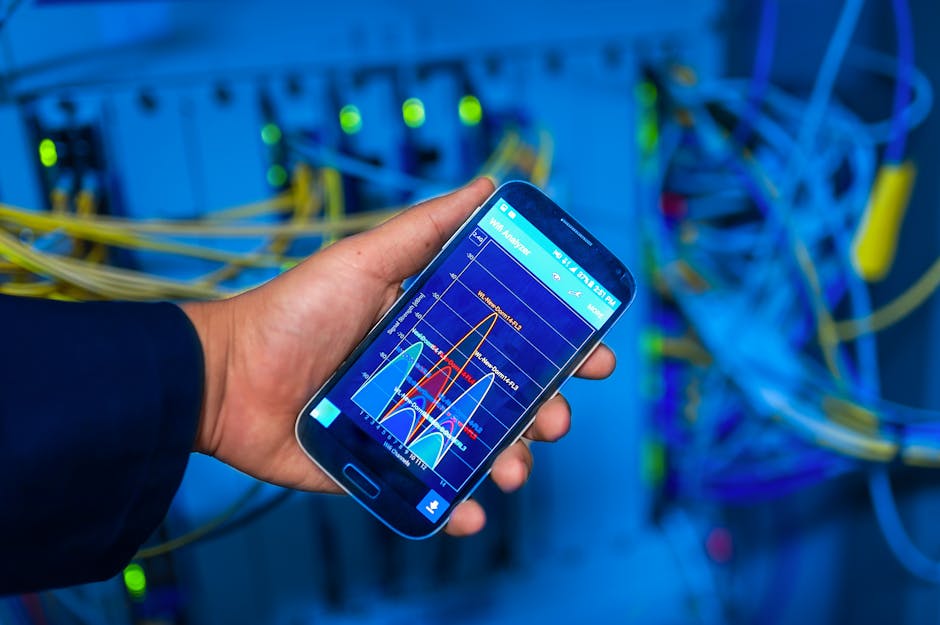
Your home network, whether wired or wireless, should be a controlled environment. You know your devices: your laptop, your smartphone, perhaps a smart TV, a gaming console, and a few IoT gadgets like smart speakers or security cameras. But what if you suddenly discover an unfamiliar device connected to your network, a digital ghost appearing on your router's list of connected clients? This is a significant red flag, a tangible piece of evidence that an unauthorized entity has gained access to your network, transforming your secure perimeter into a public thoroughfare. This 'unseen guest' could be anything from a neighbor piggybacking on your Wi-Fi to a malicious device planted by an intruder, or even a compromised IoT device within your own home that has been repurposed by an attacker. Regardless of its origin, an unrecognized device on your network signifies a severe breach of your digital boundaries and demands immediate investigation. It's like finding a strange car parked in your driveway that definitely doesn't belong to anyone in your family – a clear indication of an unwelcome presence.
How do these unwanted digital squatters gain access? The most common culprit is often a weak or default Wi-Fi password. Many people either never change the default password on their router or choose something easily guessable, making it trivial for anyone within range to connect. Once connected to your Wi-Fi, they are effectively inside your local network, bypassing your firewall and gaining potential access to all your connected devices. They might simply be looking for free internet, but a more malicious actor could be scanning your network for vulnerabilities, attempting to access shared files, or even injecting malware onto your devices. Another, more sophisticated method involves attackers setting up rogue access points – fake Wi-Fi networks designed to mimic your legitimate one. If you accidentally connect to their rogue access point, they can intercept all your traffic, stealing credentials and sensitive data. I've seen cases where individuals connected to what they thought was their home Wi-Fi, only to realize later it was a clone set up by someone nearby, allowing the attacker to siphon off their banking logins and other critical information.
Beyond external intruders, an unrecognized device could also be an indicator of a compromised IoT device within your own home. Smart devices – from lightbulbs and thermostats to security cameras and doorbells – are notoriously insecure, often shipped with weak default passwords and rarely receiving security updates. If one of these devices is compromised, an attacker can use it as a pivot point to gain access to your entire network. They might install a custom firmware that allows them to monitor your network traffic, or even use the device as a relay for their own malicious activities. Checking your router’s administration panel is the primary way to spot these intruders. Most routers have a section (often called "Attached Devices," "Connected Clients," or "DHCP Clients") that lists all devices currently connected to your network, usually showing their IP address, MAC address, and sometimes a hostname. If you see an entry you don't recognize, especially one with a generic or unusual hostname, it's time to be suspicious. Cross-referencing MAC addresses with known devices can help, but any unfamiliar entry warrants a deeper look.
The presence of an unknown device on your network isn't just a privacy concern; it's a fundamental security breach that opens the door to a cascade of potential problems. An intruder on your local network can bypass many external perimeter defenses, making it easier for them to execute advanced attacks, inject malware, or even engage in man-in-the-middle attacks to intercept your communications. This red flag underscores the importance of strong Wi-Fi security (WPA3 or WPA2-AES encryption, strong password, disabling WPS), regular monitoring of your router’s connected devices list, and segmenting your network (e.g., using a guest Wi-Fi network for IoT devices or visitors) to isolate potential threats. When you spot an unknown device, don't dismiss it as a minor anomaly. It's a direct challenge to your network's integrity, signaling that your digital boundaries have been crossed and that immediate action is required to re-establish control and eject the uninvited guest from your digital lawn before they cause irreparable harm.
Your System's Rebellion Frequent Crashes, Pop-ups, and Odd Behaviors
There's a fundamental expectation when interacting with our digital devices: they should generally work as intended. When your computer, smartphone, or tablet starts acting out – experiencing frequent crashes, displaying an onslaught of unexpected pop-up windows, or exhibiting bizarre, unprompted behaviors – it's not merely a sign of an aging device or a software hiccup. More often than not, these dramatic deviations from normal operation are screaming red flags, indicating a deeper, more sinister issue: your system has likely been compromised. Malicious software, once entrenched, often struggles to coexist peacefully with legitimate applications and operating system processes. This internal conflict manifests as instability, performance degradation, and a general sense that your device has been taken over by an unseen, unruly entity. It's akin to your car suddenly lurching, sputtering, and flashing every warning light on the dashboard – a clear sign that something is profoundly wrong under the hood, and ignoring it will only lead to greater damage or complete breakdown.
Frequent system crashes, often accompanied by cryptic error messages or the infamous "Blue Screen of Death" (BSOD) on Windows, are a classic symptom of deep-seated malware. Advanced malware, especially rootkits or particularly aggressive viruses, often attempts to inject itself into core operating system processes or modify critical system files. These manipulations can destabilize the entire system, leading to memory leaks, resource conflicts, and ultimately, system failures. The malware might be poorly coded, causing conflicts, or it might be intentionally designed to overload system resources to facilitate its operations, such as cryptocurrency mining, which can consume vast amounts of CPU and GPU power, leading to overheating and instability. I remember a particularly frustrating case where a client's high-end gaming PC would crash multiple times a day, even during simple web browsing. After extensive diagnostics, we discovered a sophisticated cryptominer hidden deep within the system, constantly running in the background, pushing the CPU to its limits and causing the system to overheat and crash. The owner had no idea their powerful machine was being used to generate illicit cryptocurrency for an attacker.
The sudden appearance of an overwhelming number of pop-up ads, even when you're not actively browsing, is another glaring indicator of compromise. This isn't just annoying; it's a symptom of adware, a type of malicious software specifically designed to bombard you with advertisements. While some adware is merely intrusive, more aggressive variants can redirect your browser, change your homepage, or even install additional, more dangerous malware. These pop-ups often serve as a distraction, drawing your attention away from the more serious, silent activities that the malware is performing in the background, such as data collection or establishing backdoors. Similarly, if your browser suddenly starts redirecting you to unfamiliar search engines or websites you didn't intend to visit, or if new, unwanted toolbars magically appear, it’s a strong sign of a browser hijacker at work. These hijackers not only disrupt your browsing experience but can also track your online activities, inject malicious code into websites you visit, or even phish for your credentials through fake login pages. They are persistent and often difficult to remove without specialized tools, indicating a deeper level of system compromise.
Beyond crashes and pop-ups, pay attention to any other odd behaviors. Are applications launching themselves without your input? Is your mouse cursor moving on its own? Are files disappearing or appearing mysteriously? While some of these might seem like minor quirks, they can be indicators of remote access Trojans (RATs) or other forms of backdoor malware that allow an attacker to control your system remotely. This level of control means an attacker can do anything you can do – access your files, install software, change settings, and even spy on you through your webcam or microphone. The key takeaway here is that your devices are complex machines, and when they deviate significantly from their expected behavior, there's almost always an underlying cause. In the context of cybersecurity, that cause is frequently malicious. Ignoring these persistent anomalies isn't just an inconvenience; it's an invitation for deeper, more pervasive compromise, allowing the attacker to solidify their control and maximize their exploitation of your digital life. Your system is literally rebelling, and it's imperative that you heed its cries for help before it's too late.