Reclaiming Your Digital Dominion Steps to Opt Out and Take Back Control
The situation might seem daunting, almost insurmountable, but I assure you, it’s not hopeless. While Big Tech companies and data brokers have built incredibly sophisticated systems to collect and monetize your information, you are not entirely powerless. Taking back control of your digital dominion is a continuous process, not a one-time fix, but every step you take significantly reduces your exposure and strengthens your privacy posture. Think of it as building a robust digital fortress, brick by brick, against the relentless tide of data extraction. It requires diligence and a bit of technical savvy, but the peace of mind and enhanced security are well worth the effort. Let's walk through some actionable strategies you can implement right now.
The first and arguably most impactful step involves a thorough audit of your existing accounts and settings with the major tech platforms you use daily. Start with Google: visit your Google Activity Controls page. Here, you can pause Web & App Activity, Location History, YouTube History, and even Ad Personalization. Critically, you can also set an automatic deletion schedule for your activity data, choosing to have it deleted every 3, 18, or 36 months. While pausing these controls might impact some personalization features, the trade-off for significantly reduced data collection is often worth it. Next, tackle Meta (Facebook/Instagram): navigate to their privacy settings and look for sections like "Off-Facebook Activity" or "Your Information." This is where you can review and disconnect third-party apps and websites that share your data with Meta, effectively cutting off a major data pipeline. For Amazon, delve into your privacy settings within your account to manage voice recordings (Alexa) and browsing history. It's a tedious process, I know, but think of it as spring cleaning for your digital life.
Beyond the major players, it's crucial to address the pervasive issue of third-party tracking across the internet. Install privacy-focused browser extensions like uBlock Origin (for ad and tracker blocking), Privacy Badger (learns and blocks trackers), or DuckDuckGo Privacy Essentials (blocks trackers and provides search privacy). These tools work silently in the background, preventing thousands of data points from being collected about your browsing habits by third-party advertisers and data brokers. Consider switching your default search engine to a privacy-respecting alternative like DuckDuckGo or Brave Search, which do not track your searches or build profiles. For your web browser itself, consider moving away from Chrome, which is deeply integrated into Google's data ecosystem, to more privacy-centric options like Brave, Firefox (with enhanced tracking protection), or Vivaldi. These changes might seem small individually, but cumulatively, they create a significant barrier against pervasive surveillance.
Fortifying Your Digital Defenses Practical Steps for Enhanced Privacy
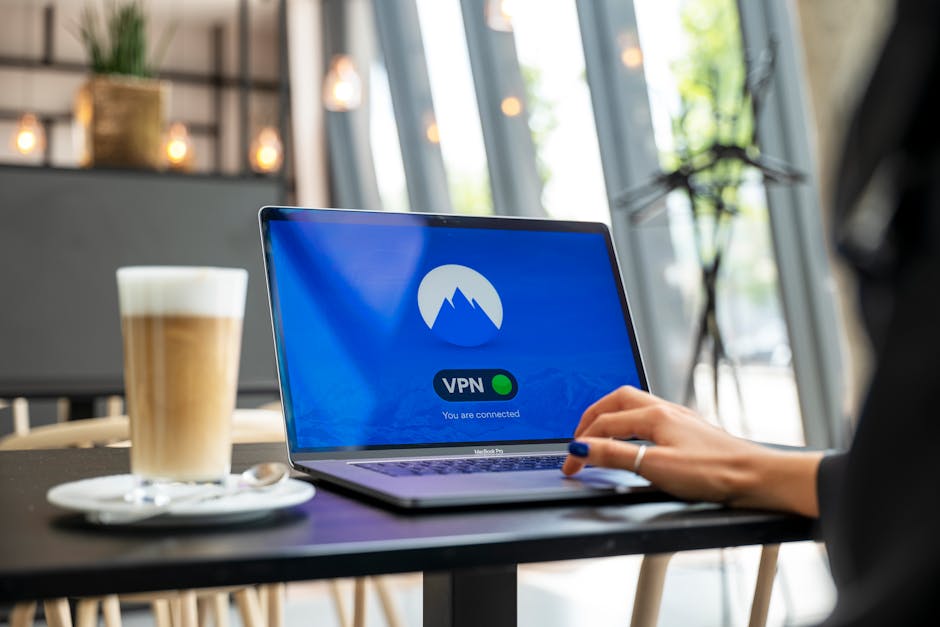
Taking a proactive approach to your digital defenses involves more than just opting out; it means actively choosing tools and habits that prioritize your privacy. One of the most fundamental changes you can make is to embrace a Virtual Private Network (VPN). A reputable VPN encrypts your internet traffic and routes it through a server in a location of your choosing, masking your real IP address and making it significantly harder for your Internet Service Provider (ISP), government agencies, and third-party trackers to monitor your online activities. When selecting a VPN, look for providers with a strict no-logs policy, audited security, and a strong reputation in the privacy community. This is a non-negotiable tool for anyone serious about online privacy, acting as a crucial shield against pervasive tracking and data interception.
Another critical area to address is your email. Most free email services, like Gmail, scan your emails for keywords to personalize ads and build profiles. Consider migrating to a privacy-focused email provider such as Proton Mail or Tutanota, which offer end-to-end encryption and do not scan your messages. This ensures that the content of your communications remains private, away from the prying eyes of data algorithms. Additionally, be mindful of the apps you install on your smartphone. Before downloading, scrutinize the permissions an app requests. Does a flashlight app really need access to your camera, microphone, and contacts? If an app asks for excessive permissions that seem unrelated to its core function, it’s a red flag. Opt for apps that clearly state their privacy policies and only grant the minimum necessary permissions.
Finally, cultivate a habit of critical thinking about what you share online. Every piece of information you post on social media, every photo you upload, every comment you make, contributes to your digital footprint. Be wary of online quizzes, surveys, and personality tests, as these are often thinly veiled data collection tools designed to extract personal information that can be used for targeting or even identity theft. Regularly review your privacy settings on all social media platforms, making sure your posts are only visible to your intended audience and that location tagging is disabled. Consider using strong, unique passwords for every account, ideally managed by a reputable password manager, and enable two-factor authentication (2FA) wherever possible. These seemingly small actions collectively build a formidable defense against the relentless data mining operations and give you a fighting chance to reclaim your digital autonomy before it's too late.
- Perform a comprehensive account audit:
- Visit your Google Activity Controls (myactivity.google.com/activitycontrols) and pause Web & App Activity, Location History, and YouTube History. Set an automatic deletion schedule for your data.
- On Meta platforms (Facebook, Instagram), navigate to privacy settings and review "Off-Facebook Activity" or "Your Information" to disconnect third-party apps and websites.
- For Amazon, manage voice recordings (Alexa) and browsing history within your account privacy settings.
- Review privacy settings for all major online services you use (Twitter/X, LinkedIn, etc.) and limit data sharing wherever possible.
- Upgrade your browsing environment:
- Install privacy-focused browser extensions: uBlock Origin, Privacy Badger, or DuckDuckGo Privacy Essentials.
- Switch your default search engine to a privacy-respecting alternative like DuckDuckGo, Brave Search, or Startpage.
- Consider migrating from Chrome to a more privacy-centric browser such as Brave, Firefox (with Enhanced Tracking Protection enabled), or Vivaldi.
- Implement a robust Virtual Private Network (VPN):
- Subscribe to a reputable VPN service known for its no-logs policy, audited security, and strong encryption.
- Always activate your VPN when connecting to public Wi-Fi or when you want to mask your IP address and encrypt your traffic.
- Secure your email and communications:
- Migrate from free, ad-supported email services (like Gmail) to privacy-focused, encrypted alternatives such as Proton Mail or Tutanota.
- Use encrypted messaging apps like Signal for sensitive communications.
- Manage smartphone app permissions:
- Regularly review the permissions granted to apps on your phone (in your phone's settings under "Apps" or "Privacy").
- Revoke permissions that seem excessive or unnecessary for an app's core function (e.g., a calculator app needing location access).
- Disable background app refresh for apps that don't need constant updates.
- Practice mindful online sharing:
- Be cautious about what personal information you share on social media, even seemingly innocuous details.
- Avoid online quizzes, surveys, and personality tests that ask for extensive personal data.
- Disable location tagging on your photos and posts unless absolutely necessary.
- Regularly review and tighten privacy settings on all social media platforms to control who sees your content.
- Strengthen your account security:
- Use a strong, unique password for every online account, ideally generated and stored by a reputable password manager (e.g., Bitwarden, LastPass).
- Enable two-factor authentication (2FA) on all accounts that offer it, using an authenticator app (like Authy or Google Authenticator) rather than SMS where possible.
- Be vigilant against phishing attempts; never click on suspicious links or provide personal information in response to unsolicited emails or messages.
- Exercise your data rights where applicable:
- If you reside in a region with strong privacy laws (like GDPR or CCPA), familiarize yourself with your rights to access, correct, delete, or port your data.
- Don't hesitate to submit data subject access requests to companies to see what information they hold on you and request its deletion if desired.