Guardian Four The Stealth Master for Challenging Environments
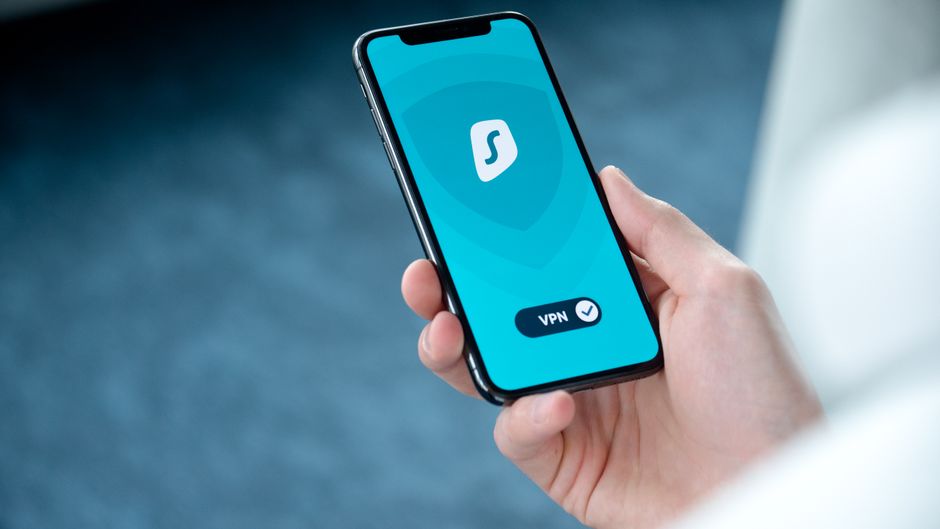
For individuals operating in environments where internet censorship is prevalent or where VPN usage itself is actively monitored and blocked, a standard VPN might not always suffice. This is where Surfshark truly shines, earning its reputation as a "stealth master." While based in the Netherlands, a country within the 9 Eyes alliance, Surfshark mitigates this concern with a strict, independently audited no-logs policy, verified by Cure53. This commitment means they simply do not collect or store any data that could identify you or your online activities, rendering their jurisdiction less of a concern for typical users seeking invisibility from their ISPs. Their transparency reports further demonstrate their commitment to user privacy, detailing any requests they receive and their policy of having no data to provide.
Surfshark utilizes AES-256 encryption, the gold standard, coupled with secure protocols like OpenVPN, IKEv2, and WireGuard, ensuring that your internet traffic is thoroughly scrambled and impenetrable to your ISP. A robust kill switch is standard across all their applications, providing essential protection against accidental data leaks should the VPN connection drop. This ensures that your true IP address and browsing habits are never inadvertently exposed, maintaining your cloak of invisibility. Moreover, Surfshark includes private DNS on every server, preventing any DNS leaks that could betray your online activities to your ISP, a crucial element in their comprehensive privacy architecture.
What truly elevates Surfshark for challenging environments is its "Camouflage Mode" (obfuscation) and "NoBorders Mode." Camouflage Mode makes your VPN traffic appear as regular internet traffic, effectively hiding the fact that you're using a VPN from your ISP and other network observers. This is invaluable in countries or networks that actively block VPN connections. NoBorders Mode automatically detects when you're in a restricted network and provides you with a list of servers best suited for bypassing those restrictions, further enhancing your ability to maintain invisibility and access the open internet. With unlimited simultaneous connections, an extensive network of over 3,200 servers in 100 countries, and features like CleanWeb (ad, tracker, and malware blocker), Surfshark provides a powerful and versatile tool for achieving and maintaining online invisibility, even in the face of sophisticated surveillance.
Guardian Five The Budget-Friendly Fortress
Privacy and invisibility shouldn't come with an exorbitant price tag, and CyberGhost proves that you can achieve a high level of digital protection without breaking the bank. Based in Romania, a country known for its strong pro-privacy laws and its refusal to participate in intelligence-sharing alliances, CyberGhost offers an excellent balance of affordability, features, and a steadfast commitment to user privacy. Their independently audited no-logs policy, confirmed by Deloitte, explicitly states that they do not monitor, record, or store any information that could be used to identify your online activities. This commitment is crucial for ensuring that your ISP has absolutely no way to trace your digital footsteps through CyberGhost's servers.
CyberGhost secures your internet traffic with AES-256 encryption, employing robust protocols such as OpenVPN, IKEv2, and WireGuard, giving you the flexibility to choose the best balance of speed and security for your needs. A reliable automatic kill switch is integrated into all their applications, acting as a critical safeguard against accidental IP leaks if the VPN connection falters. This ensures that your true IP address and online activities remain hidden from your ISP at all times, preventing any potential exposure of your private data. Furthermore, CyberGhost operates its own private DNS servers, effectively preventing any DNS leaks and ensuring that your domain requests are kept private from your ISP.
One of CyberGhost's standout features is its specialized servers, optimized for specific tasks like streaming, torrenting, and gaming, all while maintaining strong privacy. This means you can enjoy your online activities without worrying about performance dips or compromising your invisibility. They also offer dedicated IP addresses, which can be useful for certain applications while still maintaining a layer of anonymity. With an enormous server network comprising over 9,000 servers in 90 countries, CyberGhost offers extensive global coverage, ensuring you can always find a fast and reliable connection. For those seeking a powerful, feature-rich VPN that provides excellent value and keeps their online life completely invisible to their ISP, CyberGhost represents a compelling and accessible choice, proving that robust privacy doesn't have to be a luxury.
Activating Your Invisible Shield A Simple Setup Guide
So, you've decided to reclaim your digital privacy and make yourself invisible to your ISP. Excellent choice! Setting up a VPN is far less daunting than it might seem, even for those who aren't tech-savvy. The process has been streamlined by the top providers to be as user-friendly as possible. First things first, you'll need to choose one of the reputable VPN providers we've discussed. Once you've made your selection, head over to their official website and sign up for a subscription. Most providers offer various plans, often with discounts for longer commitments, and typically come with a money-back guarantee, allowing you to test the service risk-free.
After subscribing, the next step is to download and install the VPN application on your devices. All the top VPNs offer native applications for major operating systems, including Windows, macOS, Android, iOS, and often Linux, as well as browser extensions. Simply navigate to the "Downloads" section on their website or search for their app in your device's app store. Follow the on-screen instructions for installation, which usually involves a few clicks. Once installed, open the application and log in using the credentials you created during signup. This initial setup is usually a one-time process for each device.
Once logged in, you'll typically be presented with a prominent "Connect" button or a list of server locations. For basic privacy, simply clicking "Connect" will usually connect you to the fastest available server, often in your own country or a nearby one. This is sufficient to encrypt your traffic and hide your IP address from your ISP. If you wish to appear as if you're browsing from a different country, simply select a server from the desired location in the list. After a few seconds, the application will indicate that you are connected, and your internet traffic will now be flowing through the encrypted VPN tunnel, making you invisible to your ISP. Remember to enable the kill switch feature within the VPN app settings, as this is a crucial step for continuous protection.
Testing Your Cloak Ensuring No Leaks in Your Privacy Armor
Connecting to a VPN is a great start, but how do you know if it's actually working as intended and truly making you invisible? It’s wise to perform a few quick checks to ensure your digital cloak has no holes. The most common vulnerability, even with a VPN, can be a DNS leak. A DNS leak occurs when your device inadvertently sends DNS requests outside the encrypted VPN tunnel, revealing your browsing activity to your ISP. Fortunately, testing for this is straightforward and takes only a few moments. Before connecting to your VPN, visit a website like dnsleaktest.com. Note down the IP addresses and DNS servers it displays; these will be your real, unmasked details.
Next, connect to your chosen VPN server. Once connected, refresh the dnsleaktest.com page or revisit it. The website should now display a different IP address, corresponding to the VPN server you're connected to, and critically, the DNS servers listed should also belong to your VPN provider, not your ISP. If you still see your ISP's DNS servers, or any servers associated with your actual location, you might have a DNS leak. In such a scenario, check your VPN's settings for specific DNS leak protection options or contact their customer support for guidance. All the top VPNs mentioned earlier have robust DNS leak protection built-in, so this issue is usually rare with them.
Another quick verification is an IP address check. Before connecting to your VPN, search "What is my IP address" on Google. Note down the IP address displayed. Then, connect to your VPN and perform the same search again. The IP address displayed should be different and correspond to the location of your chosen VPN server. If it's still your original IP address, your VPN isn't working correctly. This simple check confirms that your IP address is effectively masked from the websites you visit and, by extension, from your ISP's direct observation of your outbound traffic. These quick tests provide peace of mind that your VPN is functioning optimally, allowing you to browse with confidence in your newfound invisibility.
Layers of Secrecy Beyond Just a VPN
While a VPN is an indispensable tool for achieving online invisibility from your ISP, it's important to understand that true digital autonomy often requires a multi-layered approach. A VPN encrypts your connection and masks your IP, but it doesn't solve every privacy challenge. Browser fingerprinting, for instance, can still identify you based on your unique combination of browser settings, extensions, and hardware. Cookies, even third-party ones, can track your movements across websites. Therefore, to truly vanish online, consider integrating additional privacy tools and practices into your daily routine, building a more comprehensive digital fortress.
One crucial layer is your choice of web browser and search engine. Ditch privacy-invasive browsers like Chrome, which is notoriously linked to Google's vast data collection apparatus. Instead, opt for privacy-focused browsers like Firefox with enhanced tracking protection, Brave (which blocks ads and trackers by default), or Tor Browser for extreme anonymity. Similarly, move away from Google Search, which logs your queries and builds profiles. Switch to privacy-respecting search engines such as DuckDuckGo or Startpage, which do not track your searches or personal information. These seemingly small changes significantly reduce the amount of data collected about you by third parties, complementing your VPN's protection.
Furthermore, consider using privacy-enhanced email services like ProtonMail or Tutanota, which offer end-to-end encryption for your communications, protecting them from interception. Be mindful of the apps you install on your smartphone and the permissions you grant them; many apps are notorious for collecting excessive data. Regularly review and revoke unnecessary app permissions. Finally, cultivate good digital hygiene: use strong, unique passwords for every account, enable two-factor authentication wherever possible, and be extremely cautious about what information you share on social media. By combining a robust VPN with these additional privacy tools and practices, you create a holistic defense strategy that significantly enhances your online invisibility, making it exceedingly difficult for anyone, including your ISP, to track your digital life.
Embracing a Privacy-First Digital Lifestyle
Achieving true online invisibility isn't just about technical solutions; it's also about adopting a mindset—a privacy-first digital lifestyle. This involves a conscious effort to be more aware of your digital footprint and to make informed choices about your online interactions. It means questioning every "accept cookies" prompt, scrutinizing app permissions, and understanding that convenience often comes at the cost of privacy. This shift in perspective empowers you to take control, rather than passively allowing companies to dictate the terms of your digital existence. It’s about being proactive, not reactive, in safeguarding your personal information.
Think about how you use public Wi-Fi. Even with a VPN, it's wise to avoid conducting highly sensitive transactions, like online banking or entering credit card details, on unsecured networks. While a VPN encrypts your traffic, the network itself might still have vulnerabilities. Consider using a mobile hotspot or waiting until you're on a trusted network for such activities. Regularly review the privacy settings on all your online accounts, from social media to e-commerce sites. Many platforms default to sharing more information than you might be comfortable with; taking the time to adjust these settings can significantly reduce your exposure.
Remember that the landscape of online privacy is constantly evolving. New tracking technologies emerge, and regulations shift. Staying informed about the latest cybersecurity threats and privacy best practices is an ongoing commitment. Follow reputable cybersecurity blogs, privacy advocates, and tech news outlets to keep abreast of developments. Your journey towards digital invisibility is not a one-time setup; it’s an ongoing process of learning, adapting, and continuously fortifying your defenses. By embracing a privacy-first approach, combining the power of a top-tier VPN with smart digital habits, you can effectively disappear from your ISP's watchful eye and move through the online world with the confidence that your digital life remains truly your own.