Having journeyed through the intricate landscape of phishing tactics, from the easily discernible to the cunningly sophisticated, it’s now time to consolidate our defenses. Knowledge, without action, is merely potential. The real power lies in transforming this understanding into practical, actionable steps that fortify your digital presence and empower you to confidently navigate the treacherous waters of your inbox. This isn't about becoming a paranoid recluse online; it's about cultivating a healthy skepticism and adopting a multi-layered approach to cybersecurity that makes you an incredibly difficult target for even the most determined digital adversaries. Think of it as building your personal cybersecurity fortress, brick by brick, ensuring every entry point is secured and every interaction is scrutinized with an informed eye. Your digital safety is not a passive state; it's an ongoing commitment, a proactive stance against an ever-evolving threat.
Building Your Personal Cybersecurity Fortress A Multi-Layered Approach
The first and most fundamental piece of advice, a mantra to repeat whenever a suspicious email lands in your inbox, is to **Verify, Don't Trust.** Never take an email at face value, especially if it's unexpected, demands urgency, or requests personal information. If you receive an email from your bank, a service provider, or even a colleague that raises any of the red flags we’ve discussed, do not respond to the email, and absolutely do not click any links or open any attachments within it. Instead, verify the legitimacy of the communication through an alternative, known-good channel. This means going directly to the organization's official website by typing their URL into your browser (not by clicking a link in the email!), or calling them on a customer service number you know to be legitimate (again, not a number from the email). For internal business communications, a quick call to the colleague on a known extension, or a message through an official internal communication platform, can save you from a devastating Business Email Compromise scam. This simple, two-step verification process is your ultimate shield against sophisticated impersonation tactics, ensuring that you're communicating with the real entity, not a cunning imposter.
Following closely on the heels of verification is the golden rule of **Never Click, Never Download.** This cannot be stressed enough. If you’ve identified an email as suspicious, or even if you're just unsure, the safest course of action is to completely disengage. Do not click on any links, even out of curiosity, and never open any attachments, regardless of how innocent they might appear. As we discussed, a single click can lead to a credential-harvesting page, and opening an attachment can unleash malware, ransomware, or spyware onto your system. Your operating system and email client might have some built-in protections, but they are not infallible. The human firewall, your own judgment and caution, remains the most robust defense. When in doubt, delete the email. Better safe than sorry is not just a cliché in cybersecurity; it's a life-saving principle that prevents countless digital disasters every single day. This proactive avoidance is your frontline defense, preventing the attacker from gaining any foothold whatsoever.
Once you’ve identified a phishing email, your responsibility extends beyond simply protecting yourself; it involves protecting others. Therefore, the next crucial step is to **Report, Don't Delete** (or at least, report *before* deleting). Most email providers (Gmail, Outlook, Yahoo) have built-in "Report Phishing" buttons that analyze the email and block similar attempts. If the email impersonates a specific company, forward it to their dedicated abuse email address (e.g., `[email protected]` or `[email protected]`), which can usually be found on their official website. For broader impact, you can also report phishing attempts to government agencies like the Anti-Phishing Working Group (APWG) or the FBI's Internet Crime Complaint Center (IC3) in the U.S., or equivalent bodies in your country. Reporting helps law enforcement track down cybercriminals and helps service providers improve their filters, making the internet safer for everyone. Your action, however small it may seem, contributes to the collective defense against these pervasive threats, turning your personal vigilance into a communal benefit.
Beyond immediate reactions to suspicious emails, building a strong cybersecurity fortress requires proactive measures that enhance your overall digital resilience. Start with **Strong, Unique Passwords and a Reliable Password Manager.** Reusing passwords across multiple accounts is akin to using the same key for every lock in your life; if one lock is picked, all your doors are open. A password manager (like LastPass, 1Password, or Bitwarden) generates and securely stores complex, unique passwords for all your accounts, eliminating the need for you to remember them and significantly reducing your risk in the event of a data breach on a single service. This simple step drastically limits the lateral movement of attackers, ensuring that a compromised password on one site doesn't automatically grant them access to your entire digital life. It's a foundational element of personal cybersecurity that cannot be overstated in its importance.
The single most impactful security measure you can adopt against credential theft, even if you accidentally fall for a phishing scam, is to **Embrace Two-Factor Authentication (2FA) or Multi-Factor Authentication (MFA).** This adds an extra layer of security beyond just your password, requiring a second form of verification (like a code sent to your phone, a fingerprint scan, or a hardware key) before access is granted. Even if a phisher manages to steal your password, they won't be able to log in without that second factor. Enable 2FA on every single account that offers it – email, banking, social media, cloud storage, and any other critical service. It's the ultimate failsafe, turning a potential disaster into a mere inconvenience, and it’s a non-negotiable component of modern digital hygiene. My own experience consistently shows that accounts protected by robust MFA are exponentially harder for attackers to compromise, providing a significant peace of mind in a volatile digital world.
Maintaining a secure digital environment also involves **Keeping All Your Software Updated.** Operating systems (Windows, macOS, Linux, Android, iOS), web browsers, and all applications you use frequently receive security patches that fix vulnerabilities exploited by cybercriminals. Neglecting updates leaves gaping holes in your digital defenses, making it easier for malware delivered via phishing to take root. Enable automatic updates whenever possible, and regularly check for manual updates. This continuous patching process is like regularly reinforcing the walls of your fortress, ensuring that any newly discovered weaknesses are swiftly addressed before attackers can exploit them. It’s a simple, often automated task, but its importance in preventing a successful breach cannot be overstated, acting as a silent guardian against emerging threats.
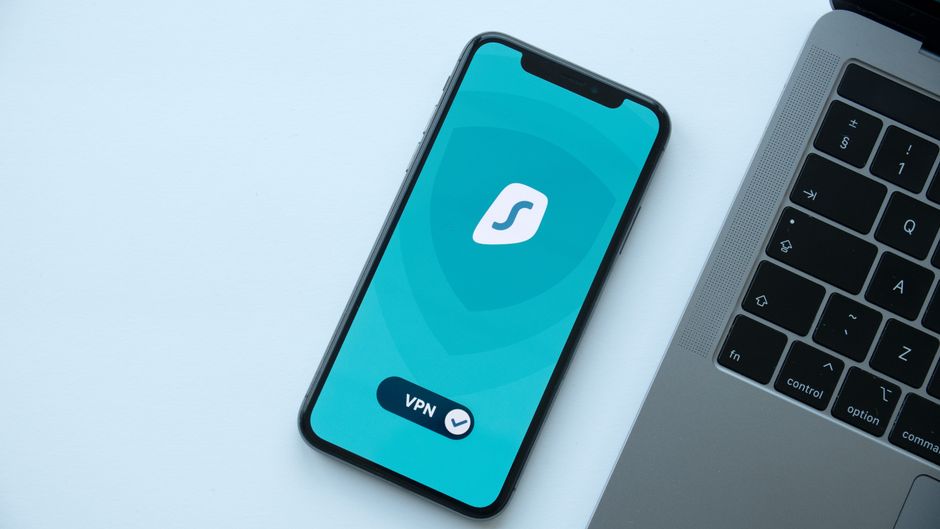
Finally, while not directly a phishing detection tool, **Using a Reputable VPN (Virtual Private Network)** enhances your overall online privacy and security, which indirectly contributes to your defense against targeted attacks. A VPN encrypts your internet connection, especially crucial when using public Wi-Fi, preventing snoopers from intercepting your data. While it won't stop a phishing email from landing in your inbox, it can protect against initial data gathering that might be used to craft more convincing spear phishing attacks. Furthermore, a VPN helps mask your IP address, adding a layer of anonymity that can deter some forms of online surveillance and targeting. In my professional opinion, a good VPN is an essential component of a holistic cybersecurity strategy, complementing your vigilance against phishing by fortifying your broader online footprint and making you a harder target to profile and exploit. It’s about building an encompassing digital shield, where every layer works in concert to protect your most valuable asset: your online identity and privacy.
Ultimately, the secret checklist to spot any scam email in under 30 seconds boils down to cultivating a habit of critical thinking and healthy skepticism. Trust your gut instincts; if an email feels off, it probably is. The digital landscape is a dynamic battlefield, and phishing techniques will continue to evolve, but the core human vulnerabilities they exploit remain constant. By arming yourself with knowledge, practicing vigilance, and implementing these actionable steps, you transform from a potential victim into an empowered guardian of your own digital life. Stay alert, stay informed, and remember: your best defense is always a well-informed offense.