Choosing Your Digital Guardian Selecting the Right VPN Provider
Navigating the bustling marketplace of VPN providers can feel overwhelming, with countless services vying for your attention, each promising the ultimate in speed, security, and anonymity. However, making an informed choice is paramount, as not all VPNs are created equal, and a hasty decision could compromise the very privacy you’re trying to protect. The first and most critical criterion to scrutinize is the provider's logging policy. A truly trustworthy VPN adheres to a strict "no-logs" policy, meaning they do not collect, store, or monitor any data related to your online activities, including your browsing history, connection timestamps, bandwidth usage, or IP addresses. This commitment should be clearly stated and ideally independently audited, providing tangible proof that your digital footprint remains exclusively your own. Without a robust no-logs policy, the VPN essentially becomes another potential point of surveillance, defeating its core purpose. Always delve into their privacy policy with a critical eye, looking for any ambiguous language that might allow them to collect data under certain circumstances.
Beyond logging, consider the VPN's server network and geographical distribution. A larger, more diverse network of servers spread across numerous countries typically translates to better performance, allowing you to connect to servers closer to your physical location for faster speeds, or to servers in specific regions to bypass geo-restrictions more effectively. Look for providers that offer a substantial number of servers, indicating a strong infrastructure capable of handling user load without significant slowdowns. Speed is another vital factor, as even the most secure VPN is useless if it grinds your internet to a halt. While some speed reduction is inevitable due to encryption and routing, a top-tier VPN will minimize this impact, allowing for seamless streaming, gaming, and browsing. Price, of course, plays a role, but it should never be the sole determinant. Remember, this is an investment in your privacy. Many reputable VPNs offer competitive pricing, often with discounts for longer subscriptions, and frequently provide money-back guarantees or free trial periods, allowing you to test their service before committing fully. Finally, don't overlook customer support and device compatibility; a responsive support team can be a lifesaver if you encounter issues, and broad compatibility ensures you can protect all your devices, from your smartphone to your smart TV and even your router.
The Grand Unveiling A Simple Step-by-Step Installation Walkthrough
Now that you understand the profound benefits and have a clearer idea of what to look for in a VPN, let's demystify the installation process itself. You'll be pleasantly surprised by how straightforward it truly is, a testament to how far these services have come in terms of user-friendliness. The entire setup can genuinely be completed in just a few minutes, even if your technical expertise extends only to turning a computer on and off. There are no complicated network configurations, no command-line prompts, and certainly no need to consult an IT professional. It all begins with a simple online interaction, easily managed from your web browser or even directly from your smartphone's app store, making it accessible to virtually anyone with a basic grasp of digital navigation. This guide is specifically designed to be as clear and unambiguous as possible, ensuring that every step is a breeze, transforming the abstract concept of online anonymity into a tangible reality for everyone.
-
Step 1 Sign Up and Subscribe to Your Chosen Provider:
Your journey to digital freedom begins on the website of your chosen VPN provider. Once you've selected a service that aligns with your needs and budget, navigate to their homepage and look for a prominent "Sign Up," "Get Started," or "Pricing" button. You'll be prompted to choose a subscription plan, which typically offers better value for longer commitments (e.g., annual vs. monthly). After selecting your plan, you'll create an account, usually by providing an email address and setting a secure password. Complete the payment process using your preferred method. Reputable providers offer various payment options, including credit cards, PayPal, and sometimes even cryptocurrencies for enhanced anonymity. Once the payment is confirmed, you'll receive a confirmation email, often containing your login credentials and a link to download the software.
-
Step 2 Download the VPN Application for Your Device:
With your subscription active, the next step is to download the VPN application (often simply called the "client") onto the device you wish to protect. Most VPN providers offer dedicated apps for a wide range of operating systems and devices, including Windows, macOS, Linux, Android, and iOS. On the provider's website, you'll usually find a "Download" or "Apps" section. Simply click on the appropriate icon or link for your operating system. If you're setting it up on a mobile device, you can often go directly to the Apple App Store or Google Play Store, search for your VPN provider's name, and download their official app from there. Ensure you're downloading the legitimate application to avoid any security risks; always double-check the developer's name.
-
Step 3 Install the Application and Log In:
Once the download is complete, locate the installer file (e.g., an .exe file on Windows or a .dmg on macOS) and double-click it to begin the installation process. Follow the on-screen prompts, which are typically very straightforward, involving clicking "Next," "Agree," and "Install." The installation usually takes only a minute or two. After the application is installed, launch it. You'll then be greeted with a login screen where you’ll enter the username (often your email address) and password you created during the sign-up process in Step 1. Some providers might also require a unique activation code, which would have been provided in your confirmation email or on your account dashboard. Once logged in, you'll usually see the main interface of the VPN app, ready for action.
-
Step 4 Connect to a VPN Server:
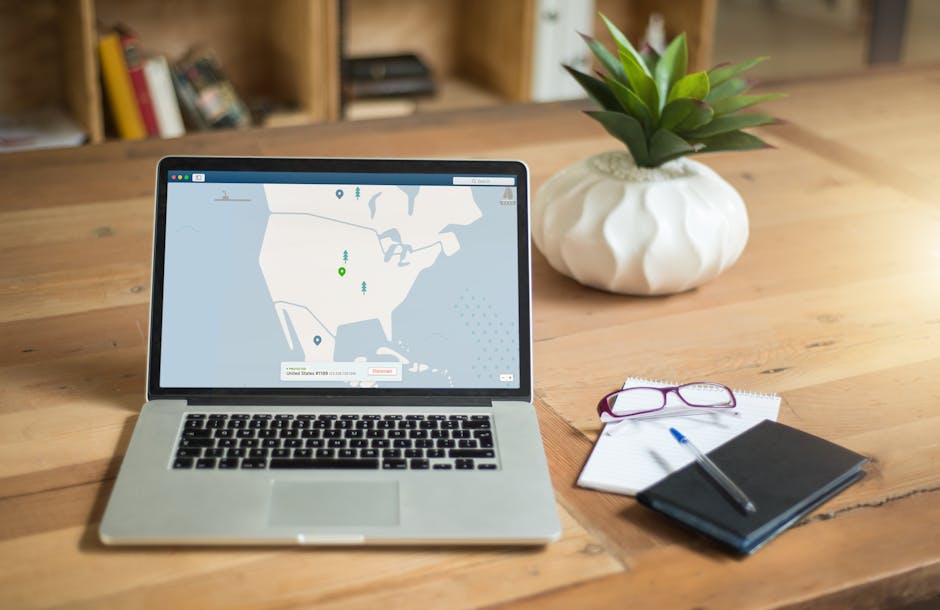
This is where the magic happens, and it's often the simplest part. The VPN application's interface is typically very intuitive, featuring a large, prominent "Connect" button or a similar control. Many apps will automatically suggest the "fastest" or "recommended" server based on your current location, which is usually a great starting point for general browsing. If you want to connect to a server in a specific country (e.g., to access geo-restricted content), look for a "Server List," "Locations," or "Choose Server" option. From there, you can browse through a map or a list of countries and simply click on the one you desire. Once you've made your selection, click the "Connect" button. The app will then establish the secure tunnel, and within seconds, the button will typically change to "Connected" or display a green indicator, confirming your protected status.
-
Step 5 Verify Your Connection (Optional but Recommended):
To truly confirm your VPN is working as intended, you can perform a quick check. Before connecting to the VPN, visit a website like "whatismyip.com" or "ipchicken.com" to see your original IP address and location. Note it down. Then, connect to your VPN server as described in Step 4. Once connected, revisit the same IP checker website. If your VPN is working correctly, the website should now display the IP address and geographical location of the VPN server you connected to, not your actual IP address or location. This simple verification gives you peace of mind, confirming that your digital identity is now successfully masked and your internet traffic is encrypted.
-
Step 6 Explore Advanced Features (Optional but Highly Recommended):
While your basic connection is now secure, take a moment to explore the VPN app's settings. Most reputable VPNs include crucial features like a "Kill Switch." This feature is a lifesaver: if your VPN connection unexpectedly drops, the kill switch automatically blocks all internet traffic to prevent your real IP address from being exposed, maintaining your anonymity even during brief network interruptions. Another useful feature is "Split Tunneling," which allows you to choose which applications use the VPN tunnel and which connect directly to the internet. For example, you might want your browser traffic to go through the VPN but your online gaming to bypass it for lower latency. Activating and understanding these advanced options can further customize and enhance your VPN experience, providing even greater control over your online privacy and security.
Mastering Your Newfound Anonymity Everyday VPN Habits and Troubleshooting
Congratulations! You've successfully taken the crucial step towards reclaiming your online privacy and security. Setting up your VPN is the first and most significant hurdle, but truly mastering your newfound anonymity involves integrating it seamlessly into your daily digital routine. The most fundamental habit to cultivate is simply keeping your VPN connected whenever you are online. Think of it like putting on your seatbelt every time you get into a car; it's a simple, automatic action that provides continuous protection. Whether you're casually browsing social media, checking emails, or engaging in sensitive online banking, having your VPN active ensures that your data remains encrypted and your IP address masked, providing a consistent shield against snooping, tracking, and potential threats. Make it a default setting for your computer to launch the VPN client on startup and automatically connect to a preferred server, turning privacy into an effortless background process rather than a conscious decision you have to make repeatedly.
Another excellent habit is learning when and why to switch servers. While a quick connect to the fastest available server is perfect for everyday use, there will be instances when selecting a specific server location becomes beneficial. For example, if you're trying to access streaming content that's geo-restricted to a particular country, you'll need to manually select a server in that nation. Similarly, if you notice a significant slowdown in your internet speed, trying a different server, perhaps one closer to your physical location or one that is less congested, can often resolve the issue. Most VPN applications make switching servers incredibly easy, allowing you to browse a list or map of available locations and connect with a single click. Regularly exploring different servers can also help you discover optimal performance for various online activities, ensuring you always have the best possible connection for whatever you're doing.
The Future of Your Digital Self Embracing a Private Online Existence
While VPNs are incredibly powerful tools, they are just one component of a broader strategy for maintaining online privacy and security. Think of your VPN as the robust outer wall of your digital fortress; it's essential, but you also need to secure the gates and keep an eye on what's happening inside. Regularly updating your software and operating systems, using strong, unique passwords for all your accounts, and enabling two-factor authentication wherever possible are equally vital practices. Be mindful of the information you share on social media, be cautious about clicking suspicious links in emails, and always be skeptical of unsolicited requests for personal data. The digital landscape is constantly evolving, with new threats emerging regularly, so staying informed and adopting a proactive mindset towards your online safety is crucial. This isn't about paranoia; it's about empowerment, about taking conscious steps to protect yourself in an environment that often seems designed to extract as much of your personal data as possible.
Embracing a private online existence is a journey, not a destination, and your VPN is your most reliable companion on that path. It empowers you to navigate the internet with confidence, knowing that your personal information is protected from prying eyes, that your online activities are your own business, and that you have a greater degree of control over your digital identity. This newfound freedom isn't just about avoiding surveillance; it's about fostering an environment where you can explore, learn, and connect without the constant burden of being tracked and analyzed. It's about restoring that original feeling of boundless possibility that the internet once promised, making it a safer, more open, and truly personal space for everyone, even your grandma. So, take that five minutes, get your VPN set up, and step into a more private, more secure, and ultimately, a more liberating online world.