Building an Impenetrable Identity Fortress Practical Steps for a Safer Digital Life
The landscape of cyber threats, particularly those targeting our digital identities, can feel overwhelmingly complex and daunting. It’s easy to throw up our hands in despair, feeling like we’re constantly one step behind the attackers. But succumbing to apathy is precisely what the bad actors want. The good news is that while no system is 100% impervious, we are not powerless. By understanding the evolving threats and implementing a layered, proactive defense strategy, we can significantly raise the bar for attackers, making ourselves much harder targets. This isn't about buying expensive gadgets; it’s about cultivating a mindset of digital vigilance, adopting smarter habits, and making informed choices about the tools and practices we use every single day. Think of it as constructing a personal identity fortress, brick by brick, ensuring each layer reinforces the next, making it an unappealing target for even the most determined cybercriminal. It's time to move beyond reactive panic and embrace proactive empowerment, taking concrete steps to reclaim control over our digital lives.
The journey to a more secure digital identity begins with a critical re-evaluation of our multi-factor authentication choices. While any MFA is better than no MFA, not all second factors are created equal, especially in the face of sophisticated bypass techniques. Relying solely on SMS-based codes, for example, is increasingly risky due to the pervasive threat of SIM swapping, as we've discussed. It's like having a sturdy lock on your door, but leaving the key under the doormat – convenient, perhaps, but fundamentally insecure against a determined thief. The shift must be towards stronger, more resilient forms of MFA that are inherently resistant to common social engineering tactics and technical bypasses. This involves a conscious move away from easily intercepted or manipulated methods towards options that provide a higher degree of cryptographic assurance and physical security. It's a small change in habit that can make an enormous difference in your overall security posture, transforming your digital identity from a soft target into a hardened one.
Choosing Robust MFA Methods Not All Second Factors Are Created Equal
When it comes to multi-factor authentication, the hierarchy of security is clear. At the top of the pyramid are **hardware security keys**, devices like YubiKey or Google Titan. These small, physical tokens use highly secure cryptographic protocols like FIDO2/WebAuthn or U2F. When you log in, you physically plug the key into your computer or tap it to your phone, and then often tap a button on the key itself. This physical interaction is incredibly difficult for attackers to spoof or bypass remotely, even with sophisticated phishing kits, because the key itself never reveals its secrets to the website; it merely confirms your presence. It's the gold standard for personal and enterprise security, offering the strongest protection against phishing, credential stuffing, and most MFA bypass techniques. The upfront cost is minimal compared to the potential loss from a compromised account, and the peace of mind they offer is invaluable. If a service you use supports a hardware key, make it your primary MFA method without hesitation.
Next in line for robust security are **authenticator apps** that generate Time-based One-Time Passwords (TOTP), such as Google Authenticator, Microsoft Authenticator, or Authy. These apps generate unique, time-sensitive codes every 30-60 seconds, which you then manually enter during login. Unlike SMS codes, these codes are generated entirely on your device and are not transmitted over less secure cellular networks, making them immune to SIM swapping. While an attacker *could* still try to phish your credentials and then prompt you for a TOTP code in real-time (an AiTM attack), the manual entry and the fact that the code changes rapidly make this significantly harder to execute successfully than simply approving a push notification. Always ensure you back up your authenticator app's secret keys safely, as losing your device without a backup can lock you out of your accounts. These apps represent a significant upgrade over SMS and push notifications, providing a strong balance of security and convenience.
Further down the security ladder, but still better than nothing, are **push-based MFA notifications** (like those from Duo or Microsoft Authenticator where you tap "Approve"). While convenient, these are susceptible to push notification bombing and AiTM phishing if you're not diligent. The key here is extreme vigilance: *never* approve a push notification unless you are actively initiating a login yourself. If you get a prompt unexpectedly, always deny it and investigate. Finally, at the bottom, we have **SMS-based one-time passcodes (OTP)**. As discussed, these are highly vulnerable to SIM swapping. While widely adopted due to ease of use, they should be considered a last resort for any account that holds significant value or sensitive information. If a service only offers SMS MFA, consider if the risk is acceptable, and if not, explore alternative services or implement additional layers of monitoring. The takeaway is clear: prioritize hardware keys, then authenticator apps, and use SMS MFA only when absolutely no other option exists, and even then, with extreme caution.
Sharpening Your Social Engineering Radar Cultivating Digital Skepticism
No matter how strong your technical defenses, the human element remains the most critical line of defense. Attackers exploit our trust, our busy schedules, and our emotional responses. Therefore, cultivating a healthy sense of digital skepticism, a "social engineering radar," is paramount. This isn't about becoming paranoid, but about developing a critical eye and a habit of verification before acting. Every email, text message, phone call, or pop-up that asks you to click a link, download an attachment, enter credentials, or approve an action should be viewed with a degree of suspicion, especially if it creates a sense of urgency, fear, or an offer that seems too good to be true.
Here’s how to sharpen your radar: always scrutinize the sender's email address – not just the display name, but the full address. Look for subtle misspellings or unusual domains. Be wary of generic greetings ("Dear Customer") if the sender should know your name. Hover over links (without clicking!) to see the true destination URL; if it doesn't match the expected domain, it's likely malicious. Never click links in unexpected emails or texts that ask you to log in; instead, navigate directly to the service's official website by typing the URL yourself. For phone calls, if someone claims to be from your bank or a company and asks for sensitive information or remote access to your computer, hang up and call the official number listed on their website or your statements. Remember, legitimate organizations will rarely ask for your password or MFA codes over the phone or email. If you receive an unexpected MFA push notification, *never* approve it. Deny it, change your password, and report it to your IT department if it's a work account. The core principle is "verify, then trust." If something feels off, it probably is. A moment of skepticism can save you from months of financial and emotional distress, so trust your gut and err on the side of caution every single time.
Securing Your Digital Footprint Minimizing Attack Surfaces
Protecting your identity also involves proactively shrinking your digital footprint and minimizing the attack surface that cybercriminals can exploit. Every online account you create, every piece of personal information you share, and every old, forgotten service you've signed up for represents a potential vulnerability. It's like having dozens of doors and windows in your house; the more you have, the more opportunities an intruder has to find a weak spot. The goal is to reduce these entry points and ensure the ones you do have are fortified to the maximum extent possible. This requires a commitment to ongoing digital hygiene, not just a one-time cleanup.
Start with a thorough audit of your online accounts. Close any old accounts you no longer use, especially those from services that might have been breached in the past. For active accounts, ensure you are using **strong, unique passwords for every single service**. This is non-negotiable. A password manager (like LastPass, 1Password, Bitwarden) is an indispensable tool for generating and securely storing these complex, unique passwords, eliminating the need for you to remember them all. Next, review the privacy settings on all your social media profiles and online services. Limit the amount of personal information visible to the public. Be judicious about what you share, remembering that every piece of data, however innocuous, can be used by an attacker for social engineering. Regularly review and revoke permissions for third-party apps connected to your major accounts (Google, Facebook, Microsoft), as these can sometimes become backdoors if compromised. Finally, keep all your operating systems, web browsers, and applications updated. Software updates often include critical security patches that fix vulnerabilities attackers could otherwise exploit. By systematically reducing your digital footprint and fortifying your remaining online presence, you make it significantly harder for attackers to gather the information they need or find an easy way into your digital life.
Monitoring Your Identity Vigilance as a First Line of Defense
Even with the strongest defenses, the reality of the digital world is that breaches and compromises can still occur. Therefore, vigilance and proactive monitoring of your identity become crucial layers of defense, allowing you to detect and respond to potential issues before they escalate into full-blown disasters. Think of it as having an alarm system and security cameras for your identity; even if someone tries to break in, you want to know about it immediately so you can take action. This involves regularly checking your financial accounts, credit reports, and even obscure corners of the internet for signs of unauthorized activity.
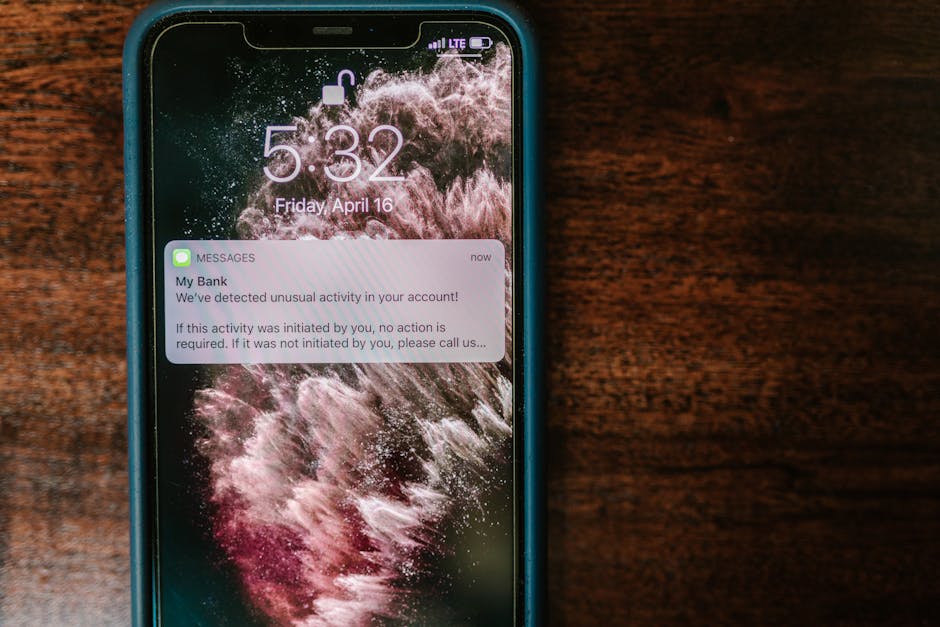
Regularly check your bank and credit card statements for any suspicious transactions, even small ones. Attackers often start with small, test purchases to see if a card is active before making larger fraudulent purchases. Sign up for transactional alerts from your financial institutions, notifying you of any activity above a certain threshold. Utilize credit monitoring services (many banks and credit card companies offer these for free) to alert you to new accounts being opened in your name or significant changes to your credit report. This is particularly important for detecting identity theft that goes beyond simple account takeovers. Consider using a service that scans the dark web for your email addresses or other personal information that might have appeared in data breaches, allowing you to proactively change passwords or take other protective measures. Finally, review the login history and activity logs for your most critical online accounts (email, social media, cloud storage) periodically. Many services provide a list of recent logins, including IP addresses and device types; if you see an unfamiliar entry, it's a strong indicator of compromise and warrants immediate action, such as changing your password and revoking suspicious sessions. By actively monitoring your identity, you transform yourself from a passive victim into an engaged defender, ready to react swiftly at the first sign of trouble.
The Future of Identity Zero Trust and Decentralized Identity
Looking ahead, the cybersecurity community is already grappling with the limitations of current identity models and exploring more resilient paradigms. Two concepts that are gaining significant traction are Zero Trust and Decentralized Identity. These aren't just buzzwords; they represent fundamental shifts in how we approach security, moving away from perimeter-based defenses and centralized identity stores towards a more dynamic, granular, and user-centric approach.
The **Zero Trust** model, encapsulated by the mantra "never trust, always verify," fundamentally rejects the idea that anything inside a network perimeter can be implicitly trusted. Instead, every access request, whether from inside or outside the network, must be authenticated, authorized, and continuously validated. For identity, this means not just verifying a user once at login, but continuously assessing their context – device health, location, behavior – throughout their session. If anything changes or seems suspicious, access can be immediately challenged or revoked. This continuous verification makes MFA bypasses much harder to leverage for persistent access, as the attacker's session would likely be flagged and terminated. Implementing Zero Trust requires significant architectural changes but offers a far more robust defense against sophisticated identity-based attacks, especially within corporate environments.
**Decentralized Identity**, often leveraging blockchain technology, offers a more radical vision. Instead of having a central authority (like a company or government) holding and verifying your identity, you, the individual, would own and control your digital identity. You would have "verifiable credentials" – digital proofs of attributes like your age, education, or employment – issued by trusted entities (e.g., a university for your degree) and stored securely on your device. When an online service needs to verify an attribute, you would selectively present only the necessary credential, without revealing other personal data. This approach minimizes the risk of large-scale data breaches affecting millions of identities, as there is no central honey pot for attackers to target. It also empowers individuals with greater control over their privacy and data. While still in its nascent stages, decentralized identity holds immense promise for a future where our digital selves are truly our own, moving us towards a more secure, private, and user-centric online experience, fundamentally reshaping the battleground for identity in the digital age.