Reclaiming Your Digital Persona A Practical Audit
Embarking on the journey to erase your digital footprint and maximize privacy can feel overwhelming, like trying to empty an ocean with a teacup. But it’s a marathon, not a sprint, and every single step you take makes a tangible difference. The very first, and arguably most crucial, step is to understand the extent of your current digital presence. You can't clean up what you don't know exists. This involves conducting a thorough audit of your online self, an investigative dive into the data trails you've left over the years. Begin by simply searching for yourself on major search engines like Google, Bing, and DuckDuckGo. Use various combinations of your name, email addresses, old usernames, and even your phone number. Pay close attention to the results: old social media profiles, forum posts, news articles, academic papers, or even obscure websites you might have forgotten about. This initial search will give you a baseline understanding of what's publicly visible and accessible to anyone looking for you.
Beyond a simple search, it's vital to check data broker sites. These are the companies I mentioned earlier that collect, package, and sell your personal information. Websites like Spokeo, WhitePages, BeenVerified, and PeopleFinder often have profiles on individuals that include addresses, phone numbers, relatives, and even criminal records, all publicly available for a fee. Many of these sites offer an opt-out process, which can be tedious but is absolutely necessary. Each site has its own procedure, often requiring you to fill out a form, prove your identity, and sometimes wait for confirmation. This process needs to be repeated for every data broker you find, and it's not a one-time fix; new data can appear, so periodic re-checks are advisable. It’s a bit like playing whack-a-mole, but persistently removing your information from these databases significantly reduces your exposure to unsolicited contact, identity theft, and targeted marketing.
Building Your Digital Fortress Essential Tools and Tactics
Once you've identified your digital footprint, the next phase is about actively minimizing it and building stronger defenses. A critical area to tackle is your social media presence. Start by reviewing the privacy settings on all your social media accounts (Facebook, Instagram, Twitter, LinkedIn, TikTok, etc.). Most platforms offer granular controls over who can see your posts, photos, and personal information. Lock down your profiles, making them private where possible, and review past posts for any sensitive information you might have inadvertently shared. Consider deleting old, inactive accounts you no longer use, as these are often ripe targets for hackers or can contain outdated information. For accounts you wish to keep, be judicious about what you share. Adopt a "less is more" approach, and always think twice before posting personal details, location data, or photos that could reveal too much about your life or routines. Remember, anything you post online, even with privacy settings, can potentially be screenshotted and shared by others.
Your web browser is another crucial battleground. Ditch data-hungry browsers like Chrome if privacy is a primary concern. Instead, opt for privacy-focused alternatives such as Mozilla Firefox (with enhanced tracking protection enabled), Brave (which has a built-in ad blocker and tracker blocker), or Tor Browser for maximum anonymity (though it comes with speed trade-offs). Pair these browsers with privacy-respecting search engines like DuckDuckGo or Startpage, which don't track your searches or build user profiles. Additionally, install browser extensions that block ads and trackers, such as uBlock Origin or Privacy Badger. These tools work in the background to prevent websites from collecting data about your browsing habits, effectively cutting off the passive data streams that feed your digital footprint. It's a simple, yet powerful, step that immediately enhances your online anonymity and reduces the amount of data collected about you by third parties.
The Art of Disappearing Online Mastering Anonymity
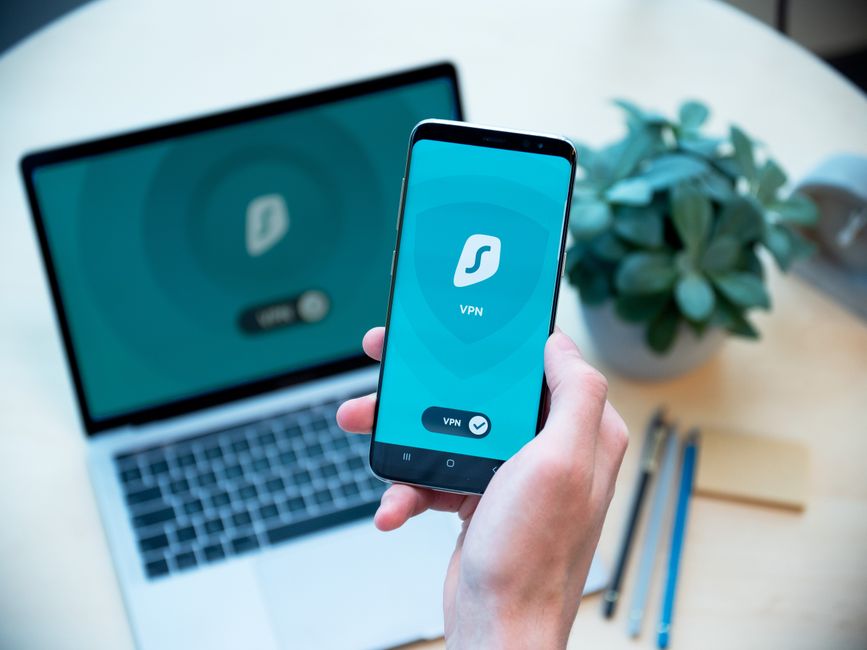
For those seeking a higher level of anonymity and security, a Virtual Private Network (VPN) is an indispensable tool. A VPN encrypts your internet connection and routes it through a server operated by the VPN provider, effectively masking your IP address and making it appear as though you are browsing from a different location. This not only protects your data from prying eyes on public Wi-Fi networks but also makes it significantly harder for websites and internet service providers (ISPs) to track your online activities. When choosing a VPN, look for a reputable provider with a strict no-logs policy, strong encryption standards (like AES-256), and a wide selection of server locations. While a VPN won't make you completely invisible (it can't stop you from logging into Facebook, for instance), it's a foundational layer of privacy that protects your IP address and encrypts your traffic, making it much harder to link your online actions back to your real identity. I’ve reviewed countless VPNs over the years, and the consensus is clear: a good VPN is non-negotiable for serious privacy enthusiasts.
Beyond a VPN, consider adopting secure communication tools. Ditch mainstream email providers like Gmail, which scan your emails for keywords to serve targeted ads, and switch to end-to-end encrypted email services like ProtonMail or Tutanota. These services ensure that only the sender and intended recipient can read the contents of an email, even the service provider itself cannot access the unencrypted message. Similarly, for messaging, move away from WhatsApp (owned by Facebook) and embrace apps like Signal, which offers robust end-to-end encryption for all communications, including calls, messages, and file transfers. Signal has earned a stellar reputation among cybersecurity experts for its commitment to user privacy and transparency. Making these shifts might require a bit of effort in transitioning contacts, but the peace of mind knowing your private conversations remain truly private is invaluable in today's surveillance-heavy environment.
Finally, a robust password strategy and multi-factor authentication (MFA) are non-negotiable. Reusing passwords across multiple sites is akin to using the same key for your home, car, and bank vault – a single breach compromises everything. Use a strong, unique password for every single online account. This is where a reputable password manager (like LastPass, 1Password, or Bitwarden) becomes your best friend. These tools generate complex, unique passwords, store them securely, and automatically fill them in for you. Furthermore, enable multi-factor authentication (also known as two-factor authentication or 2FA) on every account that offers it. This adds an extra layer of security, typically requiring a code from your phone or a hardware key in addition to your password, making it exponentially harder for unauthorized users to gain access, even if they manage to steal your password. This combination of strong, unique passwords and MFA is your frontline defense against account takeovers and significantly reduces your overall digital vulnerability. It's about building a multi-layered defense, brick by brick, against the relentless forces seeking to penetrate your privacy.
Cultivating a Privacy-First Mindset The Ongoing Journey
Erasing your digital footprint and maximizing privacy isn't a one-time task; it's an ongoing commitment, a shift in mindset. The digital landscape is constantly evolving, with new tracking technologies emerging and privacy policies changing. Therefore, staying informed and adopting a proactive approach is key. Regularly review your privacy settings on all your devices and online accounts, as updates often reset them to less private defaults. Be wary of new apps and services, always scrutinizing their privacy policies and requested permissions before granting access. Consider using a privacy-focused operating system or at least hardening your existing OS by adjusting its privacy settings, disabling telemetry data collection, and regularly updating your software to patch vulnerabilities. For instance, Windows 10 and 11 offer extensive privacy settings that, while buried, can significantly reduce the amount of data Microsoft collects. On mobile devices, regularly review app permissions and revoke any that seem excessive or unnecessary.
Embracing the principle of "data minimization" is perhaps the most powerful long-term strategy. This means only sharing the absolute minimum amount of personal information required for any given service or interaction. Ask yourself: "Do I really need to provide my full date of birth for this newsletter signup?" or "Is it truly necessary for this app to access my contacts?" The less data you put out into the digital ether, the less there is to be collected, aggregated, and potentially exploited. This also extends to your offline habits that have online implications, such as being mindful of loyalty programs that collect purchase data linked to your identity. It's a conscious effort to challenge the default assumption that convenience must always trump privacy, fostering a healthy skepticism towards services that demand excessive personal information. This ongoing vigilance, combined with the practical steps outlined, empowers you to take back control of your digital life and truly go invisible online, or at least as close to it as humanly possible in this interconnected age.