Fortifying Your Browser Settings A First Line of Defense
While incognito mode might be a digital fig leaf, there are concrete, actionable steps you can take within your browser settings to significantly enhance your privacy and reduce the amount of data you passively leak. Think of your browser as your primary interface with the internet; configuring it properly is akin to locking the doors and windows of your digital home. These aren't just minor tweaks; they represent a fundamental shift in how your browser interacts with the vast tracking ecosystem, giving you a greater degree of control over your digital footprint. It requires a bit of effort upfront, but the long-term benefits to your privacy are immeasurable, moving you from a passive observer of your data being collected to an active participant in its protection.
One of the most impactful changes you can make is to disable third-party cookies. Traditional cookies are first-party cookies, set by the website you are directly visiting, and are often necessary for basic site functionality (like keeping you logged in). Third-party cookies, however, are set by domains other than the one you are currently on, typically embedded by advertisers or tracking companies. These are the primary culprits for cross-site tracking, allowing ad networks to follow you from one website to another. Most modern browsers offer robust options to block these by default. For instance, in Google Chrome, you can navigate to Settings > Privacy and security > Cookies and other site data, and select "Block third-party cookies." In Mozilla Firefox, go to Settings > Privacy & Security, and under "Enhanced Tracking Protection," choose "Strict" or "Custom" and ensure "Third-party cookies" are blocked. Apple's Safari and Brave Browser block third-party cookies by default, showcasing a commitment to privacy that other browsers are slowly adopting. This single action significantly disrupts the ability of ad networks to build comprehensive profiles of your browsing habits across different sites.
Beyond cookie management, leverage your browser’s built-in Enhanced Tracking Protection (ETP) or similar features. Firefox has been a leader in this area with its ETP, which automatically blocks a wide range of common trackers, including social media trackers, cross-site tracking cookies, cryptominers, and fingerprinters. You can customize the level of protection from Standard to Strict, with Strict offering the most aggressive blocking but potentially breaking some websites. Similarly, Brave Browser features "Brave Shields" that block ads and trackers by default, while Safari's Intelligent Tracking Prevention (ITP) uses machine learning to identify and block cross-site tracking. Even Microsoft Edge has "Tracking prevention" settings that can be set to Basic, Balanced, or Strict. Taking the time to explore and enable these native privacy features is a crucial step that often goes overlooked, yet it provides a powerful, always-on defense against the most prevalent forms of online surveillance.
Finally, don't forget about managing site permissions. Modern browsers grant websites access to various device features like your location, microphone, camera, and even send you notifications. While sometimes convenient, these permissions can be abused or inadvertently leak sensitive information. Regularly review and revoke unnecessary permissions. In Chrome, this is found under Settings > Privacy and security > Site Settings. In Firefox, it's under Settings > Privacy & Security > Permissions. Be particularly wary of granting location access to websites you don’t fully trust, as accurate location data is incredibly valuable for profiling. Notifications, while seemingly harmless, can also be a vector for unwanted advertising or even phishing attempts. A proactive approach to managing these permissions ensures that websites only access what they absolutely need, further tightening your digital defenses against unwanted intrusion.
Beyond Browser Tweaks Advanced Privacy Tools and Tactics
While configuring your browser settings is an excellent starting point, achieving a more robust level of online privacy often requires venturing beyond basic browser tweaks and incorporating specialized tools and tactics into your daily routine. Think of it as upgrading from a basic home security system to a multi-layered defense strategy. These advanced methods address the fundamental ways your online activities are tracked, offering more comprehensive protection against ISPs, sophisticated website trackers, and the pervasive data brokerage industry. Implementing even a few of these can dramatically reduce your digital footprint and give you a stronger sense of autonomy over your personal data.
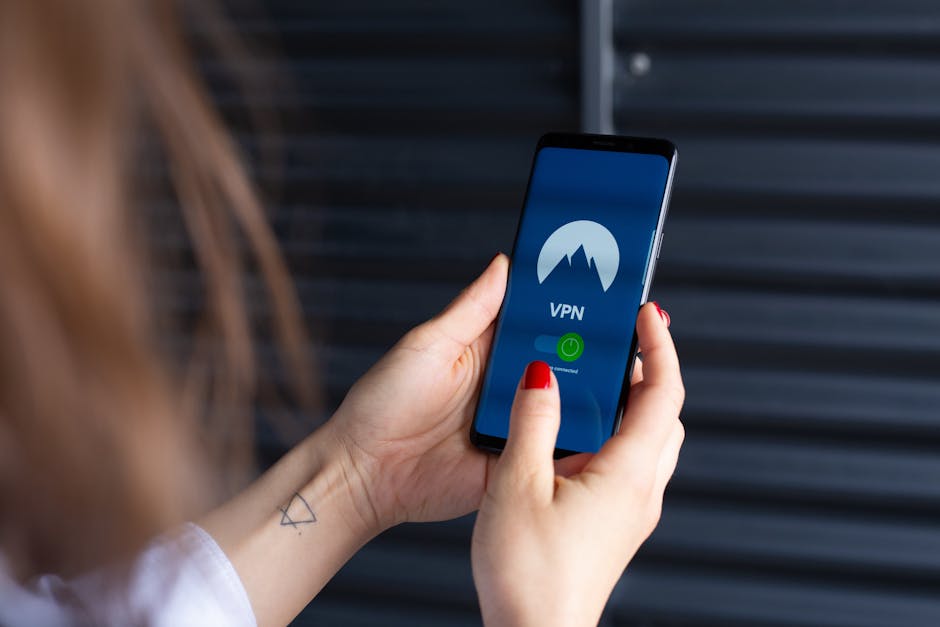
The single most effective tool for masking your IP address and encrypting your internet traffic is a Virtual Private Network (VPN). A reputable VPN acts as a secure tunnel between your device and the internet. When you connect to a VPN server, your internet traffic is encrypted, making it unreadable to your ISP, and your real IP address is replaced with the IP address of the VPN server. This means that websites, ad networks, and other third parties see the VPN server's IP address, not yours, making it significantly harder to link your online activity back to you. For all intents and purposes, a high-quality VPN provides the true "incognito mode" that most people mistakenly believe their browser offers. When choosing a VPN, prioritize providers with a strict no-logs policy, strong encryption protocols (like OpenVPN or WireGuard), and a proven track record of security and transparency. Avoid free VPNs, as they often monetize your data or inject ads, defeating the very purpose of using one.
Consider adopting privacy-focused browsers or hardening existing ones. While Chrome and Edge have made strides, browsers like Brave, Vivaldi, and especially Firefox (when properly configured) offer superior out-of-the-box privacy features. Brave Browser, for example, blocks ads and trackers by default, includes built-in fingerprinting protection, and even offers a Tor-integration for truly anonymous browsing. Vivaldi provides extensive customization options for privacy and security. Firefox, with its open-source nature and strong community, can be further hardened with specific add-ons and about:config tweaks to become a privacy powerhouse. The Tor Browser, while slower, offers the highest level of anonymity by routing your traffic through a decentralized network of relays, making it nearly impossible to trace your online activity. For sensitive activities, learning to use Tor can be a game-changer, but it's not designed for everyday browsing speed.
Complement your browser's built-in protections with ad blockers and anti-tracking extensions. While many browsers now block some trackers, dedicated extensions often provide more comprehensive coverage. uBlock Origin is widely regarded as one of the best, effectively blocking ads, trackers, and malicious domains across the web with minimal resource usage. Privacy Badger, developed by the Electronic Frontier Foundation (EFF), learns to block invisible trackers that don't respect Do Not Track signals. Decentraleyes protects you against tracking by delivering local (bundled) versions of commonly used content delivery network (CDN) resources, preventing requests from reaching actual CDNs where you might be tracked. These extensions work synergistically with browser settings to create a robust defense, catching what your browser might miss and further reducing your exposure to persistent surveillance. Always be mindful of the permissions you grant to extensions, as some can ironically become privacy liabilities themselves.
Finally, rethink your default search engine. Google, while powerful, is notorious for collecting vast amounts of data on your search queries and using them to build your profile. Switching to privacy-focused search engines like DuckDuckGo or Startpage can significantly reduce this data leakage. DuckDuckGo prides itself on not tracking your searches, not collecting your personal information, and not storing your search history. Startpage offers Google search results but anonymizes your queries, acting as a proxy between you and Google, so Google never sees your IP address or personal identifiers. Making this simple switch for your daily searches is an easy yet effective way to limit a major source of personal data collection, ensuring that your curiosities remain your own, rather than becoming another data point in a profit-driven profile.
Cultivating a Mindful Digital Presence A Long-Term Strategy
Achieving true online privacy isn't a one-time fix; it's an ongoing commitment, a mindset shift that recognizes the pervasive nature of digital tracking and actively works to mitigate it. Beyond specific tools and settings, cultivating a mindful digital presence involves adopting habits and strategies that empower you to make informed decisions about your data. It's about understanding that every online interaction, however small, has implications for your privacy, and learning to navigate the digital world with a healthy dose of skepticism and proactive self-protection. This long-term strategy moves beyond simply reacting to threats and instead focuses on building a resilient and privacy-aware digital lifestyle.
One fundamental habit to develop is to regularly clear your browser data, even if you frequently use incognito mode. While incognito handles local data for its own session, your regular browsing sessions still accumulate cookies, cache, and history. Periodically clearing this data prevents excessive accumulation of tracking cookies and helps to break the links that persistent trackers try to establish. Make it a routine: perhaps once a week, or even daily for highly sensitive individuals, navigate to your browser's settings and perform a comprehensive data clear. This includes cookies and site data, cached images and files, and browsing history. While it might mean re-logging into some websites, the benefit of a cleaner, less tracked digital footprint often outweighs the minor inconvenience. Think of it as spring cleaning for your digital home, regularly decluttering and refreshing your online environment.
Extend your privacy audit beyond your browser to your mobile devices and the apps you use. Review app permissions regularly on your smartphone or tablet. Many apps request access to your location, contacts, camera, microphone, and storage, often without a clear justification for their core functionality. Take the time to go through your app settings and revoke permissions that seem excessive or unnecessary. For example, does a flashlight app really need access to your contacts or location? Probably not. Similarly, be cautious about apps that require you to sign in with your social media accounts, as this can create a direct link between your app usage and your social media profile, further enriching the data brokers' understanding of you. A critical eye towards app permissions is a powerful defense against overreaching data collection from your most personal devices.
Embrace broader cybersecurity hygiene as an integral part of your privacy strategy. This includes using strong, unique passwords for every online account, ideally managed with a reputable password manager. Enable two-factor authentication (2FA) wherever it's offered, adding an extra layer of security that makes it significantly harder for unauthorized individuals to access your accounts, even if they somehow obtain your password. A breach of one account can often lead to a cascade of compromised data across your digital life, so robust security practices are paramount. Remember that privacy and security are two sides of the same coin; you can't truly have one without the other. A secure online presence is a prerequisite for a private one, protecting the integrity of your data from malicious actors who might exploit it.
Finally, cultivate a healthy skepticism towards "free" online services and a general awareness of the data economy. If a service is offered to you for free, it's highly likely that *you* are the product, and your data is the currency. Read privacy policies (or at least skim for red flags), understand the trade-offs you're making, and question why certain information is being requested. Consider paying for services that prioritize privacy, as their business model often relies on subscriptions rather than data monetization. By consciously choosing privacy-respecting alternatives and being mindful of the data exchange inherent in almost every online interaction, you empower yourself to make more informed decisions, slowly but surely reclaiming your digital autonomy from the pervasive surveillance machine that often operates in the shadows. This journey towards a more private online life is continuous, but every step you take brings you closer to being the owner of your data, rather than its unwitting provider.