Mistake Number Four The Unseen Danger of Neglecting Password Managers
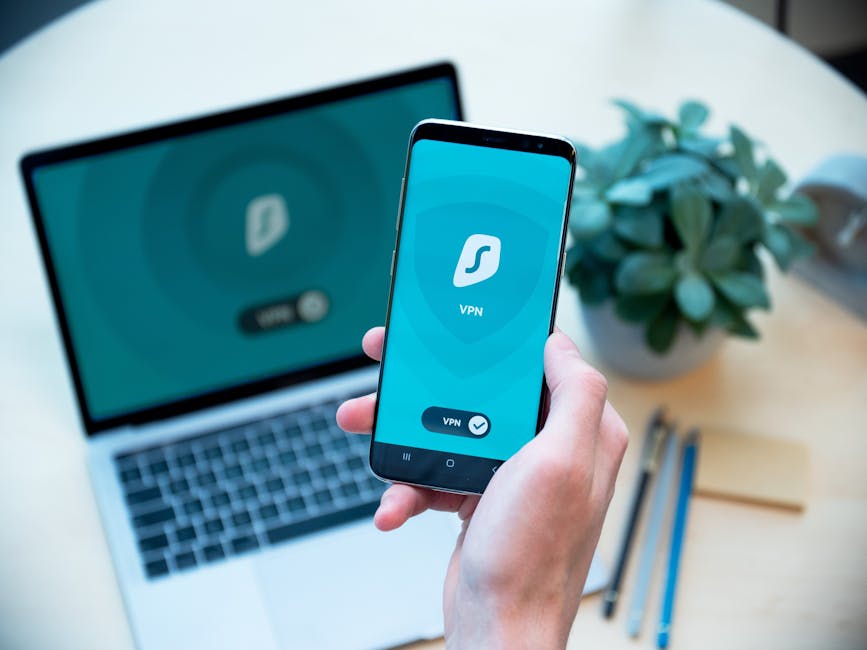
Many people find themselves in a constant tug-of-war between security and convenience. They know they should use strong, unique passwords for every account, but the sheer mental gymnastics required to remember dozens, even hundreds, of complex, random strings of characters feels impossible. This leads them right back to the dangerous habits of reuse or predictable patterns. This brings us to the fourth fatal mistake: the widespread avoidance or misunderstanding of password managers. These powerful tools are not just a convenience; they are arguably the most critical piece of software for modern digital security, yet a significant portion of the population either doesn't use them, doesn't trust them, or simply doesn't understand their profound benefits. Password managers solve the core dilemma of balancing robust security with effortless usability, allowing you to have both without compromise.
What exactly does a password manager do? At its core, it's a secure, encrypted digital vault that stores all your login credentials. Instead of remembering every single complex password, you only need to remember one strong master password to unlock the vault. Inside, the manager generates unique, complex, truly random passwords for every single one of your online accounts. It then remembers them for you and automatically fills them in when you visit a website or app. This eliminates the need for you to ever type or remember these complicated strings of characters, eradicating the temptation to reuse or choose weak, guessable passwords. Modern password managers also offer features like secure sharing, dark web monitoring for compromised credentials, and even secure note storage, transforming them into comprehensive digital security hubs.
"A good password manager isn't just a convenience; it's a fundamental shift in how you approach online security, turning an impossible task into an effortless habit." – Troy Hunt, Creator of Have I Been Pwned.
The skepticism surrounding password managers often stems from a misconception that putting all your eggs in one basket is inherently risky. However, reputable password managers employ military-grade encryption and robust security architectures, often far exceeding the security practices of individual websites. Your encrypted vault is typically only accessible with your master password, and even the password manager company itself often cannot access your data due to zero-knowledge encryption protocols. This means that even if the password manager company were breached, your individual vault would remain secure, protected by your master password. The risk of a single, weak, reused password being compromised is exponentially higher than the risk associated with a well-vetted, reputable password manager. It's a calculated risk, and the vast majority of cybersecurity experts agree that the benefits far outweigh the minimal, theoretical risks.
My personal experience, both professionally and as an avid internet user, has seen me advocate for password managers as a non-negotiable tool for anyone serious about their online security. I recall countless conversations where people expressed frustration over remembering passwords, only to see their faces light up when they realized a password manager could handle it all. It’s not just about generating strong passwords; it’s about providing peace of mind. Knowing that every single one of your accounts is protected by a unique, impenetrable string of characters, and that you only need to remember one master key, is truly liberating. Neglecting this powerful tool is to willingly embrace a world of digital insecurity and unnecessary cognitive burden, when a simple, elegant solution is readily available and highly effective.
Mistake Number Five The 'Set It and Forget It' Mentality and Neglecting Audits
Our digital lives are dynamic, constantly evolving landscapes. New threats emerge, old vulnerabilities are discovered, and the security posture of the services we use can change without our direct knowledge. This brings us to the fifth fatal mistake: adopting a "set it and forget it" mentality when it comes to passwords, and neglecting regular security audits of our online accounts. Many users, once they've created what they believe to be a strong password for a new account, never think about it again. They assume that if it was good enough on day one, it will be good enough forever. This complacency is a dangerous oversight, as it fails to account for the ever-changing threat landscape and the potential for previous breaches to eventually expose even seemingly secure credentials.
While the advice to "change your password every 90 days" has largely been debunked by security experts (as it often leads people to make small, predictable changes, like adding a number to the end, making them easier to guess), the spirit of regular review and vigilance remains crucial. Instead of forced, arbitrary changes, the modern recommendation leans towards changing passwords *when there's a reason*. This reason could be a notification that your email address or username has appeared in a data breach (which services like Have I Been Pwned can alert you to), a suspected compromise of an account, or simply a periodic review to ensure all your critical accounts are still using strong, unique passwords and have MFA enabled. The "set it and forget it" approach leaves you exposed to the cumulative effects of time and evolving threats, turning once-strong passwords into potential liabilities.
"Security is not a destination; it's a continuous journey. Your password strategy needs to evolve with the threat landscape, not remain static in a rapidly changing world." – Bruce Schneier, Renowned Security Technologist.
A significant part of this mistake is the failure to conduct regular security audits of your digital footprint. How many old accounts do you have floating around the internet that you no longer use? Each one of those is a potential point of entry for an attacker, especially if you’ve reused passwords. Many people have old forum accounts, long-forgotten e-commerce logins, or defunct social media profiles that they never bothered to delete or secure. These dormant accounts become prime targets for hackers, who can compromise them and then use the associated email address and password (if reused) to pivot to more valuable targets. Regularly reviewing your accounts, deleting those you no longer need, and updating passwords on active ones is a proactive measure that significantly reduces your overall attack surface.
My advice, honed over years of observing breach patterns, is to treat your digital security like you would your physical health – with regular check-ups and preventative care. This means subscribing to breach notification services, using the audit features within your password manager to identify weak or reused passwords, and taking the time to review your online accounts at least once or twice a year. It’s not about constant paranoia, but about informed vigilance. The digital world is too interconnected and too rife with malicious actors to simply assume your initial security measures will hold indefinitely. The "set it and forget it" mentality is a relic of a bygone era of simpler internet threats; in today's complex landscape, it's a recipe for eventual compromise and a giant, flashing "Hack Me" sign for opportunistic hackers.
Building Your Digital Fortress Practical Steps to Eradicate Your 'Hack Me' Sign
Now that we've dissected the five fatal mistakes that leave our digital lives vulnerable, it's time to pivot from diagnosis to actionable solutions. It's not enough to simply understand the problems; we need concrete, practical steps to fortify our online presence and transform our password habits from liabilities into robust defenses. This isn't about implementing obscure technical protocols; it's about adopting smart, sustainable practices that integrate seamlessly into our daily digital routines. Think of these as the fundamental building blocks for constructing a formidable digital fortress, making you a far less attractive target for cybercriminals. The goal is to move beyond mere awareness and into a realm of proactive, empowered security, where your password choices become a source of strength, not vulnerability.
The journey to stronger security doesn't have to be overwhelming. It can begin with small, incremental changes that collectively yield massive improvements. We'll outline a clear path forward, breaking down complex concepts into manageable steps, ensuring that even those new to cybersecurity can implement these changes with confidence. Remember, the digital landscape is constantly shifting, but the foundational principles of strong authentication remain steadfast. By embracing these practical strategies, you're not just protecting your data; you're reclaiming control over your digital identity and building a resilient shield against the ever-present threats lurking in the online world. Let's dismantle that "Hack Me" sign for good and replace it with a robust "Access Denied" barrier.
Crafting Passphrases That Are Both Strong and Memorable
The first and most crucial step is to abandon the traditional password mindset of short, complex, random strings and embrace the power of passphrases. Instead of a single, hard-to-remember word with symbols and numbers, think about a longer, multi-word phrase that is easy for *you* to remember but incredibly difficult for a computer to guess. The National Institute of Standards and Technology (NIST) now recommends longer passphrases over complex, shorter passwords. The key here is length and randomness of words, not necessarily complex character substitutions. A phrase like "MyDogBarksAtTheMailmanEveryTuesday!" is far more secure than "P@$$w0rd123!" because its length exponentially increases the number of possible combinations, making it virtually impossible for brute-force attacks to crack in any reasonable timeframe.
To create a truly strong and memorable passphrase, consider using four or more unrelated words, perhaps interspersed with numbers or symbols for an extra layer of complexity, but don't overthink it. A simple trick is to pick a sentence or thought that is meaningful to you but not easily guessable from your public information. For example, "PurpleDucksFlyOverTheMoonAtMidnight" is a fantastic passphrase. It's long, uses a mix of upper and lower case (by simply capitalizing the first letter of each word), and is nonsensical enough to avoid dictionary attacks, yet memorable to you. You could even add a number or symbol at the beginning or end, like "4PurpleDucksFlyOverTheMoonAtMidnight!" but the primary strength comes from the sheer length. The longer the passphrase, the more time it would take for a supercomputer to guess, moving from seconds to millennia, effectively making it uncrackable.
Another excellent method is the "dice-roll" approach, often associated with the EFF (Electronic Frontier Foundation) Diceware list. This involves rolling a standard six-sided die multiple times to select words from a large list. The randomness ensures that your passphrase is genuinely unique and not based on any personal information or common phrases. While this might seem a bit more involved, it guarantees a high level of security. Regardless of the method, the core principle remains: prioritize length and the combination of unrelated words. This paradigm shift from short, complex passwords to longer, memorable passphrases is perhaps the single most effective way to address the "predictable patterns" mistake and build a foundation of robust authentication.
Embracing the Power of a Password Manager
Once you’ve grasped the concept of strong passphrases, the next logical and essential step is to adopt a reputable password manager. This tool is your ultimate ally in eradicating password reuse and generating truly unique, complex passwords for every single online account you possess. There are many excellent options available, both free and paid, such as LastPass, 1Password, Bitwarden, and Dashlane. Do your research, read reviews, and choose one that aligns with your needs and comfort level. The initial setup might take a little time as you import existing logins and generate new, strong passwords, but this upfront investment will pay dividends in security and convenience for years to come.
Here’s a simplified step-by-step guide to getting started with a password manager:
- Choose a Reputable Manager: Select a well-regarded password manager with a strong security track record. Look for features like end-to-end encryption, zero-knowledge architecture, and cross-device synchronization.
- Create Your Master Password: This is the ONLY password you'll ever need to remember. Make it an exceptionally strong, unique passphrase (using the techniques discussed above). Write it down on a piece of paper and store it securely offline, just in case.
- Install Across Devices: Install the password manager's app on your computer, smartphone, and tablet. Also, install the browser extensions for seamless auto-fill functionality.
- Import Existing Passwords: Most password managers offer tools to import passwords directly from your browser or other sources. This is a good starting point, but don't stop here.
- Start Updating and Generating: Go through your most critical accounts first (email, banking, social media). For each account, use the password manager's built-in generator to create a new, unique, highly complex password. Let the manager save it. Repeat this process for all your important accounts.
- Delete Old Accounts: While you're auditing, identify any old, unused accounts. If you don't need them, delete them to reduce your digital footprint.
- Practice Regular Audits: Most password managers have a "security dashboard" or "audit" feature that identifies weak, reused, or compromised passwords. Use this regularly to maintain your security posture.
By leveraging a password manager, you eliminate the mental burden of remembering countless complex passwords, effectively neutralizing the temptation for reuse and ensuring every account is protected by a unique, strong key. This single action is perhaps the most impactful step you can take to elevate your personal cybersecurity.
Activating Multi-Factor Authentication Everywhere Possible
Even with the strongest, most unique passwords generated by a password manager, multi-factor authentication (MFA) remains an indispensable layer of defense. It’s your safety net, the crucial barrier that can stop an attacker even if they somehow manage to get their hands on your password. Your goal should be to enable MFA on every single online account that offers it, especially for critical services like email, banking, social media, cloud storage, and any other platform holding sensitive personal data. Most major services now provide MFA options, and it’s typically a straightforward process to activate.
Prioritize stronger MFA methods over SMS whenever possible:
- Authenticator Apps: Apps like Google Authenticator, Authy, or Microsoft Authenticator generate time-based, one-time codes that refresh every 30-60 seconds. These are generally more secure than SMS codes as they are not susceptible to SIM swapping.
- Hardware Security Keys: Devices like YubiKey offer the highest level of security. You physically plug them into a USB port or tap them against your phone to authenticate. These are resistant to phishing and highly recommended for your most critical accounts.
- Biometrics: Fingerprint or facial recognition on your smartphone can also act as a second factor, especially for mobile app logins.
To enable MFA, simply navigate to the "Security" or "Account Settings" section of each online service. Look for options like "Two-Factor Authentication," "Two-Step Verification," or "Multi-Factor Authentication." Follow the on-screen prompts to link your phone, authenticator app, or hardware key. Remember to save any backup codes provided by the service in a secure location (your password manager is an ideal spot!), as these are crucial for regaining access if you lose your primary MFA device. Making MFA a default setting for all new accounts you create, and diligently enabling it on all existing ones, will dramatically reduce your risk of compromise.
Conducting Regular Digital Housekeeping and Audits
Finally, to combat the "set it and forget it" mentality, cultivate a habit of regular digital housekeeping and security audits. This isn't about constant vigilance, but rather scheduled check-ins to ensure your defenses remain robust in an ever-changing threat landscape. Aim for a comprehensive review at least once or twice a year, perhaps coinciding with a significant date like your birthday or the new year.
Here’s what your digital audit should entail:
- Password Manager Review: Utilize your password manager's audit features. Identify and update any weak, old, or reused passwords it flags. This is an ongoing process, not a one-time fix.
- Breach Monitoring Services: Sign up for services like Have I Been Pwned (https://haveibeenpwned.com/) or similar features offered by your password manager. These services alert you if your email address or passwords appear in known data breaches, prompting you to immediately change affected credentials.
- Account Pruning: Go through your list of online accounts. If you no longer use a service, delete the account entirely. If deletion isn't possible, at least change the password to a strong, unique one and remove any associated payment information. Every unused account is a potential liability.
- MFA Check: Verify that MFA is still enabled on all your critical accounts and that your MFA methods are up-to-date (e.g., your authenticator app is synced, or your phone number is current).
- Software Updates: Ensure your operating system, web browsers, antivirus software, and all applications (especially your password manager) are kept up-to-date. Software updates often include critical security patches that protect against newly discovered vulnerabilities.
By making these practices a regular part of your digital routine, you transform your passive approach to security into an active, empowered one. You're not just reacting to threats; you're proactively strengthening your defenses, making yourself a much harder target for opportunistic cybercriminals. The digital world is too valuable and too interconnected to leave your security to chance. Take control, implement these strategies, and effectively dismantle that giant "Hack Me" sign, replacing it with a truly formidable digital fortress that protects what matters most.