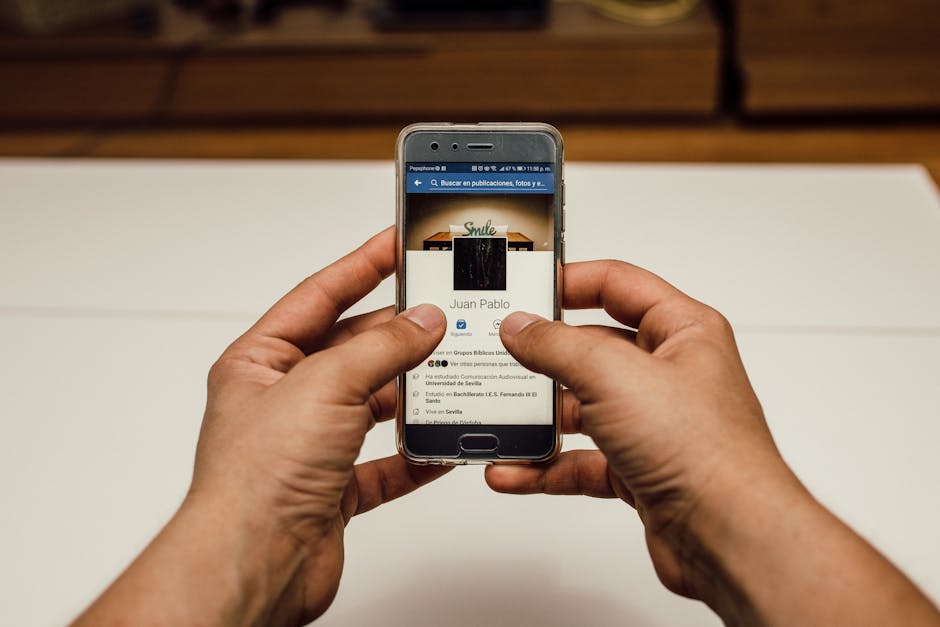
In our increasingly interconnected world, the convenience of seamless wireless connectivity has become an expectation, not a luxury. Our smartphones effortlessly jump between Wi-Fi networks, connect to Bluetooth devices, and maintain a constant cellular signal, all designed to keep us online and accessible. Yet, this very convenience, the automatic embrace of available networks and devices, harbors a significant, often overlooked, privacy and security risk. Every time your phone automatically connects to an open Wi-Fi hotspot or pairs with an unknown Bluetooth device, it creates a potential pathway for data interception, unauthorized access, and passive tracking. Securing these network connections is not just a technicality; it's a fundamental aspect of fortifying your digital defenses and preventing your phone from becoming an open door to prying eyes.
Securing Your Network Gateway A Critical Review of Wireless Connections
The allure of free public Wi-Fi is undeniable. Whether you're at a coffee shop, an airport, or a hotel, connecting to an open network seems like a harmless way to save cellular data. However, these networks are often unsecured, meaning the data you send and receive is not encrypted and can be easily intercepted by anyone with basic hacking tools. This is known as a "man-in-the-middle" attack, where an attacker positions themselves between your phone and the internet, eavesdropping on your traffic. They can see your browsing history, intercept login credentials, read your emails, and even inject malicious code into the websites you visit. Your phone, by default, might be configured to automatically connect to known or even open Wi-Fi networks, a setting designed for convenience that inadvertently exposes you to significant risk every time you step into a public space.
Beyond active interception, even the mere act of your phone scanning for Wi-Fi networks can expose sensitive information. Your phone constantly broadcasts "probe requests" which include the names of Wi-Fi networks you've previously connected to. In a crowded public area, an attacker can capture these probe requests and identify networks you frequent, like your home or work Wi-Fi. This information can then be used to track your movements, even when you're not actively connected to a network. Imagine walking through a mall, and your phone is silently broadcasting the name of your home network, allowing a malicious actor to infer where you live. This passive data collection, often invisible to the user, contributes to the overall digital footprint that can be leveraged for profiling or even physical surveillance. Disabling automatic Wi-Fi joining and being selective about the networks you connect to is a crucial step in mitigating these risks.
Bluetooth, while seemingly less perilous than Wi-Fi, also presents its own set of vulnerabilities. Modern smartphones constantly scan for Bluetooth devices, allowing them to quickly connect to headphones, smartwatches, car systems, and other peripherals. However, this continuous scanning can also expose your device to tracking. Bluetooth beacons are increasingly used in retail environments to track customer movements within stores, identify how long you linger in certain areas, and even trigger targeted promotions. While this might seem benign, it's another layer of passive surveillance contributing to your digital profile. More concerning is the risk of "Bluejacking" or "Bluesnarfing," older but still possible attack vectors where attackers could send unsolicited messages or even gain unauthorized access to your phone's data through unsecure Bluetooth connections. While modern Bluetooth protocols are generally more secure, an always-on, always-discoverable Bluetooth setting can still leave your device vulnerable to identification and tracking, especially in densely populated areas.
The Perils of Unsecured Wireless Handshakes and Device Fingerprinting
The default settings on many phones often prioritize connectivity over privacy, leading to situations where your device is constantly seeking out and connecting to networks without your explicit instruction. This "always-on" approach to Wi-Fi and Bluetooth means your phone is frequently engaging in digital "handshakes" with its environment, revealing valuable information about itself. For instance, when your phone connects to a Wi-Fi network, it often transmits its MAC address, a unique hardware identifier. While operating systems have implemented MAC address randomization to mitigate this, some older devices or specific configurations might still broadcast a static MAC address, allowing for persistent tracking across different Wi-Fi networks. This can be used by malicious actors or even legitimate, but overzealous, analytics firms to track your movements through public spaces, linking your physical presence to your digital identity.
Beyond individual device identifiers, the unique combination of your phone's hardware, software versions, installed fonts, browser settings, and even battery level can create a "device fingerprint" – a highly unique identifier that can track you across the internet even if you clear cookies or use a VPN. This fingerprint is incredibly difficult to change and can be used by advertisers and trackers to build persistent profiles of your online behavior. While not directly related to Wi-Fi or Bluetooth *connections*, the very act of your phone being online and interacting with various services contributes to the data points used to construct this fingerprint. Therefore, understanding and mitigating the risks associated with your network connections is a broader strategy to reduce the overall surface area of your digital exposure, making it harder for entities to track and profile you through various means.
"Privacy is not for the anti-social or the paranoid. Privacy is a fundamental human need." – Marissa Mayer, former CEO of Yahoo. This quote highlights that privacy is a universal concern, not just for a niche group.
The cumulative effect of these seemingly minor vulnerabilities in network security can be substantial. An unsecured Wi-Fi connection might lead to a data breach, exposing your passwords and financial information. An unmonitored Bluetooth connection could allow for passive tracking of your movements. And the constant broadcasting of device identifiers, even if randomized, feeds into the larger ecosystem of data collection and profiling. It's a subtle but relentless assault on your digital privacy, often unnoticed because the mechanisms operate in the background, out of immediate sight. This makes proactive management of your phone's wireless settings incredibly important. It's about being intentional about when and how your phone connects to the outside world, ensuring that convenience does not come at the cost of your personal security and privacy. The next page will delve into the practical, step-by-step actions you can take to address these and the other critical settings we've discussed, empowering you to take back control of your phone's capabilities.
The journey through the intricate landscape of smartphone privacy has illuminated the numerous ways our devices, while incredibly useful, can also inadvertently become conduits for surveillance. We've explored the pervasive nature of location tracking, the unsettling capabilities of microphone and camera access, the often-overlooked implications of broad app permissions, and the hidden dangers lurking in our wireless connections. The goal throughout has been to demystify these complex issues, moving beyond abstract fears to concrete understanding. Now, it's time to translate that understanding into action. This final section isn't a mere summary; it's your practical toolkit, a step-by-step guide to empowering yourself and transforming your phone from a potential spy device into a more secure and trustworthy personal assistant. Remember, digital privacy isn't a destination; it's an ongoing practice of vigilance and informed decision-making.
Taking Back Control Practical Steps for Digital Sovereignty
Reclaiming your digital privacy begins with a methodical approach to your phone's settings. It requires a willingness to delve into menus you might rarely visit and to question assumptions about how your apps and device should behave. This isn't about becoming a tech guru overnight, but about cultivating a habit of conscious interaction with your technology. Each adjustment, no matter how small, contributes to a more robust defense against unwanted data collection and potential misuse. Think of it as spring cleaning for your digital life, an essential task to maintain order and security in an ever-cluttered and often chaotic online world. The following advice is designed to be actionable for both iOS (Apple) and Android users, acknowledging the slight differences in their interfaces but focusing on the core principles of privacy protection. Let's begin fortifying your digital fortress, one critical setting at a time.
Reining In Your Location Data
Your phone’s ability to track your precise location is perhaps one of its most revealing features. Taking control of this setting is paramount. Start by navigating to your device's privacy settings. On iOS, you'll find this under 'Settings' > 'Privacy & Security' > 'Location Services'. For Android, it's typically 'Settings' > 'Location'. The first crucial step is to review every single app listed and adjust its location access. For most apps, 'While Using the App' is sufficient. Rarely does an app truly need 'Always' access, unless it's a dedicated navigation tool or a safety app you explicitly want tracking your location in the background. Be particularly wary of social media apps, games, or utility tools requesting 'Always' access; revoke it immediately if it’s not absolutely essential for their core function. Furthermore, disable 'Precise Location' for any app that doesn't genuinely require street-level accuracy, as 'Approximate Location' is often more than enough.
Next, delve into the system services that track your location. On iOS, within 'Location Services', scroll down to 'System Services' and review options like 'Significant Locations' (which keeps a historical record of where you've been) and 'Location-Based Alerts' or 'Location-Based Suggestions'. Consider turning off 'Significant Locations' entirely, or at the very least, clear its history regularly. On Android, navigate to 'Settings' > 'Location' > 'Location Services' > 'Google Location History' and pause it. You can also delete past location history from here. Finally, remember that Wi-Fi and Bluetooth scanning can still pinpoint your location even if GPS is off. While often necessary for connectivity, you can reduce this passive tracking by turning off Wi-Fi and Bluetooth when you don't actively need them, or by disabling 'Wi-Fi Scanning' and 'Bluetooth Scanning' under your Android location settings if you find yourself rarely using those features for network discovery.
Muting Unwanted Ears and Blinding Intrusive Eyes
The microphone and camera are your phone's most intimate sensors. Controlling their access is vital. Head to 'Settings' > 'Privacy & Security' > 'Microphone' (iOS) or 'Settings' > 'Privacy' > 'Permission Manager' > 'Microphone' (Android). Go through each app and ask yourself: "Does this app absolutely need to hear me?" Revoke access for any app where the answer is no, especially social media, games, or apps that don't primarily deal with audio or video calls. Do the same for the camera: 'Settings' > 'Privacy & Security' > 'Camera' (iOS) or 'Settings' > 'Privacy' > 'Permission Manager' > 'Camera' (Android). A flashlight app, for instance, has no legitimate reason to access your camera; revoke it. Be particularly cautious with third-party keyboards, as they often request full access to everything you type and say, which can be a significant privacy risk. Consider sticking to system-provided keyboards or thoroughly vetting any third-party option.
For an added layer of physical security, especially for your camera, consider using a physical camera cover. These inexpensive slides or stickers can provide peace of mind, ensuring that even if an app or malware manages to activate your camera, it will only capture darkness. While operating systems now show indicators when the microphone or camera is active (a green or orange dot/light on iOS, or an icon in the status bar on Android), these are reactive measures. Proactive permission management is always the best defense. Regularly review these permissions, perhaps once a month, as app updates can sometimes reset permissions or introduce new requests. It's a small effort for a significant gain in personal privacy, ensuring that your private moments remain just that – private.
The Grand App Permission Audit
Beyond location, microphone, and camera, a comprehensive audit of all app permissions is a crucial, albeit time-consuming, step. On iOS, you can review permissions by going to 'Settings' > 'Privacy & Security' and then tapping on each category (Contacts, Photos, Calendar, Reminders, Health, Local Network, etc.). On Android, navigate to 'Settings' > 'Privacy' > 'Permission Manager' to see a list of permission types and which apps have access to them. Go through each permission type, then each app, and ask yourself critically: "Does this app truly need access to my contacts? My photos? My SMS messages? My health data?" If a game needs access to your contacts, something is amiss. If a notes app wants access to your call logs, that's a red flag.
One of the most effective ways to reduce your digital footprint is to simply delete apps you no longer use. Every app on your phone is a potential data collection point. If it's not serving a regular purpose, uninstall it. When installing new apps, resist the urge to blindly tap "Allow All." Take a moment to read what permissions are being requested and deny any that seem excessive or irrelevant to the app's core function. Remember, you can almost always go back into settings later and grant a permission if an app genuinely needs it for a feature you want to use. This 'deny first, grant later if needed' approach puts you in control, rather than defaulting to the app developer's desires. This granular control over what information your apps can access is fundamental to securing your digital life.
Curtailing the Advertising Machine
The pervasive nature of personalized advertising is a direct consequence of the data collected from your phone. While you can't entirely escape ads, you can significantly limit their ability to track you. Both iOS and Android provide ways to opt out of personalized ads. On iOS, go to 'Settings' > 'Privacy & Security' > 'Apple Advertising' and toggle off 'Personalized Ads'. You can also reset your Advertising Identifier here, which essentially gives advertisers a fresh slate, making it harder to link your past activities to your current ones. On Android, navigate to 'Settings' > 'Google' > 'Ads' and enable 'Opt out of Ads Personalization'. You can also reset your Advertising ID from this menu. Make it a habit to reset your Advertising ID every few months to disrupt tracking efforts.
Beyond device settings, consider adopting privacy-focused browsers like Brave, Firefox Focus, or DuckDuckGo, which come with built-in ad and tracker blockers. These browsers actively prevent third-party cookies and tracking scripts from gathering your data as you browse the web, significantly reducing the amount of information available to ad networks. Additionally, explore DNS-level ad blockers, which can block ads and trackers across all apps and browsers on your device by filtering internet traffic at the domain name system level. While these steps won't eliminate every single ad, they will drastically reduce the targeted, data-driven advertising that often feels like an invasion of privacy, giving you a greater sense of control over your online experience and the value of your data.
Securing Your Network Connections
Your phone's wireless connections are often the gateway to its data. Start by disabling 'Auto-Join' for Wi-Fi networks you don't explicitly trust. On iOS, go to 'Settings' > 'Wi-Fi', tap the 'i' icon next to each network, and toggle off 'Auto-Join'. On Android, go to 'Settings' > 'Network & internet' > 'Internet' (or 'Wi-Fi'), tap the gear icon next to a network, and toggle off 'Auto-connect' or 'Connect automatically'. For networks you've connected to in the past but no longer use, select 'Forget This Network' (iOS) or 'Forget' (Android) to remove them from your device's memory. This prevents your phone from broadcasting probe requests for these networks, reducing a passive tracking vector.
Crucially, whenever you connect to public Wi-Fi – whether at a café, airport, or hotel – always use a Virtual Private Network (VPN). A VPN encrypts your internet traffic, creating a secure tunnel between your device and the internet, making it virtually impossible for anyone on the same public network to intercept your data. This is particularly important for sensitive activities like online banking or shopping. Furthermore, review your Bluetooth settings. Turn off Bluetooth when you're not actively using it, especially in public places. You can also make your device 'undiscoverable' if that option is available, limiting its visibility to other devices. Finally, and this cannot be stressed enough, keep your phone's operating system and all your apps updated. Software updates often include critical security patches that fix vulnerabilities that could otherwise be exploited by malicious actors, protecting your device from known threats and ensuring your proactive privacy measures remain effective.
Taking these steps might seem like a lot of work initially, but it's an investment in your digital well-being. It's about building a healthier relationship with your technology, one where you are in the driver's seat, not merely a passenger. Your phone is an incredible tool, and with a bit of vigilance and intentionality, you can ensure it serves you, rather than inadvertently serving as a spy device for others. The digital world is constantly evolving, but by adopting a mindset of continuous privacy awareness and action, you can navigate it with greater confidence and a much stronger sense of personal security.