Taming the Background Beast App Activity and Notifications
Beyond the bright glow of your screen, there’s a whole ecosystem of invisible activity happening behind the scenes on your smartphone, a bustling digital metropolis of apps constantly communicating, refreshing, and notifying. This background activity, while often designed to enhance user experience by providing up-to-the-minute information and seamless transitions, is a notorious battery drainer that many users completely overlook. Think about it: every social media app checking for new posts, every email client fetching new messages, every news app updating its feed, every weather app pulling current conditions – all of this happens even when you’re not actively using the app, consuming precious processing power, memory, and critically, battery life. These aren't just minor sips of power; for certain apps, especially those poorly optimized or designed to be constantly 'on', this background chatter can be a relentless torrent, emptying your battery faster than you can say "low power mode."
The sheer volume of applications we install on our phones today exacerbates this problem. Each app, upon installation, often requests a dizzying array of permissions, many of which allow it to operate in the background, send notifications, or access your location – all potential avenues for power consumption. While some background activity is undoubtedly beneficial, like a messaging app receiving texts or a navigation app providing real-time directions, a significant portion is superfluous, driven by developer design choices or simply our own neglect in managing these settings. I’ve personally audited phones for clients struggling with battery life, only to find dozens of apps, from obscure games to long-forgotten utilities, silently churning away in the background, consuming resources without any direct benefit to the user. It's a digital form of energy waste, where your phone is essentially running a miniature data center in your pocket, even when it’s supposed to be resting, leading to that frustrating phenomenon of a significant battery drop even after an idle period.
Reining in Background App Refresh and Notifications
One of the most powerful tools at your disposal for combating this silent drain is the ability to manage background app refresh and notifications. Both iOS and Android offer robust controls to dictate which apps are allowed to fetch data or perform tasks when not actively in use, and which apps can interrupt your day (and your phone’s sleep) with alerts. For instance, disabling background app refresh for non-essential applications – think games, photo editors, or apps you only use occasionally – can drastically reduce their power footprint. Why should your favorite puzzle game be constantly updating its leaderboards or downloading new content when you only play it once a week? This isn't about cutting off vital communication; it's about intelligent prioritization, allowing only those apps that genuinely need to be updated in the background (like messaging apps or critical work tools) to do so, while forcing others to wait until you explicitly open them.
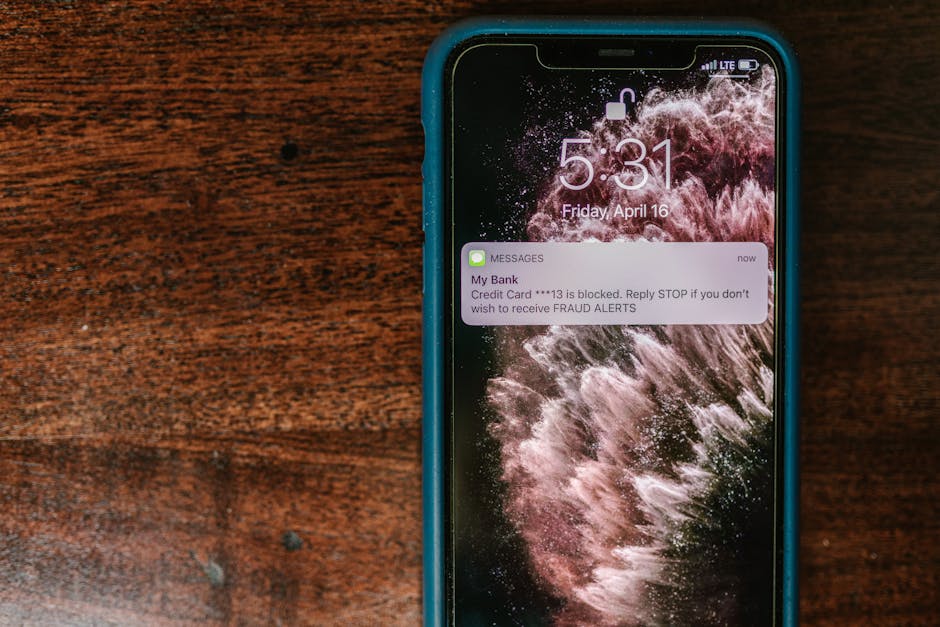
Notifications are another major culprit, not just because they light up your screen (which we’ve already discussed), but because the act of receiving, processing, and displaying a notification itself consumes power. Every buzz, every sound, every banner that pops up requires your phone's processor to wake up, load the app data, and render the alert. When you're receiving dozens, or even hundreds, of notifications throughout the day from various social media platforms, news aggregators, marketing emails, and game alerts, this cumulative effect becomes a significant drain. I often advise clients, particularly those in high-stress professions who rely on their phones for critical communications, to ruthlessly prune their notification settings. Ask yourself: "Does this app truly need to interrupt me with an alert right now, or can I check its updates when I choose to?" You might be surprised how many apps fail that simple test. Turning off notifications for all but the most essential apps not only saves battery but also contributes significantly to your digital well-being, reducing constant interruptions and allowing for greater focus. It's a win-win scenario, enhancing both your device's longevity and your own peace of mind.
"Many apps are designed to be 'sticky,' constantly pulling data and sending notifications to keep users engaged. While this benefits the app developer, it's often detrimental to the user's battery life and mental focus. Critical evaluation of app permissions and notification settings is paramount." - Chloe Jensen, Digital Privacy Advocate and Tech Ethicist.
Furthermore, consider the types of notifications. Some apps offer granular control, allowing you to disable certain categories of alerts while keeping others. For example, a news app might allow you to turn off breaking news alerts but keep daily summaries. Dive into your phone's settings – typically under "Apps & Notifications" on Android or "Notifications" in iOS settings – and spend some time reviewing each installed application. You’ll likely discover apps you rarely use but are still actively pushing updates to your device. This proactive management of background processes and notifications isn't just a one-time fix; it’s an ongoing discipline. As you install new apps, make it a habit to immediately review their default permissions and notification settings. By adopting this mindful approach, you empower yourself to control your phone's energy consumption, rather than letting a myriad of digital demands dictate its lifespan, transforming your device from a power-hungry slave to a more efficient, long-lasting tool. It's a small investment of your time that pays dividends in extended battery life and reduced charging anxiety.
The Invisible Leash Location Services and GPS
In our increasingly location-aware world, our smartphones have become sophisticated personal navigators, tracking our every move, helping us find the nearest coffee shop, hailing rides, and even tagging our photos with precise geographic coordinates. This incredible utility is powered by Location Services, a suite of technologies primarily relying on GPS (Global Positioning System), but also incorporating Wi-Fi, cellular network triangulation, and Bluetooth beacons to pinpoint your device's position with remarkable accuracy. While undeniably useful, the constant or frequent use of these location services is an insatiable drain on your battery. GPS, in particular, requires active communication with satellites orbiting thousands of miles above Earth, a process that demands significant power from your device's dedicated GPS radio and processor. The more frequently your phone pings for your location, the more power it consumes, often without you even realizing it.
Many applications, upon installation, request access to your location, often with vague justifications like "to improve user experience" or "for personalized content." While a mapping app clearly needs your location to function, why does a social media app need constant access to your precise whereabouts, even when you’re not actively using it? This is where privacy and battery life intersect, a critical area of concern for anyone invested in cybersecurity and digital autonomy. Granting blanket location access can not only compromise your personal privacy by creating a detailed digital breadcrumb trail of your movements but also accelerate your battery’s demise. I’ve seen numerous cases where users complained of abysmal battery life, only to discover a handful of apps – often social media, dating apps, or even some games – were constantly requesting and receiving location updates in the background, silently but relentlessly drawing power. This isn't just about the GPS chip; it's about the entire system waking up, processing data, and transmitting information, all of which are energy-intensive operations.
Strategically Managing Your Digital Footprint
The key to mitigating this power drain lies in a strategic approach to managing your location settings and app permissions. Both iOS and Android provide granular control over which apps can access your location and, crucially, when they can do so. Instead of granting "Always" access, which allows an app to track you 24/7, consider opting for "While Using the App" or "Ask Next Time." This ensures that your phone’s GPS radio is only active when you’re consciously interacting with an app that genuinely requires your location, like Google Maps or Apple Maps, and prevents others from silently siphoning power in the background. For many apps, especially those that provide weather updates or local news, "Never" or "Only When Using" access is perfectly sufficient, as they can still function by simply asking for your location when you open them, or by using a less precise, less power-intensive method like Wi-Fi triangulation if available.
Furthermore, periodically reviewing your phone's privacy settings to see which apps have recently used your location can be incredibly illuminating. On Android, you can often find this under "Location" in your main settings, showing a list of apps and their recent access. iOS provides a similar breakdown in "Privacy & Security" under "Location Services." You might be surprised to find apps you haven't opened in weeks still showing up as having accessed your location. This is your cue to revoke their permission or restrict it to "While Using." While turning off Location Services entirely might seem like the ultimate battery-saving hack, it's often impractical given how reliant we are on location-based services. The goal isn't deprivation; it's intelligent management. By being mindful of which apps truly need your precise location and when, you not only protect your privacy but also significantly extend your phone's battery life, ensuring that this powerful feature is an asset, not a liability, in your daily digital life. This careful curation of your digital footprint offers a tangible return in the form of a phone that lasts longer between charges, allowing you to navigate your world without constantly worrying about where the next power outlet might be.