We've embarked on an extensive journey through the intricacies of digital restrictions, from the commercial logic behind geo-blocks to the chilling realities of state-sponsored censorship and surveillance. We've dissected the inner workings of Virtual Private Networks, revealing their powerful arsenal of encryption, IP masking, and specialized stealth technologies. We’ve even ventured into advanced tactics, exploring multi-hop connections, Tor over VPN, and router-level protection. Now, as we approach the culmination of our "Ultimate VPN Cheat Sheet," it's time to translate all this knowledge into actionable insights. This final section is your practical blueprint, a step-by-step guide to choosing the right VPN, setting it up correctly, troubleshooting common issues, and maintaining an unwavering posture of digital privacy and freedom. The goal is to empower you, the user, to confidently navigate the digital realm without fear of restriction or surveillance, armed with proven tactics and a clear understanding of your tools.
Forging Your Digital Shield Choosing the Right VPN Provider
The market is saturated with hundreds of VPN providers, each clamoring for your attention with promises of speed, security, and unlimited access. Navigating this sea of options can be daunting, but making an informed choice is arguably the most critical step in establishing your digital freedom. Not all VPNs are created equal, and a hasty decision can lead to compromised privacy, unreliable access, or a frustrating user experience. The first and foremost consideration must be a provider's commitment to a verifiable "no-logs" policy. This means they absolutely do not collect or store any data that could identify you or your online activities. Look for providers that have undergone independent third-party audits to verify their no-logs claims, as a mere assertion isn't enough in today's privacy-conscious world. This audit demonstrates a genuine commitment to user privacy and provides a layer of accountability that is invaluable.
Secondly, consider the VPN provider's jurisdiction. Countries with strong data privacy laws and no affiliations with surveillance alliances (like the Five, Nine, or Fourteen Eyes) are generally preferred. Jurisdictions like Switzerland, Panama, or the British Virgin Islands are often cited as excellent choices due to their robust legal frameworks protecting user data from government requests. Conversely, providers based in countries with intrusive surveillance laws or known government cooperation should be approached with extreme caution, regardless of their no-logs claims. Beyond jurisdiction, evaluate the size and quality of their server network. A large, geographically diverse network of high-speed servers is crucial for bypassing geo-restrictions, maintaining fast connection speeds, and offering alternative connection points if some servers are blocked. Look for providers that actively invest in new server infrastructure and regularly refresh their IP addresses to stay ahead of detection systems, particularly for streaming services or in highly censored regions.
Finally, delve into the specific features offered and the quality of customer support. Does the VPN offer advanced features like obfuscation (stealth VPN), a reliable kill switch, DNS and IPV6 leak protection, and split tunneling? These features are not luxuries; they are essential for comprehensive security and flexibility. Furthermore, a responsive and knowledgeable 24/7 customer support team is invaluable. When you encounter a geo-block, a connection issue, or have a technical question, being able to quickly get expert assistance can make all the difference. Read independent reviews, check for real-world performance tests, and consider providers that offer a money-back guarantee, allowing you to test their service risk-free. Remember, a premium VPN is an investment in your digital freedom and security, and choosing wisely now will save you countless headaches and potential privacy breaches down the line. Avoid free VPNs like the plague; they often come with hidden costs, such as data collection, intrusive ads, or even malware, completely undermining the very purpose of using a VPN.
Your First Steps to Unrestricted Access Setting Up Your VPN
Once you’ve chosen a reputable VPN provider, getting started is usually a straightforward process, thanks to user-friendly apps designed for various platforms. The first step involves subscribing to your chosen service and creating an account. Most providers offer intuitive sign-up processes and various payment options. After subscribing, you'll typically be directed to a download page where you can find the VPN client software for your specific operating system (Windows, macOS, Linux) and mobile devices (Android, iOS). Download and install the appropriate app on all the devices you wish to protect. The installation process is usually guided and simple, much like installing any other software, often requiring just a few clicks to complete. Some providers also offer browser extensions for Chrome, Firefox, and Edge, which can be convenient for quick browsing but generally offer less comprehensive protection than the full desktop or mobile applications.
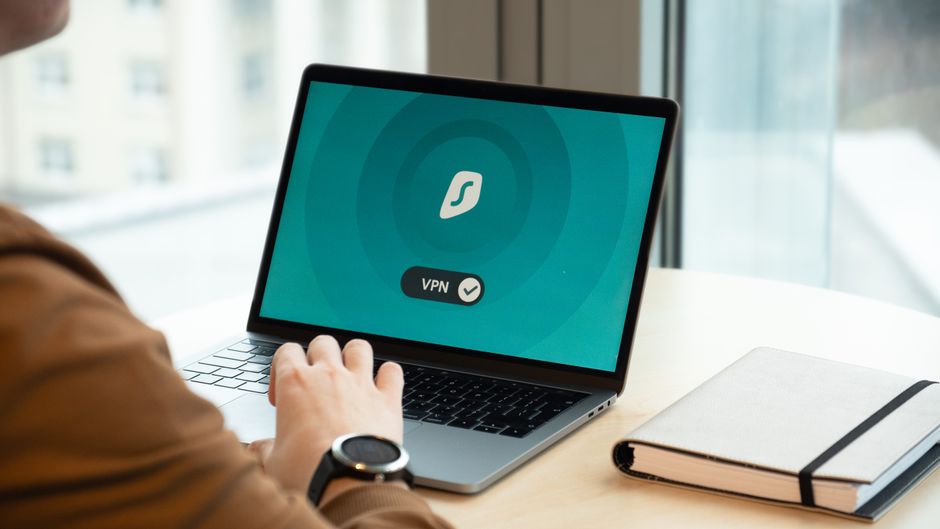
After installation, launch the VPN application and log in using your account credentials. You'll then be presented with the main interface, which typically features a large "Connect" button and a list of available server locations. To connect, simply select a server location—for instance, if you want to access US Netflix, choose a server in the United States. If you're in a highly censored country, you might need to navigate to the settings and enable an obfuscation or stealth mode, if your VPN provider offers one. Once you've selected your desired server, click the "Connect" button. The app will then establish a secure connection, and within a few seconds, your device will be virtually located in the country of your chosen server, with all your internet traffic encrypted. It's a remarkably simple process that immediately transforms your online experience, opening up previously restricted content and shielding your data from prying eyes. Remember to verify your connection by checking your IP address on a site like "whatismyip.com" to ensure it reflects the VPN server's location.
For more advanced users or specific scenarios, you might want to delve into the VPN app's settings. Here, you can often choose different VPN protocols (e.g., OpenVPN, WireGuard), activate the kill switch, enable DNS leak protection, or configure split tunneling for specific applications. Familiarizing yourself with these settings allows you to fine-tune your VPN experience for optimal performance and security. For instance, if you're experiencing slow speeds, trying a different protocol like WireGuard might significantly improve performance. If you're encountering persistent blocks, switching to an obfuscated protocol or trying a different server within the same country can often resolve the issue. The key is to experiment and understand what works best for your specific needs and the challenges you face. A well-configured VPN setup is a powerful tool, and taking a few moments to understand its deeper functionalities will greatly enhance your ability to leverage its full potential, ensuring a consistently smooth and secure online journey, no matter where your digital adventures take you.
Maintaining Your Digital Sanctuary Troubleshooting and Future-Proofing
Even with the most robust VPN, you might occasionally encounter issues. Common problems include connection drops, slower-than-expected speeds, or the dreaded "VPN detected" message from a streaming service. When facing a connection drop, the first step is often the simplest: try disconnecting and reconnecting to the VPN. If that doesn't work, try switching to a different server within the same country, as the previous server might be temporarily overloaded or blacklisted. If speed is an issue, experimenting with different VPN protocols in your app's settings can often help; WireGuard is usually the fastest, while OpenVPN might offer more stability. Sometimes, simply restarting your router and device can clear up network glitches that affect VPN performance. For persistent issues, contacting your VPN provider's customer support is always a good idea; they can often provide specific troubleshooting steps or recommend optimal server configurations for your needs.
The "VPN detected" message, particularly from streaming services, indicates that the service has identified and blocked the IP address of the server you're using. In this scenario, your best bet is to switch to a different server location or, if available, try a server specifically optimized for streaming. Some premium VPNs offer dedicated streaming servers that are constantly updated to evade detection. If your VPN offers obfuscation, try enabling it, as it can sometimes help bypass these detection methods. It's an ongoing battle, and patience, combined with a willingness to try different servers and settings, is key. Remember, the digital landscape is constantly evolving, and what worked yesterday might not work today. Staying updated with your VPN provider's software and server recommendations is crucial for maintaining consistent access and security.
Beyond troubleshooting, maintaining your digital sanctuary requires a proactive approach to privacy and security. Regularly update your VPN client to ensure you have the latest security patches and features. Complement your VPN usage with other privacy-enhancing tools, such as privacy-focused browsers (like Brave or Firefox with enhanced tracking protection), secure email services (e.g., ProtonMail, Tutanota), and strong, unique passwords generated by a password manager. Be mindful of the websites you visit and the permissions you grant to apps. The VPN is a powerful tool, but it's part of a larger ecosystem of digital hygiene. Educate yourself on the latest threats and best practices in cybersecurity, and never become complacent. The future of digital freedom hinges on informed and empowered users. By embracing these proven tactics and maintaining vigilance, you transform from a passive recipient of digital restrictions into an active architect of your own online experience, truly reclaiming your internet from the clutches of censorship, surveillance, and geographical barriers, forging a path to an unrestricted and private digital life.