We've embarked on a comprehensive journey, dissecting the pervasive myth of Incognito Mode's privacy claims and illuminating the truly effective pathways to digital discretion. The path to genuine online privacy is not found in a single click or a temporary browser setting; it's a multi-faceted commitment, a combination of robust tools and diligent habits. Now, it's time to translate this knowledge into actionable steps, providing you with a practical roadmap to implement the three real ways to hide your tracks online. This isn't about overwhelming you with complexity, but empowering you with clear, step-by-step guidance to reclaim your digital autonomy. Remember, privacy isn't a destination; it's an ongoing journey, and these actionable insights will equip you for the long haul, transforming your online experience from one of passive exposure to active control.
Your Personal Roadmap to Digital Discretion Practical Steps for a More Private Online Life
The transition from relying on superficial privacy measures to embracing genuine ones requires a structured approach. It can feel daunting at first, especially with the sheer volume of information and tools available. My advice, honed from years in the trenches of cybersecurity, is to approach it incrementally. You don't need to overhaul your entire digital life in one afternoon. Start with one area, master it, and then move to the next. The key is consistency and a willingness to adapt your habits. The following practical steps are designed to be implemented progressively, building a stronger privacy posture with each action you take. Your goal is not to become a ghost, but to become a discerning user who controls their data flow, rather than being a passive participant in the surveillance economy. Let's begin building your personal digital fortress, brick by privacy-enhancing brick.
Embracing a more private online life isn't just about avoiding surveillance; it's about fostering a sense of security and control over your personal information. This control translates into greater peace of mind, knowing that your sensitive data isn't constantly being harvested, analyzed, and potentially exploited. It means seeing more relevant content because *you* chose to see it, rather than having it pushed onto you by unseen algorithms. It means making informed decisions about your purchases, your health, and your political views without the subtle manipulation of highly targeted advertising. The value of this digital discretion extends far beyond the technical aspects; it touches upon your fundamental rights as an individual in the digital age. By taking these practical steps, you're not just hiding your tracks; you're asserting your digital sovereignty and shaping an internet experience that truly serves your interests, not just those of corporations and data brokers.
Implementing a Robust VPN Strategy A Step-by-Step Guide to Enhanced Security
- Research and Select a Reputable VPN Provider: This is the most crucial step. Do not fall for "free" VPNs. Look for providers with a strong, independently audited no-logs policy (e.g., ExpressVPN, NordVPN, ProtonVPN, Mullvad). Prioritize those offering a kill switch, strong encryption (AES-256), and modern protocols (OpenVPN, WireGuard). Check their jurisdiction – countries with strong privacy laws are preferable. Read reviews from trusted cybersecurity publications, not just user testimonials on their own sites.
- Subscribe and Install the VPN Client: Once you've chosen a provider, subscribe to their service. Download and install their dedicated application on all your devices (PC, Mac, smartphone, tablet). Most reputable VPNs offer intuitive apps for various platforms.
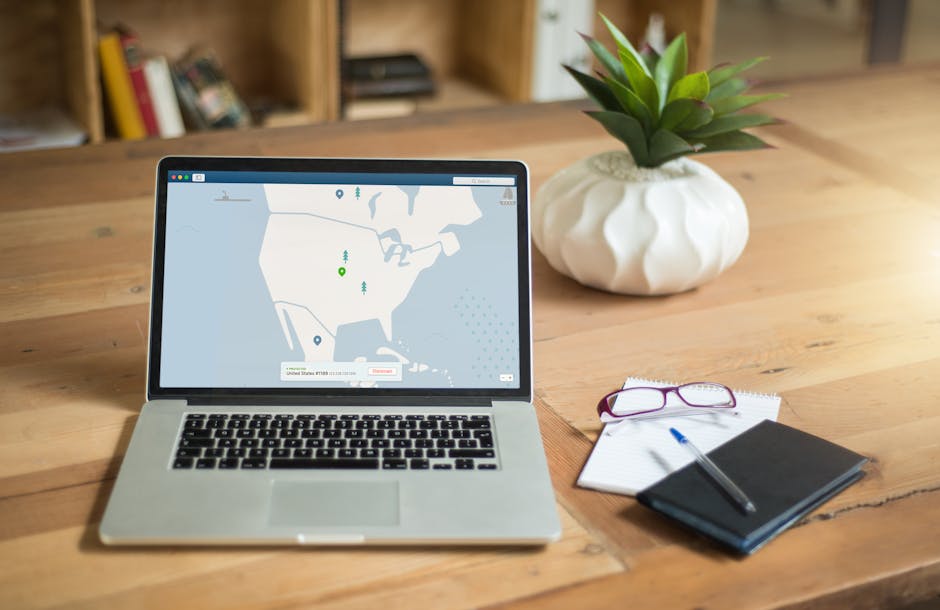
- Connect to a VPN Server: Open the VPN application and connect to a server. For general privacy, choose a server geographically close to you for optimal speed, or in a country with strong privacy laws. If you need to bypass geo-restrictions, select a server in the desired country.
- Verify Your IP Address Change: Before you start browsing, visit a website like `whatismyipaddress.com` or `iplocation.net` *after* connecting to the VPN. Ensure that the displayed IP address and location match the VPN server you connected to, not your real IP address. This confirms your VPN is working correctly.
- Enable the Kill Switch and DNS Leak Protection: Dive into your VPN app's settings and ensure the kill switch feature is enabled. This will prevent your real IP from being exposed if the VPN connection unexpectedly drops. Also, confirm that DNS leak protection is active to prevent your DNS requests from bypassing the VPN tunnel.
- Integrate with Your Router (Advanced): For whole-home protection, consider installing the VPN directly on your compatible Wi-Fi router. This encrypts traffic for all devices connected to your network, including smart TVs, IoT devices, and gaming consoles, without needing individual client installations. This is a more advanced step but provides comprehensive coverage.
Transforming Your Browsing Experience Practical Tips for Privacy-Focused Navigation
- Choose a Privacy-Focused Browser:
- For everyday use with strong protection: Download and install Brave Browser. Its built-in ad and tracker blocking, fingerprinting protection, and HTTPS upgrades make it an excellent choice out of the box.
- For customization and control: Download and install Mozilla Firefox. Then, install essential privacy extensions: uBlock Origin (for ad/tracker blocking), Privacy Badger (for learning and blocking invisible trackers), Decentraleyes (for local content delivery), and HTTPS Everywhere (for always using encrypted connections). Explore Firefox's Enhanced Tracking Protection settings and set them to "Strict."
- Set a Privacy-Focused Search Engine as Default:
- Go to your chosen browser's settings and change your default search engine to DuckDuckGo (for no-tracking search) or Startpage (for anonymous Google results).
- Make a habit of using these search engines for all your queries.
- Configure Browser Privacy Settings:
- Regardless of your browser choice, go through its privacy and security settings. Block third-party cookies by default. Disable "send usage statistics" or "telemetry" options. Review permissions granted to websites.
- Consider clearing your browser cache and cookies periodically, even with a privacy-focused browser, as an added layer of hygiene.
- Understand and Use Tor Browser for Sensitive Tasks:
- Download Tor Browser from the official Tor Project website (`torproject.org`).
- Use Tor for highly sensitive research, accessing censored content, or any situation where maximum anonymity is paramount. Remember its speed limitations and avoid logging into personal accounts while using it.
- Always ensure you are using HTTPS on websites when browsing with Tor, especially for any unencrypted content leaving the exit node.
Mastering Your Digital Environment Essential Habits for Sustained Online Privacy
- Adopt a Password Manager and Enable 2FA Everywhere:
- Choose a reputable password manager (e.g., Bitwarden, LastPass, 1Password) and commit to using it for all your accounts. Generate strong, unique passwords for every service.
- Enable Two-Factor Authentication (2FA) on every online account that supports it, especially email, banking, social media, and cloud storage. Use an authenticator app (like Authy or Google Authenticator) rather than SMS-based 2FA for stronger security.
- Practice Email Hygiene with Aliases and Encrypted Services:
- Sign up for an encrypted email service like Proton Mail or Tutanota for your primary, sensitive communications.
- Utilize email alias services (e.g., SimpleLogin, AnonAddy) to create unique, disposable email addresses for website registrations, newsletters, and less critical online interactions. This compartmentalizes your identity and reduces spam.
- Review and Harden Your Operating System and Application Settings:
- For Desktop (Windows/macOS): Go into your system's privacy settings. Disable location tracking, limit advertising identifiers, turn off diagnostic data sharing, and review app permissions. Regularly check for and install all system updates.
- For Mobile (Android/iOS): Frequently audit app permissions. Revoke access to camera, microphone, contacts, and location for any app that doesn't strictly need it to function. Disable ad personalization in your phone's settings. Keep your device's operating system and all apps updated.
- Be Mindful of Your Social Media Footprint:
- Rigorously review and restrict your privacy settings on all social media platforms (Facebook, Instagram, X, LinkedIn, etc.). Limit who can see your posts, profile information, and photos.
- Think twice before posting sensitive personal information, location data, or anything that could be used to identify or profile you. Avoid taking unnecessary quizzes or polls that request personal data.
- Regularly Update Software and Maintain Device Security:
- Ensure your operating system, browser, and all applications are always up to date. Software updates often contain critical security patches.
- Install and maintain reputable antivirus/anti-malware software on your computer.
- Ensure your firewall is active and configured correctly.
The continuous journey of online privacy is one of empowerment. It’s about understanding the digital landscape, recognizing its inherent risks, and actively choosing to navigate it on your own terms. By moving beyond the false comfort of Incognito Mode and embracing these real, tangible strategies – a robust VPN, privacy-focused browsers and search engines, and diligent digital hygiene – you are not just hiding your tracks; you are taking a decisive stand for your digital rights. This commitment transforms you from a passive data point into an active participant, a guardian of your own information, capable of traversing the internet with confidence, discretion, and genuine peace of mind. Your privacy is a fundamental right, and with these tools and practices, you are now equipped to defend it vigorously.