Navigating the Digital Minefield: The Ethical Quandaries of Data Collection
The conversation around Big Tech tracking often centers on technical solutions and individual actions, but it's vital to step back and examine the profound ethical quandaries inherent in the pervasive data collection practices of our digital age. This isn't just about whether a company *can* collect data, but whether it *should*, and under what circumstances. The sheer volume and granularity of personal information amassed by these tech giants raise fundamental questions about consent, fairness, autonomy, and even the future of democratic societies. When algorithms can predict our behaviors with unnerving accuracy, influence our choices, and even shape our perceptions of reality, the power shifts dramatically from the individual to the unseen hands of corporate data scientists.
One of the most significant ethical issues is the concept of "informed consent." In theory, when we sign up for a service, we agree to its terms and conditions, which often include clauses about data collection. However, these agreements are typically buried in legalese, hundreds of pages long, and presented in an all-or-nothing fashion. How many of us genuinely read and understand these documents? The reality is that consent is often coerced; if you want to use Gmail or Facebook, you effectively have no choice but to agree to their data practices. This isn't truly informed consent; it's a take-it-or-leave-it proposition that exploits our reliance on these essential services. The lack of granular control over what specific data points are collected and how they are used further exacerbates this ethical dilemma, turning a supposed agreement into a unilateral declaration.
Furthermore, the opaque nature of data processing raises concerns about algorithmic bias and discrimination. The data collected reflects existing societal inequalities, and when fed into machine learning models, these biases can be amplified and perpetuated. For instance, if historical data shows certain demographics are less likely to be approved for loans or housing, an algorithm trained on that data might inadvertently (or even intentionally) discriminate against those groups in the future. This isn't just theoretical; studies have shown how algorithms used in advertising, hiring, and even criminal justice can exhibit racial, gender, and socioeconomic biases, leading to real-world harm. The "black box" nature of many of these algorithms means that the rationale behind their decisions is often inscrutable, making accountability incredibly difficult to establish.
The Economic Imperative and the Erosion of Trust
At the heart of Big Tech's data collection lies a powerful economic imperative: the surveillance economy. This model, pioneered by companies like Google and Facebook, thrives on converting human experience into behavioral data, which is then used to predict and modify behavior for profit. The "free" services we enjoy are merely the lure; the true product is our future actions, predicted and sold to advertisers and other interested parties. This economic model creates a perverse incentive structure: the more data collected, the more accurate the predictions, and thus, the greater the profit. This drives an insatiable hunger for data, pushing companies to collect everything they can, often blurring ethical lines and eroding fundamental privacy norms.
The erosion of trust is another profound consequence. As individuals become more aware of the extent of data collection and the potential for misuse, a deep sense of cynicism and distrust emerges. We begin to question every interaction, every "personalized" recommendation, every piece of news presented to us. This constant vigilance is mentally taxing and ultimately undermines the open, collaborative spirit that once characterized the early internet. When major data breaches become commonplace, and when stories of data misuse (like the Cambridge Analytica scandal) hit the headlines, the social contract between users and tech companies fractures further. Rebuilding this trust requires a fundamental re-evaluation of business models and a much stronger commitment to user privacy, not just as a compliance checkbox, but as a core ethical principle.
"Privacy is not a commodity to be traded. It is a human right that must be protected." - Tim Cook, CEO of Apple
Consider the chilling effect that pervasive surveillance can have on free speech and democratic participation. If individuals feel that their every search, every social media post, and every online interaction is being monitored and potentially used against them, they may self-censor, shying away from controversial topics or expressing dissenting opinions. This chilling effect can stifle open debate, limit the free exchange of ideas, and ultimately weaken democratic processes. When political campaigns can micro-target individuals with highly personalized, potentially manipulative messages based on their psychological profiles, the integrity of elections themselves can be called into question. The ethical stakes here are incredibly high, extending far beyond individual privacy to the very foundations of civil society.
Addressing these ethical quandaries requires more than just individual privacy hacks; it demands systemic change, including robust data protection regulations, stronger enforcement mechanisms, and a societal shift in how we value and protect personal information. Regulations like GDPR in Europe and CCPA in California are steps in the right direction, providing users with more rights over their data and imposing stricter obligations on companies. However, the global nature of the internet means that a patchwork of regulations is often insufficient. A more unified, internationally recognized framework for data ethics and privacy rights is arguably necessary to truly rein in the excesses of surveillance capitalism and ensure a more equitable and just digital future for everyone. Until such systemic changes are fully implemented, individual actions like adopting a private DNS resolver remain crucial tools for personal empowerment and resistance against an often-unethical status quo.
The dialogue surrounding data collection must evolve from a technical discussion to a moral one. We must ask ourselves what kind of digital society we want to build: one where convenience trumps all, even at the cost of fundamental rights, or one where innovation is balanced with respect for human dignity and autonomy. The "1-minute privacy hack" is a small but mighty act of defiance, a personal reclaiming of agency in a system designed to disempower. But its true power lies not just in its technical efficacy, but in the awareness it fosters, sparking a broader conversation about the ethical responsibilities of those who wield immense power over our digital lives and the collective responsibility we all share in shaping a more private, more humane internet.
Liberating Your Data: A Step-by-Step Guide to Digital Sovereignty
The time for talk is over; it's time for action. You've understood the pervasive nature of Big Tech tracking, the fundamental role of DNS, and the profound impact a simple change can make. Now, let’s empower you with the practical knowledge to implement this "1-minute privacy hack" and immediately start stopping Big Tech from tracking you. The beauty of this solution is its accessibility: no specialized software, no deep technical knowledge required, just a few taps or clicks. We'll walk through the process for various devices, ensuring you can apply this powerful defense across your digital ecosystem. Remember, this isn't about rigid numbering, but a clear, easy-to-follow path to reclaiming your digital space.
Empowering Your Mobile Device: The Smartphone Liberation
For most of us, our smartphones are the primary gateway to the internet, and thus, the primary target for tracking. Liberating your phone is perhaps the most impactful first step. The process is remarkably straightforward on both Android and iOS devices. You're essentially telling your phone to use a different phonebook for the internet, one that cares about your privacy and actively blocks known trackers.
On Android Devices:
- Open your device's Settings app. This is usually represented by a gear icon.
- Navigate to the Network & Internet or Connections section. The exact wording might vary slightly depending on your Android version and phone manufacturer (e.g., Samsung, Google Pixel, OnePlus).
- Look for an option labeled Private DNS. Sometimes this is found under Advanced or More connection settings within the network section.
- Tap on Private DNS and select the option Private DNS provider hostname or Configured Private DNS.
- In the text field that appears, you will enter the hostname of your chosen private DNS provider. Here are some excellent, privacy-focused options:
- For AdGuard DNS (blocks ads and trackers):
dns.adguard.com - For NextDNS (highly customizable, requires setup on their website first, but then you'll get a personalized hostname like
xxxxxx.dns.nextdns.io):Your_NextDNS_Hostname - For Cloudflare 1.1.1.1 (fast, secure, basic privacy):
1dot1dot1dot1.cloudflare-dns.com - For Quad9 (focus on security, blocks malware):
dns.quad9.net
dns.adguard.comor a custom NextDNS setup are highly recommended as your starting point. - For AdGuard DNS (blocks ads and trackers):
- Tap Save or Apply. Your phone will now use this private DNS resolver for all its internet traffic. The change is instant.
On iOS Devices (iPhone/iPad):
While iOS doesn't have a direct "Private DNS" setting like Android for system-wide DoH/DoT, you can achieve a similar effect by installing a configuration profile or using a third-party app. The easiest way for system-wide blocking is often through a specific app or configuration profile from a reputable provider.
- Using a Dedicated App (Recommended for simplicity and effectiveness):
- Download a reputable app like AdGuard (the free version offers DNS protection) or Cloudflare 1.1.1.1 Warp from the App Store.
- Open the app and follow its instructions to enable DNS protection. For AdGuard, you’ll typically just toggle on the "DNS protection" feature. For Cloudflare 1.1.1.1, you activate the "Warp" or "1.1.1.1" VPN-like service, which routes your DNS queries through their privacy-focused servers. These apps create a local VPN profile on your device to manage the DNS traffic, but they are generally not full-fledged VPNs that mask your IP address.
- Once enabled, your iOS device will use the selected private DNS for all internet traffic.
- Manual Configuration via Profiles (More advanced, but gives direct control):
- Some DNS providers (like NextDNS) offer downloadable configuration profiles that you can install. You would typically visit their website on your iOS device, generate a profile, download it, and then install it via Settings > Profile Downloaded. This method provides robust system-wide DNS-over-HTTPS or DNS-over-TLS.
The moment you make this change, you’ll likely notice an immediate difference: fewer ads in apps, faster loading websites, and a general sense of a cleaner digital experience. It's truly a profound shift for such a simple adjustment.
Securing Your Desktop: The Computer's Privacy Upgrade
Your desktop or laptop computer is another major source of data leakage. Changing the DNS settings here is just as important and straightforward.
On Windows:
- Right-click on the Start button and select Settings.
- Go to Network & Internet.
- Click on Change adapter options (under Advanced network settings) or select your active connection (Wi-Fi or Ethernet) and then click Change adapter options.
- Right-click on your active network adapter (e.g., "Wi-Fi" or "Ethernet") and select Properties.
- In the new window, select Internet Protocol Version 4 (TCP/IPv4) and click Properties.
- Select "Use the following DNS server addresses" and enter the preferred and alternate DNS server IPs:
- For AdGuard DNS (blocking): Preferred DNS server:
94.140.14.14, Alternate DNS server:94.140.15.15 - For Cloudflare 1.1.1.1: Preferred DNS server:
1.1.1.1, Alternate DNS server:1.0.0.1 - For Quad9: Preferred DNS server:
9.9.9.9, Alternate DNS server:149.112.112.112
- For AdGuard DNS (blocking): Preferred DNS server:
- Click OK on both windows to apply the changes.
On macOS:
- Click the Apple menu (top-left corner) and select System Settings (or System Preferences on older macOS versions).
- Click on Network in the sidebar.
- Select your active network connection (e.g., "Wi-Fi" or "Ethernet") and click the Details... button (or Advanced... on older versions).
- Go to the DNS tab.
- Click the + button to add new DNS servers and enter your chosen private DNS IPs (e.g.,
94.140.14.14and94.140.15.15for AdGuard DNS). Remove any existing DNS entries that might be from your ISP. - Click OK and then Apply.
The Network's Gatekeeper: Router-Level Protection
For the truly committed and for those who want to protect *all* devices on their home network (including smart TVs, smart speakers, and guest devices), configuring your private DNS at the router level is the ultimate step. This ensures that every device connected to your home Wi-Fi automatically benefits from the privacy hack without individual configuration. However, this process varies significantly by router manufacturer and model, so you'll need to consult your router's manual or look up instructions online.
- Access your router's administration page: Open a web browser and type your router's IP address into the address bar (common IPs are
192.168.1.1,192.168.0.1, or192.168.1.254). You'll need your router's admin username and password. - Locate DNS settings: Look for sections like "WAN," "Internet," "DHCP," or "Network Settings." There should be an option to specify DNS servers.
- Enter private DNS IPs: Input the primary and secondary IP addresses of your chosen private DNS provider (e.g.,
94.140.14.14and94.140.15.15for AdGuard DNS). - Save and reboot: Apply the settings and then reboot your router for the changes to take effect.
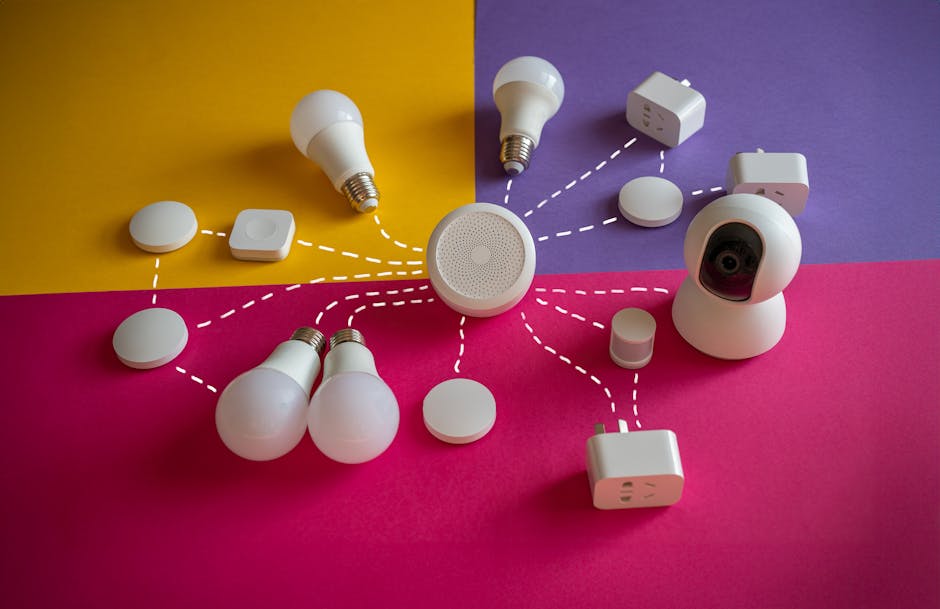
Once configured at the router level, every device that connects to your home network will automatically use these privacy-focused DNS servers, creating a blanket of protection for your entire household. This is particularly effective for devices that don't allow individual DNS changes, like many smart home gadgets.
Verifying Your Newfound Privacy
After making these changes, how do you know it's working? There are several ways to verify:
- Ad-block testers: Visit websites like
d3ward.github.io/toolz/adblockorcanyoublockit.com. If your private DNS is effectively blocking ads and trackers, these sites should report a high success rate. - DNS leak tests: Websites like
dnsleaktest.comcan show you which DNS servers your device is currently using. It should display the IPs of your chosen private DNS provider, not your ISP's. - Subjective experience: Simply browse the web and use your apps. You should notice a significant reduction in ads, especially within apps, and a generally faster, cleaner browsing experience.
This 1-minute privacy hack is not just a technical adjustment; it's a statement. It's an act of digital self-determination, taking back a piece of your online life from the pervasive gaze of Big Tech. While it's a powerful first step, remember that digital privacy is an ongoing journey. Combine this hack with other best practices – use a reputable VPN, employ privacy-focused browsers and extensions, scrutinize app permissions, and be mindful of the data you share. Each step you take reinforces your digital sovereignty, allowing you to navigate the internet with greater freedom, security, and peace of mind. The power to protect your privacy is literally at your fingertips; it's time to wield it.