Reclaiming Your Digital Autonomy The 2-Click Freedom Plan and Beyond
The good news, despite the daunting picture painted by the pervasive data octopus, is that escaping this primary privacy trap doesn't require a degree in computer science or a complete withdrawal from the digital world. It starts with awareness, certainly, but then it progresses to actionable steps—some incredibly simple, some requiring a bit more diligence—that collectively empower you to regain significant control over your personal data. The most impactful changes often begin with just a couple of deliberate clicks, turning off the default settings that enable the most widespread forms of tracking. Think of it as shutting the front door and locking the windows before you start fortifying the entire house. These two crucial "clicks" target the broad, passive data collection mechanisms that most people unknowingly leave wide open.
Let's talk about the immediate, high-impact actions you can take to significantly reduce your digital footprint. This isn't about becoming invisible overnight, which is a near-impossible feat in our hyper-connected world, but about shifting the default from "everything is tracked" to "nothing is tracked unless I explicitly allow it." This fundamental change in mindset, coupled with practical adjustments, is your path to reclaiming digital autonomy. It's about making conscious choices, rather than passively accepting the defaults dictated by tech companies. The initial steps are surprisingly straightforward, focusing on your primary gateways to the internet: your web browser and your mobile operating system. These are the two key areas where you can implement changes that have an immediate and widespread effect on the data collection practices targeting you.
Your Core Escape Plan The Two-Click Freedom
The first click focuses on your web browser, which is arguably your most used tool for interacting with the internet. Most modern browsers now include robust, built-in tracking prevention features that, when enabled, significantly curb the ability of third-party cookies and known trackers to follow you across different websites. This is a game-changer because it disrupts the very mechanism that allows advertisers and data brokers to build comprehensive profiles of your browsing habits. Instead of accepting the default, which often allows extensive tracking, you’re actively telling your browser to block these intrusive elements. It’s a simple toggle, but its impact is profound, effectively severing many of those invisible tentacles that reach out from every website you visit.
Here’s how to make that crucial first click, depending on your preferred browser. For users of Firefox, navigate to "Settings" (or "Preferences") then "Privacy & Security." Look for "Enhanced Tracking Protection" and ensure it's set to "Standard" or, for stronger protection, "Strict." The "Strict" setting blocks a wider range of trackers, including some social media trackers and fingerprinting scripts, though it might occasionally break some websites. For Microsoft Edge users, go to "Settings," then "Privacy, search, and services." Under "Tracking prevention," make sure it's turned "On" and consider setting it to "Strict" for maximum effect. If you're a Safari user on macOS or iOS, this feature is often enabled by default; simply go to "Settings," then "Privacy," and ensure "Prevent Cross-Site Tracking" is toggled on. It's a powerful tool that limits third-party cookies and other website data from being used to track you across sites. For those loyal to Google Chrome, the situation is a bit more nuanced. Chrome's approach to privacy is evolving with its "Privacy Sandbox" initiative, but you can still go to "Settings," then "Privacy and security," and click "Third-party cookies." Here, you can select "Block third-party cookies" or "Send a 'Do Not Track' request with your browsing traffic" (though the latter is not universally honored). Alternatively, consider using a Chrome extension like uBlock Origin or Privacy Badger to actively block trackers.
The second click addresses the pervasive tracking that happens on your mobile device, specifically related to ad personalization and app tracking permissions. Your smartphone is a treasure trove of personal data, and by default, many operating systems and apps are configured to collect and share this information for targeted advertising. Disabling these settings doesn't stop all data collection, but it significantly reduces the ability of advertisers to build a unique profile of you based on your app usage and device activity, making their targeting much less effective and your data less valuable to them. This one simple action disrupts a massive industry built on knowing your every digital move on your most personal device. It’s about taking back control of your phone’s identity and preventing it from being a constant beacon for advertisers.
For iOS users, navigate to "Settings," then "Privacy & Security," and tap on "Tracking." Here, you'll see a toggle for "Allow Apps to Request to Track." Turning this off globally will prevent apps from asking to track you across other apps and websites. You can also manage permissions for individual apps if you prefer a more granular approach. For Android users, the path is slightly different: go to "Settings," then "Google," and then "Ads." You'll find options here to "Delete Advertising ID" (which essentially resets the unique identifier advertisers use to track you) and "Opt out of Ads Personalization." Make sure both of these are actioned. While these steps won't eliminate all ads, they will significantly reduce the relevance and intrusiveness of personalized advertisements, making them less effective at profiling you. On desktop operating systems like Windows or macOS, similar privacy settings exist within "Settings" under sections typically labeled "Privacy" or "Security & Privacy," where you can often limit ad tracking or diagnostic data collection. Taking these two sets of actions – managing browser tracking and mobile ad personalization – represents a massive leap forward in securing your privacy with minimal effort.
Beyond the Two Clicks Building a Privacy Fortress
While the two-click freedom plan provides an immediate and powerful defense, true digital autonomy is an ongoing journey, not a one-time destination. To truly build a robust privacy fortress, you need to adopt a layered approach, integrating more privacy-conscious tools and habits into your daily routine. Think of it as upgrading from a basic lock to a multi-point security system. These additional steps, while requiring a bit more commitment, will further harden your defenses against pervasive data collection and give you greater peace of mind in an increasingly data-hungry world. It's about consciously choosing alternatives that prioritize your privacy, rather than defaulting to the services that profit from your data.
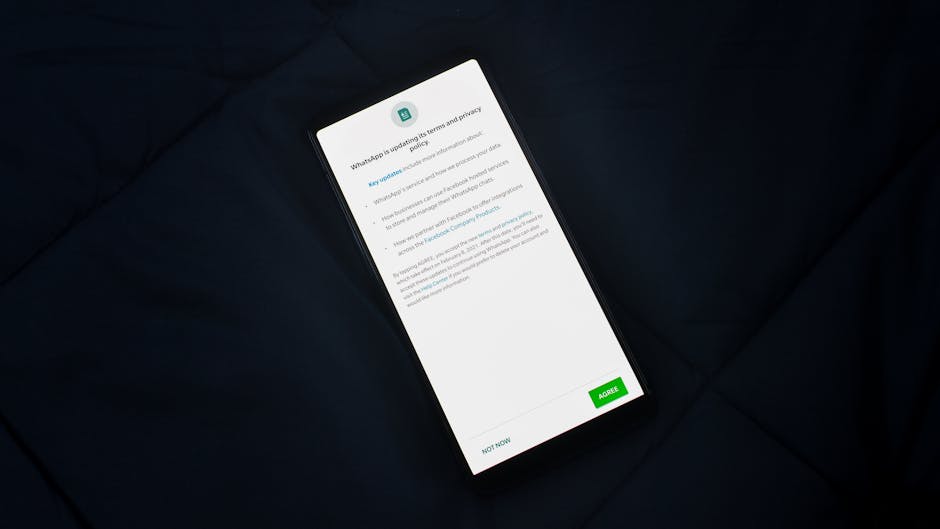
One of the most impactful long-term changes is your choice of web browser and search engine. Consider switching from mainstream browsers like Chrome to privacy-focused alternatives such as Brave, which has a built-in ad and tracker blocker, or Firefox, especially when hardened with privacy-enhancing add-ons. Browsers like Vivaldi and DuckDuckGo Browser also offer strong privacy features. Similarly, ditching Google for your everyday searches is a powerful move. Search engines like DuckDuckGo, Startpage (which proxies Google results without tracking you), or Kagi (a paid, privacy-focused engine) offer excellent search results without building a profile of your queries. Your email provider is another critical piece of the puzzle. If you're still using Gmail, consider migrating to end-to-end encrypted services like Proton Mail or Tutanota, which offer superior privacy by design, ensuring only you can read your messages. For messaging, move away from WhatsApp (owned by Meta) and embrace truly secure, end-to-end encrypted options like Signal or Session, which prioritize metadata privacy and user anonymity.
And, of course, no discussion of online privacy would be complete without mentioning the role of a Virtual Private Network (VPN). A reputable, no-logs VPN encrypts your internet traffic and routes it through a server operated by the VPN provider, effectively masking your IP address and making your online activities much harder to trace back to you. This is crucial for preventing your Internet Service Provider (ISP) from monitoring your browsing habits and for protecting your data on public Wi-Fi networks. When choosing a VPN, always prioritize providers with a strict no-logs policy, audited security, and a strong track record. Beyond these tools, cultivate a habit of regularly auditing your app permissions on your smartphone. Go through each app and revoke any permissions (like location, microphone, camera, contacts, or photos) that are not absolutely essential for its core function. Be skeptical of what apps request, and always choose "only while using the app" for location services when available. Furthermore, don't just blindly accept cookie banners. Take an extra moment to click "Manage Preferences" and reject non-essential cookies. Browser extensions like "I Don't Care About Cookies" (used with caution and alongside a tracker blocker) can help streamline this, but manual vigilance is always best.
Finally, foundational security practices underpin all privacy efforts. Use strong, unique passwords for every online account, ideally managed with a reputable password manager, and enable two-factor authentication (2FA) wherever possible. This significantly reduces the risk of account compromise, which can have devastating privacy implications. Consider a digital decluttering: delete old accounts you no longer use, unsubscribe from unnecessary newsletters, and clean up your social media profiles. The less data that exists about you across the internet, the less there is to be collected, misused, or breached. Ultimately, reclaiming your digital autonomy is about a shift in mindset: recognizing that your data is a valuable asset, treating it with the same care you would your physical possessions, and actively choosing privacy-respecting alternatives whenever possible. It requires continuous vigilance and a willingness to question the default, but the peace of mind and control you gain over your digital life are immeasurable rewards.