After dissecting the myriad ways your everyday browser can compromise your online privacy, it’s easy to feel a sense of despair, as if the digital world is an inescapable web of surveillance. But fear not, for while the challenges are significant, you are not powerless. Reclaiming your digital sovereignty begins with awareness, but it culminates in action. The good news is that there are concrete, actionable steps you can take right now to significantly bolster your browser security and reduce your digital footprint. It’s not about abandoning the internet; it’s about navigating it with greater intent, equipped with the right tools and a healthy dose of skepticism. Think of it as hardening your digital fortress, brick by brick, against the constant onslaught of data collectors.
My years in this field have taught me that privacy isn't a one-time setup; it's an ongoing commitment, a continuous process of learning, adapting, and refining your online habits. Just as you wouldn't leave your front door unlocked or your windows open for anyone to peer in, your browser, as your primary gateway to the internet, demands similar vigilance. The strategies I'm about to outline aren’t just theoretical musings; they are practical, battle-tested approaches that can make a tangible difference in protecting your personal information from the prying eyes of advertisers, data brokers, and even more malicious entities. Let's roll up our sleeves and start building a more private browsing experience, one informed choice at a time.
Building Your Fortress: Choosing a Privacy-First Browser
The first and arguably most impactful step you can take is to reconsider your choice of web browser. While convenience often dictates sticking with the default or the most popular option, many mainstream browsers are simply not built with privacy as their paramount concern. Instead, look for browsers that have privacy ingrained in their design philosophy, offering robust default protections and transparent data handling policies. This isn't about finding a perfect solution, as no software is entirely infallible, but rather about selecting a tool that aligns with your values and actively works to minimize your exposure.
Consider browsers like Brave, which famously blocks ads and trackers by default, offers a built-in VPN (though it's a separate service), and even has its own privacy-preserving ad model (BAT tokens, which you can opt out of entirely). It’s built on Chromium, so you get the compatibility and speed, but with a significant privacy overhaul. Then there's Vivaldi, another Chromium-based browser that offers an incredible array of customization options, allowing you to fine-tune your privacy settings, block trackers, and even manage tabs with unprecedented control. While not as aggressive with default blocking as Brave, its granular control empowers the user. For those seeking a truly hardened experience, the Mullvad Browser, built by the renowned VPN provider Mullvad and based on Firefox, offers a similar level of protection to the Tor Browser without requiring the Tor network, focusing on anti-fingerprinting and default blocking.
And let's not forget Mozilla Firefox, especially when properly configured. While its default settings might not be as aggressive as Brave's, Firefox is open-source, community-driven, and has made significant strides in recent years with its Enhanced Tracking Protection (ETP) features, which block many third-party trackers, cryptominers, and fingerprinting scripts by default. With a few tweaks and the right extensions, Firefox can be transformed into a formidable privacy-preserving machine. For the utmost in anonymity, especially when dealing with sensitive information or trying to circumvent censorship, the Tor Browser remains the gold standard, routing your traffic through a decentralized network of relays to obscure your IP address and resist fingerprinting. Each of these browsers offers a different balance of convenience, features, and privacy, so take the time to research and find the one that best suits your needs and comfort level.
Taming the Beast: Browser Settings and Configuration
Regardless of which browser you choose, a deep dive into its settings is absolutely crucial. Out-of-the-box defaults are rarely privacy-optimal, and often lean towards convenience or data collection. This is where you take control, transforming your browser from a passive data conduit into an active guardian of your privacy. It might seem daunting at first, given the sheer number of options, but by focusing on key areas, you can make a substantial impact.
- Block Third-Party Cookies: This is a fundamental step. Most modern browsers offer an option to block third-party cookies by default. These are the cookies set by domains other than the one you are currently visiting, and they are the primary mechanism for cross-site tracking. Enabling this will significantly hamper the ability of advertising networks to follow you across the web.
- Enable Enhanced Tracking Protection: Look for features like Firefox's "Enhanced Tracking Protection," Edge's "Tracking Prevention," or Safari's "Intelligent Tracking Prevention." These are built-in mechanisms designed to actively block known trackers, fingerprinting scripts, and cryptominers. Often, you can choose different levels of protection, from standard to strict; opting for a stricter setting will offer greater privacy, though it might occasionally break some websites.
- Configure DNS-over-HTTPS (DoH) or DNS-over-TLS (DoT): Your browser uses DNS (Domain Name System) to translate human-readable website addresses into IP addresses. By default, these DNS queries are unencrypted and can be intercepted by your ISP or anyone monitoring your network. Enabling DoH or DoT encrypts these queries, adding another layer of privacy to your browsing activity. Most major browsers now support this, and you can often choose a privacy-focused DNS provider like Cloudflare (1.1.1.1) or Quad9 (9.9.9.9).
- Review Sync Settings: Many browsers offer syncing capabilities, allowing you to synchronize bookmarks, passwords, history, and extensions across multiple devices. While convenient, this means your data is stored on the browser developer's servers. Carefully review what data you're syncing, and consider if you truly need all of it. For sensitive information like passwords, a dedicated, open-source password manager is often a more secure and private solution than relying solely on your browser's built-in manager.
- Manage Permissions: Regularly check and revoke permissions for websites you no longer visit or those that don't need access to your location, camera, microphone, or notifications. Every website that requests access to these features creates a potential privacy loophole. Be particularly wary of persistent notification requests, as these can be annoying and, in some cases, used for tracking.
- Clear Browsing Data Regularly: While not a silver bullet against advanced fingerprinting, regularly clearing your browsing history, cache, and site data can help remove persistent cookies and other local storage items. Make it a habit to do this, or configure your browser to clear certain data upon exit.
Taking the time to adjust these settings fundamentally changes how your browser interacts with the web. It moves you from a passive recipient of whatever the internet throws at you, to an active agent dictating the terms of engagement. This proactive approach is a cornerstone of effective online privacy.
Smart Add-ons, Not More Backdoors
While we discussed the dangers of rogue extensions, there are undeniably powerful and privacy-enhancing add-ons that can significantly bolster your browser's defenses. The key is to be highly selective, understanding what each extension does, and scrutinizing the permissions it requests. Think of extensions as specialized tools; you only want to carry the ones you truly need and trust implicitly.
Here are some essential privacy extensions that I often recommend:
- uBlock Origin: This is a non-negotiable ad blocker. Unlike some other ad blockers that accept payments to allow "acceptable ads," uBlock Origin is a lean, efficient, and truly open-source blocker that effectively eliminates ads, trackers, and malicious domains. It's a must-have for a cleaner, faster, and more private browsing experience.
- Privacy Badger: Developed by the EFF, Privacy Badger automatically learns to block invisible trackers. Instead of relying on blocklists, it detects third-party domains that appear to be tracking you across multiple websites and then blocks them. It's a smart, adaptive tool for combating pervasive surveillance.
- Decentraleyes: This extension protects you against tracking through free, centralized Content Delivery Networks (CDNs). Many websites load common libraries (like jQuery or Bootstrap) from CDNs. Decentraleyes intercepts these requests and serves local copies of the files, preventing your browser from connecting to CDNs that could track you.
- HTTPS Everywhere: Another EFF project, this extension ensures that your browser always uses the more secure HTTPS protocol when available, even if a website defaults to unencrypted HTTP. This encrypts your communication with websites, protecting your data from eavesdropping.
- ClearURLs: Many URLs contain tracking parameters (e.g., `?utm_source=...`). This extension automatically removes these parameters from URLs, cleaning up your browsing history and preventing sites from using them to track you.
When installing any extension, always check its reviews, its developer, and critically, the permissions it requests. If an extension for managing tabs asks for access to "read and change all your data on all websites," that's a red flag. Stick to reputable, open-source extensions where possible, as their code can be scrutinized by the community. Remember, less is often more when it comes to extensions; each one is a potential vulnerability, so only install what you absolutely need.
Beyond the Browser: A Holistic Approach to Online Privacy
While hardening your browser is a monumental step, true online privacy requires a holistic approach that extends beyond the confines of a single application. Your browser is a critical piece of the puzzle, but it operates within a larger ecosystem, and overlooking other aspects can leave you exposed. Think of it as securing your home; locking the front door is essential, but you also need to secure the windows, the back door, and perhaps even invest in an alarm system.
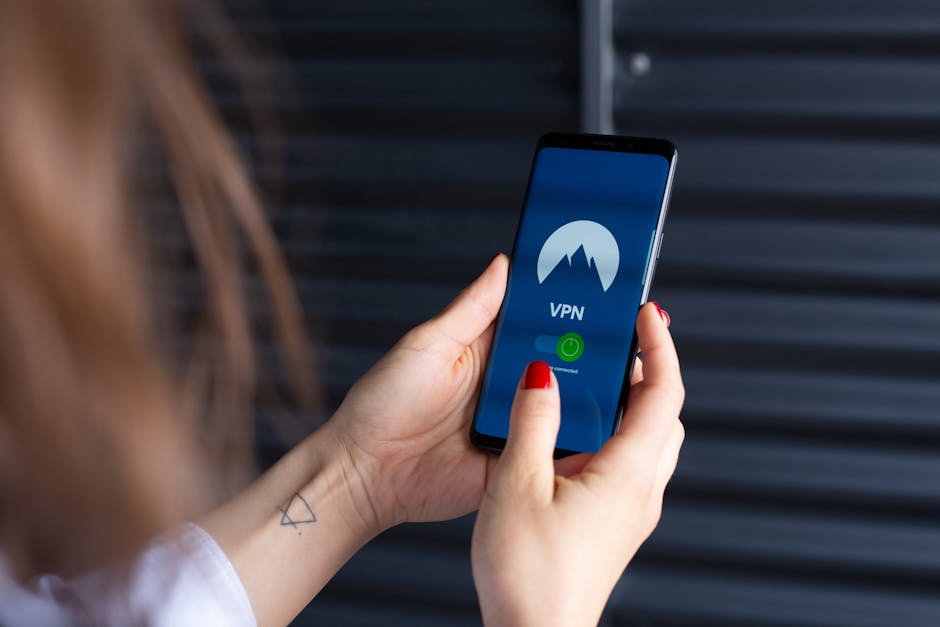
One of the most powerful tools in your privacy arsenal is a reputable Virtual Private Network (VPN). A VPN encrypts all your internet traffic and routes it through a server operated by the VPN provider, masking your real IP address and making it appear as though you're browsing from a different location. This not only protects your data from your ISP and potential eavesdroppers on public Wi-Fi but also makes it significantly harder for websites and trackers to identify your true location. Choosing a no-logs VPN provider with a strong commitment to privacy, like Mullvad or Proton VPN, is paramount. Remember, a VPN protects your entire device's traffic, not just your browser, offering a foundational layer of privacy.
Next, consider your choice of search engine. Google, while powerful, is deeply integrated with its data collection empire. Switching to privacy-focused alternatives like DuckDuckGo or Startpage (which proxies Google search results anonymously) can significantly reduce the amount of data collected from your search queries. These search engines typically don't track your IP address, don't log your searches, and don't create profiles based on your activity, ensuring that your inquiries remain private.
Finally, cultivate mindful browsing habits. Be wary of clicking on suspicious links, especially those in unsolicited emails or messages. Use strong, unique passwords for every online account, ideally managed by a dedicated password manager. Be cautious about the information you share on social media and public forums. Avoid using public Wi-Fi networks for sensitive transactions without a VPN. The battle for online privacy is ongoing, and while it requires continuous effort, the rewards—a greater sense of control over your personal data and a more secure digital existence—are immeasurable. By taking these steps, you move from being a passive target to an active defender, reclaiming your rightful place as the sovereign of your own digital life.