The journey through the intricate world of online privacy has, I hope, shattered any lingering illusions about Incognito Mode's protective capabilities. We’ve unmasked it as a local convenience feature, not a shield against the pervasive surveillance of ISPs, network administrators, ad tech giants, government agencies, or even malicious software. The reality is stark: true digital privacy and security demand a far more proactive, multi-layered approach than simply clicking on a 'private' browsing option. But don't despair; understanding these limitations is the crucial first step towards reclaiming control over your digital life. The good news is that there are powerful, actionable tools and practices available to those willing to embrace them. It's time to move beyond the false comfort of Incognito and build a robust defense for your online presence.
Taking control of your online privacy isn't about becoming a digital hermit or adopting extreme measures that make the internet unusable. Instead, it's about making informed choices, understanding the trade-offs, and implementing a set of practical strategies that significantly reduce your exposure to unwanted tracking and surveillance. Think of it as upgrading your digital security system from a flimsy lock on a window to a reinforced door with multiple deadbolts, an alarm system, and perhaps even a guard dog. It requires effort, but the peace of mind and protection of your personal information are invaluable in our hyper-connected world. Let's explore the concrete steps you can take to genuinely enhance your online anonymity and privacy, moving far beyond the superficiality of Incognito Mode.
Embracing True Anonymity Understanding Virtual Private Networks
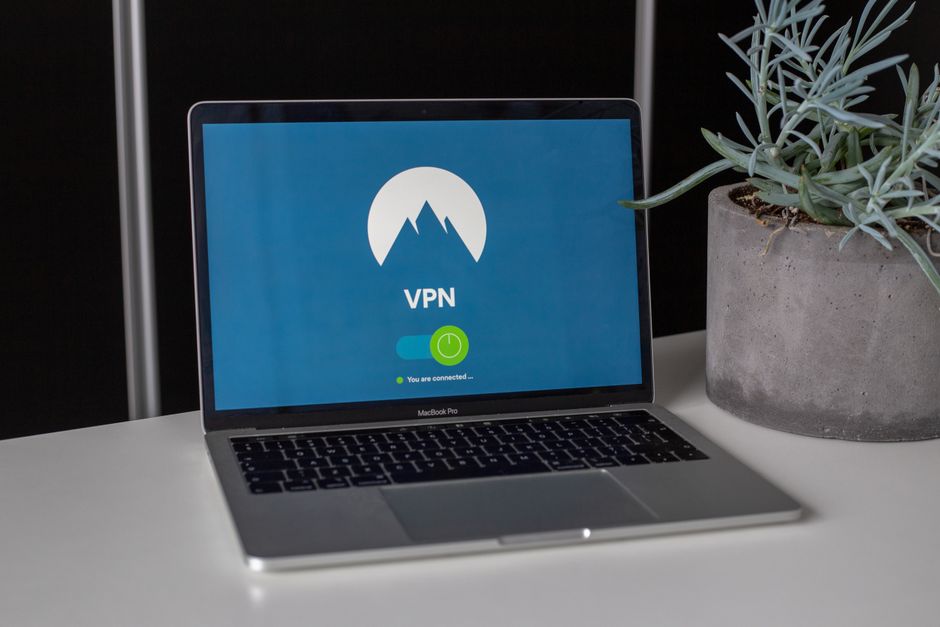
If Incognito Mode is a blindfold for your browser, a Virtual Private Network (VPN) is a complete disguise and a secret tunnel for your entire internet connection. A VPN works by encrypting all the data traveling from your device and routing it through a server operated by the VPN provider before it reaches its final destination on the internet. This process achieves two critical things: first, it encrypts your internet traffic, making it unreadable to your ISP, network administrators, and anyone else trying to snoop on your connection (especially vital on public Wi-Fi). Second, it masks your real IP address by assigning you the IP address of the VPN server. To any website or service you connect to, it appears as though you are browsing from the location of the VPN server, not your actual physical location.
Choosing a reputable VPN provider is paramount. Look for services that adhere to a strict 'no-logs' policy, meaning they do not record your online activities, connection timestamps, or IP addresses. This policy should ideally be independently audited by a third party to ensure its veracity. Strong encryption protocols (like OpenVPN or WireGuard) are non-negotiable, providing robust protection for your data. Essential features include a kill switch, which automatically disconnects your internet if the VPN connection drops, preventing accidental exposure of your real IP address. DNS leak protection is also vital, ensuring that your DNS queries (which reveal the websites you visit) are routed through the encrypted VPN tunnel, rather than leaking to your ISP's DNS servers. A good VPN effectively makes your ISP blind to your activities and makes it incredibly difficult for websites to identify your true location, offering a level of anonymity and privacy that Incognito Mode can only dream of.
Setting up a VPN is typically straightforward. Most reputable providers offer user-friendly applications for various operating systems (Windows, macOS, Linux, Android, iOS) and even browser extensions. Once you've chosen and subscribed to a service, you download and install their app, log in, and select a server location. With a single click, your entire internet connection becomes encrypted and anonymized. For those who want an extra layer of privacy, some VPNs offer advanced features like double VPN (routing your traffic through two VPN servers) or obfuscated servers (making your VPN traffic look like regular internet traffic to bypass censorship). While a VPN isn't a silver bullet for all privacy concerns (it won't stop you from willingly logging into Facebook and sharing data, for instance), it is by far the most effective single tool for masking your IP address, encrypting your traffic, and significantly enhancing your general online privacy and security.
Hardening Your Browser and Digital Habits A Multi-Layered Defense
While a VPN handles network-level privacy, your browser itself remains a critical component of your digital defense. Relying solely on Incognito Mode is like putting a band-aid on a gaping wound. Instead, a more robust strategy involves choosing privacy-focused browsers, judiciously using extensions, and adopting smarter browsing habits. This multi-layered approach creates a more formidable barrier against tracking and data collection, significantly reducing the amount of information you inadvertently broadcast about yourself.
Your choice of browser matters immensely. Instead of sticking with default options like Chrome, which is deeply integrated with Google's data ecosystem, consider privacy-hardened alternatives. Browsers like Brave come with built-in ad and tracker blockers, reducing the number of third-party scripts that can follow you around the web. Firefox, particularly with enhanced tracking protection enabled and further configured with privacy add-ons, offers a strong balance of features and privacy. For extreme anonymity, the Tor Browser is unparalleled, routing your traffic through multiple relays to obscure your origin, though it comes with trade-offs in speed and convenience. The key is to select a browser that prioritizes user privacy by design, not as an afterthought.
Beyond the browser itself, a curated selection of extensions can further fortify your defenses. An ad blocker like uBlock Origin is essential, not just for removing annoying ads but also for blocking the tracking scripts often embedded within them. Privacy Badger, developed by the Electronic Frontier Foundation (EFF), learns to block invisible trackers that follow you from site to site. Decentraleyes protects you against tracking via popular content delivery networks (CDNs). A robust password manager (e.g., Bitwarden, 1Password) is also crucial for generating and storing strong, unique passwords for every online account, preventing a breach on one site from compromising others. Furthermore, consider switching your default search engine from Google to privacy-focused alternatives like DuckDuckGo or Startpage, which do not track your searches or build user profiles. Lastly, actively managing your account hygiene—logging out of services when not in use, regularly reviewing privacy settings on social media and other platforms, and enabling two-factor authentication (2FA) wherever possible—forms a critical foundation for digital self-defense.
Understanding the Tor Network The Ultimate Anonymity Tool
For those seeking the highest degree of anonymity and protection against sophisticated surveillance, the Tor Network stands as a powerful, albeit specialized, tool. Tor, short for "The Onion Router," is a free, open-source software that enables anonymous communication. When you use the Tor Browser, your internet traffic is routed through a worldwide network of volunteer-operated relays. Each relay "peels" away a layer of encryption, much like an onion, revealing only the address of the next relay. This multi-layered encryption and routing makes it incredibly difficult to trace the traffic back to its origin, providing a level of anonymity far beyond what a VPN or Incognito Mode can offer.
Tor is particularly effective for circumventing censorship, accessing geo-restricted content, and protecting the identity of whistleblowers, journalists, and activists in oppressive regimes. It makes it extremely challenging for websites, ISPs, and government agencies to pinpoint your actual location or identify your browsing activity. However, Tor is not a panacea and comes with its own set of considerations. Its multi-relay routing inherently makes it significantly slower than direct internet connections or even VPNs, making it unsuitable for bandwidth-intensive activities like streaming high-definition video or online gaming. Moreover, while Tor protects your anonymity from the entry to the exit node, the exit node itself (the final relay before your traffic reaches its destination) can potentially see your unencrypted traffic if the website you're visiting doesn't use HTTPS. This is why always using HTTPS is crucial, even with Tor.
Comparing Tor to a VPN, it's important to understand their distinct purposes. A VPN encrypts your traffic and masks your IP from your ISP, routing it through a single server. Tor offers a far greater degree of anonymity by routing through multiple, distributed servers, making it much harder to trace. While some users combine Tor with a VPN (connecting to a VPN first, then launching Tor Browser) for an extra layer of security, for most everyday browsing, a reputable VPN combined with a hardened browser provides an excellent balance of privacy, security, and usability. Tor is a specialized tool for specific, high-stakes anonymity needs, not a general-purpose replacement for your daily browser.
The Lifelong Journey of Digital Self-Defense Continuous Learning and Vigilance
Ultimately, the quest for online privacy is not a one-time fix but a continuous journey of learning, adaptation, and vigilance. The digital landscape is constantly evolving; new tracking technologies emerge, privacy regulations shift, and the methods of data collection become ever more sophisticated. What works today might be less effective tomorrow. Therefore, staying informed about the latest cybersecurity threats, privacy-enhancing tools, and best practices is absolutely essential. Reading reputable cybersecurity blogs, following privacy advocates, and understanding the nuances of new tech features will empower you to make intelligent decisions about your online footprint.
The biggest takeaway from this deep dive into Incognito Mode is the importance of critical thinking. Don't blindly trust features that promise 'privacy' without understanding their underlying mechanics and limitations. Question why a service needs certain data, scrutinize the permissions you grant to apps and extensions, and always consider the incentives of the companies providing "free" online services. Remember, if you're not paying for the product, you are often the product. Taking control of your digital privacy is an act of self-empowerment, a conscious decision to value your personal information and autonomy in an age where both are constantly under siege. It demands effort, yes, but the rewards – greater peace of mind, reduced exposure to targeted manipulation, and a stronger sense of digital sovereignty – are immeasurable. So, step out of the Incognito illusion, embrace the tools of true privacy, and embark on your journey to a more secure and private online life.