Fortifying Your Network Perimeter with Private DNS and VPN Mastery
Beyond the applications residing on your device, the very pathways through which your data travels represent another critical frontier in mobile security and privacy. Every time your phone connects to the internet, it relies on a Domain Name System (DNS) server to translate human-readable website addresses (like "google.com") into machine-readable IP addresses. By default, your phone typically uses the DNS server provided by your Wi-Fi router or mobile carrier. This seemingly innocuous detail is, in fact, a significant privacy exposure. Your ISP or router’s DNS server logs every website you visit, creating a comprehensive record of your online activity, which can then be used for targeted advertising, sold to third parties, or even handed over to authorities without a warrant in some jurisdictions. This is where the second "secret shield" comes into play: leveraging Private DNS and mastering VPN usage to encrypt and anonymize your network traffic, effectively building an invisible tunnel for your data.
Google, while offering its own public DNS (8.8.8.8) which is faster and often more reliable than ISP defaults, still controls that infrastructure. While they claim not to log personally identifiable information, the trust is still placed squarely in their hands. The true power lies in moving beyond these defaults and configuring your Android device to use encrypted DNS services, known as DNS over HTTPS (DoH) or DNS over TLS (DoT). These protocols encrypt your DNS queries, preventing your ISP, Wi-Fi provider, or any snoopers on your local network from seeing which websites you're trying to reach. This is a fundamental layer of privacy that many users overlook, mistakenly believing that a VPN alone covers all network-level privacy concerns. A VPN encrypts your traffic *after* the DNS lookup, but if your DNS queries are unencrypted, your ISP still knows where you’re going before the VPN even kicks in for the main data stream. It’s like having a bulletproof car but shouting your destination out the window before you get in.
Implementing Encrypted DNS for Unseen Browsing
Android 9 (Pie) and later versions introduced a built-in Private DNS feature, making it incredibly easy to configure DoT without needing third-party apps. To enable this, navigate to Settings > Network & internet > Private DNS. You'll typically find three options: Off, Automatic, and Private DNS provider hostname. Selecting "Private DNS provider hostname" is where the magic happens. Here, you can input the hostname of a privacy-focused DNS provider that supports DoT. Excellent choices include Cloudflare's 1.1.1.1 (1dot1dot1dot1.cloudflare-dns.com), Quad9 (dns.quad9.net), or AdGuard DNS (dns.adguard.com) for ad-blocking capabilities. Once configured, all your DNS queries will be encrypted and routed through your chosen provider, significantly enhancing your privacy by preventing your ISP from logging your browsing history. This simple change, often taking less than a minute to implement, provides a robust layer of anonymity that Google, while supporting the feature, doesn't actively push as a default or highlight as a critical privacy enhancement for the average user, perhaps because it reduces their own visibility into network traffic patterns.
The impact of this cannot be overstated. Imagine a scenario where you're connected to public Wi-Fi at a coffee shop or airport. Without Private DNS, anyone on that network, including the Wi-Fi provider, could potentially see every website you try to visit. With Private DNS enabled, those queries are encrypted, making it much harder for local snoopers to build a profile of your online activities. This is particularly crucial for journalists, activists, or anyone operating in environments where digital surveillance is a concern. While a VPN offers broader encryption of all your internet traffic, Private DNS acts as an essential precursor, protecting the very first step of your online journey. It’s a complementary security measure, not a replacement for a VPN, but a vital component of a truly hardened network posture that many Android users remain blissfully unaware of.
"DNS is the phonebook of the internet. If someone can see every lookup you make, they know exactly who you're calling. Encrypting that phonebook is a fundamental right to digital privacy that Android users should absolutely leverage." - Alex Turner, Network Security Engineer
Elevating VPN Usage Beyond Basic Anonymity
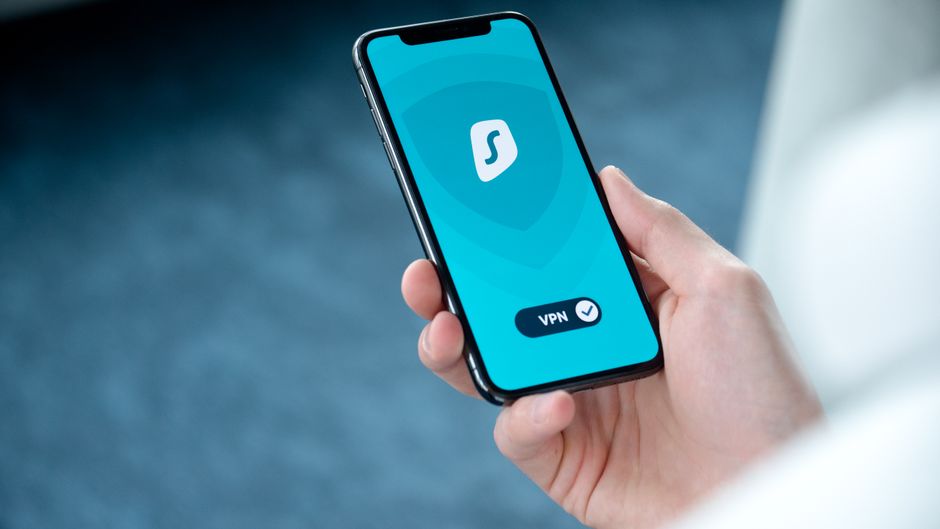
Now, let's talk about VPNs. While many users are familiar with the concept of a Virtual Private Network for bypassing geo-restrictions or basic anonymity, truly mastering VPN usage for security involves a deeper understanding and configuration. A VPN encrypts all your internet traffic and routes it through a server operated by the VPN provider, masking your real IP address and making it appear as if you're browsing from the server's location. However, not all VPNs are created equal. Free VPNs, in particular, often come with significant privacy caveats, frequently logging user data, injecting ads, or even selling bandwidth to third parties. The "secret shield" here isn't just *using* a VPN, but *using the right VPN, correctly*.
A premium, reputable VPN service that adheres to a strict no-logs policy, utilizes strong encryption protocols (like OpenVPN or WireGuard), and offers features like a kill switch is paramount. A kill switch, for instance, is a critical security feature that automatically disconnects your device from the internet if the VPN connection drops, preventing your real IP address and unencrypted data from being exposed, even for a split second. Many users simply activate their VPN and forget it, unaware of the potential for momentary lapses in protection. Furthermore, configuring specific apps to bypass the VPN (split tunneling) or ensuring all apps are routed through it requires a thoughtful approach. For example, you might want your banking app to use your local, un-VPNed connection for security reasons (to avoid triggering fraud alerts), while all other traffic goes through the VPN. This level of nuanced control, often available within advanced VPN app settings, transforms a basic privacy tool into a finely tuned security instrument.
The combination of Private DNS and a high-quality, properly configured VPN creates a formidable barrier against network-level surveillance and data interception. While Google provides the framework for these tools, the onus is on the user to understand their importance, select the right providers, and configure them meticulously. The sheer volume of data breaches and privacy intrusions stemming from insecure network connections underscores the urgency of adopting these practices. In an era where every packet of data can be intercepted and analyzed, taking proactive steps to encrypt your DNS queries and funnel all your internet traffic through a secure, anonymous tunnel is not just a recommendation; it's an essential strategy for anyone serious about maintaining their digital privacy and security on an Android device. These are the layers of protection that move beyond Google's convenient defaults, empowering you to build your own impenetrable digital perimeter.