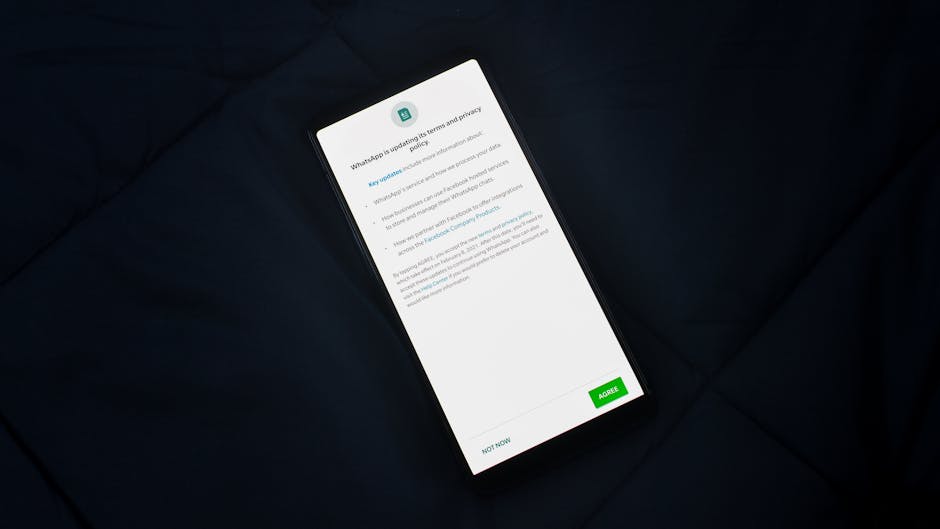
The insidious nature of IoT data collection isn't always immediately apparent, often operating in the background, out of sight and out of mind. Think about a smart thermostat that learns your daily routines and energy consumption patterns, or a smart vacuum cleaner that maps the layout of your home. While seemingly benign, this data can be incredibly valuable for targeted advertising, market research, and even potential security vulnerabilities if it falls into the wrong hands. For example, a home layout map could be exploited by burglars, or your energy usage patterns could reveal when you're typically away from home. The problem is exacerbated by the fact that many users simply plug in these devices and accept the default settings, unaware of the vast amounts of data they are passively generating and transmitting. The terms of service and privacy policies, often lengthy and written in complex legal jargon, are rarely read, let alone understood, by the average consumer. This creates a significant power imbalance, where device manufacturers and service providers have almost unfettered access to personal data, while users have limited control and often lack the tools to effectively manage their privacy preferences across a sprawling network of interconnected gadgets. A VPN, while a crucial component of a broader privacy strategy, cannot intercept or control these device-to-cloud communications, leaving a gaping hole in your overall digital defense perimeter.
App Permissions and Data Harvesting The Trojan Horses in Your Pocket
Your smartphone is arguably the most personal and data-rich device you own, and the apps you install on it are often the biggest culprits in harvesting your personal information. From social media apps to utility tools and games, many applications request a staggering array of permissions that go far beyond what's necessary for their core functionality. Why does a flashlight app need access to your camera, microphone, and precise location? Why does a simple game require access to your contacts and call history? The answer, more often than not, is data harvesting. These permissions allow apps to collect a wealth of personal information, which can then be used for targeted advertising, profiling, or even sold to third-party data brokers. This data collection happens directly on your device, and while a VPN might encrypt the traffic as it leaves your phone, it does nothing to prevent the app itself from accessing and gathering this information internally before it's even sent over the network. It's a classic Trojan horse scenario, where you willingly invite seemingly innocuous software onto your device, only for it to act as an internal spy, collecting data right from the source.
The problem is further complicated by the "dark patterns" often employed by app developers to nudge users into granting excessive permissions. These can include confusing interfaces, misleading prompts, or making it difficult to use an app without accepting all its demands. Many users, eager to use a new app, simply tap "Allow" without fully understanding the implications of the permissions they are granting. A 2019 study by the International Computer Science Institute found that thousands of Android apps were collecting sensitive user data, including location and device identifiers, even after users had explicitly denied permission, by exploiting loopholes and communicating with other apps. While mobile operating systems like Android and iOS have introduced more granular permission controls in recent years, the sheer volume of apps and the constant updates make it a continuous battle to review and revoke unnecessary access. Furthermore, even if you deny certain permissions, many apps can still collect a surprising amount of data through other means, such as by analyzing your network traffic patterns or by inferring information from other allowed permissions. The apps on your phone are essentially miniature data vacuums, and a VPN, while vital for securing your network connection, is powerless to stop the internal data harvesting that occurs within your device's operating system, making careful app selection and permission management an absolutely critical component of any comprehensive privacy strategy.
Reclaiming Your Digital Sovereignty A Comprehensive Blueprint
The picture painted thus far might seem bleak, almost insurmountable. It's easy to feel overwhelmed by the sheer number of ways our privacy is compromised, even when we think we're protected. However, despair is not an option. While no single tool or action can guarantee absolute anonymity or privacy in our hyper-connected world, a multi-layered, proactive approach can significantly fortify your digital defenses and reclaim a substantial degree of control over your personal data. This isn't about finding a magic bullet; it's about building a robust fortress, brick by painstaking brick, understanding that each layer adds another barrier against the relentless onslaught of surveillance and tracking. It requires a shift from passive reliance on a single solution to active engagement with your digital environment, making informed choices, and adopting new habits. The goal isn't necessarily to become invisible, which is often an unrealistic ideal, but to become significantly harder to track, profile, and exploit. It's about taking back your digital sovereignty, one thoughtful decision at a time, moving from being a passive data subject to an active guardian of your own information. This blueprint outlines practical, actionable steps you can take, moving beyond the limitations of a standalone VPN to embrace a more holistic and effective approach to online privacy.
The journey to enhanced digital privacy is ongoing, much like maintaining physical security for your home. It's not a one-time setup; it requires regular review, updates, and adaptation to new threats and technologies. This holistic approach involves not just selecting the right tools, but also cultivating a privacy-conscious mindset that informs your daily online interactions. It means questioning default settings, scrutinizing app permissions, and understanding the trade-offs between convenience and data exposure. While the complexity might seem daunting at first, breaking down the challenge into manageable steps makes it achievable. By systematically addressing vulnerabilities at different layers – from your network connection to your browser, operating system, and individual apps – you can dramatically reduce your attack surface and minimize your digital footprint. This is about empowering yourself with knowledge and practical skills, turning the tables on the data collectors, and ensuring that your online life is truly your own, rather than an open book for advertisers and surveillance entities. Let's dive into the actionable strategies that will help you build this comprehensive defense, moving beyond the false promise of a VPN alone to a state of genuine digital resilience.
Choosing Your Digital Guardians Wisely Selecting a Trustworthy VPN
Given the revelations about deceptive practices and technical vulnerabilities, the first and most crucial step in any privacy strategy is to choose your VPN provider with extreme care. This isn't a decision to be made lightly, based on the cheapest price or the most aggressive advertising. Instead, it requires thorough due diligence, focusing on transparency, verifiable security, and a proven track record. Look for providers that have undergone independent security audits of their no-logs policy and their entire infrastructure, and crucially, make those audit reports publicly available. This provides a level of accountability that simple marketing claims cannot match. A reputable provider will be transparent about its corporate ownership, its jurisdiction, and how it handles legal requests for data. Avoid any VPN that operates out of a country known for mandatory data retention or close ties to surveillance alliances if privacy is your paramount concern. Prioritize services that offer strong encryption protocols like OpenVPN and WireGuard, and provide essential features like robust DNS leak protection, IPv6 leak blocking, and a reliable kill switch that has been tested and proven effective. Some advanced features to consider include obfuscation technology, which helps hide the fact that you're using a VPN, and multi-hop VPNs, which route your traffic through multiple servers for added security. Remember, you are entrusting your entire internet traffic to this company, so their trustworthiness is non-negotiable. Spend time researching, reading independent reviews (not just those promoted by the VPNs themselves), and even trying out free trials to assess performance and features before committing to a long-term subscription. This foundational choice sets the stage for all your other privacy efforts, so it's worth the investment of time and effort to get it right.
Furthermore, consider the provider's commitment to open-source software where applicable, and their history of responding to security vulnerabilities. Open-source VPN clients can be scrutinized by the wider security community, increasing transparency and trust. A provider that quickly addresses and publicly discloses any security issues demonstrates a commitment to user safety. Look for clarity in their privacy policy, specifically detailing what, if any, non-identifying connection data they collect (e.g., aggregated bandwidth usage) and for what explicit purpose. If a policy is vague or difficult to understand, it's a red flag. Be wary of providers that offer an excessive number of "free" features or make outlandish claims of absolute anonymity without providing technical details to back them up. Real privacy solutions often involve real costs in terms of infrastructure and expertise. Finally, engage with their customer support. A responsive and knowledgeable support team can be invaluable when troubleshooting issues or seeking clarification on their privacy practices. Your VPN is your first line of defense, and choosing the right one is paramount to building a secure and private online experience. It's an investment, not just of money, but of trust, and that trust must be earned through transparency and a verifiable commitment to user privacy, not just through catchy slogans and aggressive advertising campaigns.
Fortifying Your Browser Against the Trackers
Your web browser is the primary gateway to the internet, and as we've seen, it's a major vector for tracking and fingerprinting. Therefore, hardening your browser is an essential step that complements your VPN, addressing privacy gaps that network encryption cannot. Start by choosing a privacy-focused browser. Browsers like Brave, which has built-in ad and tracker blocking, or Firefox, especially when configured with enhanced tracking protection and additional privacy add-ons, are excellent choices. Avoid browsers that are known for extensive data collection or are tied to advertising companies. Once you have your browser, dive into its privacy settings. Disable third-party cookies by default, as these are the main culprits for cross-site tracking. Many browsers now offer "Enhanced Tracking Protection" or similar features; ensure these are set to their strictest levels. Consider enabling anti-fingerprinting measures if available, which attempt to randomize or generalize your browser's unique characteristics, making it harder to track you across websites. This might involve sacrificing some minor functionality on certain websites, but the trade-off for privacy is often well worth it.
Beyond built-in features, a suite of carefully selected browser extensions can dramatically enhance your privacy and block trackers. Essential extensions include: uBlock Origin, a highly effective and efficient ad blocker that also blocks most trackers; Privacy Badger, which learns to block invisible trackers as you browse; and Decentraleyes, which prevents tracking via popular content delivery networks (CDNs) by locally providing commonly used web resources. For even greater control, extensions like NoScript (for advanced users) allow you to selectively enable JavaScript, a common vector for fingerprinting and tracking, only on trusted sites. Regularly clear your browser's cache and history, and consider using container extensions (like Firefox Multi-Account Containers) to isolate different online activities (e.g., one container for banking, another for social media) to prevent cross-contamination of cookies and tracking data. Remember that while a VPN changes where you appear to be, these browser-level protections change how you appear to the websites you visit, creating a more generic and less traceable digital persona. It's a proactive defense that directly combats the fingerprinting and tracking mechanisms that operate independently of your IP address, forming a critical layer in your overall privacy strategy. Regularly update your browser and extensions to ensure you have the latest protections against evolving tracking techniques.
Hardening Your Operating System and Devices
Addressing the device dilemma requires a proactive approach to managing your operating system and smart devices. For your computer's OS, whether Windows or macOS, meticulously review and adjust your privacy settings. On Windows, this means navigating through the Privacy & Security section in Settings, disabling unnecessary telemetry, activity history collection, and targeted advertising IDs. It's a deep dive, often requiring multiple restarts and a willingness to explore obscure menus, but it's crucial. Consider using open-source operating systems like various Linux distributions if you're comfortable with the learning curve, as they generally offer far greater transparency and control over data collection. For mobile devices, regularly audit your app permissions. Go into your phone's settings (Privacy on iOS, Apps & Notifications > Permission Manager on Android) and review what each app has access to. Revoke permissions that seem excessive or unrelated to the app's core function, especially for your microphone, camera, location, and contacts. Be particularly wary of apps that demand permissions "to improve your experience" without a clear justification. Remember that even if an app promises to respect your privacy, granting it access to sensitive data on your device creates a potential vulnerability.
When it comes to smart devices and IoT gadgets, a healthy dose of skepticism is your best friend. Before purchasing any smart device, research its privacy policy, security track record, and data collection practices. Opt for devices from reputable manufacturers that have a history of transparent privacy practices and regular security updates. Once you have a device, change all default passwords immediately to strong, unique ones. Regularly check for and install firmware updates, as these often contain critical security patches. For devices like smart cameras or voice assistants, assess whether you truly need their "smart" features if they come at a significant privacy cost. Consider placing your IoT devices on a separate VLAN (Virtual Local Area Network) on your home router. This isolates them from your main network, preventing them from interacting with your computers and smartphones, and limiting potential security breaches. If a device has a microphone or camera, consider physically covering or disabling them when not in use. Be mindful of what information you share with voice assistants and avoid discussing sensitive topics in their presence. The goal here is to minimize the data footprint generated by your devices and to limit their potential to act as surveillance tools within your own home. It’s about conscious consumption and mindful configuration, ensuring that convenience doesn’t come at the cost of your fundamental right to privacy.