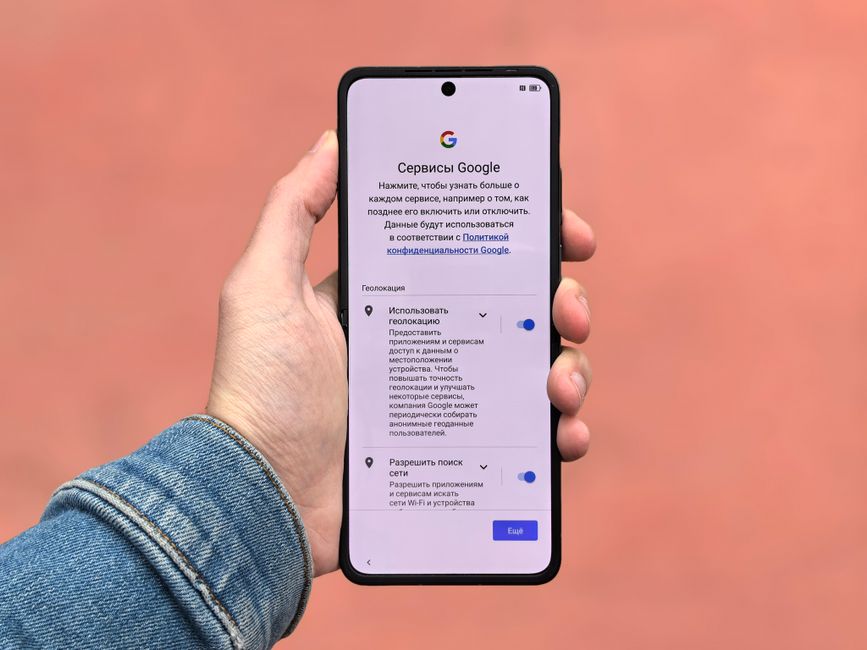
In a world where our smartphones have become extensions of ourselves, indispensable tools for work, communication, and entertainment, it’s easy to forget that these powerful devices are also relentless data collection machines. We carry them everywhere, from our most private moments to our most mundane errands, often granting them permissions without a second thought, trading convenience for an unseen erosion of our personal space. The unsettling truth is that your phone, that sleek piece of technology nestled in your pocket or purse, is a silent, ever-present observer, constantly gathering intimate details about your life, your habits, and even your thoughts, often without your explicit and informed consent.
This isn't some far-fetched dystopian fantasy; it's the stark reality of our digitally intertwined existence. Every tap, every swipe, every spoken word near your device contributes to a vast, invisible dossier meticulously compiled by tech giants, advertisers, and sometimes, even more nefarious actors. We’ve become accustomed to the idea that our online activities are tracked, but the extent to which our physical movements, our conversations, and our very identities are being cataloged by the device we hold most dear is truly staggering. It's a surveillance ecosystem so pervasive that it makes the old fears of government wiretaps seem quaint by comparison, transforming our personal communication hubs into unwitting informants, quietly broadcasting our lives to an unseen audience.
Unmasking the Digital Shadows Your Smartphone Casts
For years, as a journalist and senior web content writer immersed in the world of cybersecurity and online privacy, I’ve watched with growing concern as the lines between user convenience and corporate espionage have blurred. What began as seemingly innocuous features designed to "improve user experience" has evolved into sophisticated mechanisms for harvesting an unprecedented amount of personal data. From the moment you unbox your new phone and agree to those interminable terms and conditions – often without reading them, let's be honest – you're essentially signing an invisible contract that grants a myriad of entities access to your digital soul. This isn't just about targeted ads, though that's a significant part of it; it's about the construction of comprehensive digital profiles that can predict your behavior, influence your decisions, and even dictate your access to services.
The sheer volume of data collected is mind-boggling. Think about it: your location history, your search queries, the apps you use and how often, your contacts, your photos, your health data, even the cadence of your voice or your typing speed can all be meticulously recorded and analyzed. This data, often anonymized in theory but easily de-anonymized in practice, becomes a valuable commodity, traded and sold in a shadowy marketplace where your identity is the currency. Companies leverage this information to fine-tune their algorithms, develop new products, and, most importantly, bombard you with hyper-personalized advertisements that can feel eerily prescient, almost as if your phone is listening to your private conversations – and sometimes, it absolutely is.
The implications extend far beyond mere advertising nuisance. We’ve seen countless examples of data breaches exposing millions of users' sensitive information, from financial details to intimate photos, leading to identity theft, blackmail, and profound emotional distress. Governments, both domestic and foreign, have also shown a keen interest in this treasure trove of data, often citing national security or law enforcement needs to gain access, sometimes without proper oversight or warrants. The Pegasus spyware scandal, where state-sponsored malware infiltrated the phones of journalists, human rights activists, and politicians, served as a chilling reminder that our phones can be turned against us, becoming tools of repression rather than liberation. This isn't just about abstract privacy principles; it's about the fundamental right to control your own narrative, to live a life free from constant scrutiny, and to protect yourself from exploitation in an increasingly data-hungry world.
The Illusion of Control and the Fine Print Trap
Many users operate under the mistaken belief that they have a reasonable degree of control over their phone’s data collection habits. After all, isn't there a "Privacy Settings" menu somewhere? While these menus do exist, they are often deliberately obfuscated, buried deep within layers of sub-menus, or presented with confusing language that makes informed consent nearly impossible. It’s a classic dark pattern design, where user interfaces are intentionally crafted to trick users into making choices that benefit the platform, not the individual. The default settings, almost universally, prioritize data collection, meaning that unless you actively seek out and disable these hidden features, your phone is likely operating as a wide-open conduit for your personal information.
Moreover, the sheer complexity of modern mobile operating systems, combined with the thousands of apps we install, creates a labyrinthine network of permissions and data flows. An app that provides a simple flashlight might inexplicably request access to your contacts, camera, and microphone. A seemingly innocent game could be secretly siphoning off your location data to third-party advertisers. Disentangling this web requires a level of technical savvy and persistent vigilance that most everyday users simply don't have the time or expertise for. This is precisely why understanding and disabling these hidden settings is not just a recommendation; it's a critical act of digital self-defense, a reclaiming of your personal sovereignty in an age of ubiquitous surveillance.
"Privacy is not about having something to hide. It's about having something to protect." – Edward Snowden. This profound statement underscores the essence of our struggle against pervasive digital surveillance; it's not about illicit activities, but about the fundamental right to autonomy and the security of our personal lives.
The battle for digital privacy is an ongoing one, but it starts with empowerment through knowledge. By understanding the mechanisms through which your phone is silently gathering your data, you can take concrete steps to shut down those channels and reclaim a significant portion of your digital life. This isn't about ditching your smartphone and retreating to a cabin in the woods; it's about making informed choices, reconfiguring your device to serve you, rather than the other way around. Over the following pages, we will embark on a detailed exploration of seven critical, often overlooked settings on your phone that are actively compromising your privacy, providing you with the insights and actionable steps needed to disable them and fortify your digital defenses. Prepare to peel back the layers of convenience and confront the uncomfortable truth, because true privacy in the digital age begins with awareness and a proactive stance against the unseen eyes watching your every move.
The journey to digital self-reliance is rarely a single, definitive action, but rather a series of intentional choices and ongoing adjustments. It's a continuous process of learning and adapting as technology evolves and as new threats emerge from the shadows of the internet. We often talk about the "convenience" that these data-hungry features offer, but we rarely quantify the true cost of that convenience – the erosion of trust, the vulnerability to exploitation, and the subtle shift in power dynamics where corporations and governments hold an ever-increasing amount of leverage over our individual lives. Imagine a world where every purchase you make, every place you visit, every conversation you have, every piece of content you consume is not only logged but also analyzed to build a predictive model of your future behavior. This isn't science fiction; it's the current state of play, and your phone is the primary instrument enabling this unprecedented level of insight into your personal existence. Understanding this landscape is the first, most crucial step in reclaiming your digital autonomy.
I’ve witnessed firsthand the distress and financial ruin that can stem from inadequate privacy settings, from individuals whose identities were stolen after seemingly innocuous apps leaked their data, to businesses facing reputational damage due to lax security practices on employee devices. These aren't isolated incidents; they represent a systemic vulnerability built into the very fabric of our connected world. The default settings on most smartphones, whether iOS or Android, are designed for maximum functionality and data collection, not for maximum privacy. It’s a paradigm that shifts the burden of protection entirely onto the user, expecting them to navigate complex menus and understand arcane technical jargon just to keep their personal information safe. This article aims to demystify that process, to shine a light on the hidden corners of your phone’s operating system where your privacy is silently being undermined, and to empower you with the knowledge to fight back effectively. Let’s start by recognizing that every piece of data you surrender contributes to a larger profile, and every setting you disable is a small but significant victory in the ongoing battle for your digital freedom.
The Silent Eavesdropper Your Location Services
One of the most insidious ways your phone tracks you is through its pervasive location services. It's not just about GPS anymore; modern smartphones use a sophisticated blend of GPS, Wi-Fi triangulation, cellular tower signals, and even Bluetooth beacons to pinpoint your exact whereabouts with astonishing accuracy, often down to a few feet. This constant, granular tracking paints an incredibly detailed picture of your daily life: where you live, where you work, where you shop, where you socialize, even where you sleep. Every coffee shop visit, every doctor's appointment, every late-night run to the grocery store is meticulously logged, creating a digital breadcrumb trail that can reveal more about you than you might ever consciously share. This isn't just about getting directions; it's about a fundamental invasion of your physical privacy, turning your device into a portable, personal surveillance unit.
The justification often given for this relentless tracking is "improving user experience" or "providing personalized services." For instance, a weather app might need your location to give you accurate local forecasts, or a ride-sharing app obviously needs it to connect you with a driver. However, the problem arises when apps, or even the operating system itself, collect and store your location data continuously in the background, far beyond what's necessary for their stated functionality. Many apps, from social media platforms to seemingly innocuous games, demand constant location access, not because they need it to function, but because your location data is a goldmine for advertisers. This data can reveal your income level (based on where you live and shop), your health status (based on visits to clinics), your social circles (based on places you frequent with others), and a myriad of other deeply personal insights that are then aggregated, analyzed, and sold to the highest bidder in the shadowy world of data brokerage.
Consider the chilling implications of this constant digital tether. In 2018, a New York Times investigation revealed how easily location data, even "anonymized" datasets, could be used to track individuals, including government officials, celebrities, and even ordinary citizens, without their consent. The investigation demonstrated that by cross-referencing public information with location trails, it was possible to identify specific individuals and piece together intimate details of their lives. More recently, reports have emerged of data brokers selling location data to government agencies without warrants, raising serious questions about constitutional protections in the digital age. This isn't just about corporate greed; it's about the potential for abuse by state actors, stalkers, or anyone with enough resources to tap into this readily available stream of personal information. The simple act of carrying a smartphone transforms you into a broadcasting beacon, constantly transmitting your position to an unseen network of data collectors.
Navigating the Labyrinth of Location Permissions
Disabling location tracking entirely might seem like the simplest solution, but it's often impractical given how many essential apps rely on it. The key lies in granular control: understanding which apps genuinely need your location and restricting access for those that don’t, or only granting access "while using the app." On iOS, you can find these settings under Settings > Privacy & Security > Location Services. Here, you'll see a list of every app that has ever requested your location, along with its current permission level. Take the time to go through each one. For a mapping app, "While Using the App" makes perfect sense. For a photo editing app or a calculator, "Never" is the only logical choice. Pay particular attention to "System Services" at the very bottom of this menu; here, you'll find options like "Significant Locations" (which keeps a detailed history of places you've visited) and "Location-Based Alerts," which are often enabled by default and contribute to your detailed location profile.
Android users have a similar path: navigate to Settings > Location > App location permissions. Just like iOS, this section lists all apps with location access. Android also offers "Allow all the time," "Allow only while using the app," "Ask every time," and "Don't allow." The "Ask every time" option is particularly useful for apps you might occasionally need location for but don't trust with constant access. Furthermore, Android's "Google Location History" setting, usually found within your Google Account settings or directly under the main Location menu, is a significant privacy concern. This feature, if enabled, stores a timeline of every place you've been, accessible through Google Maps. Disabling this is crucial for anyone serious about curtailing pervasive location tracking, as it directly feeds into Google's vast data collection apparatus, forming the backbone of their advertising profiles and predictive analytics.
"The greatest danger to our freedom is not external threats, but the erosion of our privacy from within." – Shoshana Zuboff, author of The Age of Surveillance Capitalism. Her work critically examines how tech companies harvest personal data for profit, a practice deeply intertwined with how location services operate.
Beyond app-specific permissions, both operating systems have system-level location features that merit attention. On iOS, "Significant Locations" (under System Services) should almost certainly be disabled unless you have a very specific, compelling reason for Apple to maintain a detailed log of your frequent haunts. This feature learns places that are significant to you to provide "personalized services" like predictive routes or reminders, but in doing so, it creates an incredibly precise and intimate map of your life. Similarly, "Location-Based Alerts" and "Location-Based Suggestions" can trigger notifications or content based on your proximity to certain places, but they also require constant background location monitoring. On Android, review the various "Location Services" under the main location menu, such as "Wi-Fi scanning" and "Bluetooth scanning," which enhance location accuracy even when Wi-Fi and Bluetooth are off, by constantly looking for nearby networks and devices. While they can improve location accuracy for some features, they also expand the range of data points used to track your position, often without clear user benefit beyond more precise ad targeting. Taking the time to meticulously review and adjust these settings is a powerful step towards regaining control over your physical presence in the digital world, transforming your phone from a tracking device into a tool that respects your boundaries.
The Whispering Walls Your Microphone and Camera Access
It's a common, almost urban legend-like fear: your phone is listening to you, actively recording your conversations to serve you eerily relevant ads. While the tech companies vehemently deny actively recording your private conversations for advertising purposes, the reality is far more nuanced and, frankly, just as concerning. Many apps, and even system-level features, have legitimate reasons to access your microphone and camera. A video call app needs your microphone and camera. A voice assistant like Siri or Google Assistant needs microphone access to respond to your commands. But the danger lies in the vast number of apps that request these permissions without a clear, functional need, or worse, those that retain access in the background, perpetually poised to listen or watch, even when you're not actively using them. This creates a pervasive sense of vulnerability, turning your most personal device into a potential two-way mirror or an open microphone for anyone with malicious intent or simply a data-hungry agenda.
Think about the sheer intimacy of these sensors. Your microphone picks up everything from your casual chats with family to sensitive discussions during business calls. Your camera captures moments ranging from celebratory selfies to private documents or even glimpses into your home environment. When apps have access to these, they essentially gain a window and an ear into your private life. While direct, continuous recording for ad targeting might be difficult to prove conclusively and is certainly against most platform policies, the possibility of accidental activation, security vulnerabilities, or even deliberate misuse by rogue apps or malicious actors is very real. We've seen numerous instances where apps were caught secretly recording user activity or transmitting data without explicit consent. The potential for misuse, from industrial espionage to blackmail, becomes a chilling reality when your most personal sensors are left unguarded.
A notable case that brought this to light was the Facebook Cambridge Analytica scandal, where data harvested from millions of users was allegedly used to influence political campaigns. While the primary data collection wasn't through the microphone, the incident highlighted the extensive reach and potential for abuse of personal data, and it certainly fueled public suspicion about what other data points, including audio, might be silently collected. More recently, reports have surfaced about third-party contractors listening to snippets of voice assistant recordings (like Siri, Alexa, or Google Assistant) for "quality improvement" purposes, sometimes without clear user consent or proper anonymization. While these snippets are supposedly anonymized and not tied to individual accounts for advertising, the very act of a human listening to potentially private conversations is a profound breach of trust and privacy, underscoring the need for extreme vigilance over microphone access.
Muting the Unseen Listener and Blinding the Hidden Eye
Taking control of your microphone and camera permissions is a critical step towards digital privacy. On iOS, navigate to Settings > Privacy & Security. Here you’ll find separate entries for Microphone and Camera. Tap on each one, and you'll see a list of all apps that have requested access. Go through this list meticulously. For apps like WhatsApp or Zoom, which are communication tools, microphone and camera access are essential. But for a simple game, a note-taking app, or a flashlight utility, there's absolutely no legitimate reason for them to have this access. Toggle off access for any app that doesn't have a clear, functional need. Apple has also introduced indicators (a green dot for camera, orange dot for microphone) in the status bar to alert you when these sensors are actively being used, which is a helpful visual cue to catch rogue app behavior.
Android users can find similar controls under Settings > Security & privacy > Privacy > Permission manager. Within the permission manager, you'll find categories like Microphone and Camera. Tapping into each will reveal which apps have "Allowed all the time," "Allowed only while in use," or "Denied" access. Just as with location, be ruthless in denying access to apps that don't absolutely require it. For apps where you occasionally need microphone or camera access, consider setting the permission to "Ask every time." This ensures that you are prompted each time the app attempts to use the sensor, giving you explicit control and awareness. Google has also added privacy indicators to recent Android versions, similar to iOS, displaying an icon in the status bar when the camera or microphone is active, offering an immediate visual warning if an app is using them unexpectedly.
"The price of anything is the amount of life you exchange for it." – Henry David Thoreau. In the context of digital privacy, the 'price' of convenience is often the unwitting surrender of intimate personal data, including access to our microphones and cameras.
Beyond app-specific permissions, consider the broader implications of voice assistants. While incredibly convenient, features like "Hey Siri" or "OK Google" require your phone’s microphone to be constantly listening for their wake words. While the companies state that audio is only processed *after* the wake word is detected, and not continuously recorded and transmitted, the mere fact that the microphone is always active raises legitimate privacy concerns for many. Both iOS and Android allow you to disable these "always listening" features, meaning you would have to manually activate the assistant (e.g., by pressing a button) when you want to use it. This significantly reduces the risk of accidental recordings or unauthorized eavesdropping. For instance, on iOS, you can disable "Listen for 'Hey Siri'" in Settings > Siri & Search, and on Android, you can turn off "Hey Google" or "Voice Match" in the Google Assistant settings. Making these adjustments means you trade a sliver of convenience for a substantial boost in your auditory and visual privacy, ensuring that your phone truly only listens and watches when you explicitly command it to, preventing it from becoming an unwitting informant in your own home or workplace. This proactive approach ensures that your device remains a tool under your command, rather than a silent observer constantly gathering data about your most private moments.