The journey towards a more secure digital existence is often fraught with perceived inconveniences. We're asked to remember complex passwords, update software constantly, and remain vigilant against an ever-evolving array of threats. It's understandable, then, that the introduction of an extra step in the login process, even one as vital as Multi-Factor Authentication, can initially be met with resistance or a sense of added burden. However, this perspective often stems from a misunderstanding of how seamlessly MFA can be integrated into our daily routines, and how dramatically it reduces the overall stress and anxiety associated with online security. The human element, with its inherent desire for ease and efficiency, plays a pivotal role in the adoption and effective utilization of any security measure. Ignoring this aspect means that even the most technically robust solutions can fall flat if they aren't designed with the user in mind, making the psychological and practical considerations of MFA just as important as its cryptographic underpinnings.
Our digital habits are deeply ingrained, often formed over years of repetitive actions. Breaking these habits, even for our own good, requires a conscious effort and a clear understanding of the benefits. The initial friction of setting up MFA, or the momentary pause it adds to a login, can feel like an unwelcome interruption to an otherwise smooth workflow. Yet, this minor adjustment pales in comparison to the immense disruption and distress caused by a compromised account. This page will delve into the human side of MFA, exploring the psychological barriers to adoption, offering strategies to overcome 'MFA fatigue,' and providing practical advice for integrating this critical security layer into your digital life so smoothly that it eventually becomes second nature. It's about empowering individuals to embrace MFA not as an obligation, but as an intuitive and indispensable part of their personal cybersecurity posture, thereby transforming a perceived hurdle into a habitual safeguard against the relentless digital onslaught.
Beyond the Click Understanding the Psychology of Security
The human brain, for all its incredible capabilities, often takes the path of least resistance, especially when it comes to routine tasks. This cognitive bias is a significant hurdle for security measures like MFA. When logging into an account, our primary goal is often speed and efficiency, to get to the content or task at hand as quickly as possible. Adding an extra step, even a quick one, can feel like an intrusion, disrupting the flow and demanding additional mental effort. This perceived 'friction' is a major reason why many individuals resist enabling MFA, despite understanding its benefits. The "it won't happen to me" mentality, a common cognitive bias known as optimism bias, further exacerbates this issue. People tend to believe they are less likely to experience negative events than others, leading them to underestimate their own risk of being targeted by cybercriminals. This combination of seeking convenience and downplaying personal risk creates a fertile ground for security vulnerabilities, as the perceived effort of enabling MFA outweighs the abstract threat of a future breach.
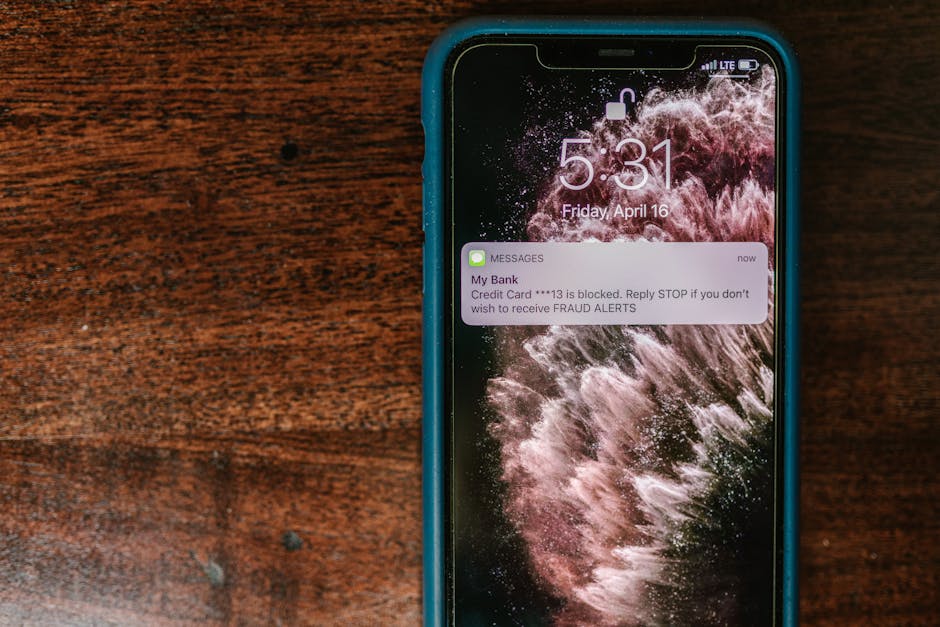
Another psychological factor at play is 'MFA fatigue' or 'approval bombing.' As more services implement push-based MFA (where you get a notification on your phone to approve a login attempt), attackers have found a new vector. They might repeatedly trigger MFA requests, hoping the user, annoyed by the constant notifications, will eventually just tap 'Approve' to make them stop, inadvertently granting access. This exploitation of human annoyance highlights how even robust security mechanisms can be undermined by psychological manipulation. The constant stream of security alerts, updates, and warnings can also lead to 'alert fatigue,' where users become desensitized to genuine threats because they are overwhelmed by a continuous barrage of information. To counter these psychological challenges, MFA needs to be designed with user experience at its forefront, minimizing friction, providing clear and concise prompts, and educating users on the 'why' behind each security step. It's not enough to build a secure system; we must also build systems that humans are willing and able to use effectively, understanding their natural tendencies and designing around them.
My years in the field have taught me that effective cybersecurity is as much about understanding human behavior as it is about understanding technology. You can implement the most advanced cryptographic protocols, but if the user interface is clunky, confusing, or too demanding, people will find ways to bypass it, or simply not use it at all. This is why the conversation around MFA needs to shift from merely a technical requirement to a discussion about seamless integration and user empowerment. It’s about demonstrating that the minor initial inconvenience of setting up MFA is a worthwhile investment against the catastrophic, long-term inconvenience of identity theft. It’s about leveraging intuitive design – like push notifications that clearly state *where* a login is coming from – to make the 'second factor' feel natural and reassuring, rather than an annoying obstacle. By acknowledging these human elements and designing solutions that respect our cognitive limitations and behavioral patterns, we can foster a culture where robust security practices like MFA become a natural, almost unconscious, part of our daily digital interactions, rather than a dreaded chore.
Navigating the New Normal Making MFA a Seamless Part of Life
Making Multi-Factor Authentication a seamless part of your daily digital life requires a strategic approach, rather than a reactive one. The first step is to identify your most critical accounts – your primary email, banking, social media, and any services storing sensitive personal or financial data. These are your crown jewels and should be prioritized for MFA activation. When choosing an MFA method for each service, consider a balance between security and convenience. While hardware keys offer the strongest protection, they might not be practical for every single account. For most everyday services, an authenticator app strikes an excellent balance. For less critical accounts where SMS is the only option, it's still better than nothing, but be aware of its limitations. The goal is not to make your life harder, but to integrate security intelligently. Many services allow you to choose "remember this device for 30 days" after an MFA login on a trusted computer or phone. This feature, when used judiciously on your personal devices, can significantly reduce the frequency of MFA prompts, making the experience far less intrusive without compromising security on new or untrusted devices.
Once MFA is enabled, the next crucial step is to embrace it as a habit. The initial few times you log in, it might feel like an extra step, but with consistent use, it quickly becomes second nature. Think of it like putting on your seatbelt in a car; it's an automatic action that you perform without conscious thought, because you understand its safety benefits. Similarly, the moment you are prompted for your second factor, instead of seeing it as an annoyance, view it as the system actively protecting you from potential threats. This mental reframing is powerful. Furthermore, regularly reviewing your MFA settings is a crucial, yet often overlooked, best practice. Have you enabled MFA on all new critical accounts? Have you removed old devices or phone numbers from your MFA setup? Do you have backup codes stored securely in case you lose your primary MFA device? These periodic check-ins ensure that your multi-layered defense remains robust and up-to-date, adapting to changes in your digital footprint and device usage, and preventing unforeseen vulnerabilities from creeping in over time.
My own journey to making MFA a seamless part of life involved a conscious decision to make security a priority, even if it meant a slight initial adjustment. I started by enabling authenticator apps on my most frequently used and critical services. I then invested in a hardware key for my primary email and financial accounts, recognizing their paramount importance. Over time, the muscle memory developed, and logging in with MFA became as natural as typing my password. I also leveraged password managers to store my strong, unique passwords, and then used MFA as the impenetrable second layer. This combination drastically reduced my cognitive load while exponentially increasing my security. For anyone still hesitant, I urge you to think about the alternative: the stress, financial loss, and emotional toll of a compromised account. The minor effort required to set up and consistently use MFA is a tiny price to pay for the profound peace of mind and robust protection it offers. It's not about being an expert; it's about adopting smart, accessible practices that empower you to navigate the digital world with confidence and resilience, knowing that you've built a personal fortress that cybercriminals truly dread.
"The greatest challenge in cybersecurity isn't the technology; it's convincing people to use the technology they already have. MFA is the prime example. It's powerful, available, and often free, yet adoption lags because we haven't adequately addressed the human element of convenience and perceived effort." – Brian Krebs, Investigative Journalist specializing in cybersecurity.