Your Ongoing Watch Sustaining Network Fortification and Staying Ahead
We've embarked on a journey to transform your home Wi-Fi from a potential liability into a robust digital fortress, implementing crucial security measures that dramatically reduce your vulnerability to cyber threats. However, cybersecurity isn't a one-time setup; it's an ongoing process, a continuous watch against an ever-evolving threat landscape. Just as you wouldn't secure your home once and then never check the locks again, your digital defenses require regular attention and adaptation. The "under 30 minutes" promise focused on the initial, high-impact changes, but true bulletproofing involves cultivating vigilant habits and understanding that security is a dynamic state, not a static achievement. This final section provides practical advice for maintaining your network's integrity, integrating additional layers of protection, and fostering a proactive mindset that will keep you and your family safe in the digital realm for the long haul.
One of the most effective yet often neglected practices is conducting regular security audits of your home network. Think of it as a periodic check-up for your digital health. I personally set a calendar reminder every quarter to dedicate 15-20 minutes to this task. What does a security audit entail? Start by logging into your router's administration panel (using that strong, unique password you set, of course!). First, check for any available firmware updates and apply them if necessary. Next, review your connected devices list; most routers have a section that displays all currently connected devices, often with their MAC addresses and IP addresses. Do you recognize all of them? If you see an unfamiliar device, it could be a sign of an unauthorized intrusion. While MAC spoofing can bypass filtering, an unknown device appearing on your list should always raise a red flag. This simple visual check can often uncover uninvited guests on your network. Also, take a quick glance at your router's security settings to ensure nothing has been inadvertently changed or reset, like WPS being re-enabled or your encryption type downgraded. This consistent vigilance is key to catching potential issues before they escalate into full-blown breaches.
Beyond the router itself, consider the broader ecosystem of your home network. Are all your smart home devices updated? Many IoT devices are notoriously insecure, and their vulnerabilities can be exploited to gain a foothold in your network. Check their apps or manufacturer websites for firmware updates regularly. Are your computers, smartphones, and tablets running the latest operating system and application updates? These updates often contain critical security patches that protect against newly discovered vulnerabilities. A strong network security posture can be undermined if individual devices are left vulnerable. Furthermore, review your Wi-Fi password periodically, especially if you've had many guests or suspect it might have been compromised. Changing it every 6-12 months is a good practice, ensuring that any past exposure is mitigated. This holistic approach to security, encompassing both your router and the devices connected to it, creates a far more resilient defense against the relentless tide of cyber threats.
The Role of a VPN Adding an Individual Layer of Encryption
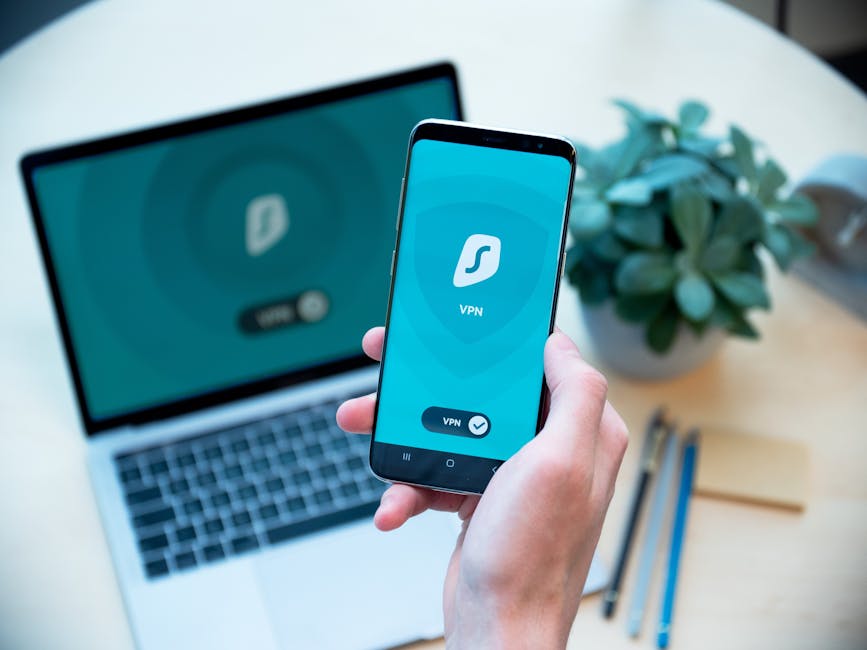
While securing your Wi-Fi network at the router level is paramount, it primarily protects the *network itself* and the traffic *between your devices and the router*. What about the journey your data takes *beyond* your router, out into the vast expanse of the internet? This is where a Virtual Private Network (VPN) steps in, providing an additional, crucial layer of encryption and privacy for your individual devices and their outbound connections. Think of your secure Wi-Fi as a fortified tunnel leading from your house to the highway. A VPN, then, is like driving an armored, tinted vehicle through that tunnel and onto the highway, ensuring that even if someone manages to tap into the highway, they can't see who you are or where you're going or what you're carrying. It's a personal cloak of invisibility for your internet traffic, regardless of the underlying network security.
A VPN works by encrypting all the data leaving your device and routing it through a secure server operated by the VPN provider. This means that your Internet Service Provider (ISP), potential government surveillance, or even sophisticated attackers monitoring internet traffic cannot see what websites you visit, what files you download, or what services you use. All they see is encrypted traffic going to a VPN server. This is especially critical when you're using public Wi-Fi networks (like at a coffee shop or airport), where you have no control over the network's security. But even on your own secure home Wi-Fi, a VPN adds an invaluable layer of privacy, preventing your ISP from logging your browsing habits and shielding your online activities from various forms of data harvesting. It's a proactive measure that gives you control over your digital footprint, ensuring that your online interactions remain private and secure from end-to-end, from your device all the way to its destination on the internet.
Choosing a reputable VPN provider is key, as not all VPNs are created equal. Look for providers with a strong no-logs policy, robust encryption standards (like AES-256), a wide network of servers, and a good reputation for privacy and security. Avoid free VPNs, as they often monetize your data or inject ads, defeating the purpose of privacy. While a VPN won't stop someone from gaining unauthorized access to your router if it's poorly secured, it will ensure that even if they manage to intercept your Wi-Fi traffic, they won't be able to decrypt your personal data flowing through the VPN tunnel. It's not a replacement for a secure Wi-Fi network, but rather a powerful complement, working in tandem to provide comprehensive digital protection. Integrating a VPN into your daily online routine, especially for sensitive activities, is a non-negotiable step for anyone serious about their online privacy and security.
Physical Security of Your Router Don't Forget the Basics
In our increasingly digital world, it's easy to overlook the physical security aspects of our network devices. Your Wi-Fi router, that little blinking box, is a physical device that sits in your home, and its physical security is just as important as its digital defenses. Imagine all the sophisticated encryption and strong passwords we've discussed, only for an intruder to simply walk up to your router, press the reset button (which often reverts it to factory defaults, including the weak admin password), or plug directly into it with an Ethernet cable. It sounds rudimentary, but physical access to a network device is often the easiest and most devastating way to compromise it. It's a stark reminder that even the most advanced cybersecurity measures can be rendered useless by a simple, overlooked physical vulnerability.
Therefore, ensure your router is placed in a secure location within your home, ideally out of plain sight and reach of unauthorized individuals. If you have children, pets, or frequent visitors, consider placing it on a high shelf, in a locked cabinet, or in a room with limited access. This isn't just about preventing malicious actors; it's also about preventing accidental tampering. A curious child pressing the reset button can wipe all your carefully configured security settings, forcing you to start from scratch. More seriously, an opportunistic intruder (a house guest, a service person, or even a burglar) with physical access to your router can quickly plug in their own device, potentially bypassing your Wi-Fi password altogether, or perform a factory reset to gain administrative control. Some routers even have a USB port that can be exploited if physical access is gained. It's a classic example of "out of sight, out of mind" in reverse; if your router is easily accessible, it's an easy target.
Beyond placement, consider disabling any external USB ports on your router if they're not in use and your router allows it. These ports can sometimes be used to inject malicious firmware or access network storage. Also, if your router has external antennas, ensure they are securely attached and not easily tampered with. While these physical security measures might seem like overkill for a home network, they represent a crucial part of a holistic security strategy. A chain is only as strong as its weakest link, and often, that weakest link isn't a complex software vulnerability but a simple physical oversight. Protecting your router physically complements all the digital safeguards you've implemented, creating a truly robust defense for your home network. It’s a foundational step that should never be underestimated in the pursuit of comprehensive cybersecurity.
The Human Element The Strongest and Weakest Link
Ultimately, the most sophisticated security technologies and the most meticulously configured networks can still be breached if the human element is overlooked. You, the user, are both the strongest and potentially the weakest link in your cybersecurity chain. No amount of encryption or firewall rules can protect you if you fall victim to a phishing scam that tricks you into revealing your passwords, or if you unknowingly download malware onto your devices. Social engineering, which manipulates individuals into performing actions or divulging confidential information, remains one of the most effective attack vectors for cybercriminals. This means that alongside securing your Wi-Fi, cultivating a strong sense of cybersecurity awareness and practicing safe online habits are absolutely critical for maintaining your digital safety.
This includes using strong, unique passwords for *all* your online accounts, not just your Wi-Fi and router. A compromised email account can lead to password resets for dozens of other services, effectively giving an attacker the keys to your entire digital kingdom. Enable two-factor authentication (2FA) wherever possible; it adds a crucial layer of security, requiring a second verification step (like a code from your phone) even if your password is stolen. Be incredibly wary of suspicious emails, texts, or phone calls that ask for personal information or urge you to click on unfamiliar links. Phishing attempts are becoming increasingly sophisticated, often mimicking legitimate organizations with remarkable accuracy. Always verify the sender and the legitimacy of the request before taking any action. If something feels off, it probably is. A moment of critical thought can save you from hours, days, or even weeks of dealing with the aftermath of a breach.
Finally, embrace lifelong learning in cybersecurity. The threat landscape is constantly evolving, with new vulnerabilities, attack techniques, and defensive measures emerging regularly. Stay informed by following reputable cybersecurity news sources, reading articles (like this one!), and understanding the basic principles of online safety. Encourage your family members to adopt similar safe online practices. Educating everyone in your household about these risks and best practices strengthens your collective defense. Your home Wi-Fi might be bulletproofed, but if the devices connected to it are vulnerable through user error, that fortress can still be compromised. By combining robust technical security with vigilant human behavior, you create an impenetrable shield, ensuring that your home remains a safe and private digital haven for years to come. Your proactive engagement is the ultimate firewall, the most powerful tool in your arsenal against the digital threats that constantly seek to undermine your peace of mind.