Mastering Your Digital Defenses: Actionable Steps for Public Wi-Fi Warriors
Having journeyed through the treacherous landscape of public Wi-Fi vulnerabilities, from the silent predators of MITM attacks to the pervasive gaze of data brokers, it’s time to arm ourselves with practical, actionable strategies. Understanding the threats is crucial, but implementing robust defenses is what truly safeguards your digital life. While a VPN stands as your primary shield, it’s part of a broader ecosystem of digital hygiene practices that, when combined, create a formidable defense against the myriad dangers lurking in open networks. Taking control of your online security isn't about fear; it's about empowerment, making informed choices, and adopting habits that protect your most valuable digital assets.
The first and most critical step is choosing the right VPN. Not all VPNs are created equal, and a poor choice can offer a false sense of security. When selecting a VPN, prioritize providers with a proven track record of security and privacy. Look for services that offer AES-256 encryption, a crucial standard for military-grade protection. A strict no-logs policy, independently audited, is non-negotiable; this ensures your activities aren't recorded and can't be handed over to third parties. Features like a kill switch and DNS leak protection are also essential for preventing accidental data exposure. Consider the number and global distribution of their servers, as this affects speed and the ability to bypass geo-restrictions, but always prioritize security over sheer server count. Finally, excellent customer support and a money-back guarantee are good indicators of a reputable service, offering peace of mind as you invest in your digital safety. Avoid free VPNs, as they often come with hidden costs, such as selling your data or injecting ads, undermining the very privacy they claim to offer.
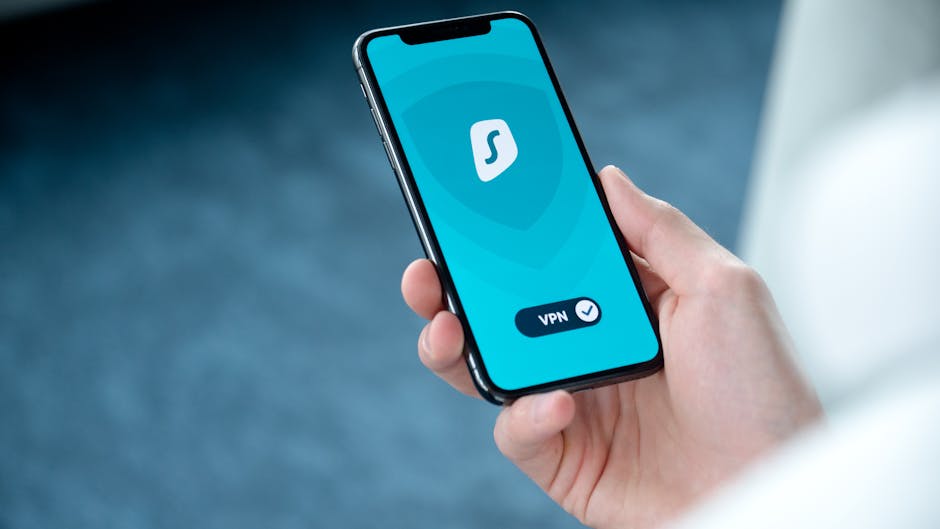
Once you’ve chosen a reliable VPN, setting it up is usually straightforward. Begin by downloading the VPN application from the provider's official website or a trusted app store onto all your devices – laptop, smartphone, and tablet. Follow the installation prompts, which are typically very intuitive. After installation, open the app and log in with your credentials. Most VPN apps feature a prominent "Connect" button, often with a default server selected for optimal performance. Before connecting to any public Wi-Fi, always launch your VPN app and activate the connection. This establishes the secure, encrypted tunnel *before* your device sends any data over the potentially hostile public network. Make it a habit: public Wi-Fi equals VPN on. For advanced users, explore settings like specific server locations, split tunneling (to route some traffic outside the VPN), or different VPN protocols, but for basic protection, simply connecting is enough to gain significant security benefits. Remember to always disconnect your VPN when switching to a trusted private network, or if you no longer need it, to conserve battery life and optimize speed, although many people prefer to keep it on constantly for continuous protection.
Beyond the VPN Complementary Layers of Digital Hygiene
While a VPN is your primary defense on public Wi-Fi, layering it with other smart digital practices creates an even more robust security posture. Firstly, always ensure you're visiting websites that use HTTPS. Look for the padlock icon in your browser's address bar. While a VPN encrypts your connection to the internet, HTTPS encrypts the connection between your browser and the specific website server, offering an additional layer of security for that particular interaction. Most reputable websites now use HTTPS by default, but vigilance is still key, especially when dealing with sensitive information or logging into accounts. If you land on a page that lacks HTTPS, especially one asking for personal data, reconsider your interaction or use the opportunity to switch to a secure alternative.
Secondly, keep all your software and operating systems updated. Software updates often include critical security patches that fix newly discovered vulnerabilities. Running outdated software is like leaving a window open in your digital house; even with a strong lock on the front door (your VPN), an attacker could exploit known weaknesses to gain access. This applies to your browser, email client, antivirus software, and all other applications on your device. Enable automatic updates whenever possible, or make a conscious effort to check for and install updates regularly. Similarly, maintain strong, unique passwords for all your online accounts, ideally using a reputable password manager. Even if one account is compromised, strong, unique passwords prevent a cascading breach across all your other services, a common tactic for attackers who gain initial access.
Furthermore, disable file sharing and network discovery settings on your device when connected to public Wi-Fi. These features, convenient for home networks, make your device visible and potentially accessible to others on the same public network. On Windows, change your network profile to "Public" rather than "Private." On macOS, uncheck "File Sharing" and "Screen Sharing" in System Preferences. For mobile devices, be cautious about accepting file transfers from unknown sources. Also, consider enabling your device's firewall, which acts as a barrier between your device and the network, blocking unauthorized access attempts. Finally, avoid conducting highly sensitive transactions, like online banking or submitting confidential work documents, on public Wi-Fi if absolutely possible. If you must, ensure your VPN is active and verify that the website uses full HTTPS encryption. When in doubt, switch to your mobile data hotspot, which often provides a more secure connection due to its inherent encryption and direct cellular link, bypassing the public Wi-Fi altogether, even if it incurs data charges. This holistic approach ensures that you're not just relying on one layer of defense but building a comprehensive fortress around your digital identity and activities.
"Digital security isn't a product you buy; it's a lifestyle you adopt. A VPN is a powerful tool, but vigilance is your greatest weapon." - Alex Thorne, Chief Security Officer.
What to Do if You Suspect a Breach
Even with the best defenses, it’s wise to know what steps to take if you suspect your security has been compromised on public Wi-Fi. First, immediately disconnect from the public Wi-Fi network. If you were using a VPN, verify its connection status. If you suspect a specific account (e.g., email, social media, banking) has been breached, change your password for that account immediately from a secure, trusted network (like your home Wi-Fi or mobile data). Choose a strong, unique password that you haven't used before. Enable two-factor authentication (2FA) on all your accounts, if you haven't already. This adds an extra layer of security, requiring a second verification step (like a code from your phone) even if your password is stolen. This simple step can thwart many common hacking attempts.
Next, run a full scan with reputable antivirus and anti-malware software on your device. This can help detect and remove any malicious software that might have been installed without your knowledge. Monitor your financial accounts and credit reports for any suspicious activity. If you notice unauthorized transactions, contact your bank or credit card company immediately to report the fraud. If you believe your identity has been compromised, consider placing a fraud alert on your credit report. Finally, inform your contacts if you suspect your email or social media accounts were used to send spam or malicious links, so they can be vigilant. Remember, acting quickly and methodically can significantly mitigate the damage from a security breach, turning a potential disaster into a manageable incident. The key is never to panic but to respond with deliberate, informed action, reinforcing your commitment to maintaining a secure digital presence, no matter where your online adventures take you.