Now that we’ve journeyed through the vast, legitimate landscape of free streaming opportunities unlocked by a VPN, it’s time to get down to brass tacks. Accessing these global entertainment libraries isn't just about knowing *what* exists; it’s about understanding *how* to reliably and safely access it. The practical steps are relatively straightforward, but like any digital tool, a VPN works best when used with a bit of knowledge and foresight. Choosing the right VPN, understanding its features, and employing a few simple tricks can make all the difference between a smooth, uninterrupted streaming experience and a frustrating battle with buffering and detection. My years in this niche have taught me that while the core technology is powerful, the user experience is paramount, and a few actionable insights can significantly enhance your enjoyment of this newfound freedom.
Choosing the Right VPN for Your Streaming Adventures
Not all VPNs are created equal, especially when it comes to streaming. While many VPNs can provide basic anonymity and security, effectively unblocking geo-restricted content, particularly high-bandwidth video, requires a more robust set of features. The first and most critical factor is server network size and distribution. To access content from, say, Australia’s SBS On Demand and then switch to Germany’s ARD Mediathek, you’ll need a VPN with a strong presence in both countries, ideally with multiple server locations within those countries to ensure redundancy and speed. A larger network means more options, which can be crucial if one server becomes overloaded or gets detected by a streaming service. Think of it like having multiple keys to different doors; if one key doesn't work, you have others to try.
Speed is another non-negotiable aspect. Streaming video, especially in HD or 4K, consumes a lot of bandwidth. A slow VPN connection will lead to constant buffering, pixelated images, and a generally miserable viewing experience, no matter how great the content is. Look for VPNs that consistently rank high in speed tests and specifically mention optimized streaming servers. Many top-tier VPN providers invest heavily in high-bandwidth infrastructure to ensure their users can stream seamlessly. Furthermore, protocols matter; modern protocols like WireGuard often offer superior speeds and efficiency compared to older ones like OpenVPN, although OpenVPN remains a robust and secure choice. Some VPNs even offer a "Smart DNS" feature, which can sometimes unblock content without the encryption overhead, potentially offering higher speeds, though it provides less privacy. It's about finding that sweet spot between security, speed, and unblocking prowess.
Finally, consider a VPN's unblocking capabilities and its commitment to maintaining them. Some streaming services, particularly the BBC iPlayer and certain FAST channels, are quite aggressive in detecting and blocking VPN traffic. A premium VPN provider will actively work to circumvent these blocks, regularly updating their server IPs and implementing new technologies to stay one step ahead. They often have dedicated streaming servers or provide guidance on which servers work best for specific services. Customer support is also vital; if you encounter an issue, you want a responsive support team that can guide you to a working server or offer troubleshooting advice. A strict no-logs policy and robust security features are also crucial, ensuring that while you’re enjoying free entertainment, your online privacy and data remain protected. You're using a VPN for freedom, but also for security, and those two aspects should never be compromised.
A Simple Guide to Unlocking Your First Free Stream
Embarking on your free streaming journey with a VPN is simpler than you might imagine. It’s not rocket science, and with a few straightforward steps, you’ll be enjoying content from around the globe in no time. The key is methodical execution and a touch of patience, especially if a particular server doesn't work on the first try. Here’s a basic roadmap that will guide you through the process, transforming you from a geo-blocked bystander into a global entertainment connoisseur. This process applies whether you’re aiming for a public broadcaster like RaiPlay or a FAST channel like the US version of Tubi.
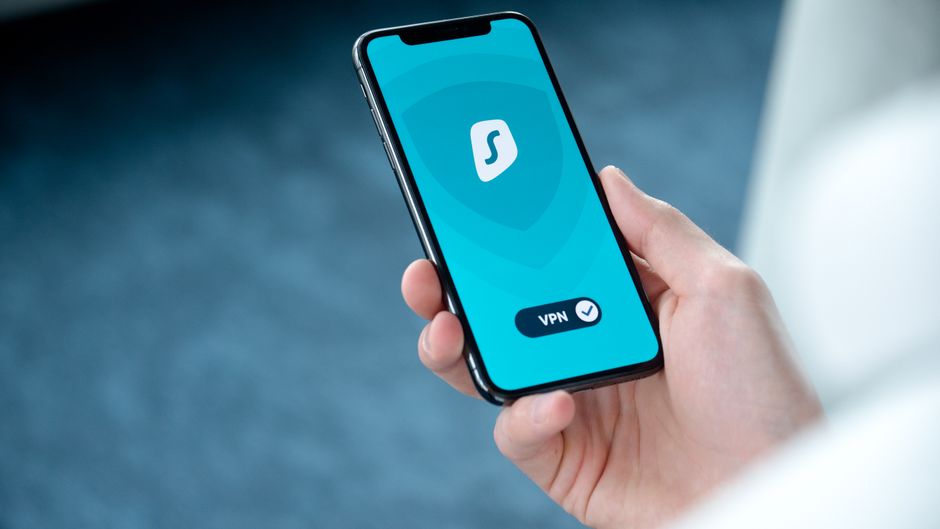
- Select and Subscribe to a Reputable VPN Service: As discussed, choose a VPN known for its streaming capabilities, speed, and extensive server network. Many offer money-back guarantees, allowing you to test their service risk-free. Install the VPN client on your streaming device, whether it's a computer, smartphone, tablet, or even a compatible router.
- Launch the VPN Application and Log In: Once installed, open the VPN app. You’ll be prompted to log in with your credentials. The interface is usually very user-friendly, designed for quick and easy navigation.
- Connect to the Appropriate Server Location: This is the crucial step. If you want to watch BBC iPlayer, connect to a server in the United Kingdom. If you're aiming for the full US library of Tubi, select a server in the United States (e.g., New York, Los Angeles). The VPN app will typically show you a list of countries and often specific cities or server types. Choose one that aligns with the content you wish to access.
- Clear Your Browser's Cache and Cookies (Crucial Tip): Before navigating to the streaming service, it’s a good idea to clear your web browser's cache and cookies. Your browser stores information about your previous location, and this stored data can sometimes betray your real location, even if your VPN is active. A fresh browser state ensures the streaming service only sees your VPN-assigned IP address. This is a small step that often resolves "VPN detected" errors. Alternatively, use an incognito or private browsing window, which doesn't store cookies from previous sessions.
- Navigate to the Desired Free Streaming Website: Once connected to the VPN server and your browser is clean, open your web browser and go directly to the free streaming service's website (e.g., bbc.co.uk/iplayer, tubitv.com, sbs.com.au/ondemand).
- Create a Free Account (If Required) and Start Streaming: Many free streaming services require you to create a free account. This usually involves providing an email address and creating a password. For some public broadcasters, like BBC iPlayer, you might be asked for a local postcode. A quick search for "UK postcodes" or "Australian postcodes" will provide you with valid examples to use. Once your account is set up, you should be able to browse the library and begin streaming!
What happens if it doesn't work on the first try? Don’t panic. This is a common occurrence, especially with services that are highly vigilant against VPNs. The first troubleshooting step is always to try connecting to a *different server* within the same country. For example, if your first UK server didn't work for BBC iPlayer, try connecting to another UK server provided by your VPN. Often, a different IP address will do the trick. If that still doesn’t work, try clearing your browser’s cache and cookies again, or switch to an incognito window. In rare cases, your VPN might have specific servers optimized for streaming certain services; check your VPN provider's support documentation for guidance. Persistence and a willingness to try different servers are your best friends in this exciting new world of free streaming.
Staying Safe and Savvy in the Free Streaming Universe
While the prospect of endless free entertainment is exhilarating, it's vital to approach this with an understanding of both the opportunities and responsibilities. The "legally" aspect of these VPN hacks cannot be overstated. We are advocating for accessing content that is *already free and legitimate* in its home country, not bypassing paywalls or engaging in piracy. This distinction is paramount, ensuring you remain on the right side of ethical and legal boundaries. A VPN is a powerful tool, and like any powerful tool, it should be wielded responsibly. Using a VPN to access paid content without a subscription or to engage in illegal activities remains, well, illegal, regardless of whether you're using a VPN or not. Our focus here is purely on leveraging publicly available, free resources.
Beyond the legal and ethical considerations, maintaining your overall cybersecurity posture is always a smart move. While a VPN encrypts your traffic and masks your IP, it doesn't make you invincible. Always use strong, unique passwords for any accounts you create on streaming services, even free ones. Be wary of clicking on suspicious links or downloading unofficial apps, even if they promise more free content. Stick to the official websites and apps of the streaming services you intend to use. Your VPN is a fantastic privacy and security enhancer, but it's one layer in a broader security strategy that also includes common sense and vigilance. Think of it as wearing a seatbelt; it protects you, but you still need to drive carefully.
The landscape of online streaming and geo-restrictions is constantly evolving. Streaming services are always refining their detection methods, and VPN providers are always innovating to bypass them. This means that while these hacks are highly effective today, staying informed about your VPN provider's updates and any changes in streaming service policies is a good practice. Embrace the spirit of exploration and discovery. The world of free streaming is vast and ever-changing, offering a continuous stream of new content to explore. By understanding how VPNs work, choosing a reliable service, and following these practical steps, you're not just saving money; you're expanding your cultural horizons, discovering new favorites, and truly making the internet a borderless realm of entertainment. It's an exciting time to be a streamer, and with these tools, you're now equipped to unlock a universe of content that was previously out of reach.