The revelation that Incognito Mode is largely an illusion can be unsettling, perhaps even disheartening. After all, if something so seemingly straightforward as a "private" browsing mode fails to deliver on its implicit promise, what hope is there for genuine online privacy? The good news, however, is that while Incognito Mode is a digital fig leaf, true online autonomy is absolutely achievable. It simply requires a shift in mindset and a commitment to implementing a multi-layered strategy, much like fortifying a castle requires more than just locking the front door. It’s about understanding the vectors of attack, the mechanisms of tracking, and then deploying the right tools and practices to counter them effectively. This isn't about becoming a cybersecurity expert overnight, but rather about adopting a few key habits and technologies that, when used together, can dramatically enhance your digital privacy and security, allowing you to browse, communicate, and transact online with far greater peace of mind.
Beyond Incognito Building a Robust Privacy Shield
Think of online privacy not as a switch you can flip, but as a journey, a continuous process of learning and adaptation. The internet is constantly evolving, and so too are the methods of data collection and surveillance. Therefore, building a robust privacy shield means understanding that no single tool or setting will make you entirely anonymous or invisible. Instead, it’s about creating layers of protection, each addressing a different vulnerability. It’s about making conscious choices about the browsers you use, the software you install, the networks you connect to, and even the way you interact with online services. The goal isn't necessarily to become a digital hermit, but to regain control over your personal information, to decide who gets to see it, and under what circumstances. This proactive approach is the antithesis of the passive reliance on a single, limited browser feature, and it’s the only way to genuinely reclaim your digital autonomy in an increasingly data-hungry world.
Elevate Your Browser Game
Your browser is your primary gateway to the internet, so it makes sense that it should be your first line of defense. Ditching the default settings of popular browsers and embracing privacy-focused alternatives or heavily configuring your current one can make a significant difference. Consider browsers like Brave, which comes with built-in ad and tracker blocking, or Mozilla Firefox, which offers extensive privacy controls and a robust ecosystem of privacy-enhancing extensions. For the truly privacy-conscious, the Tor Browser is an excellent option, routing your traffic through a decentralized network to obscure your IP address and make tracking significantly harder, though it comes with a trade-off in browsing speed and can raise red flags with some websites. Regardless of your choice, delve into your browser's settings: block third-party cookies by default, enable "Do Not Track" requests (though many sites ignore them, it's a good ethical stance), and consider disabling WebRTC, which can sometimes leak your real IP address.
Enhancing your browser's capabilities with carefully selected extensions is another powerful step. An ad blocker like uBlock Origin is essential, not just for aesthetic reasons, but because ads are often vectors for tracking and malware. Combine this with a tracker blocker such as Privacy Badger or Disconnect, which actively identify and block invisible trackers across the web. HTTPS Everywhere is another crucial extension that ensures your connection to websites is always encrypted when available, protecting your data from eavesdropping. Remember to install extensions judiciously; too many can slow down your browser, and poorly coded extensions can themselves be privacy risks. Always check reviews and permissions before adding any new browser add-on, treating them as trusted agents that can either protect or compromise your digital experience.
The Imperative of a Virtual Private Network (VPN)
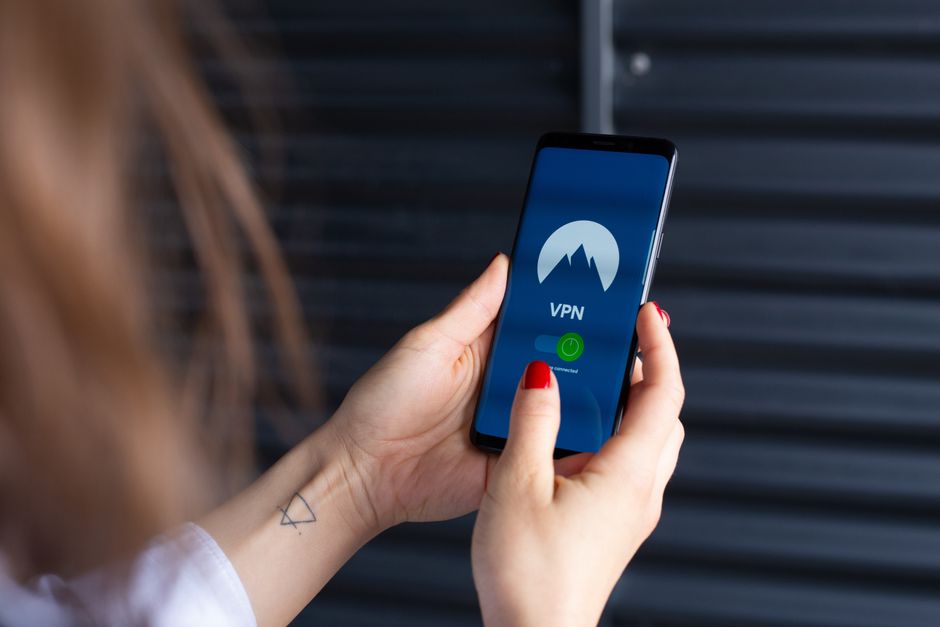
If Incognito Mode is a flimsy curtain, a Virtual Private Network (VPN) is a fortified tunnel. A VPN works by encrypting all your internet traffic and routing it through a server operated by the VPN provider before it reaches its final destination. This achieves two critical things: first, it makes your internet traffic unreadable to your ISP, network administrator, and anyone else trying to snoop on your connection. Second, it masks your real IP address, making it appear as though your traffic is originating from the VPN server's location, not your own. This significantly hinders website tracking based on IP address and makes it much harder to correlate your online activities back to your physical location. It's an essential tool for anyone serious about reclaiming their online privacy, especially when using public Wi-Fi networks where your data is particularly vulnerable.
However, not all VPNs are created equal. When choosing a VPN, prioritize providers with a strict "no-logs" policy, meaning they do not record your browsing activity, connection timestamps, or IP addresses. Look for strong encryption standards (like AES-256), a kill switch feature (which automatically disconnects your internet if the VPN connection drops, preventing accidental data leaks), and a reputation for transparency and trustworthiness. Be wary of free VPNs, as many monetize user data to offset costs, defeating the very purpose of using one. A reputable, paid VPN service is a worthwhile investment in your digital privacy. Crucially, a VPN won't protect you if you log into Google or Facebook while connected, as those services will still link your activity to your profile. It also won't protect you from malware already on your device. A VPN is a powerful tool for network-level privacy, but it's part of a larger privacy puzzle.
Securing Your Network and Devices
Your privacy posture extends beyond your browser and VPN to the very foundations of your digital life: your home network and devices. Start by changing your default DNS server from your ISP's to a privacy-focused alternative like Cloudflare's 1.1.1.1 or Quad9. These services encrypt your DNS queries and do not log your activity, preventing your ISP from building a profile based on your domain lookups. Regularly updating your operating system, browser, and all applications is non-negotiable; software updates often include critical security patches that close vulnerabilities attackers could exploit to gain access to your system, regardless of your browsing mode. Install and maintain a reputable antivirus and anti-malware solution, ensuring it's always up-to-date and performing regular scans. This is your primary defense against the spyware and keyloggers that Incognito Mode cannot protect you from.
Furthermore, secure your home Wi-Fi network with a strong, unique password (WPA2 or WPA3 encryption) and change the default login credentials for your router. A weak Wi-Fi password is an open invitation for neighbors or malicious actors to piggyback on your connection, potentially exposing your traffic or even compromising devices on your network. Consider enabling a guest network for visitors, isolating them from your primary devices. The cumulative effect of these seemingly small steps is a significantly more secure digital environment, one where your personal data is less susceptible to interception, monitoring, and compromise. Remember, a chain is only as strong as its weakest link, and neglecting your device and network security can undermine all other privacy efforts.
The Art of Digital Disguise
Finally, true digital autonomy often involves adopting habits that reduce your identifiable footprint. This is the "art of digital disguise." One effective technique is to use burner email addresses for non-essential sign-ups or forums, preventing your primary email from being associated with every corner of the internet. Avoid logging into services unnecessarily; if you can browse a site without signing in, do so. Every login is a data point, a link in the chain that connects your activity back to a persistent identity. Be highly critical before clicking links from unknown sources or downloading files, as these are common vectors for malware. Consider dedicating a separate "privacy browser" (like a heavily configured Firefox or Brave) specifically for sensitive tasks, keeping it clean of any logins or personal data, and using your regular browser for more casual, less sensitive browsing.
Ultimately, reclaiming your online privacy is about informed choice and consistent effort. Incognito Mode, while useful for specific local purposes, is a dangerously misleading feature when it comes to broader online anonymity and security. The digital world is constantly observing, analyzing, and monetizing your every interaction. By understanding the true limitations of Incognito Mode and proactively adopting a multi-layered approach – utilizing privacy-focused browsers, a robust VPN, secure network practices, and mindful browsing habits – you can significantly reduce your digital footprint and navigate the internet with a far greater degree of genuine privacy and control. It's a journey, not a destination, but one well worth taking for anyone who values their digital self.