Fortifying Your Digital Castle Securing Your Smart Home Network
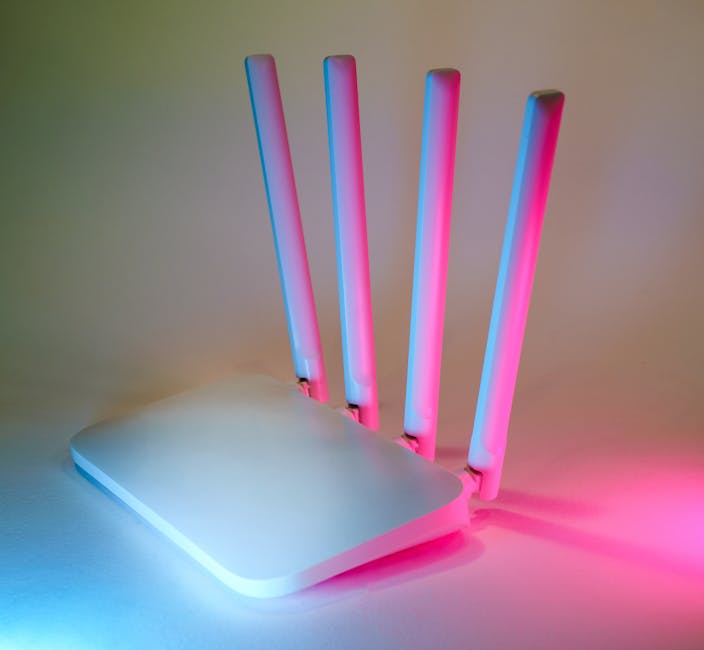
Understanding the pervasive nature of smart home data collection is the first step; the next, and arguably most crucial, is to take proactive measures to fortify your digital castle. Your home network is the foundation upon which all your smart devices operate, and its security is paramount. Think of it as the main gate to your digital sanctuary. A strong, well-configured router and a thoughtful network architecture can significantly reduce your exposure to prying eyes and potential breaches, creating a more secure environment for all your connected gadgets. This isn't just about setting a strong Wi-Fi password; it's about creating layers of defense.
One of the most effective strategies for securing your smart home network is to implement network segmentation, typically through the use of Virtual Local Area Networks (VLANs). A VLAN allows you to create separate, isolated networks within your main home network. You can, for instance, create a dedicated "guest network" for visitors and a separate "IoT network" specifically for all your smart devices. This means that if one of your smart light bulbs or an older, less secure smart plug is compromised, the attacker gains access only to that isolated IoT network, preventing them from moving laterally to your main network where your computers, smartphones, and sensitive personal data reside. Many modern routers offer guest network functionality, which can serve as a basic form of IoT network isolation, but advanced routers often provide more robust VLAN capabilities.
Beyond segmentation, ensuring your router's firmware is always up-to-date is non-negotiable. Router manufacturers frequently release security patches to address newly discovered vulnerabilities, and neglecting these updates leaves your entire network exposed. Furthermore, changing your router's default login credentials immediately after setup is a fundamental security practice that is surprisingly often overlooked. Default usernames and passwords are well-known to attackers and are frequently targeted in automated attacks. Finally, consider disabling Universal Plug and Play (UPnP) on your router if you don't absolutely need it, as UPnP can create security holes by allowing devices to automatically open ports on your firewall without explicit permission, which can be exploited by malware.
Taking Back Control Understanding and Adjusting Privacy Settings
While network security provides a crucial perimeter defense, individual device settings are where you can truly take back control over the data your smart home gadgets collect and share. Unfortunately, these settings are often buried deep within menus, apps, or web portals, and their implications are not always immediately clear. However, investing the time to meticulously review and adjust these privacy controls for each and every smart device you own is one of the most impactful steps you can take to mitigate surveillance risks.
Start with your voice assistants. Dive into the settings for Alexa, Google Assistant, or Siri. Look for options that allow you to review and delete past voice recordings. Many platforms offer the ability to automatically delete recordings after a short period (e.g., 3 months) or even prevent recordings from being saved altogether. Crucially, find the setting that lets you opt out of human review of your voice snippets – this is usually a separate toggle. For smart cameras, explore settings related to recording duration, motion detection sensitivity, and cloud storage retention. Can you reduce the amount of time footage is stored? Can you disable facial recognition or person detection if you don't need it? Consider whether you truly need continuous recording, or if event-based recording is sufficient for your security needs.
Don't forget the less obvious data collectors. For your smart TV, look for settings related to "Automatic Content Recognition" (ACR) or "Smart Interactive Features." These are often the culprits behind viewing data collection and can usually be disabled. Check the privacy settings within individual apps on your smart TV as well. For smart appliances, while their settings might be more limited, look for options to limit data sharing or disable "smart" features that you don't use. Remember, every piece of data you prevent from being collected or shared is a win for your privacy. It requires a bit of digital elbow grease, but the peace of mind gained from knowing you've minimized your digital footprint is invaluable.
And let's not forget the power of a good VPN. While a VPN won't stop your smart speaker from recording your voice, it will encrypt the internet traffic from all your devices, including your smart home gadgets, as it leaves your home network. This makes it much harder for your Internet Service Provider (ISP) or other third parties to snoop on the metadata of your smart device communications. If you have a router that supports VPN client functionality, you can configure it to route all your home's internet traffic through the VPN, providing a blanket layer of encryption for every device connected to your network, including those that might not support VPNs natively.
A Proactive Stance Building a Mindset of Digital Vigilance
Ultimately, navigating the complex landscape of smart home privacy and security requires more than just a one-time setup; it demands a continuous, proactive stance and a mindset of digital vigilance. The technology evolves rapidly, new vulnerabilities emerge, and privacy policies can change without much fanfare. Staying informed and regularly auditing your devices are essential practices for maintaining control over your digital sanctuary. Think of it as regular home maintenance, but for your connected life.
Regularly audit your smart devices: Periodically review what smart devices you have connected, what data they are collecting, and who they are sharing it with. Unplug or remove devices you no longer use, as they can become forgotten security risks. Check for firmware updates for all your devices, not just your router, as manufacturers release patches to fix vulnerabilities. Read privacy policies, or at least the summaries, when you acquire new devices. Understand what you’re agreeing to, even if it feels tedious. If a device’s privacy policy seems overly invasive, or its security reputation is questionable, reconsider bringing it into your home.
Strong, unique passwords and two-factor authentication (2FA) are your best friends. Every smart device, every associated app, and every cloud account should have a unique, complex password. Reusing passwords across different services is an open invitation for credential stuffing attacks. Whenever possible, enable two-factor authentication for your smart device accounts, adding an extra layer of security that makes it significantly harder for unauthorized individuals to gain access, even if they somehow obtain your password. This simple step can be the difference between a minor inconvenience and a major privacy breach.
Finally, cultivate a healthy skepticism. If a smart device seems too good to be true, or offers an incredible amount of convenience for a very low price, consider what the underlying business model might be. Often, if you're not paying for the product, you are the product – and your data is the currency. By adopting a critical perspective, staying informed about cybersecurity news, and consistently applying best practices, you can enjoy the benefits of a smart home without sacrificing the sanctity of your privacy. Your home should be a haven, not a surveillance zone, and with a bit of proactive effort, you can ensure it remains exactly that.