When Disaster Strikes The Real-World Scenarios Where a Kill Switch Becomes Your Lifeline
It's easy to dismiss security features as theoretical safeguards, something you hope you never need. But the truth is, the internet is a minefield of unpredictable events, and there are countless everyday scenarios where a VPN kill switch transitions from a mere setting to an indispensable lifeline. Think about the myriad ways our connections can falter: from the fleeting micro-disconnects that are barely perceptible to the human eye, to the more dramatic outages caused by network congestion or hardware failures. Each of these instances, however brief, presents a critical window of opportunity for your sensitive data to leak onto an unprotected network. The kill switch stands as a vigilant sentry, ready to slam shut the digital gates the instant a threat emerges, ensuring that your privacy remains uncompromised even in the most chaotic of digital environments. It's about proactive defense against the inevitable imperfections of our interconnected world, turning potential disaster into a mere inconvenience.
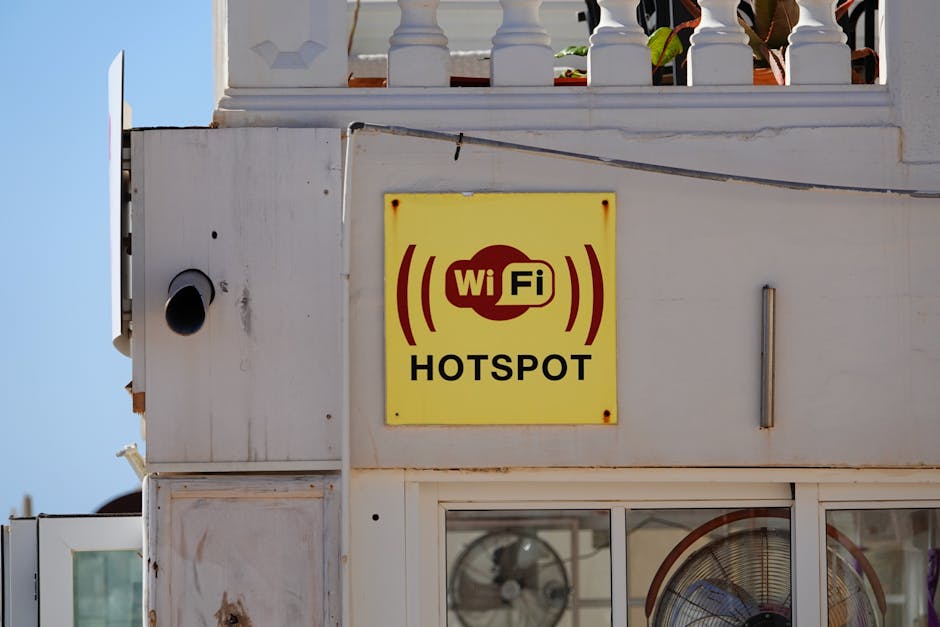
Consider the ubiquitous public Wi-Fi network – the free internet at your local café, the airport lounge, or a hotel. These networks are notoriously insecure, often teeming with opportunistic hackers looking to intercept unencrypted traffic or exploit vulnerabilities. You might connect to your VPN, feeling confident, but what if the coffee shop's router suddenly reboots, or your laptop briefly loses its Wi-Fi signal while you're checking your bank balance? Without a kill switch, your banking session, even if initially encrypted by the bank’s own security protocols, could suddenly be routed through the public network with your real IP address exposed, potentially revealing metadata or even unencrypted login attempts if the site itself isn't fully HTTPS. A kill switch would immediately cut your internet access, preventing any data from being sent over the unsecured public Wi-Fi, thereby thwarting any potential eavesdropping or data interception. It’s the digital equivalent of an emergency stop button, ensuring that your sensitive information never inadvertently travels through hostile territory.
Another common scenario involves torrenting or engaging in peer-to-peer file sharing, activities often associated with legal ambiguities and intense scrutiny from copyright holders. Many users rely on VPNs to mask their IP address during these activities to avoid legal repercussions or monitoring. However, if your VPN connection drops while you’re actively downloading or uploading, your real IP address is instantly broadcast to all peers in the swarm, making you immediately identifiable to anyone monitoring the network. This isn't just a privacy breach; it could lead to legal notices, fines, or even more severe consequences depending on your jurisdiction and the content being shared. A kill switch in this context is absolutely non-negotiable, acting as an essential safeguard that ensures your IP address is never exposed to the prying eyes of copyright trolls or surveillance agencies. It's the difference between maintaining anonymity and potentially facing serious legal troubles, highlighting its critical role in high-stakes online activities.
The Perils of Unstable Connections and Roaming Networks
Our digital lives are increasingly mobile, constantly shifting between different networks and connection types – from the robust fiber optic at home to the patchy public Wi-Fi at the mall, then transitioning to cellular data on the commute. Each of these transitions, and even the inherent instability within a single network type, presents a potential vulnerability for VPN users. Think about the subtle handoffs your device makes: moving from one Wi-Fi access point to another in a large building, or switching from Wi-Fi to your phone's LTE data when you step out of range. These network changes, while designed to be seamless for the user, can often cause momentary disruptions in your VPN tunnel, even if your underlying internet connection remains active. Without a kill switch, during these brief periods of transition, your device’s operating system will default to sending traffic over the newly available, un-VPN-protected network, exposing your real IP and data.
Consider a professional traveling for business, connecting to various hotel Wi-Fi networks, airport hotspots, and client offices. Each new network environment brings its own set of configurations, firewalls, and potential instabilities. A VPN is essential for securing sensitive corporate communications and protecting proprietary data from potential eavesdroppers on these often-unsecured networks. However, if the hotel Wi-Fi experiences a brief dropout, or the VPN client struggles to re-establish a connection after a device wakes from sleep, the corporate data being transmitted could suddenly be exposed. The kill switch acts as an uncompromising guardian in these scenarios, ensuring that if the VPN tunnel falters, the flow of sensitive information is immediately halted, preventing any accidental leaks. This level of proactive protection is not just a convenience; it's a critical component of enterprise-level security, extending the secure perimeter to the individual user, regardless of their physical location or the reliability of their local network. It’s about building resilience into your mobile workflow.
Even at home, where you might assume a stable and secure connection, issues can arise. Your router might momentarily lose its connection to your ISP, or your Wi-Fi signal might drop due to interference. While you might quickly reconnect, those few seconds or minutes of exposure are enough. If you’re, say, accessing cloud storage with sensitive documents or engaging in video calls with confidential information, those brief moments of vulnerability could be exploited. Furthermore, some VPN clients themselves can occasionally crash or encounter software bugs, leading to an unexpected termination of the secure tunnel. In such instances, a robust kill switch steps in, preventing your device from automatically reverting to an unsecured connection. It’s a testament to the kill switch’s value that it guards against not only external network instabilities but also internal software glitches, providing an all-encompassing layer of protection that many users might not even realize they desperately need until it's too late. The peace of mind it offers, knowing that your privacy is continuously protected, is truly invaluable.