Setting the Stage for Invisibility: Choosing Your Digital Guardian
The journey to online invisibility, while quick to set up, begins with a thoughtful decision: selecting the right VPN provider. Not all VPNs are created equal, and a hasty choice can undermine the very privacy you're trying to achieve. It's not just about finding the cheapest option or the one with the most flashy ads. Instead, you need to look for a service that has a proven track record of upholding user privacy, boasts robust security features, and operates with transparency. This initial selection phase is perhaps the most critical 1-2 minutes of your entire 10-minute setup, as it lays the foundation for your ongoing digital protection. Trust is paramount here; you are essentially entrusting your entire internet traffic to this provider, so they must be worthy of that trust.
First and foremost, scrutinize their logging policy. As discussed, a genuine no-logs policy is non-negotiable. Look for clear, unambiguous statements that they do not collect, store, or share any data that could identify you or your online activities. Beyond the marketing claims, delve into their privacy policy document itself. This is where the legal specifics are laid out, and any ambiguities or vague statements should raise a red flag. Some of the most reputable providers even go a step further, submitting their no-logs claims to independent audits by cybersecurity firms, which then publish their findings. This external validation offers a powerful assurance that the provider truly adheres to its privacy promises, providing an objective third-party verification that can significantly bolster your confidence in their service. Without this foundational commitment to not logging your data, the entire premise of anonymity through a VPN falls apart.
Next, consider the jurisdiction where the VPN company is based. Countries with strong privacy laws and no mandatory data retention laws are generally preferable. For instance, countries like Panama, the British Virgin Islands, and Switzerland are often favored locations for privacy-focused VPNs because they operate outside the reach of intelligence-sharing alliances like the Five Eyes, Nine Eyes, and Fourteen Eyes. While a no-logs policy should theoretically protect you regardless of jurisdiction, being based in a privacy-friendly country adds an extra layer of legal protection, making it far more difficult for external entities to compel the VPN provider to hand over non-existent user data. This geographical consideration, while not always the sole determining factor, contributes significantly to the overall privacy posture of the service and should be weighed heavily in your decision-making process.
Unlocking the Power: The 10-Minute Setup in Action
Now, let's get to the actionable part: making yourself invisible. The beauty of modern VPNs is their user-friendliness, streamlining what used to be a complex technical process into a few clicks. This isn't just marketing hype; it's a genuine commitment by leading providers to make online privacy accessible to everyone, regardless of their technical proficiency. The entire process, from signing up to securing your connection, is designed to be intuitive, allowing you to establish a robust privacy shield in roughly ten minutes, transforming your digital presence from exposed to protected with remarkable speed and simplicity. You don't need to be a network engineer; you just need to follow a few straightforward steps that any internet user can manage.
- Choose and Subscribe: Based on the criteria discussed (no-logs, jurisdiction, audited claims), select a reputable VPN provider. Visit their website, choose a subscription plan (longer plans often offer better value), and complete the sign-up process. This usually involves creating an account with an email address and password, and then making a payment. Many providers offer various payment options, including cryptocurrencies, which can add another layer of anonymity to your purchase, though a standard credit card payment is perfectly fine for most users. This initial step, including account creation and payment, typically takes about 2-3 minutes.
- Download and Install the Application: Once subscribed, you'll be directed to download the VPN client application for your specific operating system (Windows, macOS, Android, iOS, Linux). Most providers offer dedicated apps for all major platforms. Download the appropriate file and run the installer. The installation process is usually straightforward, following standard software installation prompts. On mobile devices, you'll download the app directly from your device's app store. This phase, from download to successful installation, usually takes another 2-3 minutes, depending on your internet speed and device performance.
- Log In and Configure Basic Settings: After installation, launch the VPN application. You'll be prompted to log in using the credentials you created during subscription. Once logged in, the application interface is typically very clean and user-friendly. Most VPNs automatically suggest the "fastest" or "best" server location based on your current geographical position. However, for true privacy, you might want to manually select a server in a country that aligns with your privacy goals, or simply one that is geographically distant from your actual location to further obscure your whereabouts. This login and initial server selection usually takes about 1-2 minutes.
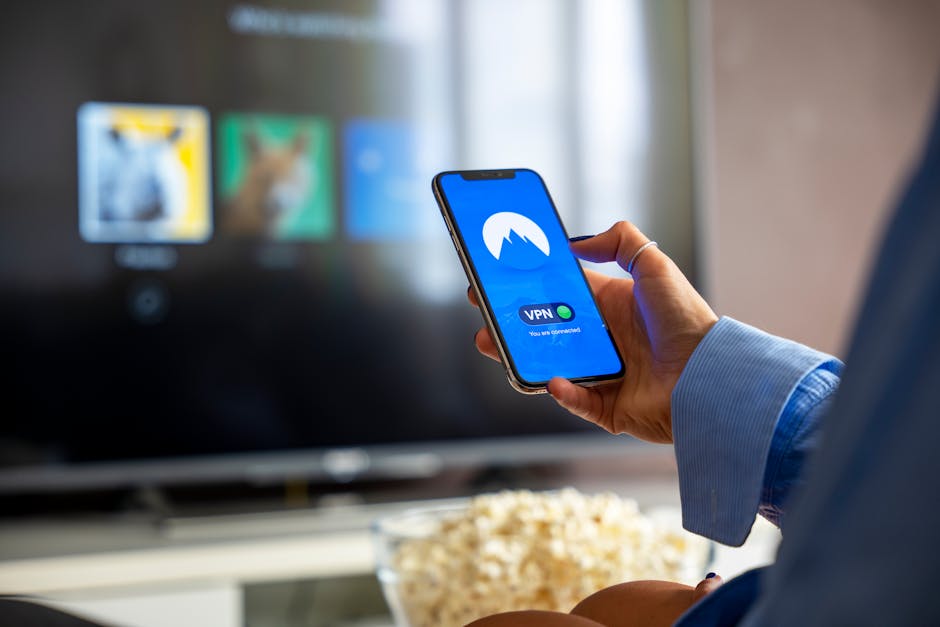
- Activate the Kill Switch and Connect: Before connecting, navigate to the application's settings or preferences. Locate and enable the "kill switch" feature. This is a crucial step to ensure your connection remains private even if the VPN drops unexpectedly. Once the kill switch is active, simply click the prominent "Connect" button (or similar) in the main interface. The VPN application will then establish the encrypted tunnel to the chosen server. Within a few seconds, your connection status will change to "Connected," and you'll see your new virtual IP address, indicating that your online traffic is now routed through the VPN. This final step, including activating the kill switch and connecting, generally takes no more than 1-2 minutes.
Congratulations! In roughly ten minutes, you've transformed your digital presence. Your ISP can no longer see your browsing activity, your real IP address is masked, and your data is encrypted. It’s a remarkably simple yet profoundly effective way to reclaim a significant portion of your online privacy. This isn't just about hiding; it's about taking proactive control over your personal data and ensuring that your online explorations are yours alone. The feeling of browsing freely, knowing that a powerful shield protects your every move, is genuinely liberating. Remember, consistency is key; ensure your VPN is always active whenever you're online, especially on public Wi-Fi networks where threats are even more prevalent.
"Arguing that you don't care about the right to privacy because you have nothing to hide is no different than saying you don't care about free speech because you have nothing to say." - Edward Snowden
While the initial setup is quick, there's always room for optimization and understanding the nuances. For instance, periodically check your VPN connection for leaks using online tools that detect DNS and WebRTC leaks. Most reputable VPN providers offer such tools directly on their websites or recommend trusted third-party services. This quick check ensures that your VPN is functioning as intended and that no sneaky leaks are exposing your true identity. Furthermore, consider experimenting with different server locations. Sometimes, connecting to a server further away might slightly increase latency, but it could offer better privacy depending on your threat model. The beauty of a good VPN is its flexibility and the peace of mind it offers, knowing that you're not just browsing, but browsing securely and privately, truly invisible to the watchful eyes of the internet.