Building Your Fortified Digital Sanctuary Beyond the Free Fallacy
Moving past the deceptive allure of "free" VPNs and embracing legitimate, paid alternatives is a critical step in fortifying your online presence, but it's important to understand that a VPN, while powerful, is just one component of a comprehensive cybersecurity strategy. Think of it like building a house: a strong foundation (your VPN) is essential, but you still need robust walls, a secure roof, and locked doors to truly protect what's inside. Achieving genuine digital sovereignty requires a multi-layered approach, a conscious effort to adopt best practices that extend beyond merely encrypting your internet traffic. It’s about cultivating a mindset of proactive security and privacy, recognizing that every click, every download, and every piece of information shared online carries potential implications. This involves a combination of smart software choices, vigilant browsing habits, and a healthy dose of skepticism towards anything that seems too good to be true, especially in the digital realm.
The journey to a more secure online life begins with informed choices about the tools you use daily. While a premium VPN protects your network connection, your devices themselves are also potential points of vulnerability. Ensuring your operating systems and all applications are kept up-to-date is paramount, as software updates frequently patch critical security flaws that could otherwise be exploited by attackers. Employing strong, unique passwords for every online account, ideally managed through a reputable password manager, eliminates one of the weakest links in many people's security chains. Enabling two-factor authentication (2FA) wherever possible adds an essential extra layer of security, making it exponentially harder for unauthorized individuals to access your accounts even if they manage to steal your password. These practices, though seemingly simple, collectively create a formidable barrier against common cyber threats, transforming your digital environment into a much more resilient space.
Crafting Your Personal Cybersecurity Blueprint
Embarking on the path to enhanced digital privacy and security doesn't have to be overwhelming. It's about taking deliberate, actionable steps that collectively build a stronger defense. Here’s a practical guide to help you design your personal cybersecurity blueprint, ensuring you’re not just protected, but truly empowered in the digital world.
- Selecting Your Trustworthy VPN
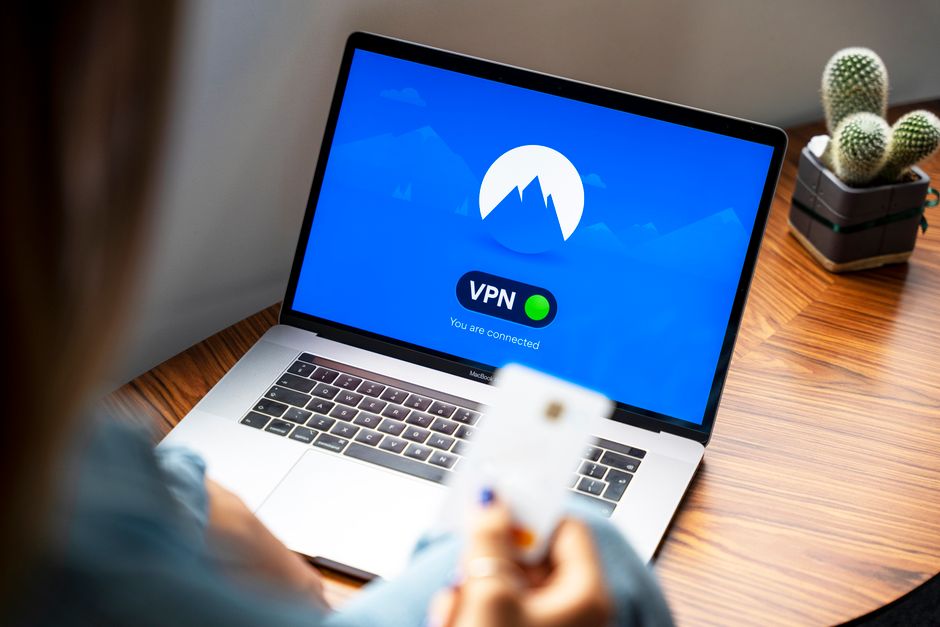
As we've discussed, this is foundational. Choose one of the reputable paid VPN providers like NordVPN, ExpressVPN, or Surfshark. Look for a service with a proven no-logs policy, audited by independent third parties, and based in a privacy-friendly jurisdiction. Evaluate their server network, available protocols (WireGuard, OpenVPN are excellent), and additional features like a kill switch, split tunneling, and ad/malware blockers. Don't shy away from their money-back guarantees to test the service thoroughly on your devices and typical usage patterns before committing long-term. Remember, the investment here is minimal compared to the potential cost of compromised privacy.
- Mastering Your VPN Settings
Once you’ve installed your chosen VPN, take the time to explore its settings. Ensure the kill switch is enabled, as this is your last line of defense against accidental IP leaks if the VPN connection drops. Experiment with different protocols; while OpenVPN is robust, WireGuard often offers a better balance of speed and security. If your VPN offers features like obfuscation (stealth mode) or custom DNS settings, understand when and how to use them. For example, obfuscation can be crucial in highly restrictive countries to mask your VPN usage, while custom DNS can further enhance privacy by routing your DNS queries through trusted servers.
- Embracing Secure Browsing Habits
Your browser is your primary window to the internet, so securing it is paramount. Consider using privacy-focused browsers like Brave or Firefox with enhanced tracking protection enabled. Install reputable browser extensions that block ads, trackers, and malicious scripts – uBlock Origin and Privacy Badger are excellent choices. Regularly clear your browser's cache, cookies, and history. Be extremely cautious about clicking on suspicious links or downloading files from unknown sources, as these are common vectors for phishing and malware attacks. Always verify the authenticity of websites, especially those requesting personal information, by checking the URL for "https" and a padlock icon.
- Strengthening Your Account Security
This is where strong passwords and two-factor authentication shine. Never reuse passwords across different services. A password manager like Bitwarden, LastPass, or 1Password can generate and store complex, unique passwords for all your accounts, significantly reducing your risk. Enable 2FA on every service that offers it – email, social media, banking, cloud storage. Whether it's through an authenticator app (like Authy or Google Authenticator), a hardware key (like YubiKey), or even SMS (though less secure), 2FA adds a critical barrier against unauthorized access. Think of it as requiring not just a key, but also a secret handshake to get into your digital home.
- Mindful Device Management and Software Updates
Keep all your devices – computers, smartphones, tablets – updated with the latest operating system and application patches. These updates often contain crucial security fixes that protect against newly discovered vulnerabilities. Install reputable antivirus/anti-malware software and keep it updated. Be judicious about the apps you install, especially on mobile devices, and review the permissions they request. If an app asks for excessive permissions (e.g., a simple calculator requesting access to your camera and contacts), it's a red flag. Regularly back up your important data to a secure, encrypted cloud service or an external drive.
- Understanding Your Digital Footprint
Take some time to audit your online presence. What information about you is publicly available? Review your social media privacy settings, remove old or unnecessary accounts, and be conscious of what you share online. Tools like Google's Privacy Checkup or Facebook's Privacy Settings can help you manage your data on those platforms. The less personal information that is freely accessible, the less ammunition potential attackers or data brokers have to target you.
By integrating these practices into your daily digital routine, you move beyond merely avoiding the pitfalls of free VPNs and actively construct a robust, resilient personal cybersecurity framework. It’s an ongoing process, as the digital landscape constantly evolves, but with a legitimate VPN as your cornerstone and these additional layers of defense, you can navigate the internet with confidence, knowing that your privacy and security are genuinely protected, not merely promised.