Reclaiming Your Digital Sanctuary Essential Steps to Secure Your Wi-Fi
Having navigated the treacherous landscape of Wi-Fi vulnerabilities and the chilling consequences of compromised connectivity, it’s time to empower ourselves. The goal isn't to live in fear of the invisible threat, but to understand it, respect it, and, most importantly, mitigate it. The good news is that while the threats are sophisticated, many of the most effective countermeasures are surprisingly straightforward and accessible to anyone willing to invest a little time and effort. As a seasoned observer of the cybersecurity world, I can tell you that the vast majority of Wi-Fi attacks succeed not because of uncrackable encryption or cutting-edge zero-day exploits, but because of basic human oversight and a lack of fundamental security hygiene. Taking control of your Wi-Fi security is an act of digital self-defense, a crucial step in transforming your network from an open microphone into a fortified, private channel. Let's roll up our sleeves and build that digital sanctuary together, brick by secure brick.
Remember, security is an ongoing process, not a one-time setup. It requires continuous vigilance, regular updates, and a proactive mindset. Think of it like maintaining your home; you don't just build it and forget it. You regularly check for leaks, paint the walls, and ensure the locks are strong. Your digital home deserves the same level of attention. By implementing the following practical, actionable insights, you can significantly reduce your exposure to Wi-Fi-related threats and reclaim a much-needed sense of privacy and control over your online life. It's about making yourself a harder target, raising the bar for attackers, and ensuring that your Wi-Fi, once a potential broadcaster of secrets, becomes a silent guardian of your digital world.
Hardening Your Home Network The First Line of Defense
The journey to a more secure Wi-Fi network begins right at its heart: your router. The first, and arguably most critical, step is to change the default administrative credentials for your router. This is non-negotiable. Access your router's administration panel (usually by typing its IP address, like 192.168.1.1, into your browser) and immediately change the default username and password to something strong and unique. This should be a complex passphrase, a combination of uppercase and lowercase letters, numbers, and symbols, at least 12-16 characters long. Treat these credentials like the keys to your digital kingdom, because they are. Never use easily guessable information, and definitely avoid using the same password you use for other online services. This single action can thwart a significant number of basic, opportunistic attacks.
Next, focus on your Wi-Fi network's encryption. Ensure you are using WPA2-PSK (AES) at a minimum, or even better, WPA3 if your router and devices support it. WPA2 with AES is currently the most widely supported and generally robust standard. Avoid WEP or WPA (TKIP) at all costs, as they are easily crackable. Crucially, your Wi-Fi password (the one your devices use to connect) must also be robust. Again, think long, complex passphrases. A good tip is to use a sentence or a string of unrelated words that are easy for you to remember but hard for a computer to guess. For instance, "My!Dog!Loves!Eating!Pizza!In!The!Park!77" is far better than "password123". Also, consider changing your Wi-Fi network's name (SSID) from the default. While hiding your SSID doesn't offer much security, changing it from "Linksys_2.4G" makes it harder for attackers to identify your router's model and potential default vulnerabilities.
Firmware updates are another cornerstone of router security. Regularly check your router manufacturer's website for the latest firmware versions. Most modern routers have an option within their administration panel to check for and install updates, often under a "System," "Administration," or "Firmware" section. These updates patch critical security vulnerabilities that attackers constantly discover and exploit. Neglecting firmware updates is akin to leaving your front door unlocked after a known vulnerability in the lock has been publicly announced. Furthermore, disable WPS (Wi-Fi Protected Setup) on your router. While designed for convenience, allowing devices to connect with a simple button press or an 8-digit PIN, WPS has a known vulnerability that makes it susceptible to brute-force attacks, allowing an attacker to crack your Wi-Fi password in a matter of hours, even if it's strong. Disabling it adds a small layer of inconvenience but a significant boost in security.
Embracing the VPN Your Cloak of Invisibility
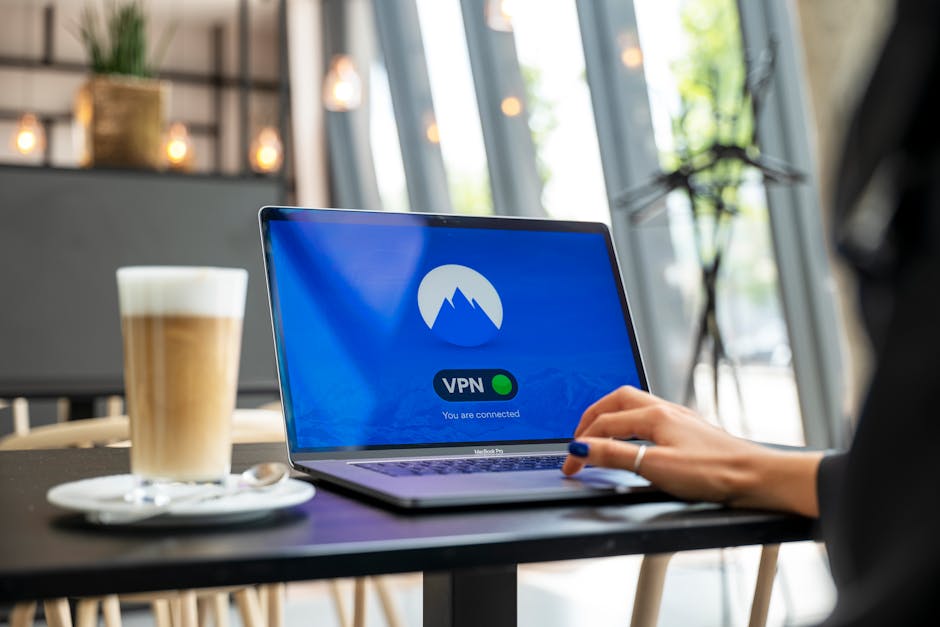
Even with the most robust home network security, there's a vital layer of protection that often gets overlooked, especially when venturing outside your secure perimeter: a Virtual Private Network, or VPN. Think of a VPN as your personal, encrypted tunnel through the internet. When you connect to a VPN, all your internet traffic is routed through a secure, encrypted connection to a server operated by your VPN provider. This means that even if you're on an unsecure public Wi-Fi network, or if your home Wi-Fi somehow gets compromised, your data remains scrambled and unreadable to anyone trying to intercept it. It’s like putting your private conversations into a locked, armored car before sending them across a potentially dangerous highway. This is particularly crucial when using public Wi-Fi in airports, cafes, or hotels, where the risk of Man-in-the-Middle and Evil Twin attacks is significantly higher.
A high-quality VPN does more than just encrypt your data; it also masks your IP address, making it much harder for websites, advertisers, and even your Internet Service Provider (ISP) to track your online activities and pinpoint your physical location. This adds a powerful layer of anonymity and privacy, preventing data brokers from building detailed profiles of your browsing habits. For someone like me, constantly working on sensitive information and frequently traveling, a VPN is not an optional extra; it's an indispensable tool. I always recommend choosing a reputable VPN provider with a strict no-logs policy, strong encryption standards (like AES-256), and a wide network of servers. While there are free VPNs available, they often come with compromises in security, speed, or privacy (sometimes even selling your data), so investing in a paid, trusted service is always the wiser choice for genuine protection. It’s a small price to pay for the peace of mind knowing your digital whispers remain truly private.
Beyond the Basics Smart Habits for Continuous Protection
Securing your router and using a VPN are foundational, but true Wi-Fi security involves cultivating smart, ongoing habits. One excellent practice is to set up a guest network on your router. Most modern routers offer this feature, allowing you to create a separate, isolated Wi-Fi network specifically for visitors. This means your guests can access the internet without having access to your main network, which contains your sensitive devices like computers, network-attached storage (NAS), and smart home gadgets. If a guest's device is compromised, or if they unwittingly bring malware onto your network, the guest network acts as a sandbox, preventing that threat from spreading to your primary devices. It’s a simple yet highly effective way to segment your network and reduce your attack surface, especially important in homes with many visitors or children who might connect various devices.
Regularly review the devices connected to your Wi-Fi network. Your router's administration panel will typically show a list of all connected devices, often identified by their MAC addresses or hostnames. Take a few minutes periodically to check this list. Do you recognize all the devices? Are there any unfamiliar entries? If you spot something suspicious, you can often block that device from your network directly from the router's interface. This vigilance helps you identify potential intruders or unauthorized connections. Also, be mindful of your IoT devices. Ensure they are purchased from reputable manufacturers, that their default passwords are changed, and that you keep their firmware updated whenever possible. If an IoT device offers a "privacy mode" or the ability to disable remote access when not needed, utilize those features. Every connected device is a potential entry point, and managing them proactively is key to comprehensive Wi-Fi security.
Finally, cultivate a healthy skepticism and practice good digital hygiene across all your online activities. Use strong, unique passwords for every online account, and leverage a password manager to help you keep track of them. Enable two-factor authentication (2FA) wherever possible, especially for critical accounts like email, banking, and social media. Even if an attacker manages to steal your Wi-Fi password and then your login credentials for an online service, 2FA will provide an additional layer of defense, often requiring a code from your phone, making it much harder for them to gain unauthorized access. Be wary of unsolicited emails or messages (phishing attempts) that ask for your personal information, especially if you're connected to public Wi-Fi. The invisible threat of Wi-Fi broadcasting your secrets is real, but by combining robust technical safeguards with intelligent, proactive habits, you can build a formidable defense, transforming your digital life from a vulnerable whisper into a secure, private conversation.