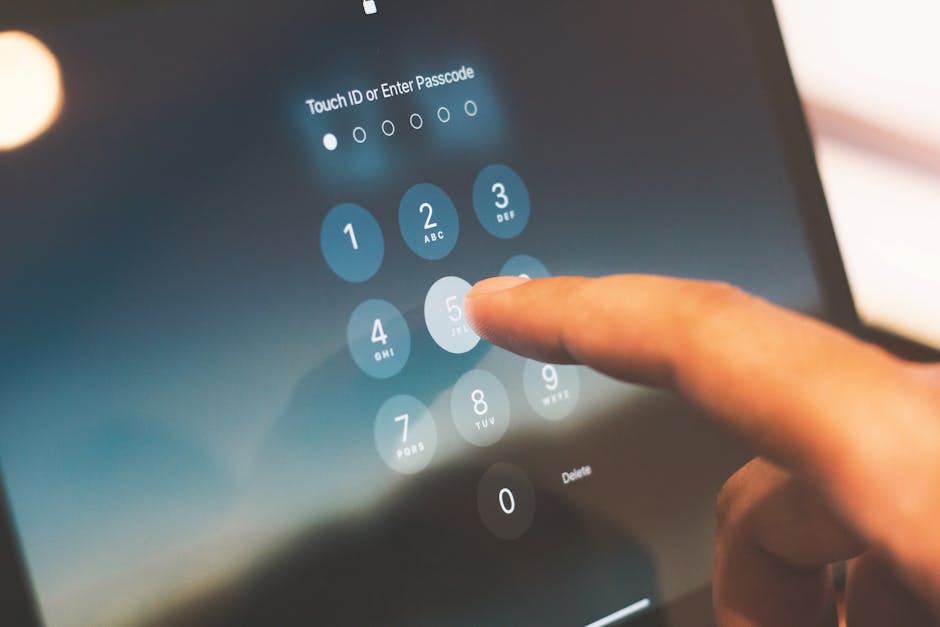
The quest for digital privacy is not a one-time endeavor; it's an ongoing commitment, a continuous calibration of your online presence. Think of it as cultivating a digital garden: you prune, you weed, you nourish, and you protect it from invasive species. The "secret button" metaphor, while powerful, is perhaps better understood as a collection of levers and dials that require regular attention and adjustment. The tech landscape is constantly shifting, with new tracking methods emerging and privacy settings evolving. What works today might need tweaking tomorrow. This section will delve into the granular actions you can take, moving beyond theoretical understanding to practical, step-by-step guidance, empowering you to actively manage your digital footprint across the platforms of Google, Facebook, and Apple. It’s about taking back control, one setting at a time, transforming you from a passive data point into an active guardian of your personal information.
Many people feel overwhelmed by the sheer volume of settings and options across different platforms, leading to a sense of resignation. "It's too complicated," or "They'll track me anyway," are common refrains. While it's true that achieving absolute anonymity online is incredibly difficult, often requiring extreme measures, significantly reducing your trackable surface area is entirely achievable for the average user. The goal isn't perfection, but progress. Every setting you change, every permission you revoke, every privacy-enhancing tool you adopt contributes to a more secure and private online experience. This isn't just about avoiding targeted ads; it's about reclaiming your digital autonomy, fostering a sense of peace, and ensuring that your online life reflects your true intentions, rather than being dictated by algorithms designed to extract maximum value from your data. Let's roll up our sleeves and dive into the practicalities of pressing those "secret buttons."
Reclaiming Your Google Identity
Google offers a dedicated "Privacy Checkup" and "Security Checkup" in your Google Account settings, which are excellent starting points, but often don't go far enough. To truly rein in Google's tracking, you need to navigate to your My Activity page. This is where the magic happens, or rather, where you dismantle the magic of their surveillance. Here, you'll find categories like Web & App Activity, Location History, and YouTube History. For each of these, you need to go in and turn them off. It's not enough to simply pause them; you should also look for options to delete past activity. For Web & App Activity, choose to "Manage Activity" and then select "Choose to delete activity automatically" and set it to 3 months, or even better, "Don't save activity." Do the same for Location History and YouTube History. This is a critical step, as pausing data collection without deleting existing data leaves a historical record that continues to inform their algorithms. Be warned, this will impact some personalized features like specific recommendations, but that's a small price to pay for enhanced privacy.
Beyond My Activity, delve into your Ad Settings. Here, you can turn off Ad Personalization. This won't stop you from seeing ads, but it will prevent Google from using your activity to personalize them. You'll still see ads, but they'll be less relevant, which is often preferable to the uncanny feeling of being perfectly understood by an algorithm. While in Ad Settings, take a moment to review the "Your inferred attributes" section. You might be surprised by what Google thinks it knows about you – your age range, gender, interests, and even parental status. While you can't directly edit these, turning off Ad Personalization renders them inert for advertising purposes. Furthermore, consider using a privacy-focused browser like Brave or Firefox with enhanced tracking protection, or at the very least, install privacy extensions like uBlock Origin and Privacy Badger on Chrome to block Google's trackers across the web. These tools act as digital shields, preventing many of Google's tracking scripts from loading in the first place, significantly reducing the data they can collect about your browsing habits outside of their direct services.
For Android users, the privacy battle extends to device settings. Navigate to your phone's Settings app, then to "Google" and then "Manage your Google Account." Here you'll find more granular controls. Under "Data & Privacy," review "Location History" (as mentioned above) and "Activity Controls." Also, check "Ad settings" within the Google section of your phone's settings to reset your advertising ID. This effectively gives you a new, clean slate for ad tracking on your device, making it harder for advertisers to link your past activity to your current device. Remember to periodically reset this ID, perhaps once every few months, as it's a quick and easy way to throw off persistent trackers. Furthermore, be mindful of app permissions. Many apps unnecessarily request access to your location, microphone, camera, or contacts. Regularly audit these permissions in your phone's app settings and revoke any that aren't absolutely essential for the app's core functionality. For instance, a flashlight app does not need access to your contacts or microphone, and granting such permissions is an open invitation for data harvesting.
Taming the Meta Beast
Facebook (Meta) presents a unique challenge due to its social nature and extensive off-platform tracking. Start by heading to your Facebook "Settings & Privacy," then "Settings," and navigate to "Your Facebook Information" and "Off-Facebook Activity." This is arguably the most crucial area for Meta users. Here, you can view a summary of apps and websites that have shared your activity with Meta. Crucially, you can "Clear History" to disconnect your past off-Facebook activity from your account. More importantly, select "Manage Future Activity" and turn off "Future Off-Facebook Activity." This prevents Meta from receiving data about your interactions with third-party apps and websites in the future. While it won't stop those sites from collecting data themselves, it severs the link back to your Facebook profile, making it much harder for Meta to build a comprehensive picture of your browsing habits outside of its own platforms. Repeat this process for Instagram, if you use it, as it falls under the Meta umbrella and shares similar data collection practices.
Within Facebook’s "Settings & Privacy," further explore "Ad Preferences." While you cannot entirely opt out of seeing ads, you can significantly reduce their personalization. Go to "Advertisers" and review the list of advertisers who have uploaded contact lists to Facebook or run ads based on your activity. You can remove individual advertisers from targeting you. Under "Ad Settings," turn off "Ads based on data from partners" and "Ads based on your activity on Facebook Company Products that you see elsewhere." While these settings are often buried deep and require several clicks to find, they are vital for minimizing the scope of Meta's ad targeting. It's a tedious process, but each step reduces the granularity of the profile Meta builds on you. Remember, Meta's business model relies on this data, so they don't make it easy to opt out, but persistence pays off in the long run for your privacy.
Beyond settings, consider your behavior on Meta platforms. Be judicious about what you like, share, and comment on. Every interaction is a data point. Use third-party tools like browser extensions that specifically block Facebook Pixel tracking (e.g., Facebook Container for Firefox, or general ad blockers like uBlock Origin). For WhatsApp, while it boasts end-to-end encryption for messages, remember that Meta still collects metadata (who you talk to, when, and for how long). If you need truly private messaging, consider alternatives like Signal, which is renowned for its strong encryption and minimal data collection. Remember that even seemingly innocuous actions, like adding a new friend or joining a public group, contribute to Meta's understanding of your social graph and interests. A conscious approach to your social media engagement can significantly reduce the amount of actionable data Meta collects, allowing you to enjoy the social benefits without fully surrendering your digital autonomy.
Fortifying Your Apple Fortress
While Apple often touts its privacy credentials, there are still crucial steps to take to ensure your data remains as private as possible within their ecosystem. Start by going to your iPhone or iPad's "Settings," then scroll down to "Privacy & Security." Here, you'll find a wealth of controls. Crucially, tap on "Tracking" and ensure that "Allow Apps to Request to Track" is turned off globally. While you can manage permissions for individual apps, turning this off by default stops apps from even asking. This is the App Tracking Transparency (ATT) feature in action, and it's a powerful tool for limiting third-party app surveillance. Regularly review the list of apps that have requested or been granted tracking permission and revoke any you deem unnecessary. This single setting alone can dramatically reduce the amount of data third-party apps can collect about your activity across the web and other applications.
Within "Privacy & Security," also explore "Location Services." While you might need location for apps like Maps, many apps don't require "Always" access. Change permissions to "While Using the App" or "Never" for most applications. Scroll down to "System Services" and toggle off anything you don't explicitly need, such as "Location-Based Apple Ads," "Location-Based Alerts," "Significant Locations," and "Product Improvement." Significant Locations, in particular, builds a detailed history of places you frequently visit, which, while processed on-device, still represents a significant collection of personal data. Turning this off prevents your device from accumulating such a granular location history. Remember, even if Apple isn't selling this data, having less of it collected in the first place is always the more private option, reducing the attack surface for potential breaches or misuse.
Finally, delve into your "Apple ID" settings at the very top of the main Settings menu. Go to "Media & Purchases," then "View Account," and under "Personalized Recommendations," turn off "Personalized Ads." This will limit Apple's own ad targeting within the App Store, Apple News, and Stocks. Furthermore, review your iCloud settings. While iCloud is convenient for syncing data, consider what sensitive information you truly need to store in the cloud. For highly sensitive documents, consider local storage or end-to-end encrypted cloud alternatives where you control the encryption keys. While Apple's encryption for iCloud is strong, it's not end-to-end encrypted for all data types, meaning Apple holds the keys to some of your data. For maximum privacy, minimize what you store in iCloud, or use strong, unique passwords and two-factor authentication for your Apple ID. Regularly review app permissions under "Apps Using iCloud" to ensure only necessary applications have access to your cloud data, thereby sealing off potential leaks and maintaining a tighter grip on your digital assets.
Broader Strategies for Digital Sovereignty
Beyond the specific settings for these three tech giants, adopting broader digital hygiene practices can significantly enhance your overall privacy posture. One of the most impactful changes you can make is to switch your default search engine. Instead of Google, consider privacy-focused alternatives like DuckDuckGo or Brave Search. These engines do not track your search history, provide personalized results, or build profiles based on your queries, offering a truly unbiased search experience. This simple switch can immediately cut off a major source of data collection that feeds into Google's advertising machine. Similarly, consider migrating from Chrome to a privacy-centric browser. Firefox, especially with its Enhanced Tracking Protection, or Brave, with its built-in ad and tracker blocker, are excellent choices. These browsers are designed from the ground up to minimize tracking and give you more control over your browsing data, acting as a proactive barrier against the invisible hand of surveillance capitalism.
The use of a Virtual Private Network (VPN) is another cornerstone of digital privacy. A reputable VPN encrypts your internet traffic and routes it through a server operated by the VPN provider, masking your IP address and making it much harder for websites, internet service providers (ISPs), and even government agencies to track your online activities. While a VPN won't stop Google or Facebook from tracking you if you're logged into their services, it will prevent them from knowing your true location and make it more difficult for them to correlate your activities across different websites and apps outside of their direct ecosystems. Choose a VPN provider with a strict no-logs policy, audited security practices, and a strong commitment to privacy. Avoid free VPNs, as they often monetize your data or inject ads, defeating the purpose of using a VPN for privacy. Investing in a quality, paid VPN is a fundamental step towards creating a more anonymous and secure online presence, providing a crucial layer of protection against pervasive surveillance.
Finally, cultivating a mindset of skepticism and critical awareness is perhaps the most powerful "secret button" of all. Question every app permission request, every "free" service, and every uncannily relevant ad. Understand that convenience often comes at the cost of privacy, and decide where you want to draw that line. Use strong, unique passwords for every account, ideally managed by a reputable password manager, and enable two-factor authentication (2FA) wherever possible. This adds a critical layer of security, protecting your accounts even if your password is compromised. Regularly review your online accounts, deleting old ones you no longer use, as every dormant account is a potential data leak waiting to happen. By actively engaging with your digital environment, making informed choices, and leveraging the tools available, you can significantly reduce your digital footprint and reclaim a meaningful degree of privacy in an increasingly interconnected world. The power to press these "secret buttons" ultimately lies within your own informed and deliberate actions, transforming you from a data point into a digital sovereign.