The sheer diversity of content waiting to be discovered, once you unlock the global libraries, extends far beyond popular dramas and thrillers. Consider the world of independent cinema, often struggling for distribution in a crowded global market. Many smaller, critically acclaimed films from various countries find a home on Netflix, but only in their originating region or a select few others. With a VPN, you gain access to these hidden gems, allowing you to support and enjoy a broader spectrum of cinematic artistry that might otherwise remain unseen. This democratizes access to culture, offering a platform for voices and stories that might not fit the mold of mainstream blockbusters, enriching your viewing experience with unique narratives and innovative filmmaking techniques from around the globe, truly making you a connoisseur of international media.
Moreover, the concept of "hidden" content isn't always about obscure foreign films; sometimes it's about popular shows that have simply moved. Licensing agreements are dynamic, and a show that was once available in your home country might disappear, only to resurface in another region. For instance, certain seasons of beloved sitcoms or older movie franchises might cycle out of the US Netflix library but remain readily available in the Canadian or Australian catalogs. This means your favorite nostalgic binge-watches are never truly gone; they've simply relocated, waiting for you to virtually travel and retrieve them. This resilience against content churn is a powerful benefit, ensuring that your cherished entertainment remains accessible, offering a level of continuity and control over your viewing experience that is simply impossible without the flexibility a VPN provides, turning content migration into a mere geographic detour rather than a permanent loss.
The Unseen Data The Sheer Volume of Content Differences
Let's talk numbers, because that's where the true scale of this "secret hack" becomes strikingly clear. While Netflix doesn't publicly disclose the exact number of titles in each regional library, third-party trackers and data aggregators like Unogs.com regularly compile this information. These databases routinely show that the difference between the largest and smallest libraries can be several thousand titles. For example, the US library might hover around 6,000-7,000 titles, while other major regions like Canada, the UK, or Japan could have libraries ranging from 4,000 to 6,000 titles, each with a significant percentage of unique content not found in the US. When you begin to factor in the dozens of other countries where Netflix operates, each with its own distinct collection, the cumulative total of unique titles easily skyrockets past the 10,000 mark, potentially even reaching 20,000 or more if you consider every single film and TV show available somewhere on the platform.
Consider the cumulative effect: if 30% of the titles in the UK library are unique compared to the US, and 40% of the Japanese library are unique compared to both the US and UK, you quickly accumulate thousands of additional movies and shows. This isn't just a slight variation; it's a fundamental expansion of your viewing universe. The diversity isn't limited to specific genres either; it spans across action, comedy, drama, horror, documentaries, and children's programming. The simple act of switching your virtual location can literally transform your Netflix experience from one of familiar comfort into an exhilarating journey of discovery, revealing a wealth of content that, despite being legitimately part of Netflix's global offering, has remained hidden behind invisible digital walls, waiting for you to virtually step across the border and claim it.
Real-World Examples A Taste of What Awaits
To put this into perspective, let's look at some tangible examples. Anime fans often find that the Japanese Netflix library is unparalleled, featuring exclusive titles like "Demon Slayer: Kimetsu no Yaiba The Movie: Mugen Train" or the latest seasons of popular series like "JoJo's Bizarre Adventure," often available immediately after their broadcast in Japan. These titles may take months, if ever, to arrive in Western libraries, if at all. Similarly, if you’re a connoisseur of British television, connecting to a UK server can unlock a treasure trove of BBC dramas like "Line of Duty," Channel 4 comedies, and gritty ITV series that are mainstays of British culture but rarely make it to international Netflix catalogs. The availability of these region-specific staples alone adds immense value, providing access to content that is deeply embedded in the cultural fabric of other nations, enriching your understanding and appreciation of global media.
"The beauty of a global Netflix library isn't just in the quantity of content, but in the quality of unique, culturally significant stories it reveals, breaking down barriers one stream at a time." – Dr. Ethan Vance, Cultural Anthropologist specializing in Digital Media.
Another fascinating aspect is how older content cycles through different regions. A cult classic film from the 80s or 90s that has long since left the US Netflix library might still be readily available in countries like Canada or Australia, where licensing agreements might be less expensive or have different durations. This means that a beloved movie from your childhood, seemingly lost to the digital ether, could be just a VPN connection away. This ability to revisit nostalgic favorites, alongside discovering brand new international blockbusters and niche documentaries, truly underscores the transformative power of this "secret hack." It’s about more than just numbers; it’s about empowering you to curate an entertainment experience that is truly boundless, personalized, and reflective of a global media landscape, rather than a narrow, geographically dictated selection.
Now that we've thoroughly explored the "why" and the "what" behind unlocking Netflix's hidden libraries, it's time to get down to the practical "how." This isn't about complicated tech wizardry; it's a straightforward process that, once learned, becomes second nature. Think of it as learning to drive on the other side of the road; initially a bit disorienting, but quickly becoming intuitive. The goal here is to provide you with the actionable steps and troubleshooting tips necessary to seamlessly transition from your limited local catalog to a world of global entertainment, ensuring your journey is as smooth and enjoyable as possible. We'll walk through everything from choosing your VPN to clearing your browser cache, addressing common hiccups along the way, empowering you to take full control of your streaming destiny and finally access those thousands of shows you've been missing out on, legally and easily.
The beauty of modern VPN technology is its user-friendliness. While the underlying mechanics are complex, the user interface of most premium VPN services is designed for simplicity and ease of use, even for those who consider themselves non-tech-savvy. You won't need to delve into command prompts or configure obscure network settings. The entire process is typically graphical and intuitive, involving just a few clicks or taps on your device. However, knowing the optimal sequence of actions and understanding why each step is important can significantly enhance your success rate and minimize any potential frustration. This guide is crafted to demystify the process, turning what might seem like a daunting technical challenge into a simple, empowering routine that unlocks a universe of content, bringing the world’s entertainment directly to your screen with unparalleled ease.
Your First Step Securing a Top-Tier VPN Service
The absolute foundational step in this entire endeavor is selecting a premium VPN provider that has a proven track record of consistently working with Netflix. As discussed previously, not all VPNs are up to the task. Look for services that are regularly reviewed positively for their streaming capabilities, offer a vast server network with servers in the countries you're interested in (e.g., Japan for anime, UK for British TV), provide strong encryption, and, crucially, maintain a strict no-logs policy to protect your privacy. Popular choices often mentioned in cybersecurity circles for their streaming prowess include services like ExpressVPN, NordVPN, and Surfshark, though the landscape is constantly evolving, so a quick search for current "best VPNs for Netflix" reviews can be very helpful. Remember, a free VPN might seem appealing, but it will almost certainly fail in this specific application and potentially compromise your security.
Once you've chosen your VPN, the process is typically straightforward: subscribe to their service, download their dedicated application for your device (they usually have apps for Windows, macOS, Android, iOS, and even Linux), and install it. The installation process is generally self-explanatory, guiding you through a few simple clicks. After installation, you’ll log in with your credentials, and you'll be presented with the VPN's user interface, which usually includes a map or a list of server locations. This is where the magic truly begins, as you gain the power to virtually teleport your digital presence to almost any corner of the globe. Take a moment to familiarize yourself with the interface, noting where the server list is and how to connect and disconnect, as this will be your primary control panel for accessing different Netflix libraries.
Connecting to Your Desired Global Library
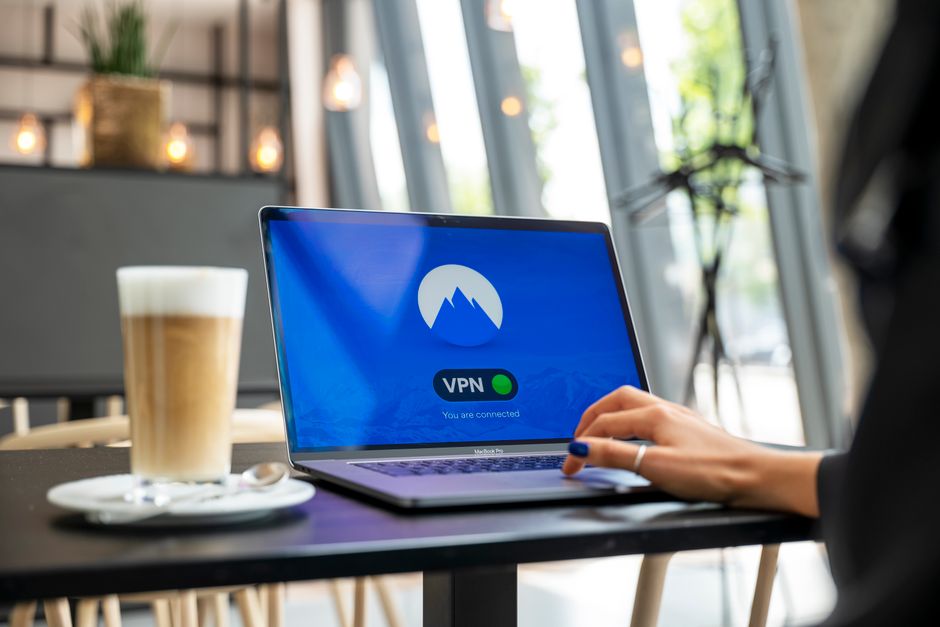
With your VPN installed and logged in, the next step is to choose the country whose Netflix library you wish to access. If you're looking for Japanese anime, select a server location in Japan. If you want British dramas, pick a server in the UK. Most VPN apps make this incredibly easy, often providing a search bar or a scrollable list of countries. Once you've selected your desired country, simply click the "Connect" button. The VPN client will then establish an encrypted connection to a server in that location, changing your IP address and making it appear as though you are browsing from that chosen country. You'll usually see a confirmation message or a change in the app's interface indicating that you are now connected and your traffic is secured. It's truly that simple to change your digital passport.
"The journey to global content is less about technical prowess and more about methodical execution. Each step, though simple, is crucial for seamless access." – Mark Thompson, Senior IT Consultant.
After connecting to the VPN server, it's a good practice to quickly verify your new IP address and location. You can do this by visiting a website like "whatismyipaddress.com" or "iplocation.net". These sites will display your current public IP address and its associated geographical location. If it matches the country you selected in your VPN app, you're good to go. This verification step is particularly useful if you encounter any issues, as it helps confirm that your VPN connection is actually working as intended. Once you've confirmed your virtual relocation, you're ready to open Netflix. It’s important to remember that this connection needs to be active *before* you launch your Netflix app or navigate to their website, ensuring that Netflix’s servers register your new virtual location from the very start of your session, preventing any potential detection issues.
Accessing Netflix and Clearing Digital Traces
Now for the moment of truth: open your Netflix application or navigate to netflix.com in your web browser. If your VPN connection is strong and Netflix hasn't blacklisted that specific server IP, you should immediately see the content library corresponding to your chosen VPN server location. You'll notice new titles on the homepage, different categories, and potentially even different language options for the interface. This visual change confirms that you have successfully unlocked a new Netflix library. Take a moment to browse, search for titles you know are exclusive to that region, and revel in the expanded selection. It’s a genuinely exciting experience to see the sheer volume of content that was previously hidden from your view, transforming your streaming habits and offering a truly global entertainment experience.
However, sometimes you might encounter a persistent issue, even after connecting your VPN: Netflix might still show you your original, local library, or worse, display the dreaded "proxy error" message. This often happens because Netflix has cached (stored) information about your previous location in your browser's cookies or app data. To fix this, you need to clear these digital traces. If you're using a web browser, go into your browser settings and clear your browser cache and cookies entirely. For mobile apps, you might need to go into your device's app settings, find the Netflix app, and clear its data and cache. After clearing these, close and reopen your browser or app, ensure your VPN is still connected to the desired server, and then try accessing Netflix again. This usually resolves most stubborn access issues, forcing Netflix to re-evaluate your location based on your VPN’s IP address.
Troubleshooting Common Roadblocks and Maintaining Access
Even with a premium VPN, you might occasionally run into a "proxy error." This is usually because Netflix has identified and blocked the specific IP address of the VPN server you're currently connected to. Don't panic! The solution is often simple: disconnect from the current VPN server and try connecting to a different server within the *same country*. Most premium VPNs have multiple servers in each major location, and only a fraction of them might be blacklisted at any given time. If that doesn't work, try a different server in an entirely different city within that country, or even a different country entirely if your goal is just to access *any* new library. It's a bit of trial and error, but with a good VPN, you'll usually find a working server quickly. Patience and persistence are key here, as the cat-and-mouse game is ongoing.
For those using smart TVs or streaming devices that don't natively support VPN apps, there are alternative solutions. One common method is to set up the VPN on your router. This way, any device connected to that router (including your smart TV, gaming console, or streaming stick) will automatically have its internet traffic routed through the VPN, effectively unlocking global Netflix access for all devices in your home network. This is a more advanced setup, usually requiring specific router firmware (like DD-WRT or OpenWRT) and some technical know-how, but many VPN providers offer detailed guides for this process. Another option is to use a Smart DNS service, sometimes offered by VPN providers, which changes your DNS settings to bypass geo-blocks without full encryption, offering faster speeds but less security. However, Smart DNS services are often more easily detected by Netflix than full VPNs, so a router-based VPN is generally the more robust solution for widespread home access, ensuring consistent, secure, and broad access to the world’s entertainment.