Forging Your Path to Digital Obscurity A Practical Blueprint
Having navigated the intricate landscape of digital footprints, understood the tenacious nature of online data, and acknowledged the limitations of complete erasure, it’s time to move from theory to action. The goal here isn't to vanish entirely into the digital ether – a feat that, as we’ve discussed, is largely impossible – but rather to significantly minimize your online presence, dismantle easily accessible personal data, and build robust defenses against future data collection. This isn’t a one-time magical spell but a strategic, ongoing process that requires patience, diligence, and a commitment to digital hygiene. Think of it as spring cleaning for your digital life, a systematic overhaul designed to reduce your visibility, enhance your privacy, and reclaim a significant degree of control over your personal information. It's about becoming a digital ghost, largely invisible to casual observers and much harder for malicious actors or data brokers to track.
This actionable blueprint will guide you through the essential steps, from identifying your scattered digital fragments to proactively safeguarding your future online interactions. It’s crucial to approach this task methodically, tackling the most impactful areas first and then working through the more obscure corners of your online past. Remember, every piece of data you successfully remove or lock down contributes to a more secure and private digital existence. While the initial effort might seem daunting, the peace of mind that comes with knowing you’ve significantly reduced your exposure to data breaches, identity theft, and unwanted surveillance is immeasurable. This journey towards digital obscurity is an empowering one, putting you back in the driver's seat of your online narrative, allowing you to curate what information about you remains accessible and to whom.
The process outlined here is designed to be comprehensive yet manageable, breaking down a seemingly overwhelming task into distinct, actionable phases. It will require some dedication, perhaps a few focused sessions over a couple of weeks, but the cumulative effect of these actions will be profound. We’ll start with the investigative work, then move into the active deletion and lockdown phases, and finally discuss the proactive measures necessary to maintain your newfound digital ghost status. Embrace this as an opportunity to reshape your relationship with technology, to be more intentional about your online interactions, and to build a digital life that truly serves your privacy and security needs, rather than continually exposing you to risks. Let's begin the transformation from a fully exposed digital citizen to a master of your own digital destiny.
The Initial Reconnaissance Mission Finding Your Digital Footprint
Before you can delete anything, you need to know what’s out there. This initial reconnaissance mission is arguably the most critical step, serving as your personal intelligence gathering operation. Start with the obvious: a thorough deep dive into search engines. Use Google, Bing, DuckDuckGo, and even lesser-known search engines to search for your full name, variations of your name (e.g., with middle initial, maiden name), your email addresses, your phone number, and any old usernames you might have used. Pay close attention to image results, news articles, academic papers, and any public records that might surface. This exercise often reveals surprising results, unearthing forgotten profiles, old forum posts, or mentions in local news reports that you had long since forgotten. Don't just skim the first page; dig deep into the results, often going five, ten, or even twenty pages in, as older, less prominent information tends to reside further back.
Next, leverage specialized tools and services designed to help you uncover your digital footprint. Websites like HaveIBeenPwned.com allow you to check if your email addresses or phone numbers have appeared in known data breaches, indicating where your data might have been exposed. There are also services, some free and some subscription-based, that specifically scan for your presence on data broker and people-finder sites. While we'll discuss directly confronting data brokers later, these initial scans can give you a crucial overview of the sheer volume of your data being traded. Furthermore, consider using tools that identify where your email address has been used to sign up for services. Many password managers now offer features that can scan for accounts linked to your email, providing a centralized list of services you've interacted with over the years, which is incredibly helpful for identifying dormant profiles.
Don't overlook the more subtle indicators of your online presence. Check your web browser’s saved passwords and autofill data; this can reveal a treasure trove of forgotten login credentials for websites you rarely visit. Review your old email accounts for sign-up confirmations from years past. Look through your photo albums, both digital and physical, for clues about places, events, or people that might link back to online content. This comprehensive approach ensures that you're not just tackling the low-hanging fruit but also uncovering the more obscure and persistent elements of your digital ghost. Document everything you find – compile a spreadsheet with account names, URLs, associated email addresses, and notes on whether the account is active, dormant, or requires deletion. This meticulous record-keeping will be invaluable as you move into the deletion phase, providing a clear roadmap for your digital purge.
Tackling Social Media and Online Accounts A Strategic Purge
With your reconnaissance complete and a comprehensive list of your online accounts in hand, it's time to embark on the strategic purge, starting with the most public and data-rich platforms: social media and other online services. Begin with your primary, active social media accounts (Facebook, Instagram, LinkedIn, X/Twitter, TikTok, etc.). Instead of immediately deleting, first download an archive of your data if the platform offers it. This ensures you retain a personal copy of your photos, posts, and messages before they are permanently removed. Then, meticulously review your privacy settings, tightening them to the absolute maximum. Restrict who can see your posts, photos, and personal information. Remove any third-party app integrations that might be accessing your data. Delete old, embarrassing, or privacy-compromising posts, photos, and comments, going back as far as you can. This careful sanitization reduces your immediate public exposure before you make any final deletion decisions.
For accounts you wish to delete entirely, navigate to the platform's settings. Look specifically for options like "Deactivate Account," "Delete Account," or "Close Account." Be aware that many platforms offer a deactivation option, which temporarily hides your profile but retains your data, allowing for easy reactivation. To truly delete, you must seek the permanent deletion option, which often comes with a grace period (e.g., 30 days) during which your account can still be recovered. During this grace period, resist the urge to log back in, as this might cancel the deletion process. For each account you delete, ensure you've first removed any associated payment methods and unsubscribed from all email notifications. This prevents lingering data or unwanted communications after the account is gone. Remember to also check for any profiles you might have on niche forums, dating sites, or online communities that you no longer use and apply the same deletion process.
When it comes to the vast number of forgotten e-commerce profiles, newsletter subscriptions, and other miscellaneous online accounts, a systematic approach is key. For each entry on your reconnaissance list, visit the website and attempt to log in. If you can access the account, look for a "Delete Account," "Close Account," or similar option in the settings. If no such option exists, look for a contact form or support email and send a polite but firm request for data deletion, citing any relevant privacy laws (like GDPR if applicable). For newsletters, always use the "unsubscribe" link at the bottom of the email, but be cautious of spammy links that might lead to further data collection. For particularly stubborn accounts or those where you can no longer access the login, consider using a service like DeleteMe or a similar privacy tool that can help automate deletion requests to various websites. This methodical approach, tackling each account one by one, is the most effective way to systematically dismantle your scattered digital presence and significantly reduce your data exposure.
Confronting Data Brokers and People-Finder Sites Sending Out the Disappearing Requests
Once you've addressed your active and dormant accounts, the next critical phase involves confronting the shadowy world of data brokers and people-finder sites. These are the entities that aggregate and sell your personal information, often without your explicit consent. This step is arguably the most tedious and frustrating, but it is absolutely essential for significantly reducing your digital footprint. Start by creating a list of the major data brokers and people-finder sites that are likely to have your information. Reputable lists are often available from privacy advocacy groups or cybersecurity experts, and some popular examples include WhitePages, Spokeo, BeenVerified, Intelius, and PeopleFinder.com. Your initial reconnaissance mission should have also identified some specific sites where your data appears. This is where your compiled spreadsheet from the reconnaissance phase becomes invaluable, as you'll be systematically working through each site.
For each data broker or people-finder site, you must navigate their specific opt-out process. These processes vary wildly and are often deliberately convoluted to discourage removal requests. Some sites have a dedicated "Do Not Sell My Info" or "Opt-Out" page, while others require you to fill out a form, send an email, or even mail a physical letter. Many will require you to provide proof of identity to verify that you are indeed the person requesting the removal, which can feel counterintuitive when trying to enhance privacy, but it's a necessary evil to prevent malicious actors from removing *your* data. Be prepared to provide a copy of your ID or other identifying information, but always redact sensitive details like your photo or driver's license number where possible. It's often a good practice to use a temporary, disposable email address for these requests to avoid further spam to your primary inbox.
After submitting an opt-out request, it's crucial to follow up. Many sites will confirm receipt, but the actual removal can take days or even weeks. Mark your calendar to check back after a reasonable period (e.g., 2-4 weeks) to verify that your information has indeed been removed. Unfortunately, some data brokers are persistent, and your data might reappear after a few months, requiring you to repeat the opt-out process. This is why confronting data brokers is an ongoing battle, not a one-time fix. Consider using a dedicated privacy service, like DeleteMe or Incogni, which specialize in automating these opt-out requests and continually monitoring for your data's reappearance. While these services come with a subscription fee, they can save an enormous amount of time and frustration, making a significant dent in your publicly available data and solidifying your status as a digital ghost. This relentless pursuit of data removal from these platforms is a cornerstone of true digital obscurity.
Securing Your Digital Future Proactive Measures for Lasting Privacy
Achieving digital obscurity isn’t just about deleting the past; it’s equally about proactively securing your future online interactions and preventing the regrowth of a sprawling digital footprint. This involves adopting a mindset of continuous privacy vigilance and implementing a suite of tools and habits that minimize data collection from the outset. One of the most fundamental steps is to cultivate exceptional password hygiene. Use strong, unique passwords for every single online account, generated and stored securely in a reputable password manager. Never reuse passwords, as a single data breach could compromise your entire digital life. Enable two-factor authentication (2FA) wherever possible, preferably using an authenticator app or a physical security key, rather than SMS, which can be vulnerable to SIM-swapping attacks. These simple but powerful measures create a robust first line of defense against unauthorized access to your newly streamlined online presence.
Beyond passwords, rethink your approach to email and online identity. Consider using email aliases or disposable email addresses for signing up for newsletters, free trials, or any service you don't intend to use long-term. Services like SimpleLogin or AnonAddy allow you to create unique email aliases that forward to your primary inbox, but can be easily deactivated if they start receiving spam or if the associated service is compromised. This compartmentalizes your online identity and prevents your primary email from becoming a target for spammers and hackers. When browsing, embrace privacy-focused web browsers like Brave or Firefox with enhanced tracking protection, and install robust ad-blockers and privacy extensions (e.g., uBlock Origin, Privacy Badger, Decentraleyes). These tools actively block third-party trackers, cookies, and intrusive advertisements that silently collect your browsing data, effectively severing many of the invisible threads that weave your digital profile.
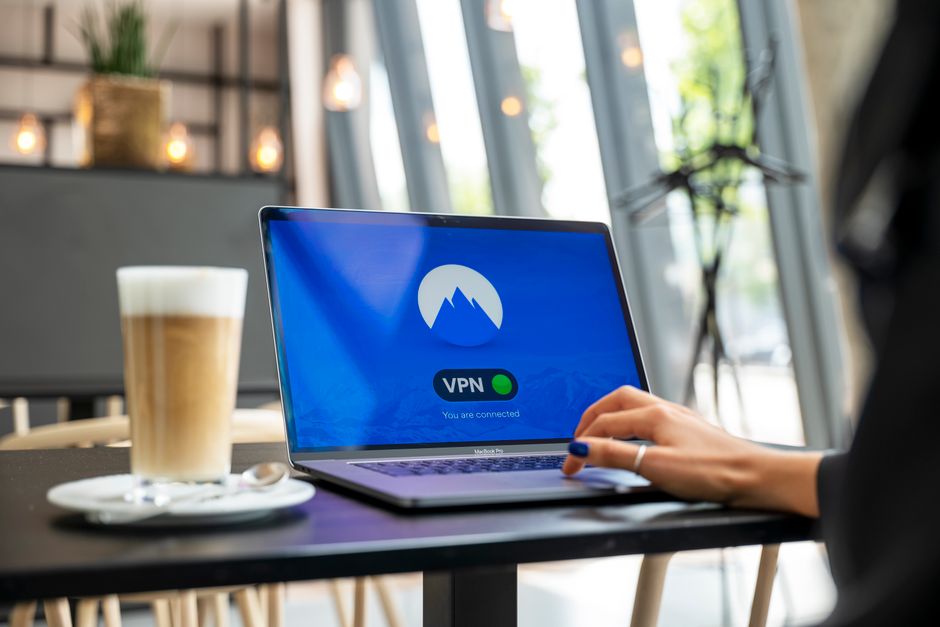
Finally, make informed choices about the services and devices you use. Opt for privacy-respecting alternatives whenever possible, whether it's a search engine that doesn't track your queries (like DuckDuckGo) or a messaging app with end-to-end encryption (like Signal). Be judicious about what information you share on new platforms and always review privacy policies before signing up. Regularly audit the permissions granted to apps on your smartphone and computer, revoking access to your camera, microphone, or location data if it's not strictly necessary for the app's functionality. And, of course, a high-quality Virtual Private Network (VPN) remains an indispensable tool for masking your IP address, encrypting your internet traffic, and preventing your ISP and other third parties from monitoring your online activities. By consistently implementing these proactive measures, you're not just cleaning up the past; you're actively building a more private and secure digital future, ensuring that your journey to becoming a digital ghost is a lasting transformation.