Continuing our journey through the digital minefield that is your smartphone, we arrive at settings that, while seemingly convenient, often lay out a welcome mat for unwanted digital guests. The allure of seamless connectivity and instant access frequently overrides our better judgment, creating vulnerabilities that are easily exploited by those with malicious intent. It’s a classic trade-off between convenience and security, and in the digital realm, convenience almost always wins by default, leaving us exposed.
The Invisible Hand of Auto-Connect Wi-Fi and Bluetooth
Imagine walking into a coffee shop, and without a single tap, your phone automatically connects to their public Wi-Fi. Or perhaps you're strolling through a mall, and your Bluetooth silently pairs with a nearby device. While incredibly convenient, this 'auto-connect' functionality for Wi-Fi and Bluetooth is a significant security risk, one that many users leave enabled without a second thought. It's akin to leaving your car doors unlocked in a busy parking lot, hoping no one notices. The digital world, unfortunately, is teeming with opportunists actively seeking out these open doors.
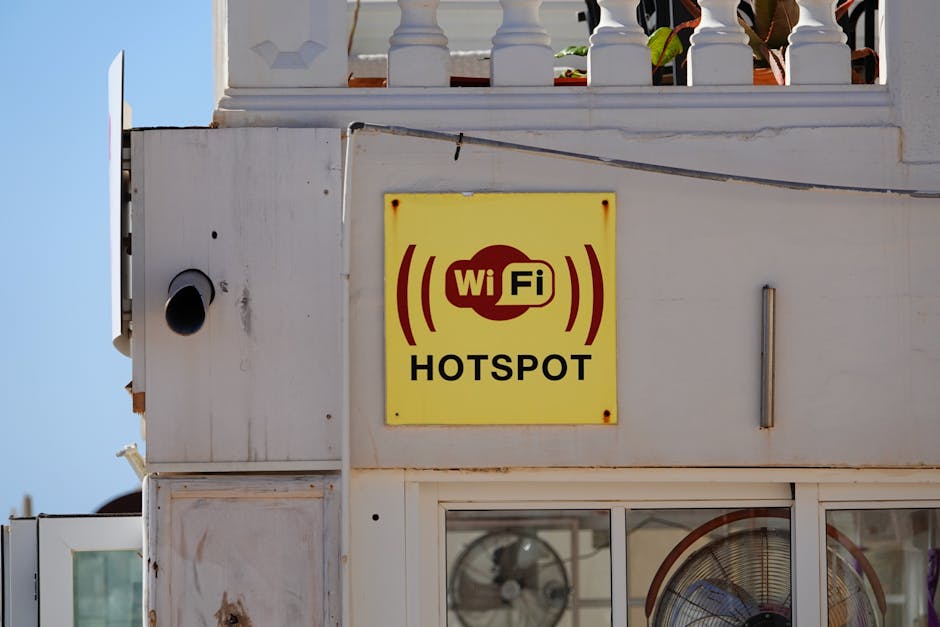
Public Wi-Fi networks, in particular, are notorious for their lack of security. Many are unencrypted, meaning any data you send or receive can be intercepted by anyone else on the same network. This is where 'man-in-the-middle' (MitM) attacks thrive. A hacker can set up a rogue Wi-Fi hotspot, often with a deceptive name like "Free Public Wi-Fi" or "Starbucks Guest," and your phone, set to auto-connect, will happily join it. Once connected, the hacker can monitor your traffic, steal your login credentials, inject malware into your device, or even redirect you to fake websites. I've personally seen cases where individuals lost significant sums of money or had their social media accounts hijacked because they unknowingly connected to a compromised public Wi-Fi network that their phone automatically joined. It's a silent, insidious threat that preys on our desire for constant connectivity.
Bluetooth's Hidden Dangers and Tracking Potential
Bluetooth, while generally considered safer than public Wi-Fi for data transfer between known devices, also poses risks when left constantly discoverable or set to auto-connect. Older Bluetooth versions had known vulnerabilities that allowed for data extraction or device control. Even with newer, more secure versions, leaving Bluetooth constantly on and discoverable can allow for tracking. Retailers and analytics companies are increasingly using Bluetooth beacons to track customer movements within stores, building profiles of their shopping habits. While not a direct hacking threat in the same vein as Wi-Fi, it's another layer of pervasive surveillance that erodes your privacy.
"The convenience of auto-connecting networks often comes at the steep price of your digital security. Always question what you're connecting to." - Sarah J. Miller, Digital Privacy Advocate.
The solution is straightforward: disable auto-connect for both Wi-Fi and Bluetooth. For Wi-Fi, manually select networks you trust and ensure they are password-protected. When using public Wi-Fi, always assume it's compromised and use a Virtual Private Network (VPN) for an encrypted tunnel. For Bluetooth, turn it off when not in use. If you need to pair with a new device, make it discoverable only for the brief period required for pairing, then switch it back to an undiscoverable state. This simple habit dramatically reduces your exposure to both direct attacks and passive tracking. It might add an extra tap or two to your routine, but that minor inconvenience is a small price to pay for safeguarding your sensitive information and preventing your phone from becoming an unwitting participant in a hacker’s scheme.
Lock Screen Notifications A Window into Your World
Your phone's lock screen is your first line of defense against unauthorized access, a digital bouncer keeping unwanted intruders out. Yet, many of us inadvertently compromise this critical barrier by allowing sensitive information to be displayed directly on the lock screen via notifications. Think about it: an email preview showing the subject line of a confidential work document, a text message containing a two-factor authentication code, or a banking alert detailing a recent transaction. All of this can be visible to anyone who glances at your phone, even if it's locked. It's like having a secure vault but leaving sticky notes with the combination pasted on the outside.
This vulnerability isn't just about curious onlookers. Imagine your phone is lost or stolen. A thief, even without unlocking your device, can glean an astonishing amount of information from your lock screen notifications. They could see who you're communicating with, what apps you use, and potentially even reset passwords if a password reset link or code appears in a notification. I recall a case where a journalist's phone was stolen, and the thieves, simply by observing lock screen notifications, were able to piece together enough information to social engineer their way into some of her less-secured online accounts, leading to further data breaches. It was a stark reminder that even seemingly innocuous bits of information, when combined, can form a powerful weapon in the hands of a determined attacker.
Protecting Your Digital First Impression
The good news is that both Android and iOS offer granular control over what appears on your lock screen. You can choose to hide sensitive content, show only the app icon, or disable lock screen notifications entirely for specific apps. For critical apps like banking, email, and messaging, it's highly advisable to choose the option that hides sensitive content. This means you'll still see that you have a new message or email, but the actual content will only be revealed once you've unlocked your phone. This simple adjustment preserves the utility of notifications while adding a crucial layer of privacy and security.
Beyond content visibility, consider which apps are allowed to send notifications to your lock screen at all. Does every single game or social media app need to constantly ping you with updates visible to the world? Probably not. Take a moment to review your notification settings on a per-app basis. Prioritize essential communications and silence or restrict the rest. This not only enhances your privacy but also reduces digital clutter and distraction. Your lock screen should be a secure, minimalist gateway to your digital life, not an open billboard advertising your personal information. Taking control of these settings is a fundamental step in ensuring that even when your phone is out of your immediate control, your private data remains just that – private.
Ad Tracking and Personalization Turning Off the Digital Stalker
We live in an age where every click, every search, and every purchase contributes to a vast, invisible profile being built about us. This relentless data collection, often justified as "personalization" or "improving user experience," is primarily driven by the advertising industry. While the ads themselves might seem harmless, the underlying mechanisms of ad tracking and profiling are deeply invasive and represent a significant privacy concern. Your phone, with its unique advertising identifier (Ad ID), is a primary tool in this surveillance ecosystem, constantly broadcasting your preferences and behaviors to a multitude of data brokers and advertisers.
This isn't just about seeing ads for that pair of shoes you briefly looked at online. It's about companies knowing your income bracket, your political leanings, your health concerns, your relationships, and even your mood, all derived from your digital footprint. This data is then used to manipulate your purchasing decisions, influence your opinions, and even determine opportunities you're offered. A 2023 report from the Norwegian Consumer Council highlighted how pervasive and opaque this tracking is, showing how numerous apps share user data with hundreds of third parties, often without explicit consent or clear understanding from the user. It’s a digital stalker that knows more about you than many of your closest friends, and it operates silently in the background of your smartphone experience.
Reclaiming Your Digital Anonymity
Fortunately, both Android and iOS provide mechanisms to limit this pervasive tracking, though they are often buried deep within the settings. The most critical step is to reset your advertising identifier (Ad ID) and then restrict ad tracking. Resetting your Ad ID is like getting a fresh set of digital fingerprints; it severs the link between your past browsing history and your future activity, at least for a while. Then, by enabling "Limit Ad Tracking" on iOS or "Opt out of Ads Personalization" on Android, you signal to advertisers that you prefer not to be tracked across apps and websites for targeted advertising purposes. While this won't eliminate ads entirely, it significantly reduces the ability of ad networks to build a comprehensive profile of your activities.
"Your advertising ID is a unique key to your digital identity. Resetting it periodically is like changing the locks on your digital front door." - Privacy Advocate, M. Chen.
Beyond these primary settings, take the time to review the privacy settings within individual apps, especially social media platforms and shopping apps. Many of these have their own internal tracking mechanisms and data-sharing agreements that go beyond your phone’s system-wide settings. Look for options to disable activity tracking, personalized ads, and data sharing with third parties. It’s an ongoing battle, as companies constantly find new ways to collect data, but by regularly auditing these settings and adopting a skeptical approach to anything that promises "personalized experiences," you can significantly reclaim your digital anonymity. Remember, your data is valuable, and you have the right to control who profits from it and how it's used.