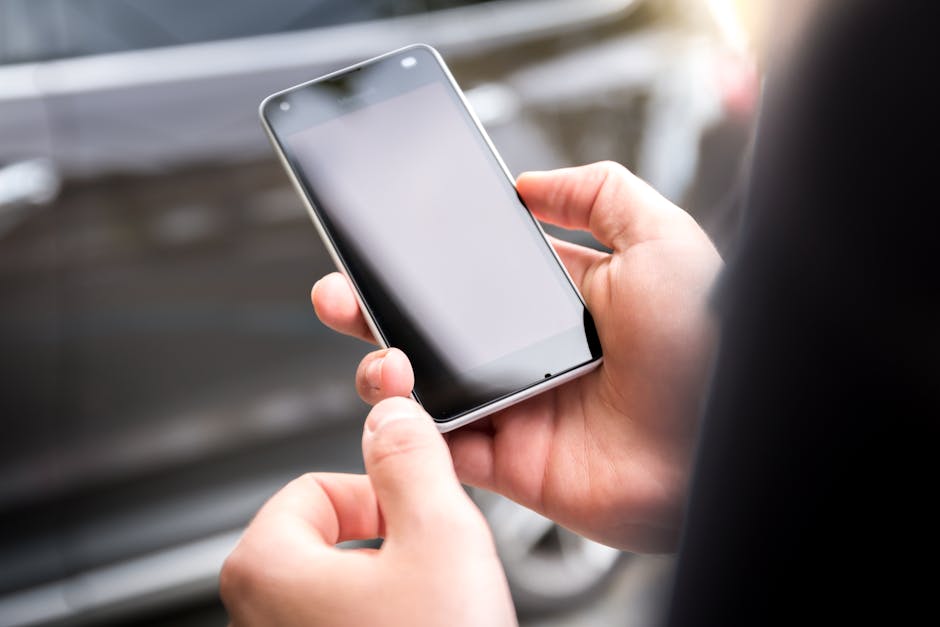
The insidious aspect of this data collection, particularly through the microphone, is how it subtly alters our behavior. When you suspect your phone might be listening, you might unconsciously censor yourself, avoid certain topics, or even hesitate to express personal thoughts aloud in your own home. This phenomenon, known as the "chilling effect," has profound implications for freedom of expression and personal autonomy. Our private spaces, which were once sanctuaries for uninhibited thought and conversation, become extensions of the public sphere, subject to algorithmic scrutiny and commercial exploitation. This isn't just about what companies *can* do with our data; it's about how the mere *possibility* of surveillance changes who we are and how we interact with the world around us. The casual nature of granting permissions, the constant exposure to targeted ads, and the unsettling feeling of being understood in ways we didn't explicitly reveal, collectively contribute to a societal shift where privacy is no longer a given, but a luxury, and often, an illusion.
Moreover, the concept of "anonymized data" is often a misnomer, especially when dealing with such a rich data source as spoken words. While companies may claim to strip identifying information from audio snippets, sophisticated de-anonymization techniques can often link seemingly anonymous data back to individuals, especially when combined with other data points already collected about them. Your voice itself, with its unique inflections, accents, and speech patterns, can be a biometric identifier. The context of your conversations, the unique sounds of your home environment, and the specific names or places you mention can all serve as digital breadcrumbs that lead back to your identity. Therefore, relying on claims of "anonymity" when it comes to microphone data is a precarious gamble, one that places significant trust in the intentions and capabilities of companies whose primary business model is built on identifying and profiling you. The promise of privacy through anonymization often crumbles under the weight of advanced analytics and the sheer volume of data available to modern corporations.
Reclaiming Your Digital Silence A Practical Guide to Protecting Your Auditory Privacy
Now that we've delved into the deep, unsettling reality of how your phone's microphone can be leveraged for pervasive data collection, it's time to talk about actionable steps. This isn't about fostering paranoia but empowering you with the knowledge and tools to reclaim a significant portion of your digital privacy. Deleting specific apps is a powerful first step, but a comprehensive approach involves understanding your device's settings, adopting healthier digital habits, and continuously scrutinizing the permissions you grant. It's an ongoing process, not a one-time fix, but every step you take makes a tangible difference in limiting your exposure to unwanted surveillance and data harvesting.
The First Line of Defense Deleting the Prime Suspects
Based on the categories we've explored, the first and most direct action you can take is to identify and remove applications that fall into these high-risk groups. This isn't about naming specific apps, as the landscape constantly changes, but about recognizing the *types* of apps that pose the greatest threat to your auditory privacy. If an app's core functionality doesn't logically require microphone access, yet it requests it, that's an immediate red flag. Begin with a thorough audit of your installed applications.
- Review Your Voice Assistants: If you use "Hey Siri," "Okay Google," or other voice activation features, understand that they keep your microphone active. Consider whether the convenience outweighs the privacy implications. To disable these features:
- On iOS: Go to Settings > Siri & Search, then toggle off "Listen for 'Hey Siri'" and "Press Side Button for Siri."
- On Android: Open the Google app, tap your profile picture > Settings > Google Assistant > General, then toggle off "Hey Google" and "Voice Match."
- Scrutinize Social Media and Messaging Apps: While essential for many, some social media apps are notorious for their data hunger.
- Go to your phone's app permissions settings:
- On iOS: Settings > Privacy & Security > Microphone. Review the list of apps with microphone access.
- On Android: Settings > Apps > App permissions > Microphone. Again, review the list.
- Disable microphone access for any social media or messaging app that doesn't *absolutely* need it for its primary function. For example, if you never send voice messages or make video calls on a specific platform, revoke its microphone permission. Be aware that this might impact certain features, but it's a trade-off for privacy.
- Consider deleting apps that you rarely use but still hold significant permissions. If you only check a social media app once a month, is it worth the constant background data risk?
- Go to your phone's app permissions settings:
- Eliminate Suspicious Utility and "Free" Games: This is where you need to be most ruthless.
- Identify any flashlight apps, QR code scanners, battery savers, weather apps, custom keyboard apps, or simple games that demand microphone access. There is almost never a legitimate reason for these apps to have this permission.
- Immediately delete these apps. Do not just revoke permissions; often, these apps are designed to be data vacuums, and simply uninstalling them is the safest bet. Replace them with trusted, open-source alternatives or system-level features if available. For example, most modern phones have built-in flashlight and QR scanner functions that don't require extensive permissions.
Beyond Deletion Mastering Your Device's Privacy Settings
Deleting apps is a fantastic start, but protecting your privacy is an ongoing commitment to managing your device's settings. Your smartphone's operating system offers powerful privacy controls that, when properly configured, can significantly reduce your exposure to unwanted data collection, even from legitimate apps. It's about taking control back from the default settings that often prioritize convenience and data sharing over your personal boundaries. Think of it as meticulously locking down your digital home, ensuring that only authorized guests have access to specific rooms, and only when you explicitly invite them in. This proactive approach is far more effective than simply reacting to privacy breaches or feeling the creeping unease of algorithmic predictions.
- Granular Permission Management: Regularly review and adjust all app permissions, not just the microphone.
- On iOS: Settings > Privacy & Security. Here you'll find categories like Location Services, Contacts, Calendars, Photos, Microphone, Camera, etc. Tap into each one and review which apps have access. If an app has access to something it doesn't need, toggle it off.
- On Android: Settings > Apps > See all apps. Tap on each app, then "Permissions." Review and revoke any unnecessary permissions. Android also offers a "Permission Manager" (Settings > Privacy > Permission Manager) that lets you see all apps with access to a specific permission (e.g., Microphone) in one place, making it easier to audit.
- Pay special attention to "Always Allow" location access. Many apps don't need your precise location constantly. Opt for "Allow while using app" or "Ask next time" whenever possible.
- Disable Ad Personalization: While it won't stop data collection entirely, it can limit how that data is used to target you.
- On iOS: Settings > Privacy & Security > Apple Advertising, then toggle off "Personalized Ads." You can also reset your Advertising Identifier here.
- On Android: Settings > Google > Ads, then toggle on "Opt out of Ads Personalization." You can also reset your Advertising ID.
- Review Background App Refresh (iOS) / Background Data Usage (Android): Limit apps from running and collecting data when not actively in use.
- On iOS: Settings > General > Background App Refresh. Toggle off apps that don't need to update in the background.
- On Android: Settings > Network & internet > Internet > App data usage. You can restrict background data for individual apps.
- Regularly Update Your Operating System and Apps: Updates often include critical security patches and privacy enhancements. Keeping your software current is a fundamental aspect of digital hygiene.
- Use a Virtual Private Network (VPN): A reputable VPN encrypts your internet traffic, masking your IP address and making it much harder for third parties (including your ISP and some apps) to track your online activities. While a VPN won't stop an app from accessing your phone's microphone, it adds a crucial layer of privacy to your overall internet usage, making it harder to correlate your online behavior with any inferred audio data. Choose a VPN provider with a strong no-logs policy and a proven track record of security.
Cultivating a Privacy-First Mindset Your Ongoing Defense Strategy
Ultimately, protecting your auditory privacy, and indeed your overall digital privacy, is about cultivating a privacy-first mindset. It's about being perpetually skeptical, asking critical questions, and making conscious choices about the technology you invite into your life. The digital world is constantly evolving, and so too must our approach to safeguarding our personal information. This isn't a one-time task; it's an ongoing commitment to digital literacy and personal empowerment. It’s about recognizing that every "free" service comes with a cost, and often, that cost is your data, your attention, and your privacy. By adopting a more discerning approach, you can significantly reduce your digital footprint and create a more secure, private, and ultimately, more autonomous online experience.
- Read App Reviews (with a grain of salt): Before downloading a new app, check recent reviews. Look for mentions of excessive permissions, aggressive ads, or suspicious behavior. However, be aware that reviews can be manipulated.
- Choose Paid Apps Over Free (when appropriate): If an app offers a paid version or a reputable paid alternative, consider it. Apps that rely on subscriptions or one-time purchases often have less incentive to monetize your data, as their revenue comes directly from you, the customer.
- Be Wary of "Too Good to Be True" Offers: If an app promises an incredible service for free, be skeptical. Ask yourself how the developers are making money. If it's not immediately obvious, it's likely through data collection and monetization.
- Educate Yourself Continuously: Stay informed about the latest privacy threats, data breaches, and best practices. Follow reputable cybersecurity news sources and privacy advocates. The more you know, the better equipped you are to protect yourself.
- Use Privacy-Focused Browsers and Search Engines: Opt for browsers like Brave or Firefox with enhanced tracking protection, and search engines like DuckDuckGo that don't track your searches. This helps reduce the data trail you leave online, making it harder to build comprehensive profiles that could be linked to microphone-derived insights.
- Consider a "Burner" Phone for High-Risk Activities: For those with extreme privacy concerns or who engage in sensitive work, maintaining a secondary, minimal-app "burner" phone can offer an additional layer of separation and security for critical communications or activities.
- Practice Digital Minimalism: Regularly audit your apps and digital services. If you haven't used an app in months, delete it. The fewer apps you have, the fewer potential data collection points exist on your device. This isn't just about security; it's about decluttering your digital life and reducing cognitive overload.
The journey to reclaiming your digital silence is a continuous one, filled with small, deliberate choices that collectively empower you. It's about recognizing that your phone, while a tool of immense convenience, also carries the potential for profound privacy invasion. By taking concrete steps to manage your apps, configure your settings, and cultivate a vigilant mindset, you can significantly reduce the unseen ears in your pocket, ensuring that your private conversations remain just that: private. Your digital autonomy is a right worth fighting for, and the power to protect it lies, ultimately, in your own hands.