You’ve understood the 'why' and the 'how' behind using a VPN for Netflix, and you’ve even got a good handle on what makes a premium VPN stand out in this crowded market. Now, it’s time to move from theory to practice, to turn that knowledge into tangible action. This final section is your step-by-step blueprint, a practical guide to transforming your Netflix experience from geographically constrained to globally boundless. I’ve walked countless users through this process, and while it might seem daunting at first, with the right guidance, it’s remarkably straightforward. Think of it as acquiring your digital passport, ready to explore the vast, untapped libraries of Netflix from around the world.
Your Passport to Limitless Netflix Streaming A Step-by-Step Guide
The very first step in this exciting journey is to choose a VPN provider that truly delivers. As we’ve discussed, not all VPNs are created equal, especially when it comes to Netflix. Prioritize providers known for their strong unblocking capabilities, fast speeds, extensive server networks, and excellent customer support. My personal experience and extensive testing consistently point towards a handful of top-tier services that invest heavily in the infrastructure and ongoing battle against Netflix’s geo-blocks. Once you’ve made your choice, head over to their official website and sign up for a subscription. Most reputable VPNs offer various plans, often with discounts for longer commitments, and crucially, a money-back guarantee. This guarantee is your safety net, allowing you to test the service thoroughly with Netflix and get a full refund if it doesn't meet your expectations within a specified period, typically 30 days. Don’t skip this part; it’s a crucial assurance of quality and performance.
With your subscription secured, the next phase involves installing the VPN software on your chosen device. Reputable VPNs offer intuitive, dedicated applications for a wide range of platforms: Windows, macOS, Android, iOS, and even Linux. Simply download the appropriate app from the provider’s website or your device’s official app store. The installation process is usually very straightforward, guided by on-screen prompts. Once installed, launch the application and log in using the credentials you created during signup. For those looking to stream on devices like smart TVs, gaming consoles, or streaming sticks that don't natively support VPN apps, the solution often lies in installing the VPN directly on your home router. This setup, while a bit more technical, allows every device connected to that router to benefit from the VPN connection, effectively making your entire home network geo-unlocked. Many VPN providers offer detailed guides for router installation, and their customer support can be invaluable if you encounter any difficulties.
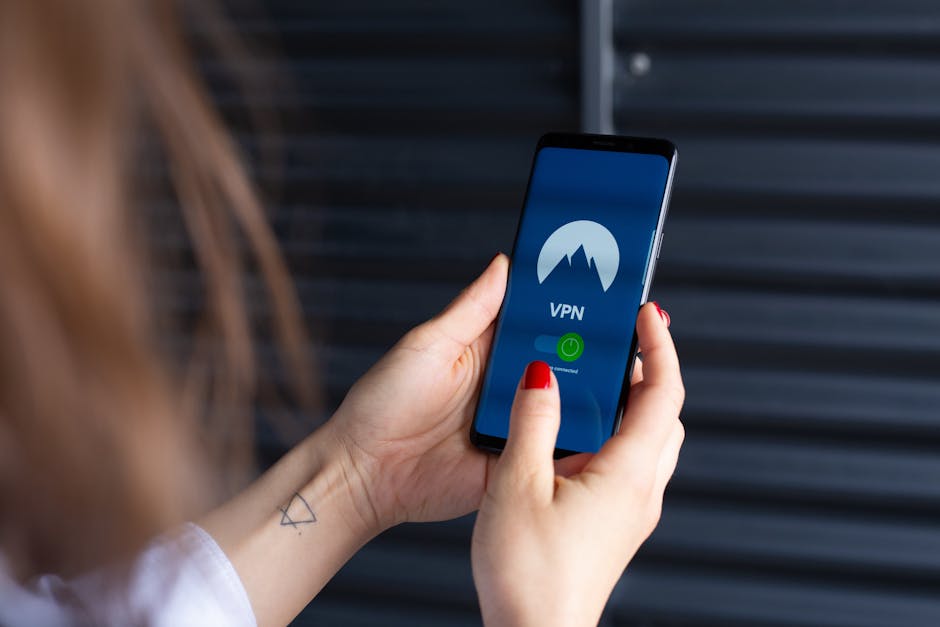
Now comes the fun part: connecting to a server in your desired country. Open your VPN application, and you'll typically see a list of countries or servers. If you're aiming for the vast US Netflix library, select a server location within the United States. If you're chasing the unique anime collection of Netflix Japan, pick a Japanese server. Click the "Connect" button, and within moments, your device will establish a secure, encrypted connection to that server, assigning you a new IP address from that region. It’s often a good practice to choose a server that is geographically closer to you within the target country to minimize latency and maximize speed, though modern VPNs are so optimized that this often isn't a major concern. Once connected, your VPN app will usually confirm your new virtual location, giving you the green light to proceed to Netflix.
Troubleshooting Tips for Uninterrupted Binge-Watching
Even with the best VPN, occasionally Netflix might still detect your connection and present that familiar proxy error. Don’t panic; this is a common occurrence in the ongoing cat-and-mouse game, and there are several reliable troubleshooting steps you can take. The first and simplest solution is often to disconnect from your current VPN server and try connecting to a different server within the same country. VPN providers constantly rotate their IP addresses and optimize specific servers for streaming, so switching can often resolve the issue immediately. Sometimes, a particular server might have been recently flagged by Netflix, and another one will work perfectly. It’s a bit like trying different keys on a stubborn lock until you find the one that fits.
Another crucial step is to clear your browser’s cache and cookies, or if you’re using the Netflix app, clear its app data. Netflix uses cookies and cached data to store information about your previous sessions, including your real geographical location. If these old cookies are present, they can sometimes override your VPN’s efforts to mask your location, leading to detection. After clearing your cache and cookies, or app data, restart your browser or the Netflix app, and then try connecting to your chosen VPN server again. For mobile users, simply force-closing the Netflix app and reopening it after connecting the VPN can often do the trick. This ensures that Netflix is forced to re-evaluate your connection based solely on your VPN-assigned IP address, giving you a fresh start.
If those steps don't work, consider checking your VPN's settings or contacting their customer support. Some VPNs offer different connection protocols (e.g., OpenVPN, WireGuard, IKEv2), and switching protocols can sometimes bypass detection. Your VPN provider’s support team is a valuable resource; they often have up-to-date information on which specific servers are currently working best for Netflix in various regions. They can guide you through advanced settings or suggest alternative connection methods. In my experience, a VPN service with responsive 24/7 live chat support is invaluable for quickly resolving these intermittent issues, ensuring your binge-watching marathon isn't cut short by technical glitches. Remember, the goal is uninterrupted access, and a little troubleshooting knowledge goes a long way in achieving that.
Beyond Netflix The Broader Horizon of VPN Benefits
While unlocking Netflix is a fantastic perk, it's essential to remember that a premium VPN offers a wealth of other benefits that extend far beyond streaming. In an age of increasing digital surveillance and cyber threats, a VPN is a foundational tool for enhancing your online privacy and security. By encrypting your internet traffic, it protects your sensitive data from hackers, especially when you're connected to unsecured public Wi-Fi networks in cafes, airports, or hotels. This encryption makes it virtually impossible for anyone to snoop on your online activities, from banking transactions to private conversations, providing a crucial layer of anonymity in an increasingly transparent digital world.
Furthermore, a VPN can be an invaluable asset for bypassing censorship and accessing a truly open internet. In countries with restrictive internet policies, a VPN can circumvent government firewalls, allowing citizens to access blocked websites, social media platforms, and news sources that would otherwise be inaccessible. For journalists, activists, or anyone living under oppressive regimes, a VPN can be a lifeline, enabling free expression and access to uncensored information. It also provides a secure channel for peer-to-peer file sharing (torrenting), protecting users from potential legal repercussions or monitoring by their ISPs. These broader applications underscore that a VPN is not just a tool for entertainment; it’s a powerful defender of digital rights and freedoms, offering a comprehensive solution for a safer, more private, and unrestricted online experience.
Ultimately, taking control of your Netflix experience through a VPN is about more than just watching a show; it’s about asserting your digital autonomy. It's about recognizing that in a world where content is global but access is localized, you have the tools to bridge that gap. The landscape of streaming and geo-restrictions will undoubtedly continue to evolve, with new challenges and solutions emerging all the time. But by equipping yourself with a reliable VPN and understanding how to effectively wield it, you empower yourself to navigate these digital currents, ensuring that your access to the world’s entertainment remains boundless. So go ahead, choose your champion VPN, connect to a faraway land, and immerse yourself in the rich tapestry of stories that await you, unhindered by artificial borders. Your global streaming adventure truly begins now.