We've deconstructed the myth of Incognito Mode, explored the myriad ways our digital activities are tracked, and introduced the essential tools and advanced techniques for reclaiming our online privacy. Now, it's time to put theory into practice. This isn't just about understanding concepts; it's about making tangible changes to your digital habits and configurations. Think of this as your personal blueprint, a comprehensive, step-by-step guide to transforming your online presence from a transparent glass house into a robust, opaque fortress. There’s no single magic bullet for anonymity, but by diligently applying these steps, you can significantly reduce your digital footprint and browse with a newfound sense of security and freedom.
Your Blueprint for a Ghostly Digital Footprint
Embarking on the journey to true online anonymity can feel daunting at first, especially with the sheer volume of information and tools available. However, by breaking it down into manageable, actionable steps, you'll find that it's entirely achievable. This isn't about becoming a cyber-ghost overnight, but rather about incrementally building layers of protection that collectively make you exceptionally difficult to track. Remember, the goal isn't necessarily to become completely untraceable – that's a level of operational security few can realistically maintain – but to raise the bar significantly, making it economically or practically unfeasible for most entities to monitor your every move. It's about taking back control of your data and your digital identity.
This guide is designed to be practical, focusing on the most impactful changes you can implement immediately. We’ll move from foundational network-level protections to browser hardening, secure communication, and a crucial shift in your overall digital mindset. Each step builds upon the last, creating a synergistic effect that amplifies your privacy. So, take a deep breath, perhaps grab a cup of coffee, and let's begin the process of making your online life genuinely private, leaving the illusion of Incognito Mode far behind.
Establishing Your Secure Network Tunnel Choosing and Configuring a Reputable No-Logs VPN
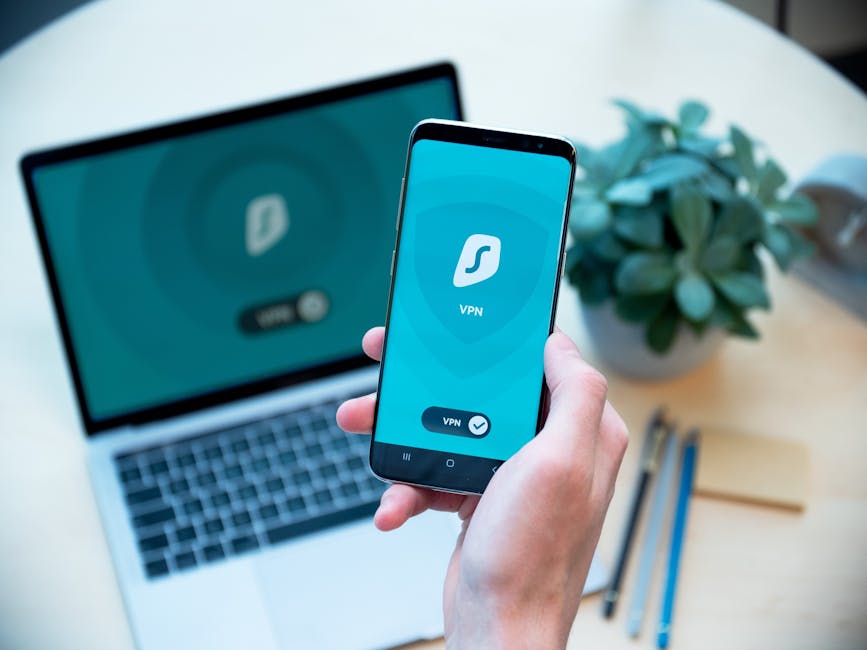
The very first and most critical step in your anonymity journey is to secure your internet connection at its source. This means investing in and properly configuring a high-quality Virtual Private Network. Do not skimp on this; a cheap or free VPN often comes with hidden costs to your privacy. Your VPN provider will be your first line of defense, and you need to trust them explicitly not to log your activities.
- Research and Select a Premium No-Logs VPN:
- Look for providers with a proven track record of upholding no-logs policies, ideally backed by independent third-party audits. Jurisdictions outside of the 5/9/14 Eyes alliances are generally preferable.
- Prioritize features like AES-256 encryption, modern protocols (OpenVPN, WireGuard), and a robust kill switch.
- Popular and reputable choices often include ExpressVPN, NordVPN, ProtonVPN, and Mullvad. Spend time reading unbiased reviews from trusted cybersecurity sources, not just affiliate sites.
- Install and Configure the VPN Application:
- Download the VPN client directly from the provider's official website. Avoid third-party app stores or sketchy download sites.
- Once installed, navigate to the settings. The first thing you should do is activate the kill switch. This essential feature will automatically cut off your internet connection if the VPN drops, preventing your real IP address from being exposed even for a moment.
- Enable DNS leak protection, if it's not on by default. This ensures that your DNS requests are routed through the VPN, preventing your ISP from seeing what websites you're trying to reach.
- Choose a server location. For general browsing, a server close to your physical location will offer better speeds. For anonymity, a server in a privacy-friendly country is often preferred, but remember the VPN itself is doing the heavy lifting of masking your IP.
- Always Connect Before Browsing:
- Make it a habit to launch your VPN and connect to a server *before* you even open your web browser or any other internet-connected application. This ensures all your traffic from the outset is protected.
- Verify your connection: Use a tool like
ipleak.netordnsleaktest.comto confirm that your IP address has changed and that there are no DNS leaks. Do this regularly, especially after software updates.
Embracing the Onion for Sensitive Activities Using the Tor Browser
While your VPN provides a strong foundation for everyday privacy, for activities demanding the highest level of anonymity – such as sensitive research, circumventing heavy censorship, or communicating in high-risk environments – the Tor Browser is indispensable. It's not for speed, but for unparalleled obscurity.
- Download and Install the Official Tor Browser:
- Only download Tor Browser from its official source:
torproject.org. Any other source could be malicious. - Tor Browser is a modified version of Firefox, pre-configured with the necessary settings to connect to the Tor network. It's a standalone application, so you don't need to configure your regular browser.
- Only download Tor Browser from its official source:
- Understand How to Use Tor Effectively:
- Launch the Tor Browser. It will automatically connect to the Tor network. Wait for it to establish a connection.
- Do NOT torrent over Tor. Tor is not designed for large file transfers and doing so significantly slows down the entire network for everyone. Furthermore, it can expose your real IP address due to how torrent protocols work.
- Avoid logging into personal accounts: While using Tor provides anonymity, logging into accounts linked to your real identity (like Gmail or Facebook) will immediately de-anonymize your session. If you need anonymous accounts, create them while using Tor and use privacy-focused email services.
- Always use HTTPS: Ensure the websites you visit are using HTTPS (you'll see a padlock icon in the address bar). While Tor encrypts traffic within its network, the connection between the exit node and the destination website is unencrypted if it's an HTTP site.
- Consider "Tor over VPN" for Enhanced Security:
- For maximum anonymity, first connect to your VPN, and *then* launch the Tor Browser. This adds an additional layer, hiding your Tor usage from your ISP and providing another obfuscation point between your real IP and the Tor network.
Fortifying Your Everyday Browser Privacy Extensions and Settings
Even with a VPN and Tor in your arsenal, your regular browser can still be a privacy weak link if not properly configured. This step focuses on turning your daily browser (preferably Firefox or Brave) into a privacy powerhouse.
- Install Essential Privacy Extensions:
- uBlock Origin: Install this first. Go into its settings and enable additional filter lists (e.g., "Fanboy's Annoyance List," "EasyList Cookie").
- Privacy Badger: Let it run in the background; it automatically learns and blocks trackers.
- HTTPS Everywhere: Ensure you're always connecting securely.
- Decentraleyes: Prevent tracking via CDNs.
- (Optional, for advanced users) NoScript: Exercise granular control over scripts, but be prepared for some website breakage.
- Tweak Browser Settings for Maximum Privacy:
- Disable Third-Party Cookies: In your browser settings (e.g., Firefox's "Privacy & Security"), set it to block all third-party cookies. This significantly cripples cross-site tracking.
- Enable Enhanced Tracking Protection (Firefox) or Brave Shields: Set these to their strictest levels.
- Change Default Search Engine: Switch from Google to DuckDuckGo (
duckduckgo.com) or Startpage (startpage.com). These search engines do not track your queries or build user profiles. - Disable WebRTC: WebRTC can sometimes leak your real IP address even when using a VPN. Search for "WebRTC leak test" and, if necessary, look for browser extensions or about:config tweaks to disable it.
- Consider Browser Fingerprinting Protection: Some browsers and extensions (like CanvasBlocker for Firefox) attempt to mitigate browser fingerprinting, a technique where websites identify you based on unique characteristics of your browser and device.
Rethinking Your Digital Habits Secure Communication and Data Minimization
Technology alone isn't enough; your habits play a massive role in your overall privacy posture. This involves conscious choices about how you communicate and how much data you willingly share.
- Adopt Secure Email and Messaging:
- Email: Migrate to privacy-focused email providers like ProtonMail (
protonmail.com) or Tutanota (tutanota.com). They offer end-to-end encryption and strong privacy policies. - Messaging: Switch to Signal (
signal.org) for all your private messaging. It's open-source, end-to-end encrypted, and widely respected for its security. Encourage your friends and family to join you.
- Email: Migrate to privacy-focused email providers like ProtonMail (
- Minimize Data Sharing and Use Strong Passwords:
- The Principle of Least Privilege: Only share the absolute minimum amount of personal information required for any online service. If a field is optional, leave it blank.
- Strong, Unique Passwords: Use a reputable password manager (e.g., Bitwarden, KeePassXC) to generate and store complex, unique passwords for every single online account. Enable two-factor authentication (2FA) wherever possible, preferably using an authenticator app (like Authy or Google Authenticator) rather than SMS.
- Be Wary of Social Media: Understand that social media platforms are massive data collection engines. Limit your time, restrict privacy settings, and be extremely cautious about what personal information, photos, or location data you share.
- Regularly Review and Update:
- Software Updates: Always keep your operating system, browser, VPN client, and all applications updated. Updates often contain critical security patches that protect against new vulnerabilities.
- Privacy Settings Review: Periodically revisit the privacy settings of your social media accounts, Google accounts, and other online services. Companies often change their default settings, potentially eroding your privacy over time.
The Continuous Journey of Privacy A Mindset Shift
Achieving and maintaining true online anonymity is not a destination; it's an ongoing process, a continuous commitment. The digital world is dynamic, with new threats and technologies emerging constantly. Your journey towards a ghostly digital footprint is about cultivating a privacy-first mindset, one that questions default settings, scrutinizes requests for data, and actively seeks out privacy-enhancing alternatives. It's about taking back agency in a world that often seems designed to strip it away.
Stay informed about current cybersecurity news, new privacy tools, and emerging threats. Read blogs from reputable privacy advocates and cybersecurity experts. Engage with communities that prioritize digital rights. Your digital freedom is a precious commodity, and like any valuable asset, it requires vigilance, maintenance, and a proactive approach to protection. By diligently following these steps and adopting a privacy-conscious mindset, you can move far beyond the superficial illusion of Incognito Mode and truly carve out a space for genuine anonymity in the vast, interconnected expanse of the internet.