Forging an Impenetrable Shield with Passwords and 2FA
In the vast and often treacherous landscape of the internet, your passwords serve as the primary keys to your digital kingdom. Yet, for far too long, many of us have treated them with a casual disregard, opting for easily memorable phrases, reusing the same password across multiple sites, or jotting them down on sticky notes. This lax approach is a gaping vulnerability, an open invitation for opportunistic hackers and sophisticated cybercriminals. A single compromised password, especially if it's reused, can unlock a cascade of accounts – your email, banking, social media, online shopping – granting attackers access to your most sensitive personal and financial information. The consequences range from embarrassing social media hacks to devastating identity theft and significant financial loss. It's a fundamental truth of cybersecurity: strong, unique passwords are not merely a suggestion; they are the bedrock of your online defense, the first line of protection against an ever-present threat.
The problem is exacerbated by the sheer number of online accounts the average person maintains. Reports suggest that individuals typically have dozens, if not hundreds, of online logins. Remembering a strong, unique password for each of these accounts is a Herculean task, bordering on impossible for the human brain. This cognitive burden often leads to the aforementioned bad habits, creating a vicious cycle of vulnerability. Furthermore, the threat landscape is constantly evolving. Brute-force attacks, phishing schemes, and credential stuffing operations are routine occurrences, with vast databases of stolen passwords circulating on the dark web. If even one of your passwords has ever been exposed in a data breach, and you've reused it elsewhere, you are at severe risk. It's a stark reality that demands a fundamental shift in how we manage our digital identities, moving away from relying on memory and towards robust, automated solutions.
The Myth of the 'Strong Memorable Password' and Why Uniqueness Reigns Supreme
For years, conventional wisdom dictated that a strong password should be a complex alphanumeric string, filled with symbols and uppercase letters, but also "memorable." This often led to people creating variations of the same password, like "Password123!" or "MyDogSparky#1." While these might seem strong in isolation, they are incredibly vulnerable to modern hacking techniques. Dictionary attacks, where hackers use lists of common words and phrases, can quickly crack such passwords. More importantly, the concept of "memorable" often clashes with "unique." The absolute golden rule of password security is this: every single online account must have a unique, randomly generated password. This is non-negotiable.
Why is uniqueness so critical? Because of a common attack method called "credential stuffing." When a major website suffers a data breach, and millions of usernames and passwords are leaked, hackers don't just use those credentials on the original site. They automate attempts to log in to thousands of other popular websites (email providers, banking sites, social media platforms) using the same stolen username/password combinations. If you've reused a password, even a strong one, across multiple sites, a single breach can compromise your entire digital life. Conversely, if every password is unique, a breach on one site remains isolated, preventing a domino effect. This principle is arguably more important than complexity itself. A truly random, unique 12-character password is exponentially more secure than a complex but reused 20-character password.
Embracing the Digital Vault: Password Managers
The solution to the impossible task of remembering hundreds of unique, strong passwords lies in embracing a password manager. These are secure digital vaults that generate, store, and auto-fill your login credentials for all your online accounts. All you need to remember is one strong master password to unlock the vault. Reputable password managers employ robust encryption to protect your stored data, making them far more secure than relying on your memory or insecure notes. Think of it as having a highly organized, impenetrable safe for all your keys, rather than scattering them haphazardly around your house.
Popular and highly respected password managers include LastPass, 1Password, Bitwarden, and Dashlane. Each offers a slightly different feature set and pricing model, but they all share core functionalities: strong password generation, secure storage, cross-device synchronization, and auto-fill capabilities. Bitwarden, for instance, is open-source and offers a very generous free tier, making it an excellent choice for those on a budget. When choosing a password manager, look for features like two-factor authentication for the manager itself, robust encryption standards (like AES-256), and a strong track record of security and privacy. Once you adopt a password manager, the process is simple: generate a new, long, random password for every single account, save it in the manager, and let it auto-fill your logins. This single tweak will elevate your online security posture more dramatically than almost any other action.
The Unwavering Fortress of Two-Factor Authentication (2FA)
Even with strong, unique passwords, a determined attacker might still find a way in, perhaps through a sophisticated phishing attack or by exploiting a vulnerability. This is where Two-Factor Authentication (2FA), also known as Multi-Factor Authentication (MFA), steps in as a critical secondary layer of defense. 2FA requires you to provide a second piece of evidence, beyond just your password, to verify your identity. It's based on the principle of needing "something you know" (your password) and "something you have" (like your phone or a hardware key) or "something you are" (biometrics like a fingerprint).
The most common forms of 2FA include:
- SMS codes: A code is sent to your registered phone number. While convenient, this is considered the least secure method due to vulnerabilities like SIM-swapping attacks.
- Authenticator apps: Apps like Google Authenticator, Authy, or Microsoft Authenticator generate time-based one-time passwords (TOTPs) on your device. These are much more secure than SMS codes as they don't rely on your phone carrier.
- Hardware security keys: Devices like YubiKey or Google Titan provide the strongest form of 2FA. You physically plug the key into your device or tap it to a compatible phone to authenticate. These are virtually unphishable.
- Biometrics: Fingerprint or facial recognition can be used as a second factor, often in conjunction with other methods.
Unleashing the Power of a Virtual Private Network
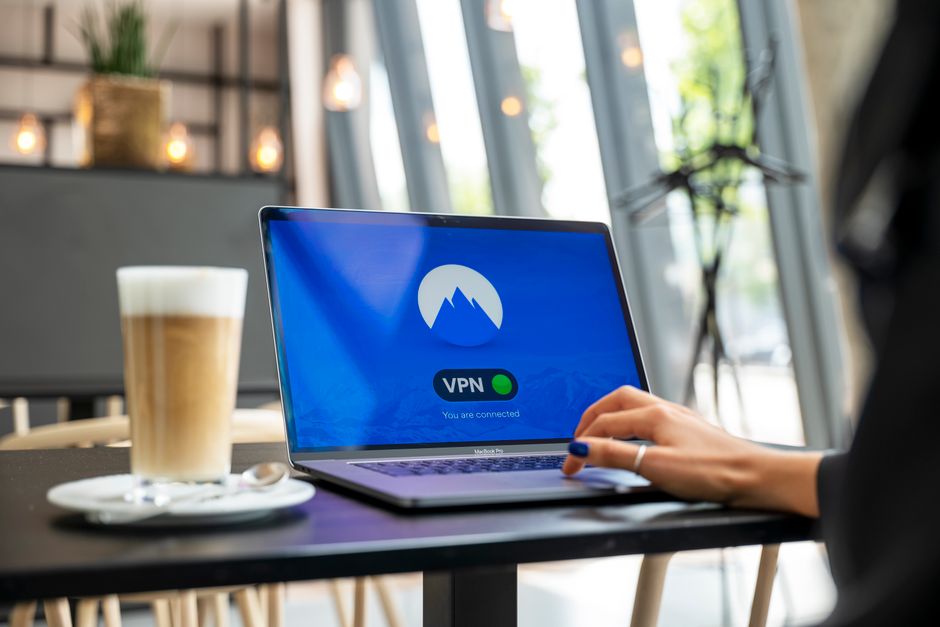
Imagine navigating the bustling streets of a foreign city, shouting your personal details and travel plans to every passerby. Sounds absurd, right? Yet, in many ways, that's precisely what we do every time we connect to the internet without adequate protection. Our IP address, a unique identifier for our device on the network, acts like a digital home address, revealing our approximate geographical location. Our internet service provider (ISP) can see every website we visit, every service we use, and every piece of data we transmit. When we connect to public Wi-Fi at a coffee shop or airport, our data is particularly vulnerable to snoopers and malicious actors. This lack of inherent privacy and security in standard internet connections is a gaping hole in our digital defense, leaving us exposed to tracking, surveillance, and potential cyberattacks. This is where a Virtual Private Network, or VPN, steps in as an indispensable tool for reclaiming your online anonymity and securing your internet traffic.
A VPN essentially creates a secure, encrypted tunnel between your device and a remote server operated by the VPN provider. When you connect to a VPN, all your internet traffic is routed through this tunnel, completely encrypted, before it reaches its destination. This achieves two critical things: first, it encrypts your data, making it unreadable to anyone who might intercept it (like your ISP, government surveillance agencies, or hackers on public Wi-Fi). Second, it masks your real IP address, replacing it with the IP address of the VPN server. This means that websites, online services, and anyone attempting to track you will only see the VPN server's IP address, not your actual location or identity. It's like putting on a digital disguise and routing your communications through a secure, untraceable post office in a different city. The benefits extend beyond simple anonymity, touching upon security, freedom of access, and protection against various forms of digital intrusion.