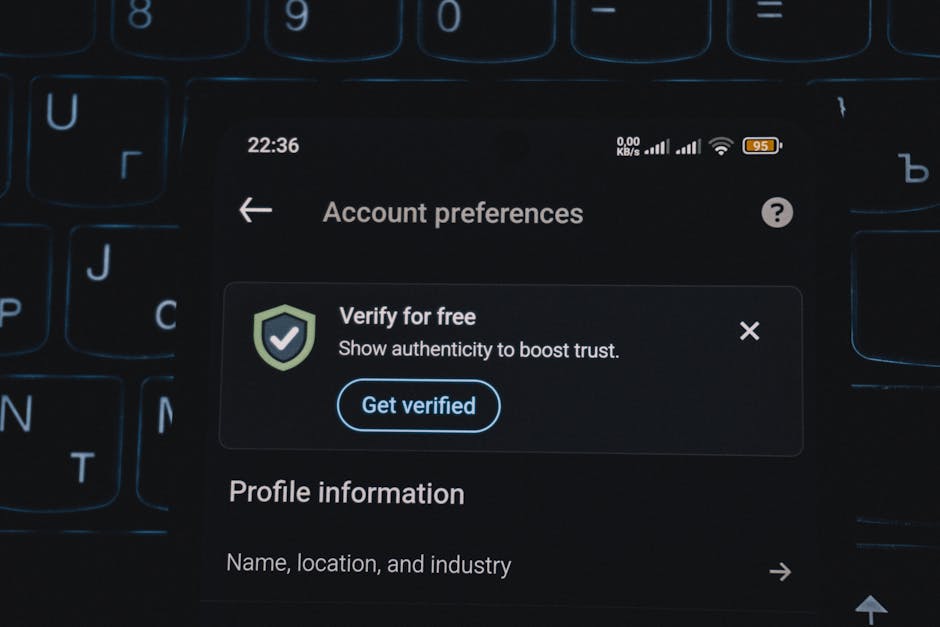
Your digital identity is a complex tapestry woven from countless threads of personal information, and safeguarding it requires a vigilant eye over every strand. Beyond the foundational settings, protecting yourself from digital stalkers and privacy intrusions means meticulously guarding the specific pieces of information that make up your online persona. This isn't just about what you post, but the underlying data points that can be exploited to track you, impersonate you, or simply learn more about you than you'd ever wish. We're talking about the seemingly innocuous details like your phone number and birthday, the pervasive tracking of your location, the subtle ways others can tag you into their content, and the silent data bleed from third-party applications. Each of these elements, if left unchecked, can become a vulnerability, a weak point in your digital armor that a determined snoop or stalker can exploit. Our mission now is to identify these sensitive areas and apply targeted defenses, ensuring that your digital identity remains firmly under your control.
Think of your personal information as currency in the digital economy. Every piece of data—your phone number, email, location, even your birthday—has value, not just to advertisers, but to anyone seeking to build a profile of you. For a digital stalker, this currency is gold. They can use a phone number to harass you directly, or to find other accounts associated with that number. An email address can be used for phishing attempts or to discover other online presences. Your birthday, combined with your name and location, can be a crucial piece of the puzzle for identity theft. Even knowing your regular haunts via location data can be used to physically track you. The challenge lies in the fact that social media platforms, in their quest for connectivity, often encourage the sharing of these details, or at least make them publicly visible by default. Our goal is to reverse this trend, to withdraw these valuable pieces of currency from public circulation and secure them tightly within your private vault, making it significantly harder for malicious actors to profit from your personal data. This requires a proactive, defensive mindset, treating every piece of personal information as a potential vulnerability.
Shielding Your Core Details Personal Information Control
Your phone number, email address, and birthday are among the most sensitive pieces of personal information you share online, and they are frequently overlooked in privacy audits. While you might need to provide these to Facebook or Instagram for account verification or recovery purposes, allowing them to be publicly visible, or even visible to "Friends of Friends," is a significant security risk. A digital stalker can use your phone number to harass you directly, or worse, to initiate a SIM-swapping attack, where they trick your mobile carrier into transferring your number to their device, thereby gaining access to your 2FA codes and potentially all your online accounts. Your email address can be used for targeted phishing campaigns or to discover other online services you use. And your birthday, especially when combined with your full name and hometown (often publicly available), is a key piece of information for identity thieves attempting to guess security questions or open fraudulent accounts in your name. It’s crucial to understand that even if you trust your immediate friends, those friends might have less secure profiles, or their accounts could be compromised, inadvertently exposing your data to a wider, untrusted audience.
On Facebook, navigate to your "About" section and meticulously review the privacy settings for each piece of personal information. For your phone number and email address, ensure they are set to "Only Me." There’s almost no legitimate reason for these to be publicly visible on your profile. For your birthday, consider setting it to "Only Me" or at most "Friends," and even then, consider hiding the year, as the year is often the most critical piece of information for identity verification. Instagram, being more visually focused, has fewer explicit fields for this data, but if you’ve linked your phone number or email, ensure those settings are similarly locked down within the "Edit Profile" section and associated privacy controls. The platforms often use these details to help people find you, which is great for connectivity but terrible for privacy. You can typically restrict who can find you using these pieces of information as well, a setting that should be tightened to "Friends" or "No One" where available. This might make you slightly harder to find for legitimate connections, but it makes you exponentially harder for stalkers to pinpoint.
Beyond the explicit fields, be mindful of how you communicate these details in posts or comments. I've seen countless instances where someone casually mentions their birthday in a public post, or shares a photo of a birthday cake with their full name and age visible. These seemingly innocent moments can be exploited. Similarly, avoid posting your phone number or email address in public comments or direct messages unless absolutely necessary and with extreme caution. Remember, anything shared, even in a private message, could potentially be screenshot and shared by the recipient. The overarching principle here is a minimalist approach to sharing core personal identifiers: if it’s not absolutely essential for public interaction, restrict its visibility to the bare minimum, preferably "Only Me." This proactive defense of your personal data is a critical layer in building an impenetrable digital fortress, ensuring that the most valuable pieces of your identity remain under your exclusive control, far from the reach of digital stalkers and identity thieves.
The Invisible Leash Disabling Location Services
One of the most insidious ways social media platforms, and by extension, digital stalkers, can track your movements is through location services. Most modern smartphones have GPS capabilities that can pinpoint your exact location with remarkable accuracy, and many apps, including Facebook and Instagram, request access to this data. While geotagging a photo of a beautiful landmark might seem harmless, the constant, background tracking of your location is a profound privacy invasion. If your location services are enabled for these apps, they can build a detailed map of your daily routines: where you live, where you work, where you exercise, where you socialize, and even where you sleep. This isn't just about current location; it's about historical patterns. For a digital stalker, this information is a goldmine, allowing them to anticipate your movements, verify your whereabouts, or even physically intercept you. The illusion of privacy is shattered when your phone, a device you carry everywhere, becomes an invisible leash reporting your every step.
Disabling location services for Facebook and Instagram requires a two-pronged approach: within the apps themselves and at the operating system level of your smartphone. First, within the Instagram app, go to "Settings and Privacy," then "Account Center," then "Your information and permissions," and look for "Location history" or similar. Turn off any active location tracking. On Facebook, navigate to "Settings & Privacy," then "Settings," then "Location." Here, you’ll likely find options to manage or turn off location history and location services. Crucially, you also need to manage this at the device level. For iOS users, go to "Settings," then "Privacy & Security," then "Location Services." Find Facebook and Instagram in the list and set their access to "Never" or "Ask Next Time." For Android users, go to "Settings," then "Location," then "App location permissions." Find Facebook and Instagram and set their access to "Don't allow." This device-level control overrides any in-app settings and is the most effective way to prevent background location tracking.
I often hear the argument that location services are convenient, allowing for personalized content or recommendations. While that's true, the trade-off for privacy is rarely worth it for the average user. Do you really need Facebook to know your precise whereabouts 24/7 to suggest a nearby restaurant? For most, the answer is a resounding no. The potential for misuse, particularly by a digital stalker, far outweighs the minor convenience. Furthermore, even if you disable active location tracking, be incredibly mindful of geotagging photos. Before uploading any image, check if it contains location data, and if so, remove it. Both Instagram and Facebook strip some metadata, but it's always safer to be proactive. A photo of your child at their school, geotagged, instantly reveals their routine and location to anyone who sees the image. This level of detail is simply too dangerous to leave exposed. By aggressively disabling location services and being hyper-aware of geotagging, you effectively cut the invisible leash, reclaiming control over your physical whereabouts and depriving potential stalkers of a crucial piece of their surveillance toolkit.
The Unwanted Spotlight Managing Tags and Mentions
While you might be diligent about what you post, your privacy can still be compromised by the actions of others, particularly through tagging and mentions. A friend might innocently tag you in a photo at a public event, a new restaurant, or even at your workplace, inadvertently revealing your current location or activities to a wider audience than you intended. A digital stalker, aware of this, might then monitor your friends' activity, knowing that eventually, someone will tag you in a compromising photo or post. This creates an "unwanted spotlight" effect, where your digital presence is illuminated by the actions of others, often without your explicit consent or even your knowledge until it’s too late. The challenge lies in the social nature of these platforms; tagging is a common and often benign way to acknowledge friends and share experiences. However, when privacy is a concern, this feature becomes a significant vulnerability that needs careful management.
Both Facebook and Instagram offer robust controls to manage tagging and mentions, and it's imperative that you utilize them. On Facebook, navigate to "Settings & Privacy," then "Settings," then "Profile and Tagging." Here, you’ll find crucial options like "Review posts you're tagged in before the post appears on your profile?" and "Review tags people add to your posts before the tags appear on Facebook?" Enable both of these. This means that if someone tags you in a photo or post, it won't appear on your timeline or be associated with your profile until you explicitly approve it. This gives you the power to prevent unwanted exposure. Similarly, you can restrict who can tag you in the first place, or who can see posts you're tagged in. For Instagram, go to "Settings and Privacy," then "Tags and Mentions." Here, you can choose to "Manually Approve Tags" and select who can mention you (e.g., "People You Follow" or "No One"). Enabling manual approval is a game-changer, ensuring that you have the final say on what content you're associated with.
Beyond simply enabling these review features, cultivate a habit of politely asking friends to be mindful when tagging you. A quick conversation or a message explaining your privacy concerns can go a long way in preventing accidental oversharing. Many people are simply unaware of the privacy implications of tagging and will be happy to accommodate your request. Furthermore, be wary of publicly tagging others yourself, especially children, without explicit permission from their guardians. Practicing good digital etiquette yourself reinforces the importance of privacy within your network. The goal isn't to become a digital recluse, but to establish clear boundaries. By actively managing tags and mentions, you prevent others from inadvertently (or intentionally) compromising your privacy, ensuring that your digital identity remains under your control, even when your friends are having a little too much fun with the tag button. It's a vital step in preventing the unwanted spotlight from shining on your private life.
The Silent Data Bleed Auditing Third-Party Apps and Websites
One of the most insidious ways your Facebook and Instagram privacy can be compromised is through the silent data bleed from third-party applications and websites you've connected to your accounts. Think about all those times you've seen a "Log in with Facebook" or "Connect with Instagram" button on a new app, a game, a quiz, or a website. It's convenient, yes, but each time you click that button, you grant that third-party service permission to access certain aspects of your social media data. These permissions can range from innocuous (like accessing your public profile picture) to highly invasive (like accessing your friends list, email address, birthday, posts, and even private messages). Over time, these connected apps accumulate, often forgotten, silently siphoning off your personal information, creating a backdoor into your digital life. Many users have dozens, if not hundreds, of these connections, each representing a potential vulnerability that a digital stalker could exploit, either directly or through a data breach on the third-party service itself.
Performing a regular audit of your connected apps and websites is an absolutely critical step in locking down your privacy. On Facebook, navigate to "Settings & Privacy," then "Settings," then "Apps and Websites." Here, you'll see a list of every single application and website you've ever granted access to your Facebook data. Go through this list meticulously. For each entry, ask yourself: Do I still use this app or website? Do I still trust it? Does it really need access to my data? If the answer to any of these questions is no, or if you don't even recognize the app, revoke its access immediately. You can typically see the specific permissions you granted to each app, allowing you to make informed decisions. Similarly, on Instagram, go to "Settings and Privacy," then "Website permissions," and then "Apps and Websites." While Instagram's list is often shorter, the principle remains the same: ruthlessly prune any unnecessary connections. This process might take a few minutes, but it's an incredibly powerful way to close off potential data leaks.
I’ve personally witnessed the fallout from neglected third-party app permissions. One client discovered that a seemingly innocent personality quiz they took years ago had retained access to their entire Facebook friends list, and that data was then sold to aggressive marketing firms, leading to their friends being bombarded with spam. In another, more concerning case, a user found that a deprecated gaming app had maintained access to their location history, which a former partner then used to try and track their movements. These aren't isolated incidents; they highlight the pervasive risk of granting access to third-party services without understanding the long-term implications. Furthermore, even if an app is legitimate, a data breach on their end could expose your connected social media information. By regularly auditing and revoking unnecessary permissions, you significantly reduce your "attack surface," cutting off potential avenues for digital stalkers and malicious entities to access your valuable personal data. This isn't just about what Facebook or Instagram does; it's about the entire ecosystem of services connected to your social media life, and you have the power to control it.