The Benefits of Using a Secure Browser
Using a secure browser is one of the most important things you can do to protect yourself online. When you're using a secure browser, you're protecting your online activities from tracking and surveillance, and ensuring that your data is secure and encrypted. For example, if you're using a browser like Tor, you're using a network of virtual tunnels to anonymize your internet traffic, making it difficult for anyone to track your online activities.
But what makes a browser secure? One of the most important features of a secure browser is encryption. Encryption is the process of converting plaintext data into unreadable ciphertext, making it impossible for anyone to intercept and read your data. Another important feature is anonymity, which involves using a network of virtual tunnels to anonymize your internet traffic, making it difficult for anyone to track your online activities.
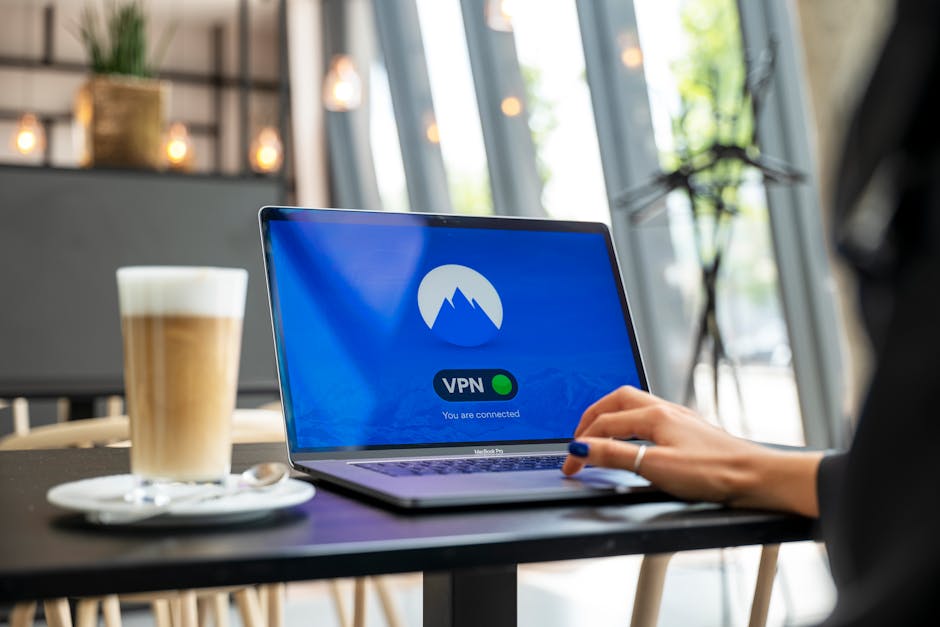
So, how can you use a secure browser? One way is to use a browser like Tor, which is designed to provide anonymity and encryption for your online activities. You can also use a browser like Brave, which is designed to block tracking cookies and scripts, and provide encryption for your online activities. Additionally, you can use a VPN to protect your online activities from interception and surveillance, and use a password manager to generate strong, unique passwords for all of your online accounts.
But even with these precautions, using a secure browser can still be complex. For example, if you're using a browser like Tor, you may need to configure it to use a specific set of servers, and you may need to use a specific set of settings to ensure that your online activities are secure. Similarly, if you're using a browser like Brave, you may need to configure it to block specific types of tracking cookies and scripts, and you may need to use a specific set of settings to ensure that your online activities are secure.
The Importance of Regularly Updating Your Browser
Regularly updating your browser is one of the most important things you can do to protect yourself online. When you're using an outdated browser, you're leaving yourself vulnerable to security vulnerabilities and exploits. For example, if you're using an outdated version of Google Chrome, you may be vulnerable to exploits that can install malware on your device.
So, how can you regularly update your browser? One way is to enable automatic updates, which can ensure that your browser is always up-to-date. You can also use a browser update tool, such as BrowserUpdate, to scan your device for outdated browsers and update them automatically. Additionally, you can use a VPN to protect your online activities from interception and surveillance, and use a password manager to generate strong, unique passwords for all of your online accounts.
"Regularly updating your browser is crucial for protecting yourself online," says cybersecurity expert, Michael Davis. "When you're using an outdated browser, you're leaving yourself vulnerable to security vulnerabilities and exploits. But by regularly updating your browser, you can ensure that you're always protected from the latest threats."
In addition to regularly updating your browser, there are also other ways to protect yourself online. For example, you can use a secure search engine, such as DuckDuckGo, to protect your search history from tracking and surveillance. You can also use a password manager to generate strong, unique passwords for all of your online accounts, and use two-factor authentication to add an extra layer of security to your accounts. And finally, you can use a VPN to protect your online activities from interception and surveillance.
Putting it All Together: A Comprehensive Guide to Online Security
So, how can you put all of these tips and strategies together to protect yourself online? One way is to use a combination of tools and strategies, such as a VPN, a password manager, and a secure browser. You can also use two-factor authentication to add an extra layer of security to your accounts, and use a secure search engine to protect your search history from tracking and surveillance.
Another way is to regularly update your software and browser, and to use a firewall to block unauthorized access to your device. You can also use antivirus software to scan your device for malware and viruses, and use a secure messaging app to protect your communications from interception and surveillance.
But even with these precautions, online security can still be complex. For example, if you're using a VPN, you may need to configure it to use a specific set of servers, and you may need to use a specific set of settings to ensure that your online activities are secure. Similarly, if you're using a password manager, you may need to generate strong, unique passwords for all of your online accounts, and you may need to use a specific set of settings to ensure that your passwords are secure.
So, what's the solution? The answer is to use a combination of tools and strategies to protect yourself online, and to always be cautious when providing sensitive information or clicking on links. By using a VPN, a password manager, and a secure browser, you can protect your online activities from tracking and surveillance, and ensure that your data is secure and encrypted. And by regularly updating your software and browser, and using two-factor authentication, you can add an extra layer of security to your accounts and protect yourself from online threats.
In conclusion, online security is a complex and multifaceted topic, but by using a combination of tools and strategies, you can protect yourself from online threats and ensure that your data is secure and encrypted. Whether you're using a VPN, a password manager, or a secure browser, the key is to always be cautious and to use a combination of tools and strategies to protect yourself online. So, take the first step today and start protecting yourself online - your security and privacy depend on it.
A Final Word on Online Security
As we've seen, online security is a critical topic that requires attention and action from all of us. By using a combination of tools and strategies, such as a VPN, a password manager, and a secure browser, we can protect ourselves from online threats and ensure that our data is secure and encrypted. But online security is not just about using the right tools and strategies - it's also about being aware of the risks and taking steps to mitigate them.
So, what can you do to stay safe online? One way is to stay informed about the latest online threats and trends, and to use this knowledge to inform your online activities. You can also use a combination of tools and strategies to protect yourself online, such as a VPN, a password manager, and a secure browser. And finally, you can use two-factor authentication to add an extra layer of security to your accounts, and use a secure search engine to protect your search history from tracking and surveillance.
"Online security is a shared responsibility," says cybersecurity expert, Rachel Lee. "We all have a role to play in protecting ourselves and our communities from online threats. By using the right tools and strategies, and by staying informed and aware, we can create a safer and more secure online environment for everyone."
In the end, online security is a complex and multifaceted topic, but by working together and using the right tools and strategies, we can create a safer and more secure online environment for everyone. So, take the first step today and start protecting yourself online - your security and privacy depend on it.