We've embarked on an extensive journey, dissecting the seven hidden cybersecurity traps that quietly undermine our digital safety. From the deceptive calm of private browsing modes to the silent vulnerabilities of our smart devices, from the ignored pleas for software updates to the cunning manipulations of social engineers, and from the false sense of security offered by misunderstood VPNs to the self-inflicted wounds of data hoarding, each trap preys on our assumptions, our desire for ease, and our human tendency to underestimate risk. Now, having laid bare these often-invisible dangers, the crucial next step is to empower you with the practical knowledge and actionable strategies to not just recognize these traps, but to decisively escape them and fortify your digital life. This isn't about complex technical jargon; it's about fostering a proactive mindset and implementing tangible steps that will significantly enhance your cybersecurity posture.
Building Your Digital Fortress Practical Steps to Escape the Traps
Escaping these hidden cybersecurity traps isn't about becoming a cybersecurity expert overnight, but rather about cultivating a habit of conscious digital living. It means moving beyond the passive acceptance of defaults and embracing an active role in managing your online security and privacy. My years in this field have taught me that the most effective defenses are often a combination of simple, consistent actions rather than one-off, complex solutions. Think of it as constructing a robust digital fortress, brick by brick, ensuring each layer of defense complements the others. The following actionable insights and step-by-step guides are designed to help you systematically dismantle the traps we’ve discussed, transforming your digital vulnerabilities into strengths.
Reclaiming True Privacy Understanding Your Browsing
To escape the deceptive cloak of private browsing modes, the first and most critical step is to realign your understanding of what these features actually do. They are local data cleaners, not anonymity tools. Never rely on Incognito or Private Browsing for sensitive activities on public Wi-Fi, or when you genuinely need to conceal your identity from external observers. For true privacy and anonymity, especially on untrusted networks, a reputable Virtual Private Network (VPN) is your foundational tool. Ensure your chosen VPN has a strict no-logs policy, strong encryption (like AES-256), and built-in DNS leak protection. Furthermore, consider privacy-focused browsers like Brave or Firefox with enhanced tracking protection, and regularly clear your browser's cache and cookies. For extreme anonymity, explore the Tor Browser, understanding its limitations and slower speeds. The key is to use the right tool for the right job, and to never assume a single feature provides comprehensive protection.
Beyond technical tools, cultivate a habit of skepticism. Before clicking a link or entering information, pause and consider the source. Remember that private browsing doesn't protect against malware already on your system, so maintain robust antivirus software and keep it updated. Regularly review your browser extensions and remove any that are unnecessary or have excessive permissions, particularly in private browsing mode. Think of your browser as a window to the internet; private mode simply cleans the glass, but the world outside can still see in, and anything lurking inside your room can still watch you. A conscious approach to your browser settings and a layered defense strategy are far more effective than relying on a mislabeled feature.
Taking Control of Your Digital Environment Reconfiguring Defaults
The inertia of default settings is perhaps the easiest trap to escape, requiring only a commitment to proactive configuration. Whenever you acquire a new device—be it a router, a smart home gadget, a new computer, or even install a new application—make it a mandatory first step to change all default passwords. For routers, immediately access the administration panel (usually via an IP address like 192.168.1.1) and change the default username and password to something strong and unique. Also, disable any unnecessary services like WPS (Wi-Fi Protected Setup) if you're not using them, as WPS can be a known vulnerability. For smart devices, delve into their accompanying apps and settings menus, scrutinizing every privacy and security option. Disable data sharing, location tracking, and microphone access if not absolutely essential for the device's core function. If the device permits, change its default name to something less identifiable.
For software installations, always choose "custom" or "advanced" installation options instead of "express" or "recommended." This allows you to deselect bundled bloatware, unwanted toolbars, or unnecessary data collection features. Regularly review the privacy settings on your social media accounts, cloud storage, and email services. These platforms frequently update their interfaces and default settings, so a periodic audit (e.g., once a quarter) is highly recommended. The goal is to minimize your digital footprint and reduce your attack surface by consciously choosing what information is shared and what services are exposed. This proactive approach transforms potential vulnerabilities into controlled, secure configurations, shifting the power dynamic from the manufacturer's convenience to your personal security.
Securing Your Smart Home Taming the IoT Wild West
Addressing the IoT blind spot requires a multi-pronged approach, focusing on device selection, network segmentation, and ongoing maintenance. Firstly, be highly selective about the smart devices you bring into your home. Prioritize manufacturers with a strong reputation for security, regular firmware updates, and clear privacy policies. Before purchasing, research the device's security history and reviews. Secondly, implement network segmentation. If your router supports it, create a separate "guest" or "IoT" Wi-Fi network that is isolated from your main network where your computers and sensitive data reside. This creates a barrier, preventing a compromised IoT device from gaining access to your critical systems. Many modern routers offer this capability, and it's a game-changer for home network security.
Thirdly, treat your IoT devices like mini-computers that require attention. Regularly check for and install firmware updates for all your smart devices. Many devices have an "auto-update" feature; enable it if available and reliable. If a device no longer receives updates, seriously consider retiring it, especially if it handles sensitive functions like cameras or door locks. Change default passwords on all IoT devices immediately after setup, using unique, strong credentials. Consider the data implications of each device: does your smart speaker truly need to record every conversation? Does your smart TV need all its data-sharing features enabled? If a feature isn't essential for the device's core functionality, disable it. By consciously managing your smart ecosystem, you transform potential spies into truly useful, secure assistants.
Embracing Vigilance The Imperative of Timely Updates
Escaping the peril of neglected software updates is perhaps the most straightforward yet commonly ignored solution. Make patch management a non-negotiable part of your digital routine. For your operating system (Windows, macOS, Linux), enable automatic updates and ensure they are successfully installed. While some users fear system instability, the security benefits far outweigh the minimal risk of issues, which are often quickly resolved by vendors. The same applies to your web browser: keep it updated to the latest version, as browsers are frequent targets for exploits. For all other applications—antivirus software, PDF readers, media players, productivity suites—enable automatic updates where possible. If an application doesn't offer auto-updates, schedule a regular time (e.g., once a week or month) to manually check for and install patches.
Don't forget firmware updates for your router, network-attached storage (NAS) devices, and even smart TVs or printers. These often require manual checks on the manufacturer's website. The mindset shift here is crucial: view updates not as an annoyance, but as essential security enhancements. Each patch closes a known vulnerability, reducing the attack surface that cybercriminals can exploit. By consistently applying updates, you are actively participating in your own defense, staying ahead of known threats and significantly reducing your risk of falling victim to attacks that exploit previously identified weaknesses. It's the digital equivalent of regularly inspecting and repairing your fortress walls, ensuring no cracks allow invaders to slip through.
Sharpening Your Human Firewall Defeating Social Engineering
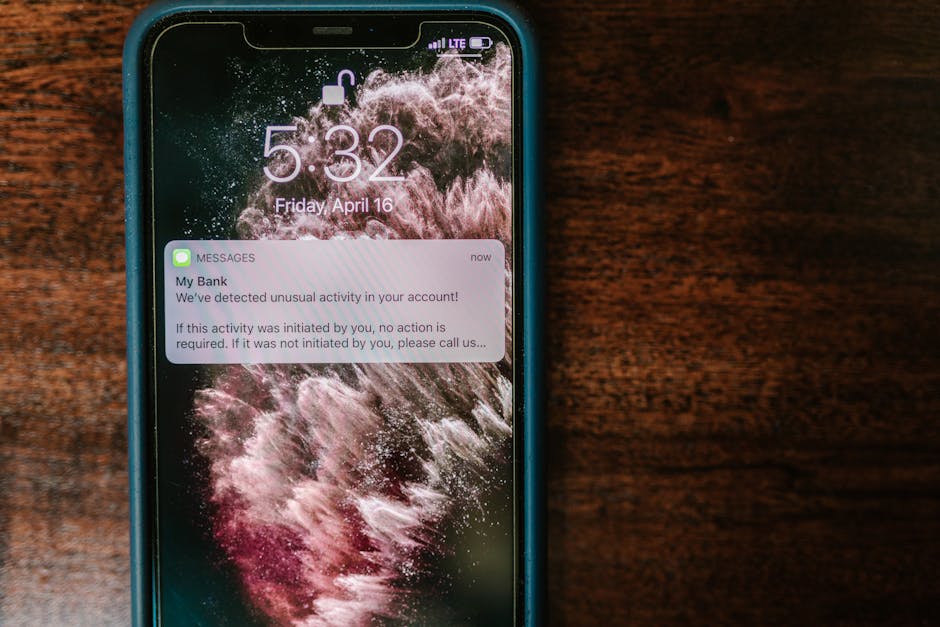
To defeat the psychological manipulation of phishing and social engineering, you must strengthen your "human firewall." This means cultivating a healthy dose of skepticism for all unsolicited communications, regardless of how legitimate they appear. Always verify. If you receive an urgent email or text from your bank, employer, or a government agency requesting sensitive information or action, do not click on links or reply directly. Instead, independently verify the request by contacting the organization through official channels (e.g., call the number on their official website, not one provided in the suspicious message). For calls, be wary of callers asking for personal information; legitimate organizations rarely ask for full passwords, PINs, or credit card numbers over the phone. If a request feels urgent or emotionally charged, that's often a red flag—attackers use urgency to bypass critical thinking.
Train yourself to scrutinize email addresses, URLs, and sender details. Hover over links to see the true destination before clicking. Be aware of the signs of deepfakes and AI-generated scams; if a video or audio seems slightly off, or a request seems out of character for the sender, exercise extreme caution. Educate yourself and your family about common social engineering tactics like pretexting, baiting, and smishing. Understand that social media is a goldmine for attackers; be mindful of the personal information you share online, as it can be used to craft convincing scams. Implementing two-factor authentication (2FA) on all your critical accounts (email, banking, social media) is also a powerful defense; even if an attacker steals your password, they can't log in without the second factor. Your vigilance and critical thinking are your strongest weapons against these cunning human-centric attacks.
Mastering Your VPN Using it Wisely and Effectively
Escaping the trap of a false sense of absolute anonymity with VPNs requires a clear understanding of their capabilities and limitations, coupled with diligent selection. Firstly, choose a reputable VPN provider with a proven track record, a transparent no-logs policy (ideally independently audited), strong encryption, and a wide network of servers. Avoid free VPNs, as many monetize user data, which defeats the purpose of using a VPN for privacy. Secondly, understand that a VPN encrypts your connection and masks your IP, but it doesn't make you invisible to websites if you log into your accounts (like Google, Facebook, Amazon) while connected. Your activity within those logged-in sessions will still be linked to your identity. Similarly, it doesn't protect against browser fingerprinting unless combined with other privacy-enhancing tools.
Always ensure your VPN is actively connected when you need its protection, especially on public Wi-Fi. Check for DNS leaks occasionally using online tools. Remember that a VPN is not an antivirus; it won't protect you from malware, ransomware, or phishing scams. Maintain your other security software and practices. Think of a VPN as a secure, private tunnel for your internet traffic; it's excellent for keeping your journey private, but it doesn't inspect the cargo you're carrying or guarantee the safety of your destination. By understanding its specific role and integrating it into a broader security strategy, you harness its power effectively without falling into the trap of overreliance or false security.
Safeguarding Your Digital Legacy Implementing a Robust Backup Strategy
Finally, to escape the devastating trap of data hoarding and the 'it won't happen to me' backup fallacy, you must adopt a proactive and systematic approach to data management and backup. Start by decluttering your digital life: regularly review your files, photos, and emails, deleting anything that is no longer needed or holds no value. This reduces your attack surface and simplifies your backup process. For the data you do keep, implement the "3-2-1 backup rule." This means:
- Three copies of your data: Your original, plus two backups.
- Two different types of storage media: For example, your computer's hard drive and an external hard drive, or an external hard drive and cloud storage.
- One copy off-site: This protects against physical disasters like fire, flood, or theft. An encrypted cloud backup or a drive stored at a friend's house or a safe deposit box fulfills this.