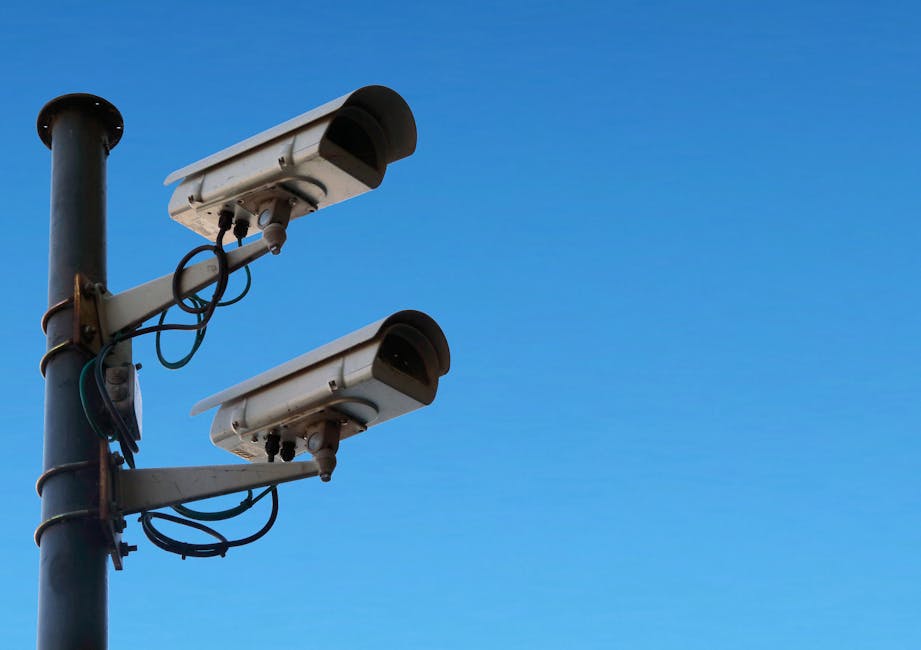
Reclaiming Your Digital Sanctuary A Practical Guide to Opting Out and Taking Back Control
The narrative surrounding the AI privacy nightmare can feel overwhelming, painting a picture of an inevitable future where our lives are laid bare for algorithms and corporations. It's easy to fall into despair, believing that escaping the pervasive gaze of smart devices is an impossible task. However, this couldn't be further from the truth. While the challenges are substantial, you are not powerless. There are concrete, actionable steps you can take right now to significantly reduce the amount of data your smart devices collect, limit its sharing, and ultimately reclaim a substantial portion of your digital sanctuary. This isn't about abandoning technology and living off the grid; it's about mindful consumption, informed choices, and proactive engagement with the tools that shape our modern lives. Think of it as building a robust digital firewall around your personal space, piece by careful piece.
Taking control of your privacy is an ongoing process, not a one-time fix. It requires vigilance, a willingness to adjust settings, and a healthy skepticism towards the default configurations that often prioritize convenience and data collection over your personal autonomy. But every step you take, no matter how small, contributes to a more secure and private digital existence. It's about empowering yourself with knowledge and practical tools, transforming from a passive data subject into an active guardian of your own information. Let's dive into how you can start dismantling that digital dossier and begin to truly opt out of the always-on surveillance economy.
Step One Audit Your Digital Footprint and Device Inventory
Before you can start locking down your privacy, you need to understand what you're up against. The first crucial step is to conduct a thorough audit of all the smart devices currently operating in your home and within your personal ecosystem. This goes beyond the obvious smart speakers and TVs. Think about:
- Smart Home Hubs and Assistants: Amazon Echo, Google Home/Nest, Apple HomePod, Samsung SmartThings.
- Entertainment Devices: Smart TVs (Samsung, LG, Vizio, Roku), streaming sticks (Fire TV, Roku Stick, Chromecast), gaming consoles (Xbox, PlayStation).
- Wearables: Smartwatches (Apple Watch, Fitbit, Garmin), fitness trackers.
- Security and Monitoring: Smart doorbells (Ring, Nest Doorbell), indoor/outdoor security cameras, baby monitors.
- Appliances: Smart refrigerators, ovens, washing machines, robot vacuums.
- Personal Computing: Laptops, tablets, smartphones (check app permissions!).
- Children's Devices: Smart toys, educational tablets.
For each device, identify the manufacturer and the associated apps or accounts. This inventory will serve as your roadmap for the subsequent steps. Understand that each of these devices, and the apps that control them, is a potential data collection point. Jot down a list, perhaps even create a spreadsheet, to keep track of what you own and which company controls its data. This initial mapping often reveals just how interconnected and data-hungry our modern homes have become, offering a stark wake-up call to the extent of the problem.
Step Two Dive into the Settings Your Privacy Controls Are Hidden in Plain Sight
The most impactful changes you can make often lie within the privacy settings of your devices and their associated apps. Companies are legally obligated to provide these controls, but they are frequently buried deep within menus, making them hard to find and understand. Dedicate time to going through each device and its corresponding app. Here’s what to look for and how to adjust it:
- Smart Speakers (Alexa, Google Assistant):
- Voice History: Access your Amazon Alexa app or Google Home app settings. Find the "Privacy" or "Activity Controls" section. Here, you should be able to review, listen to, and delete past voice recordings. Crucially, you can often disable the saving of future voice recordings. Be aware that disabling this might slightly reduce the AI's ability to "learn" your voice, but it's a worthy trade-off.
- Human Review: Look for options to opt out of human review of your voice interactions. Both Amazon and Google have faced scrutiny for this practice.
- Personalized Ads: Disable any settings related to using your voice data for personalized advertisements.
- Location Services: Restrict or disable location tracking if it's not essential for the device's core functionality (e.g., weather updates based on your general area are fine, but precise, continuous tracking is usually overkill).
- Smart TVs and Streaming Devices:
- Automated Content Recognition (ACR): This is the big one. Go into your TV's settings menu (often under "Privacy," "Data," or "Broadcasting"). Find and disable ACR (sometimes called "Smart Interactivity," "Viewing Information," or "Interest-Based Ads"). This stops your TV from tracking what you watch.
- Personalized Ads: Disable any options for personalized or interest-based advertising.
- Microphones/Cameras: If your TV has an integrated microphone or camera, locate the settings to disable them. If you can't disable the camera, consider placing a physical cover over it.
- App Permissions: Review permissions for all installed apps on your smart TV or streaming stick. Delete any unused apps.
- Smart Doorbells and Cameras (Ring, Nest, Arlo):
- Motion Detection Zones: Set very specific motion detection zones to avoid recording public areas or neighbor's property unnecessarily.
- Event History: Understand how long video recordings are stored and whether they are end-to-end encrypted. Delete old footage regularly.
- Data Sharing: Check the privacy policy and settings for options to opt out of data sharing with law enforcement or third parties, if available. For Ring, understand how to manage public safety agency requests.
- Activity Zones: Fine-tune activity zones to only capture what's essential, reducing unnecessary recordings.
- Smartphones and Tablets: These are often the biggest data collectors.
- App Permissions: Regularly review and revoke unnecessary permissions for all your apps (e.g., does your calculator app really need access to your microphone or location?).
- Location Services: Set location access to "While Using App" or "Never" for most apps. Disable precise location for apps that don't absolutely need it.
- Ad Tracking: On iOS, enable "Ask Apps Not to Track." On Android, reset your advertising ID frequently and opt out of ad personalization.
- Microphone/Camera Access: Be mindful of apps requesting these permissions. Many operating systems now show indicators when these are active.
This process will be time-consuming, but it is one of the most effective ways to immediately reduce your data exposure. Remember, default settings are almost never privacy-friendly.
Step Three Fortify Your Network Your Router is Your First Line of Defense
Your home Wi-Fi network is the gateway through which all your smart device data travels. Securing it is paramount:
- Strong, Unique Passwords: Change the default password on your Wi-Fi router immediately. Use a strong, unique password (a mix of uppercase, lowercase, numbers, and symbols) that is at least 12-16 characters long.
- Separate Network for IoT Devices (VLAN): If your router supports it, create a separate guest network or a Virtual Local Area Network (VLAN) specifically for your smart devices. This isolates them from your main network where your computers and sensitive data reside. If an IoT device is compromised, it won't have direct access to your personal files.
- Regular Firmware Updates: Keep your router's firmware updated. Manufacturers frequently release patches for security vulnerabilities.
- Use a VPN: While a VPN won't stop smart devices from collecting data at the source, it encrypts your internet traffic, preventing your Internet Service Provider (ISP) and other third parties from monitoring your online activities. For an extra layer of privacy, consider a router-level VPN if your router supports it, encrypting traffic for all connected devices.
- DNS Over HTTPS (DoH) or DNS Over TLS (DoT): Configure your router or individual devices to use encrypted DNS, which prevents third parties from seeing which websites and services your devices are connecting to.
A secure network acts as a crucial barrier, protecting your data in transit and limiting potential entry points for malicious actors. It's the foundational layer of your digital sanctuary.
Step Four Exercise Your Data Rights and Mindful Purchasing
You have rights regarding your data, especially if you live in regions covered by GDPR or CCPA. Don't hesitate to use them:
- Data Access Requests: Under GDPR and CCPA, you can request companies to provide you with all the data they have collected on you. This can be a revealing exercise and is your right.
- Data Deletion Requests: You can also request that companies delete your data. While they may retain some data for legal or operational reasons, this significantly reduces your digital footprint. Look for "data subject access request" or "right to erasure" on company privacy pages.
- Opt Out of Sale: CCPA specifically gives Californians the right to opt out of the sale of their personal information. Look for a "Do Not Sell My Personal Information" link on websites.
Beyond exercising your rights, be a more discerning consumer. Before buying a new smart device:
- Read Reviews: Look for reviews that specifically address privacy and security concerns, not just features.
- Check Privacy Policies: Skim the privacy policy (or use tools that summarize them) to understand data collection, retention, and sharing practices. Prioritize companies with strong commitments to privacy.
- Consider Alternatives: Are there "dumb" versions of the device that offer similar core functionality without the data-hungry smart features? Or privacy-focused alternatives from smaller, more ethical companies?
- Question Necessity: Do you truly need every appliance in your home to be "smart" and connected to the internet? Sometimes, simplicity is the best form of privacy.
Every purchase is a vote. By choosing privacy-respecting products and companies, you send a clear signal to the market that privacy matters.
Step Five The Human Firewall Educate and Advocate
Ultimately, the strongest defense against the AI privacy nightmare is human awareness and collective action. Educate yourself, your family, and your friends about these issues. Share what you've learned and help others implement privacy-enhancing settings. Discuss the trade-offs between convenience and privacy openly and honestly within your household. Children, in particular, need guidance on how their digital interactions contribute to their online profiles.
- Stay Informed: Follow cybersecurity news, privacy advocacy groups, and reputable tech journalists to stay updated on new threats and best practices.
- Advocate for Stronger Laws: Support organizations lobbying for comprehensive privacy legislation. Contact your elected officials and express your concerns about data privacy.
- Be Skeptical: Develop a healthy skepticism towards any technology that promises "free" services or extreme convenience without clear explanations of how your data is being used. Remember, if you're not paying for the product, you are often the product.
The fight for digital sovereignty is an ongoing one, but it's a fight we can win, one informed decision at a time. By taking these practical steps, you can significantly reduce your digital footprint, reclaim control over your personal information, and transform your home from a data mine into the private sanctuary it was always meant to be. Your privacy is not a lost cause; it's a battleground, and with the right tools and knowledge, you can emerge victorious, safeguarding your life from the pervasive gaze of the AI.