Embracing the Shield of a Virtual Private Network
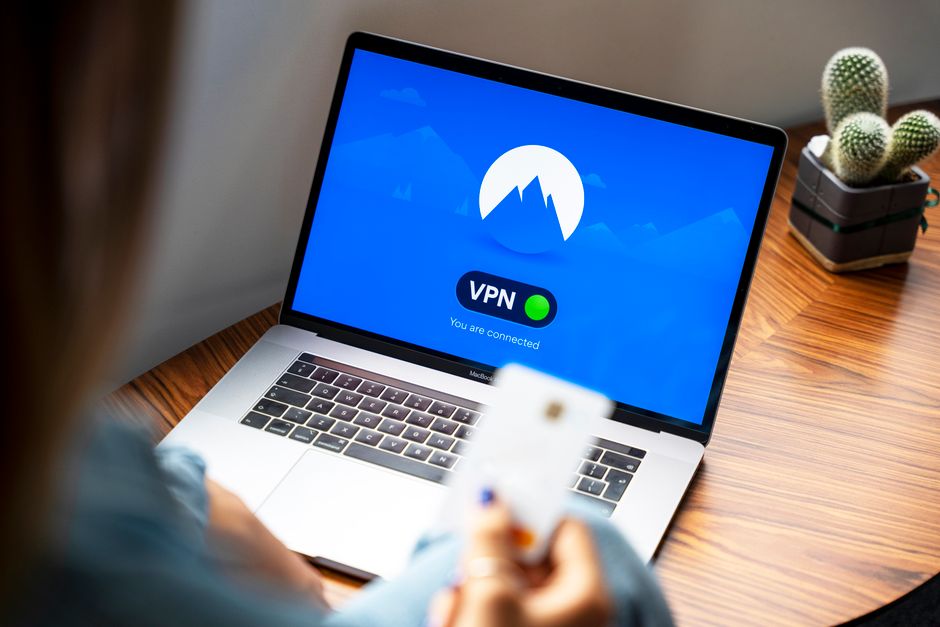
If the Incognito Lie highlights the vulnerabilities of local-device privacy, then a Virtual Private Network, or VPN, represents one of the most robust and widely accessible solutions for achieving genuine online anonymity and security. Think of a VPN as your personal, encrypted tunnel through the public internet. Instead of directly connecting your device to the websites you visit, your internet traffic is first routed through a secure server operated by your VPN provider. This isn't just a simple detour; it's a complete re-routing and encapsulation of your data, designed to shield your online activities from the prying eyes of your ISP, network administrators, and many third-party trackers.
The core functionality of a VPN revolves around two critical components: encryption and IP masking. When you activate a VPN, all the data leaving your device is immediately encrypted. This means that even if someone were to intercept your internet traffic – like your ISP, a hacker on a public Wi-Fi network, or a government agency – they would only see scrambled, unreadable data. They wouldn't be able to decipher the websites you're visiting, the content you're downloading, or the communications you're sending. This creates a powerful layer of confidentiality, ensuring that your online activities remain private between you and your chosen VPN server. It's like sending your digital mail in an opaque, locked box, rather than an open postcard that anyone can read.
The second crucial aspect is IP masking. When your traffic exits the VPN server, it appears to originate from the VPN server's IP address, not your actual device's IP address. This is a game-changer for anonymity. Websites you visit will see the VPN server's IP address, making it incredibly difficult for them to identify your true location or link your browsing activity back to your personal identity. It effectively makes you appear as if you're browsing from a different geographic location, which is also why VPNs are so popular for bypassing geo-restrictions on streaming content. But more importantly for privacy, it severs the direct link between your device's unique IP address and your browsing habits, significantly complicating the efforts of tracking networks to build a persistent profile of your online activities. This is a level of protection that Incognito mode cannot even begin to approach.
Choosing a reputable VPN provider is paramount, as not all VPNs are created equal. You need to look for providers with a strict "no-logs" policy, meaning they explicitly commit to not collecting, storing, or sharing any data about your online activities. Independent audits of these claims provide an extra layer of assurance. Strong encryption standards (like AES-256), a wide network of servers, and essential features like a kill switch are also vital. A kill switch automatically cuts your internet connection if the VPN connection drops, preventing any accidental exposure of your real IP address or unencrypted traffic. Trusting your VPN provider is essential, as they become your new digital gatekeeper. A good VPN acts as a comprehensive shield, protecting your entire device's internet traffic, not just a single browser window, offering a far more robust and reliable path to online privacy than any browser's "private" mode.
Venturing into the Depths of Anonymity with Tor The Onion Router's Promise
While VPNs offer robust privacy and security, for those seeking the highest levels of anonymity, particularly in situations where censorship or surveillance are severe concerns, the Tor Browser provides an even deeper layer of protection. Tor, short for "The Onion Router," is a free, open-source software that enables anonymous communication. It works by routing your internet traffic through a worldwide, volunteer-run network of relays, encrypting it multiple times as it passes through at least three different nodes (or "layers" of an onion) before reaching its destination. This multi-layered encryption and routing mechanism makes it incredibly difficult to trace the traffic back to its origin, hence the "onion" analogy.
When you use the Tor Browser, your request to visit a website is first encrypted and sent to an entry node in the Tor network. This entry node only knows your IP address and the IP address of the next relay. It doesn't know your destination. The traffic is then re-encrypted and passed to a middle relay, which only knows the IP address of the entry node and the exit node. Finally, the traffic is re-encrypted one last time and sent to an exit node, which decrypts the final layer and sends the request to the destination website. The website sees the IP address of the exit node, which is often in a completely different country from your actual location, and has no way of knowing your true IP address or identity. This intricate dance of encryption and relaying provides a profound level of anonymity, making it exceptionally challenging to link your online activities back to you.
Tor is particularly effective against traffic analysis, a technique used to infer information from the patterns of communication, even if the content is encrypted. Because your traffic bounces through multiple, geographically dispersed relays, and because each relay only knows a fraction of the path, an observer monitoring any single point in the network cannot reconstruct your entire browsing journey. This makes Tor an invaluable tool for journalists, activists, whistleblowers, and anyone operating in environments where free speech is suppressed or where personal safety depends on absolute anonymity. For those who need to access blocked content, bypass government firewalls, or communicate securely in politically sensitive regions, Tor offers a lifeline that traditional browsers, even in Incognito mode, simply cannot.
However, Tor isn't without its considerations. Its multi-layered routing means that internet speeds can be significantly slower compared to a direct connection or even a VPN. It's not designed for high-bandwidth activities like streaming or large file downloads. Furthermore, while Tor protects your anonymity *within* the network, the exit node, which is the last stop before your traffic reaches its destination, can potentially see your unencrypted traffic if the destination website doesn't use HTTPS. This is why it's always crucial to use HTTPS-enabled websites when browsing with Tor. Also, because Tor is often associated with illicit activities (though it has many legitimate uses), connecting to the network from certain regions might raise red flags with ISPs or government agencies, potentially drawing unwanted attention. Despite these caveats, for those moments when ultimate anonymity is paramount, Tor stands as a powerful, albeit slower, alternative to conventional browsing, offering a degree of digital stealth that makes Incognito mode look like a child's toy.
Choosing Your Digital Gatekeepers Privacy-Focused Browsers and Search Engines
While VPNs encrypt your connection and Tor anonymizes your routing, the software you use to interact with the internet—your web browser and search engine—also plays a critical role in your overall privacy posture. Simply relying on Chrome or Safari, even with a VPN, might still leave you exposed to various tracking mechanisms embedded within the browser itself or its default settings. This is where privacy-focused browsers and search engines step in, acting as your digital gatekeepers, actively working to block trackers, prevent fingerprinting, and keep your search queries private.
Consider privacy-hardened browsers like Brave or Firefox with enhanced tracking protection. Brave Browser, for instance, comes with a built-in ad and tracker blocker, a feature that automatically prevents most third-party tracking scripts, cookies, and ads from loading. This not only speeds up browsing but also significantly reduces the amount of data collected about your online activity. Brave also includes unique features like "fingerprinting protection," which actively randomizes certain browser characteristics to make it harder for websites to create a unique fingerprint of your device. Firefox, particularly with its "Enhanced Tracking Protection" set to Strict, offers similar benefits, blocking a wide range of known trackers and crypto-miners by default. These browsers are designed from the ground up with privacy in mind, offering a level of protection that goes far beyond what a default browser in Incognito mode can provide, as they actively *prevent* tracking rather than simply *forgetting* it locally.
Similarly, your choice of search engine has a profound impact on your privacy. Popular search engines like Google notoriously track your search queries, build extensive profiles of your interests, and personalize your search results based on your past behavior. This means that two different people searching for the exact same term on Google might see entirely different results, filtered through the lens of their individualized profile. This personalization, while sometimes convenient, creates an echo chamber and undermines unbiased information retrieval. Enter privacy-focused search engines like DuckDuckGo or Startpage. DuckDuckGo proudly proclaims "privacy, simplified" and guarantees that it does not track your searches, store your IP address, or personalize your results. It provides search results from various sources, including its own crawler, without building a profile of you. Startpage takes an even more unique approach: it acts as a proxy for Google searches, allowing you to leverage Google's powerful search algorithm without directly interacting with Google's tracking mechanisms. Your search query goes to Startpage, which then sends it anonymously to Google, retrieves the results, and delivers them back to you, stripped of any tracking identifiers. It's like having a personal assistant who fetches information for you, ensuring your identity is never revealed to the source.
The combination of a robust VPN (or Tor for extreme anonymity) with a privacy-focused browser and search engine forms a powerful triumvirate for digital stealth. These tools work in concert: the VPN encrypts and masks your IP, the browser actively blocks trackers and resists fingerprinting, and the search engine ensures your queries remain private. This layered approach is what truly moves you beyond the superficial "privacy" of Incognito mode into a realm of genuine online anonymity, where your digital footprints are minimized, your data is protected, and your online experience is dictated by your choices, not by the relentless gaze of pervasive surveillance. It's a commitment to taking back control of your digital life, one intelligent software choice at a time.