Securing Your Smart Home and IoT Devices Taming the Connected Wild West
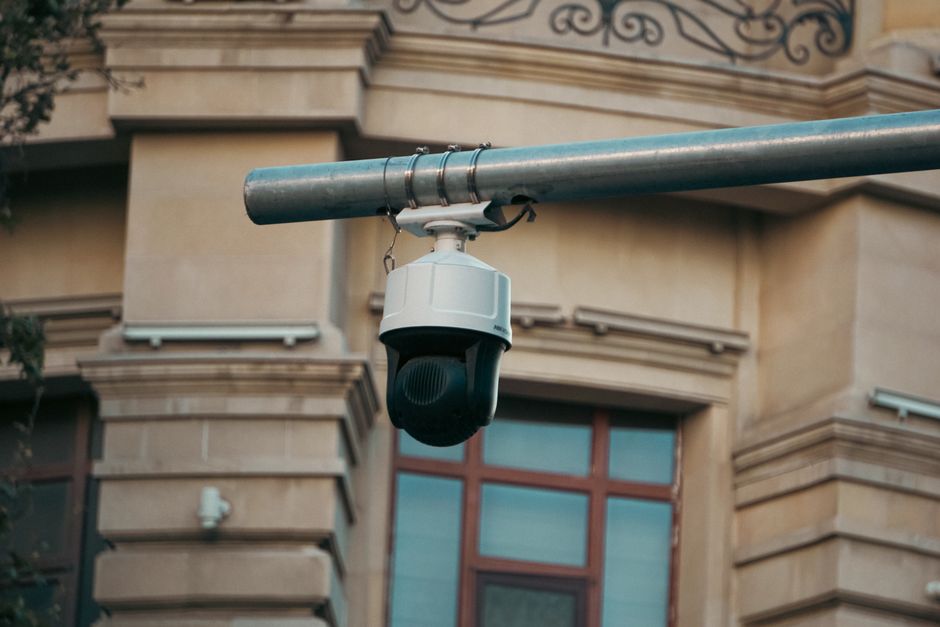
The allure of the smart home is undeniable: lights that respond to your voice, thermostats that learn your preferences, security cameras that let you monitor your property remotely, and appliances that anticipate your needs. The Internet of Things (IoT) promises a future of seamless convenience and effortless living. However, beneath this shiny veneer of innovation lies a burgeoning cybersecurity and privacy nightmare. Each connected device, from your smart doorbell to your internet-enabled toaster, represents a potential vulnerability, an open door for hackers to infiltrate your home network, spy on your family, or even hijack your devices for malicious purposes. Many IoT devices are rushed to market with woefully inadequate security features, default passwords that are never changed, and little to no provision for ongoing firmware updates. They are, in essence, tiny computers with internet access, often running outdated software and lacking basic security protocols. Ignoring the security implications of your smart home devices is like installing dozens of tiny microphones and cameras throughout your house and connecting them directly to the internet without a password. It's a risk too great to ignore if you're serious about bulletproofing your online, and indeed, your physical life.
The danger isn't merely theoretical. There have been numerous high-profile incidents of smart home devices being compromised. Hackers have gained access to baby monitors, allowing them to speak to children or watch families undetected. Smart cameras have been hijacked, their footage streamed online without consent. Vulnerable smart devices have been conscripted into massive botnets, like the Mirai botnet, to launch devastating distributed denial-of-service (DDoS) attacks that crippled major websites. Beyond direct hacking, there's the pervasive privacy issue: many smart devices continuously collect data – voice commands, video feeds, motion detection, energy usage – and transmit it to cloud servers, often owned by third-party companies whose privacy policies are opaque or non-existent. This data can be used for targeted advertising, sold to data brokers, or even accessed by law enforcement without a warrant. The convenience of the smart home comes at a steep price if you don't actively take steps to secure its perimeter. It’s a wild west of connected gadgets, and you need to be the sheriff.
The Foundational Defense Changing Default Credentials and Firmware Updates
The absolute first and most critical step in securing any new smart home device is to change its default username and password immediately upon setup. This cannot be stressed enough. Far too many devices ship with generic credentials like "admin/admin" or "user/password," or even no password at all, making them incredibly easy targets for automated scanning tools used by hackers. These default credentials are often publicly known and listed in manuals or online databases. Failing to change them is like leaving the keys to your house on the doorstep. Use strong, unique passwords for each device, leveraging your password manager to generate and store them. This simple act alone eliminates a vast majority of opportunistic attacks targeting IoT devices. It's a basic security hygiene practice that is frequently overlooked, creating massive vulnerabilities in seemingly secure homes.
Equally important is ensuring that your devices' firmware is always up to date. Firmware is the embedded software that controls your smart device. Manufacturers often release updates to patch security vulnerabilities, improve performance, and add new features. However, many IoT devices lack automatic update mechanisms, requiring manual intervention. Regularly check the manufacturer's website or the device's companion app for available firmware updates. An outdated firmware version can contain known exploits that hackers can easily leverage to gain unauthorized access. This ongoing maintenance is crucial because the threat landscape is constantly evolving, and new vulnerabilities are discovered regularly. A device that was secure last year might have critical flaws today. Treat your smart devices like mini-computers, because that's what they are, and give them the same attention to software updates you would your laptop or smartphone.
Segmenting Your Network and Limiting Data Flow The Digital Moat
To create a truly secure smart home, consider segmenting your network. This involves creating a separate, isolated Wi-Fi network specifically for your IoT devices, distinct from the network used by your computers, smartphones, and other sensitive devices. Many modern routers offer a "guest network" feature that can serve this purpose, or you can invest in a router that supports VLANs (Virtual Local Area Networks). Network segmentation acts as a digital moat, preventing a compromised IoT device from directly accessing or infecting your more critical devices. If a smart light bulb or a camera is hacked, the attacker will be confined to that isolated network segment, unable to move laterally to your laptop containing sensitive financial or personal data. This significantly limits the potential damage from a breach, containing the infection rather than letting it spread throughout your entire home network.
Furthermore, be mindful of the data your smart devices are collecting and where it's being sent. Review the privacy policies of each device manufacturer (if they even exist or are intelligible). Disable any unnecessary data collection features or cloud connectivity if local control is sufficient. For instance, some smart cameras offer local storage options (like an SD card or a local NAS) instead of requiring continuous cloud uploads. Opt for these whenever possible. Consider the privacy implications of voice assistants like Amazon Alexa or Google Assistant. While convenient, they are constantly listening for wake words and sending snippets of your conversations to the cloud for processing. Regularly review and delete your voice recordings in their respective apps, and consider muting the microphone when not actively using the assistant. The goal is to minimize the amount of sensitive data leaving your home network and residing on third-party cloud servers, reducing the attack surface and potential for privacy invasion.
A report by Statista indicates that the global number of IoT connected devices is projected to reach 29.4 billion by 2030. With such explosive growth, the cumulative security risk from poorly secured devices is escalating rapidly, making individual vigilance more crucial than ever.
Finally, be highly selective about the smart devices you bring into your home. Prioritize manufacturers with a strong reputation for security and privacy, transparent policies, and a commitment to ongoing support and updates. Avoid obscure, no-name brands that offer devices at suspiciously low prices, as these are often the worst offenders in terms of security vulnerabilities and data collection practices. Before purchasing, do your research: read independent reviews, check for reported vulnerabilities, and understand the device's data-sharing practices. Sometimes, the simplest hack is simply saying "no" to a smart gadget that offers marginal convenience at a significant privacy cost. By changing default credentials, keeping firmware updated, segmenting your network, and being a discerning consumer, you can transform your smart home from a potential privacy nightmare into a secure, convenient, and truly intelligent living space, ensuring that your connected devices serve you, rather than becoming tools for surveillance or exploitation. This is about consciously building a secure digital ecosystem within your physical home, safeguarding your personal space from the intrusions of the connected world.
The Power of DNS Privacy Securing the Internet's Phonebook
Every time you type a website address like "google.com" into your browser, your computer performs a crucial, often unseen, operation: it asks a Domain Name System (DNS) server to translate that human-readable name into a machine-readable IP address (e.g., 172.217.160.142). Think of DNS as the internet's phonebook. This seemingly innocuous process is a fundamental building block of the internet, but it also represents a significant privacy vulnerability. By default, your computer typically uses the DNS servers provided by your Internet Service Provider (ISP). This means your ISP sees every single website you attempt to visit, creating a comprehensive log of your browsing activity. Even if you use a VPN, your DNS requests might still be routed through your ISP's servers, creating a "DNS leak" that exposes your browsing habits. This leakage effectively undermines a significant portion of your privacy efforts, allowing your ISP to build a detailed profile of your online life, even if the content of your traffic is encrypted. Understanding and actively managing your DNS settings is a powerful, yet often overlooked, hack to bulletproof your online privacy, ensuring that your internet "phonebook lookups" remain truly private.
The implications of an ISP having access to your DNS queries are far-reaching. Beyond simply knowing which websites you visit, this data can be sold to advertisers, used for targeted content delivery, or even handed over to government agencies without a warrant in some jurisdictions. It can also be used to censor content, as ISPs can block access to certain websites by manipulating DNS responses. The "DNS leak" phenomenon is particularly insidious because many users assume their VPN fully protects them, only to discover their browsing history is still being logged by their ISP. This highlights the importance of a multi-layered security approach, where each component of your internet connection is scrutinized for potential privacy weaknesses. The good news is that there are robust, privacy-focused alternatives to your ISP's default DNS servers, and implementing them is surprisingly straightforward, offering a significant boost to your overall online anonymity and freedom from surveillance.
Ditching Your ISP's Spying Eyes Adopting Privacy-Focused DNS Resolvers
The simplest and most impactful step to enhance your DNS privacy is to switch from your ISP's default DNS servers to a reputable, privacy-focused third-party DNS resolver. These services operate independently of your ISP and are typically designed with user privacy as a core principle. Two prominent examples are Cloudflare's 1.1.1.1 and Quad9's 9.9.9.9.
- Cloudflare 1.1.1.1: Cloudflare explicitly states that it does not log user IP addresses or sell data to third parties. It's also one of the fastest DNS resolvers globally, often speeding up your internet browsing.
- Quad9 9.9.9.9: Quad9 focuses heavily on security, blocking access to known malicious domains (malware, phishing, spyware) by integrating threat intelligence from multiple sources. It also has a strong commitment to user privacy, not logging identifiable user data.
The process for changing DNS settings varies slightly depending on your operating system or router model, but generally involves navigating to your network settings and manually entering the primary and secondary IP addresses of your chosen DNS resolver. For example, for Cloudflare, you'd enter 1.1.1.1 and 1.0.0.1. For Quad9, it's 9.9.9.9 and 149.112.112.112. Many online guides and the DNS providers themselves offer step-by-step instructions. After making the change, it’s always a good idea to clear your system's DNS cache and restart your browser or device to ensure the new settings take effect. You can then use online tools like DNSLeakTest.com to verify that your DNS queries are indeed being resolved by your chosen privacy-focused servers and not leaking back to your ISP. This validation step is crucial to confirm your efforts have been successful and your digital "phonebook" is now truly private.
Encrypting Your DNS Queries DNS over HTTPS (DoH) and DNS over TLS (DoT)
While switching to a privacy-focused DNS resolver is a significant step, traditional DNS queries are still sent in plain text, meaning anyone intercepting your network traffic (e.g., on an unencrypted public Wi-Fi network) could still see your DNS requests and thus your browsing activity. This is where DNS over HTTPS (DoH) and DNS over TLS (DoT) come into play. These protocols encrypt your DNS queries, preventing eavesdropping and tampering.
- DNS over HTTPS (DoH): Encapsulates DNS queries within HTTPS traffic, making them indistinguishable from regular encrypted web traffic. This makes it harder for network observers to block or censor specific websites based on DNS queries. Many modern browsers like Firefox and Chrome now support DoH and allow you to enable it and select a provider (like Cloudflare or Google Public DNS).
- DNS over TLS (DoT): Encrypts DNS queries using the TLS protocol (the same encryption used for secure websites). DoT operates on a dedicated port, making it distinct from regular web traffic. While slightly less common in browsers, Android 9 and newer versions offer native DoT support, allowing you to easily configure a private DNS provider system-wide.
The combination of a reputable VPN, a privacy-focused DNS resolver, and encrypted DNS protocols (DoH/DoT) creates a highly robust defense against surveillance and tracking. The VPN hides your IP address and encrypts your general internet traffic, while the privacy-focused DNS resolver handles your domain lookups without logging them, and DoH/DoT encrypts those lookups themselves. This triple-layered approach ensures that your online activities are not only obscured from your ISP but also from anyone else attempting to monitor your network traffic. It’s a sophisticated, yet accessible, strategy that significantly enhances your overall online privacy and anonymity, preventing your internet "phonebook lookups" from becoming a public record. This hack is about taking control of a fundamental internet service and bending it to your will, ensuring that your digital explorations remain as private as they should be, free from the prying eyes of data collectors and censors.
Regular Data Backups and Secure Deletion Your Digital Safety Net and Eraser
In the relentless pursuit of online privacy and security, we often focus on preventing unauthorized access to our data, masking our identity, and encrypting our communications. However, two critical, often overlooked, aspects of a truly bulletproof online life are having a robust strategy for data backup and, equally important, a meticulous process for secure data deletion. Imagine losing years of precious family photos, important work documents, or irreplaceable personal memories due to a hardware failure, a ransomware attack, or even a simple accidental deletion. Conversely, imagine selling an old laptop or smartphone, only to have a new owner recover your sensitive personal information, financial records, or intimate conversations. Both scenarios represent catastrophic failures in digital hygiene, capable of causing immense distress and financial harm. A comprehensive privacy playbook isn't just about protecting data in transit; it's about safeguarding it at rest and ensuring its irreversible destruction when no longer needed. It's about building a digital safety net and wielding a digital eraser with equal proficiency.
The statistics on data loss are sobering. Hard drives fail, devices get lost or stolen, and cyberattacks like ransomware can encrypt your entire system, rendering your files inaccessible. A study by Backblaze, a cloud backup provider, consistently shows that a significant percentage of hard drives fail each year. Yet, many individuals and even small businesses still operate without a reliable backup strategy, putting their entire digital existence at risk. The consequences of data loss can range from minor inconvenience to irreparable damage, particularly for irreplaceable sentimental items. On the flip side, the dangers of insecure data deletion are equally profound. Simply deleting files or formatting a hard drive does not permanently erase data; it merely removes the pointers to that data, making it invisible to the operating system but easily recoverable with specialized software. This means that old devices, USB drives, or even cloud storage accounts can harbor sensitive information long after you think it's gone, creating a massive privacy liability. It's a digital paradox: we need to both meticulously preserve our valuable data and meticulously destroy our sensitive data.
Building Your Digital Ark The Indispensable Backup Strategy
A truly effective backup strategy adheres to the "3-2-1 rule":
- 3 copies of your data: The original copy and at least two backups.
- 2 different media types: For example, your computer's internal drive, an external hard drive, and cloud storage. This protects against a single type of media failure.
- 1 offsite copy: Store at least one backup copy in a different physical location (e.g., cloud storage, a friend's house, a safety deposit box). This protects against local disasters like fire, flood, or theft.