Navigating the Social Labyrinth and Other Digital Traps
The apps we’ve discussed so far represent a significant portion of the privacy threats lurking on our phones, but the digital landscape is vast and constantly evolving. Beyond the obvious data guzzlers, there are categories of applications that, while offering undeniable utility or entertainment, also come with inherent privacy trade-offs that many users fail to fully comprehend. These applications, often deeply integrated into our daily routines, continue to collect a staggering amount of personal information, building ever more detailed profiles that can be used in ways we might never anticipate or approve. Understanding these more nuanced threats requires a deeper look into the mechanics of their operation and the pervasive nature of their data collection, reminding us that vigilance is a continuous effort, not a one-time fix.
As someone who spends a considerable amount of time dissecting the inner workings of mobile applications and their permission structures, I’ve developed a healthy skepticism for any app that demands more access than its core functionality warrants. It’s a delicate balance between convenience and privacy, and unfortunately, the scales are often tipped heavily towards data extraction. The following categories represent some of the most pervasive and often overlooked digital traps that continue to compromise user privacy. By shedding light on their practices, my aim is to empower you with the knowledge needed to make informed decisions about what truly belongs on your device and what should be shown the digital door, permanently.
The Pervasive Reach of Social Media Apps Beyond Your Posts
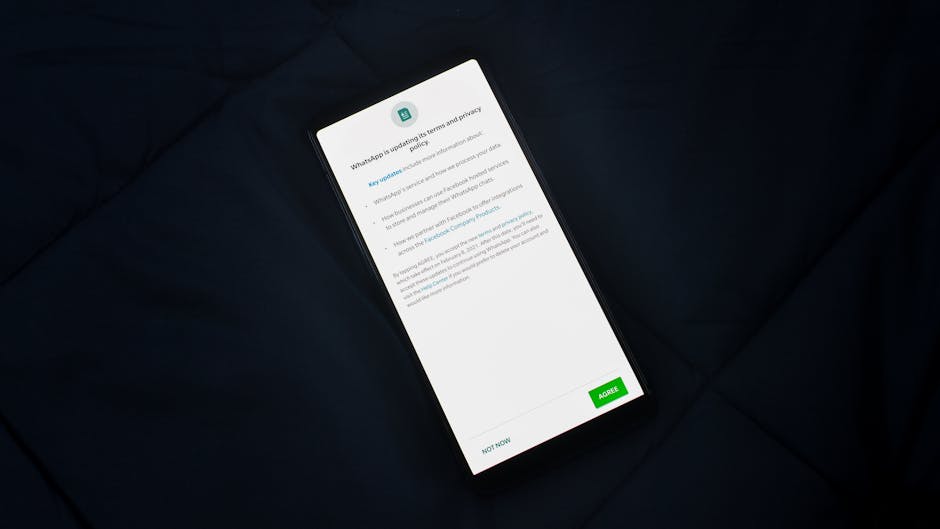
It's almost a given that social media apps like Facebook, Instagram, TikTok, and X (formerly Twitter) collect vast amounts of data. After all, their business model is predicated on understanding your interests to serve you targeted ads. However, the extent of their data collection often goes far beyond what you explicitly share or even what you interact with on their platforms. These apps are designed to be incredibly invasive, tracking your activities not just within their ecosystem but across your entire device and even the wider internet. They monitor your browsing habits, track which other apps you use, record your location history, analyze your network connections, and sometimes even listen in on your ambient surroundings, all to paint an incredibly detailed picture of your life.
Consider the myriad controversies surrounding Facebook's data practices, from the Cambridge Analytica scandal, which exposed how user data could be harvested and used for political manipulation, to ongoing concerns about its tracking pixels embedded across millions of websites. TikTok, too, has faced intense scrutiny over its data collection practices, particularly concerning its links to its parent company in China and the potential for foreign government access to user data. These apps are not just platforms for sharing; they are sophisticated surveillance tools that continuously feed algorithms with your every digital move. While giving up social media entirely might seem drastic for many, it's crucial to understand the profound privacy implications of keeping these apps installed. If you must use them, be incredibly diligent with permission settings, restrict their background activity, and consider accessing them through a web browser rather than the dedicated app whenever possible, as browser access often limits their ability to snoop on your device beyond the browser itself.
The Hidden Dangers of Overly Permissive QR Code Scanners and Barcode Readers
In our increasingly contactless world, QR codes and barcode scanners have become ubiquitous, facilitating everything from restaurant menus to product information and payment processing. Like flashlight apps, these utilities seem benign on the surface, performing a simple, straightforward task. Yet, many of them are Trojan horses, demanding a plethora of unnecessary permissions that turn them into potent data collection tools. A QR code scanner primarily needs access to your camera to function. So, why do so many request access to your contacts, precise location, microphone, storage, or even the ability to make phone calls? The answer, depressingly, is often for data harvesting purposes, selling your information to third-party ad networks.
Beyond data collection, malicious QR code scanners can also pose security risks. Some rogue apps might redirect you to phishing websites designed to steal your credentials, inject malware onto your device, or subscribe you to premium SMS services without your consent. I’ve personally encountered instances where scanning a seemingly innocent QR code via a compromised third-party app led to an immediate download of an unwanted application, highlighting the dangers of trusting just any scanner. The safest approach is to use your phone's built-in camera app for scanning QR codes, as modern smartphone cameras often have this functionality integrated securely. If your phone lacks this feature, opt for a highly-rated, privacy-focused scanner from a reputable developer, and rigorously review its requested permissions before installation. If it asks for anything beyond camera access, delete it immediately.
The False Promises of "Optimisation" and "Cleaner" Apps
The app stores are flooded with applications promising to "boost your phone's speed," "clean junk files," "save battery life," or "cool down your CPU." These "optimisation" or "cleaner" apps are almost universally useless, and often, actively harmful to your privacy and device performance. Modern smartphone operating systems (iOS and Android) are incredibly sophisticated at managing resources, memory, and battery life. They don't need third-party intervention to perform these tasks; in fact, these cleaner apps often interfere with the OS's native optimizations, leading to worse performance and shorter battery life, rather than improvement.
The real danger, however, lies in their data collection. To "clean" your phone or "optimize" its performance, these apps often demand deep access to your device, including storage, running apps, network connections, and sometimes even root access on Android. This gives them an unprecedented level of insight into your phone's activities and your personal data. Many of these apps are notorious for collecting user data in the background, bombarding users with intrusive ads, and even installing additional unwanted software. They create a false sense of security while actively compromising your privacy and potentially introducing malware. My advice has always been unequivocal: delete any and all "cleaner," "booster," or "optimizer" apps. They are digital snake oil, offering no real benefit while posing significant privacy and security risks. Your phone is perfectly capable of managing itself without their dubious assistance.
Reclaiming Your Digital Sanctuary A Blueprint for Mobile Privacy
Deleting the most egregious offenders from your phone is an essential first step, a crucial act of digital decluttering that immediately reduces your exposure to unnecessary surveillance. However, true mobile privacy is not a one-and-done task; it’s an ongoing commitment, a mindset shift that empowers you to be a more conscious and discerning digital citizen. The digital world is a dynamic environment, with new threats emerging constantly, and safeguarding your personal information requires a proactive and multi-faceted approach. This isn’t about becoming a paranoid recluse; it’s about making informed choices, understanding the tools at your disposal, and taking deliberate actions to build a more secure and private relationship with the technology that permeates every aspect of our lives. Let’s explore the actionable steps you can take to transform your smartphone from a surveillance device into a trusted personal assistant.
My years in this field have taught me that while no system is perfectly impenetrable, significant improvements to personal privacy are entirely achievable with a bit of knowledge and consistent effort. It's about building layers of defense, adopting best practices, and developing a healthy skepticism towards anything that seems too convenient or too good to be true in the digital realm. The goal isn't just to stop being spied on by specific apps; it's to cultivate an environment where your data is treated with respect, where your digital footprint is minimized, and where you retain control over your personal information. These practical steps form a robust framework for mobile privacy, moving beyond mere deletion to a more holistic and sustainable approach to digital self-defense.
Mastering Your App Permissions A Deep Dive Into Control
One of the most powerful yet underutilized privacy tools on your smartphone is the app permissions manager. Every time you install an app, it requests access to various parts of your device – your camera, microphone, location, contacts, photos, and so on. Many users simply tap "Allow" without a second thought, effectively granting a blank check to every application. This is a critical mistake. Instead, you need to become a permission gatekeeper, meticulously reviewing and revoking unnecessary access.
On Android, navigate to Settings > Apps & notifications > App permissions (or similar, depending on your device manufacturer and Android version). Here, you can review permissions by type (e.g., Location, Microphone) or by individual app. For each app, ask yourself: "Does this app absolutely need this permission to function?" Does a game need access to your microphone? Does a note-taking app need your precise location? Almost certainly not. Revoke any permissions that are not strictly necessary. On iOS, go to Settings > Privacy & Security, where you'll find similar granular controls for each permission category. Regularly auditing these permissions, perhaps once a month, is a vital habit. Apps often update and sometimes quietly add new permission requests, or you might realize an app you rarely use still has broad access. Remember, you can always grant a permission if an app genuinely needs it for a specific function, but starting with the least permissive settings is always the safest approach.
Embracing the Power of a Trustworthy VPN A Digital Cloak
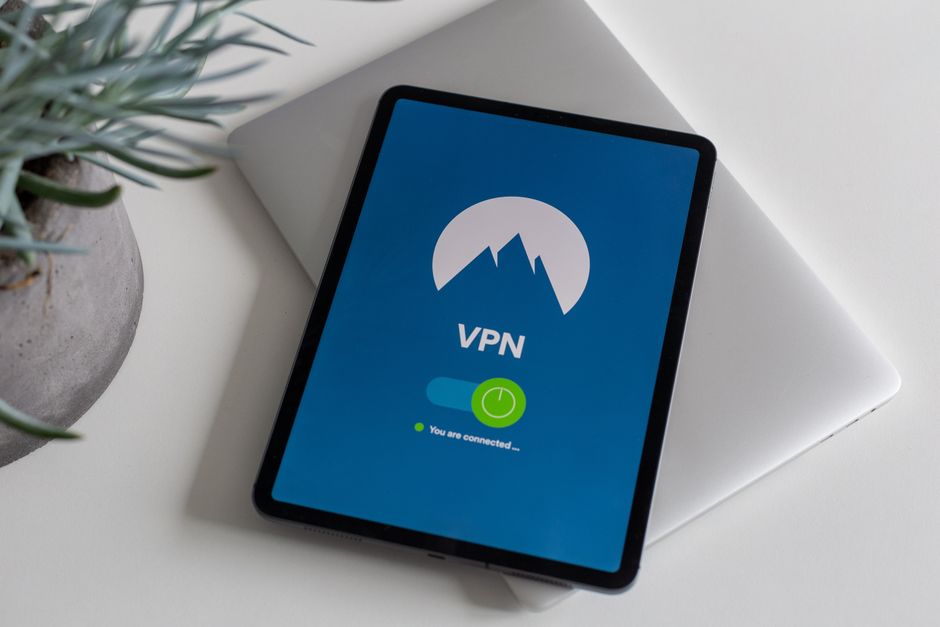
Once you've cleaned up your app roster, the next crucial step in securing your mobile privacy is to employ a reputable Virtual Private Network (VPN). A VPN acts as an encrypted tunnel for all your internet traffic, routing it through a server operated by the VPN provider before it reaches its destination. This process effectively masks your true IP address, encrypts your data, and makes it incredibly difficult for your Internet Service Provider (ISP), advertisers, or even government agencies to monitor your online activities. Think of it as putting on a digital cloak of invisibility every time you connect to the internet, especially when using public Wi-Fi networks, which are notorious for their security vulnerabilities.
However, as discussed earlier, the choice of VPN is paramount. Avoid "free" VPNs at all costs. Invest in a paid, no-logs VPN service from a provider with a strong reputation for privacy, transparency, and robust security features. Look for providers that have undergone independent security audits, offer strong encryption protocols (like OpenVPN or WireGuard), and clearly state their no-logs policy, meaning they don't record your online activities. Services like ExpressVPN, NordVPN, and Proton VPN are often cited as industry leaders. Using a VPN consistently ensures that your data is encrypted from your device to the VPN server, adding a critical layer of protection against snoopers and data collectors, significantly enhancing your overall online privacy and security posture.
Smart Browsing Habits and Privacy-Focused Alternatives
Beyond app permissions and VPNs, your browsing habits play a significant role in your digital privacy. The default browsers on your phone, while convenient, often come with built-in tracking mechanisms. Consider switching to a privacy-focused browser that actively blocks trackers, ads, and fingerprinting attempts. Browsers like Brave, Firefox Focus, and DuckDuckGo Privacy Browser are excellent alternatives that prioritize user privacy, often featuring built-in ad blockers and anti-tracking technologies that prevent websites from collecting your data as you navigate the web. These browsers are designed to minimize your digital footprint, making it harder for advertisers and data brokers to build comprehensive profiles of your online behavior.
Furthermore, cultivate the habit of using privacy-respecting search engines. Google, while powerful, is a massive data collection engine. Alternatives like DuckDuckGo and Startpage offer search results without tracking your queries or building a personal profile. For email, consider services like ProtonMail or Tutanota, which offer end-to-end encryption and a strong commitment to user privacy, moving away from services that scan your emails for advertising purposes. By consciously choosing privacy-centric tools for your everyday digital interactions, you can significantly reduce the amount of personal data that is collected and shared about you, taking another vital step towards reclaiming your digital sanctuary.
The Unsung Hero Regular Software Updates Are Your Shield
It might seem tedious, but regularly updating your phone's operating system and all installed apps is one of the most fundamental and effective cybersecurity practices. Software updates aren't just about new features; they frequently include critical security patches that fix vulnerabilities discovered by researchers or identified by developers. These vulnerabilities, if left unpatched, can be exploited by malicious actors to gain unauthorized access to your device, steal your data, or even take complete control of your phone. An outdated operating system or app is like an open window in your digital home, inviting trouble.
Make it a habit to check for and install updates promptly. On Android, you can usually find this under Settings > System > System update. On iOS, it's under Settings > General > Software Update. Enable automatic updates for apps whenever possible, or at least regularly check your app store for available updates. This simple, often overlooked step acts as a continuous shield, ensuring that your device benefits from the latest security enhancements and bug fixes, closing potential backdoors that could otherwise be exploited by those looking to compromise your privacy and security. It's a low-effort, high-impact action that everyone should prioritize.
Thinking Before You Tap Install A Mindful Approach to Apps
The app store is a vast, tempting marketplace, but every tap of the "Install" button should be preceded by a moment of critical thought. Before downloading any new app, especially one that promises a lot for free, take a few minutes to do some quick research. Read reviews, not just the glowing ones, but also the critical ones that often highlight privacy concerns or excessive permissions. Check the developer's reputation – are they a known entity with a history of trustworthy apps, or an obscure company with a generic name? Crucially, glance at the app's privacy policy, even if it's just to skim for red flags related to data sharing or retention. While often dense, these policies are legally binding documents that reveal how an app intends to handle your data.
Always consider the "if it's free, you're the product" mantra. If an app provides significant value without a clear revenue model, it's highly probable that your data is the commodity being exchanged. Ask yourself: "Do I truly need this app, or is there a privacy-respecting alternative, or perhaps even a web-based version that offers similar functionality without requiring extensive permissions?" Embracing a minimalist app lifestyle – only installing what you truly need and regularly uninstalling apps you no longer use – also significantly reduces your attack surface and overall data leakage. Each app you install is another potential point of data collection, another window into your digital life. Be selective, be skeptical, and be mindful of the digital keys you hand over with every tap.